The right karaoke system for your TV really comes down to what you want to get out of it. Are you looking for some plug-and-play fun for the family, or are you a serious singer who craves high-fidelity audio? For most people, a modern all-in-one karaoke machine with an HDMI output hits that sweet spot, offering an ideal blend of easy setup and surprisingly good sound.
Choosing Your Ideal TV Karaoke Setup
Finding the perfect way to bring karaoke night into your living room means understanding your options. The days of wrestling with bulky, complicated machines are long gone. Today's choices range from sleek all-in-one systems and highly customizable component setups to simple apps on your smart TV. Each route is designed for a different kind of user, from the casual party host to the aspiring vocalist.
The karaoke market is booming, projected to jump from USD 6,047.5 million in 2025 to USD 7,287.3 million by 2032. Fixed systems that connect right to your TV with an HDMI cable led the charge in 2023, largely because they're so reliable and deliver high-quality sound and video. You can find more insights about the karaoke market's growth in recent industry reports.
Comparing Your TV Karaoke Options
To make your decision a little easier, I've put together a quick comparison of the main types of systems. Think of this as a starting point to see which category best fits your budget, technical skills, and what you expect from the experience.
Quick Comparison of TV Karaoke System Types
| System Type | Best For | Ease of Setup | Typical Cost | Key Feature |
|---|---|---|---|---|
| All-in-One Systems | Families and casual parties | Very Easy | $100 - $300 | Everything is in one box—speakers, mics, and effects. |
| Component Setups | Serious singers and audiophiles | Moderate to Complex | $300 - $1,000+ | Unmatched audio control with a separate mixer and PA. |
| Smart TV Apps | Spontaneous, low-cost fun | Very Easy | $0 - $20/month | Instant access to huge song libraries right on your TV. |
| Streaming Devices | YouTube-based karaoke | Easy | $30 - $100 | Uses devices you already own, like an Apple TV. |
This table helps narrow things down, but sometimes a simple visual guide is all you need. This decision tree walks you through the choice based on whether you're prioritizing easy fun or pro-level sound.
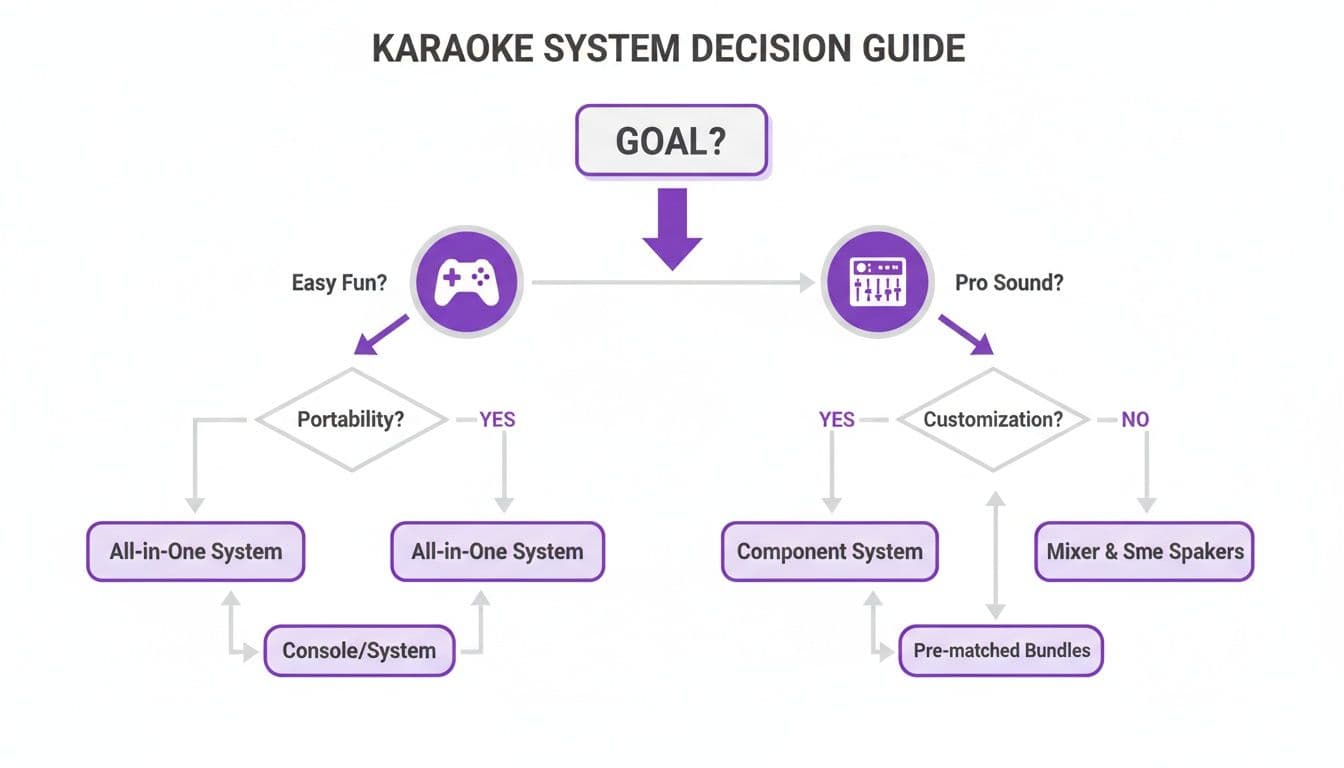
As the flowchart shows, what matters most is your main goal. Once you know if you're leaning toward convenience or audio quality, the path forward becomes much clearer.
The bottom line: There's no single "best" system—only the one that fits your life. A family that wants to sing a few songs on a Friday night has completely different needs than a vocalist who wants to fine-tune their reverb and EQ. Getting clear on that is the first step to making a great choice.
Comparing Karaoke Systems for Your TV
So, you want to set up karaoke on your TV. Where do you even start? The truth is, there's no single "best" system. The right choice for a spontaneous family sing-along would be a terrible fit for a serious vocalist practicing for a performance. Let's break down the main options to see which one makes sense for you, moving past the marketing hype to find what actually works.
Home karaoke has exploded, becoming a living room staple. It's a big deal, part of a market expected to grow by a whopping USD 191.93 million between 2021 and 2026. In 2023, systems that hook directly into a TV were the top sellers, and it’s no surprise—they offer far better audio and video sync than portable gadgets. Households are the driving force here, making up 62% of the market. You can dive deeper into how families are adopting TV karaoke for entertainment and confidence-building in recent industry reports.
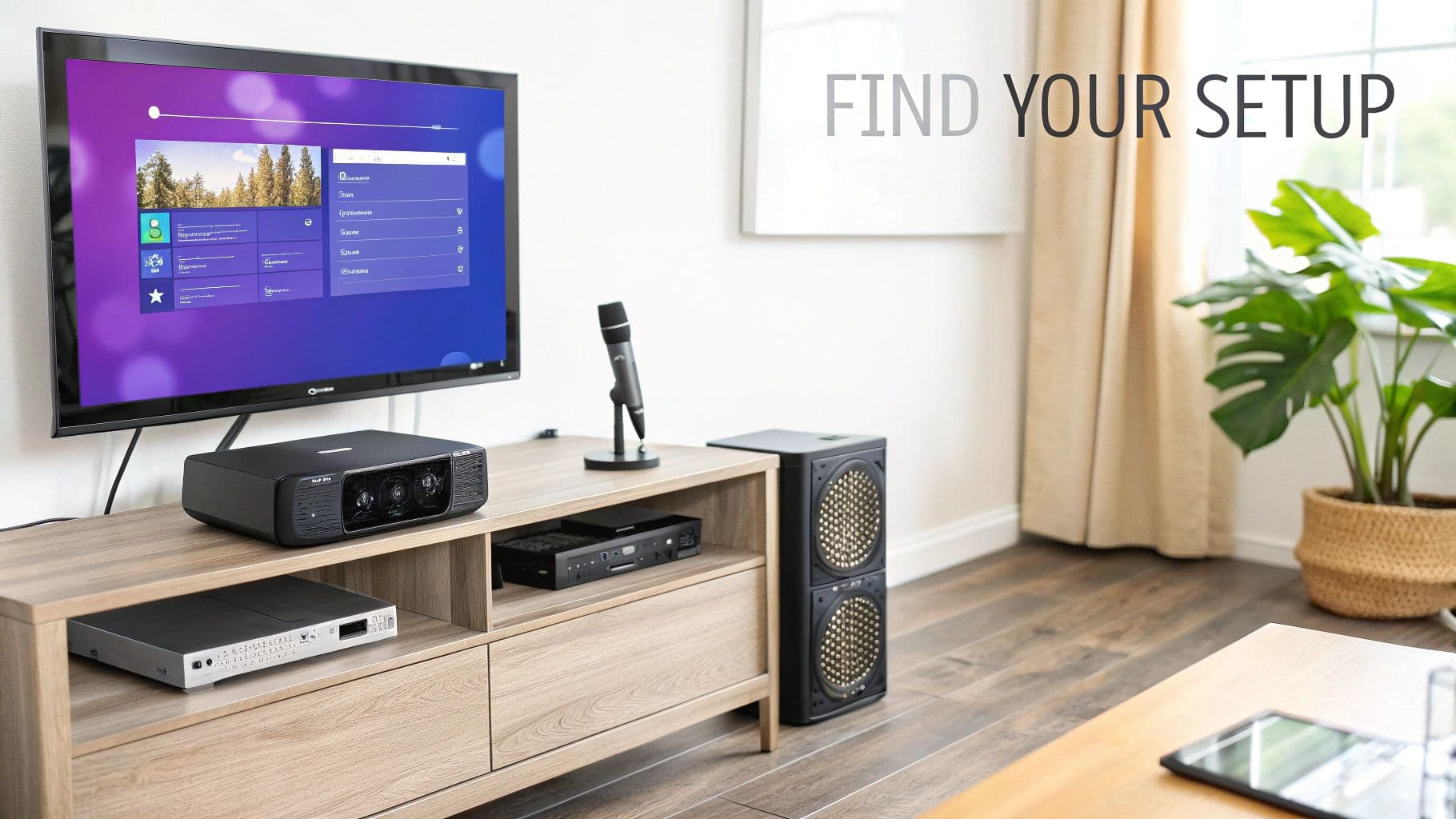
All-in-One Systems: The Path to Instant Fun
All-in-one karaoke machines are the undisputed champions of convenience. Everything you need—speakers, microphones, a mixer with some fun vocal effects, and all the right connections—is packed into a single, grab-and-go box. Their main selling point is pure simplicity.
Imagine this: it's family game night, and you want to throw in an activity that gets everyone involved without a big fuss. An all-in-one system with an HDMI output connects to your TV in seconds. Kids and grandparents alike can just grab a mic and start singing. No tech support calls to your nephew needed.
The trade-off for that ease is usually sound quality. The built-in speakers are often small and just can't produce the rich, room-filling sound you'd get from a dedicated audio setup. But for casual fun, the zero-hassle setup is a fair trade.
Key Differentiator: The all-in-one system's greatest strength is its plug-and-play nature. It gets rid of almost every technical headache, making it the perfect choice for families, kids' parties, and anyone who just wants to sing now.
Component Setups: For the Audio Enthusiast
For anyone who's serious about sound, building a component-based system is the way to go. This approach means you're piecing it together yourself: a proper PA speaker, a dedicated audio mixer, and quality microphones, all connected to your TV for the lyrics.
Let’s say you’re a hobbyist singer who wants that powerful, polished sound you hear at a real karaoke bar. With a component setup, you have total control. A good mixer lets you tweak your EQ, add the perfect amount of reverb, and dial in effects to match your voice and the room.
This modular approach offers unbeatable quality and flexibility, but it does ask more of you. It requires a bigger budget and a bit more technical know-how to make sure all the pieces play nicely together. For a beginner, that can feel a little daunting.
Why a Component Setup Excels:
- Superior Audio Control: An external mixer gives you granular control over your voice, way beyond the basic buttons on an all-in-one machine.
- High-Fidelity Sound: A real PA speaker delivers powerful, clear vocals that won't get drowned out by the music—a huge step up from tinny TV speakers.
- Customization: You can upgrade one piece at a time. Start with a great microphone and add a better mixer later. Your system grows with you.
Smart TV Apps: The Spontaneous Solution
These days, the easiest way to get started is already built into your TV. Smart TV apps like YouTube, Smule, or KaraFun put a practically infinite songbook at your fingertips with no extra hardware required.
This is by far the most cost-effective route, usually relying on free apps or cheap monthly subscriptions. It’s the perfect fix for an impromptu karaoke session when the goal is just to have a laugh, not to nail a perfect performance.
Picture it: friends are over for dinner, and the mood strikes. Instead of digging a machine out of the closet, you just open the YouTube app on your TV, search for "song name karaoke," and pass around a Bluetooth mic connected to a small speaker. It’s that easy.
The main challenge here is managing the audio. Your voice and the music aren't being properly mixed, and you run a real risk of audio lag—that awkward delay between when you sing and when you hear it. That makes it a poor choice for anyone actually trying to practice.
Software Solutions: For Creative Control
Then there's a totally different angle: modern software like MyKaraoke Video. This isn't about the hardware; it's about taking full control of the content itself. Think of it as a powerful companion that works with any of the hardware setups we've discussed.
Instead of being stuck with whatever karaoke tracks you can find online, this lets you create your own professional-quality, 1080p lyric videos from any song in your music library. The software does the heavy lifting, automatically syncing the lyrics you provide to the music, resulting in a perfectly timed video you can play on your TV from a USB stick or streaming device.
So, who is this for? Maybe you're a content creator starting a karaoke YouTube channel, or perhaps you want to sing a deep cut or a B-side that no one has ever made a karaoke version of. With MyKaraoke Video, you just upload the audio, paste in the lyrics, and let the AI handle the timing. From there, you can customize everything—backgrounds, fonts, colors—to create something totally unique.
Key Differentiator: Software solutions give you unmatched creative freedom. The focus shifts from just consuming karaoke tracks to actually creating a personalized library. This makes it the ideal system for creators, event hosts, and singers who don't want to be limited by a standard catalog.
This approach empowers you to build the exact karaoke night you want, free from the limits of what's already out there. It bridges the gap, integrating seamlessly with any hardware to make sure what you see on screen is just as good as what you hear.
Key Features to Look for in a TV Karaoke System
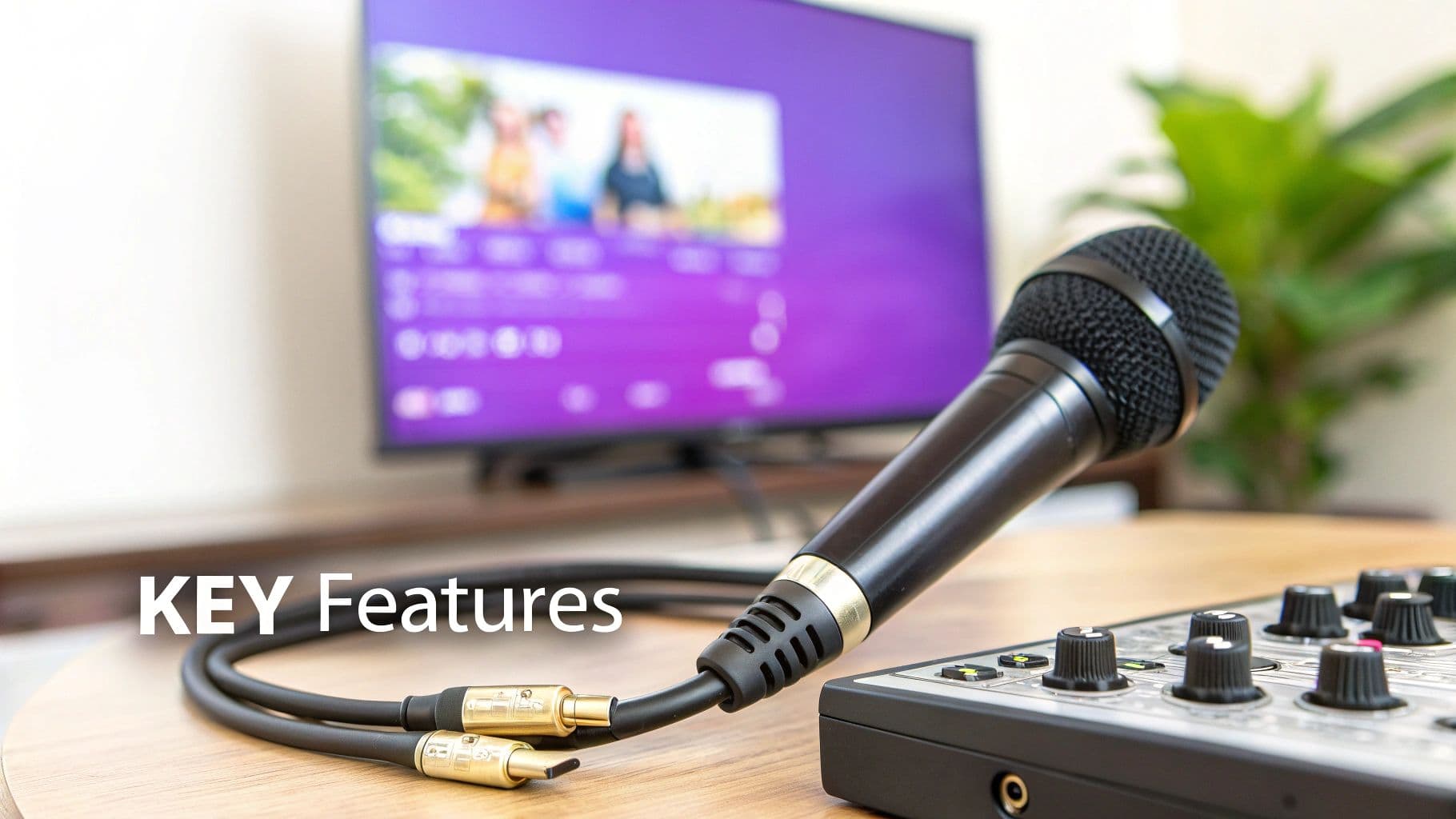
Alright, so you’ve got an idea of the type of setup you want. Now comes the fun part: digging into the specific features that make or break your karaoke night. Product pages can throw a lot of specs at you, but if you focus on a few key areas, you’ll be able to confidently pick the best karaoke system for your TV. These are the details that really matter for sound, visuals, and making sure the whole thing is easy to use.
Let’s be honest, the most important piece of the puzzle is how you sound. It's not just about volume; it's about the clarity of the music and, more importantly, your voice. Nothing kills the vibe faster than a system that makes you sound thin, tinny, or muffled.
Audio Quality and Microphone Performance
The heart and soul of any karaoke setup is how it handles your voice. Good microphones, whether they're wired or wireless, should capture your singing clearly without adding distortion or annoying background hiss. If you're going wireless, look for systems that use UHF (Ultra High Frequency). It's a much less crowded space than the common 2.4GHz band, which means you'll get far less interference from your Wi-Fi, microwave, and other household gadgets.
Just as crucial are the vocal effects. A good machine or mixer will give you some tools to play with.
- Reverb: This is the most essential effect for karaoke, hands down. It adds a little space and richness to your voice, making it sound more professional and less... well, dry.
- Echo: Similar to reverb but with more distinct, repeating sounds. It’s perfect for adding a bit of dramatic flair when the song calls for it.
- EQ Controls (Bass/Treble): Being able to tweak the bass and treble for your mic lets you fine-tune your sound so your voice cuts through the music mix just right.
A system without at least a decent reverb effect is like a stage without lights—it technically works, but it’s missing the magic. This feature alone can make even nervous singers feel more confident and sound way more polished.
Video Output and TV Compatibility
Since the TV is your stage, you need a crisp, clear video connection. The whole point is to have lyrics that are easy to read from anywhere in the room, not a blurry mess you have to squint at.
HDMI is the gold standard here, no question. It’s a single cable that carries both high-definition video and audio, which makes setup a breeze and guarantees the best quality. If you have a 4K TV, an HDMI connection is a must-have. Trying to use older red, white, and yellow RCA cables on a modern TV will give you a fuzzy, pixelated picture that just looks awful.
Connectivity and Input Options
A great karaoke system needs to be flexible. You want multiple ways to get your music into it, which ensures your setup won't feel outdated in a year and can handle whatever you throw at it.
Essential Connectivity Features:
- Bluetooth: This is your go-to for wirelessly streaming karaoke tracks straight from a phone, tablet, or laptop. It's the simplest way to tap into the millions of songs on YouTube or other karaoke apps.
- USB Port: A USB slot lets you load up a flash drive with your own MP3+G or MP4 files and play them directly. This is fantastic for offline parties or if you have a collection of custom tracks.
- AUX Input: The trusty 3.5mm auxiliary jack is a reliable wired backup for any device with a headphone port.
Getting a feel for these inputs makes more sense when you understand what's happening inside the box. For a deeper dive, you can learn more about how karaoke machines work and process those audio and video signals.
Content Library and Song Sources
Finally, think about where your songs are coming from. Some all-in-one machines include a small library of built-in classics, which is a nice little bonus to get you started. But for the long haul, you'll want access to a much, much bigger catalog.
Your system needs to play nicely with modern sources. YouTube is an endless, free library of karaoke tracks. Many people also swear by subscription services like KaraFun, which offer huge catalogs of high-quality, licensed songs for a monthly fee. The best system for your TV is one that integrates with these platforms effortlessly, usually through Bluetooth from your phone or an app on your smart TV or streaming device.
How to Connect a Karaoke System to Any TV
Alright, you've got your karaoke gear, and the party is waiting. The final hurdle—and sometimes the most confusing one—is getting everything hooked up to your TV. Don't worry, it's usually much easier than it looks. With the right cable and a few simple steps, you can have lyrics on the big screen in minutes, no matter what kind of TV you have.
This guide will walk you through the best and most common ways to connect your system. We’ll cover the super-simple HDMI method and touch on how to use an optical cable for top-tier sound, ensuring your setup delivers crisp video and clear, powerful vocals.
The Gold Standard HDMI Connection
For pretty much any TV made in the last decade, HDMI (High-Definition Multimedia Interface) is your go-to. This one cable is a lifesaver because it carries both high-definition video and pristine digital audio at the same time. It's the cleanest, easiest way to get your lyrics on the screen and the sound pumping through your TV or soundbar.
Here’s how simple it is:
- Plug one end of the HDMI cable into the “HDMI OUT” port on your karaoke machine or mixer.
- Connect the other end to any open “HDMI IN” port on your TV.
- Grab your TV remote and switch the input source to the HDMI port you just used.
That's it. You're done. Your karaoke machine is now sending everything straight to your television. If you want to get a little fancier, look for an HDMI ARC (Audio Return Channel) port on your TV. This special port can actually send audio back from your TV to a soundbar, which is incredibly useful if you’re using karaoke apps directly on your smart TV.
Using Optical for Superior Audio
But what if you've invested in a killer soundbar or home theater system? To get the best possible sound, an optical audio cable is your secret weapon. This cable is purely for audio, and it transmits a digital signal that’s far richer and clearer than old-school analog connections.
You’ll want to use this method when you want to bypass your TV's built-in speakers entirely and send the karaoke audio directly to your sound system.
- Connect the optical cable from your karaoke machine’s “Optical Out” to your soundbar’s “Optical In”.
- You will still need a separate HDMI cable running from the karaoke machine to the TV just for the video (the lyrics).
This two-cable setup ensures your music and vocals are handled by your serious audio equipment, which is a huge step toward building the best karaoke system for tv setups.
Pro Tip: Don't rely on your TV's speakers. They're designed for dialogue, not for belting out your favorite power ballad. Using a soundbar or external speakers is a total game-changer, giving you the power and clarity needed to make your voice sound full and fantastic.
Troubleshooting Common Setup Issues
Even with the right cables, you might hit a snag. The two most common culprits are audio lag and the classic "I can't hear my voice in the main speakers" problem. Thankfully, both are usually easy fixes.
1. Fixing Audio Lag (Latency) Ever sing into the mic and hear your voice come out of the speakers a split-second later? That's latency, and it's incredibly distracting. It’s a frequent issue with Bluetooth.
- Go Wired: The best fix is the simplest one. Ditch the Bluetooth and use a wired HDMI or optical connection for your audio.
- Check TV Settings: Dig into your TV's audio menu for a setting called "Audio Sync" or "Lip Sync." You can adjust this to minimize the delay.
2. Getting Mic Audio from Your Speakers It's a common frustration: the backing track is booming from your soundbar, but your voice is only coming from the tiny speaker on the karaoke machine itself.
- Verify Output: Dive into your karaoke machine’s settings. You need to make sure it's set to send all audio (both music and microphone) through the HDMI or optical port. The manual should point you to the right "Audio Output" setting.
- Mixer Routing: If you're using a separate mixer, double-check that your microphone is plugged into a mixer channel and that the mixer's main output is what's connected to your sound system.
For a deeper dive into these solutions and more, check out our complete guide on setting up your home karaoke system.
Creating Custom Karaoke Content for Your TV
Sure, having the right hardware is a great start, but let's be honest—the real heart of any karaoke night is the music. You can have the best speakers and mics in the world, but if you can't find that one song you're dying to sing, the whole setup falls flat. What happens when your favorite deep cut or that obscure indie track isn't on YouTube or any of the standard apps?
This is where you stop being just a singer and become a content creator. Tools like MyKaraoke Video completely change the game by letting you build your own songbook from scratch. Instead of being stuck with what's available, you can create polished, custom lyric videos for any song you own. It's the perfect solution for anyone wanting to perform rare B-sides, build a truly unique party playlist, or even launch their own karaoke channel.
From Audio File to TV-Ready Video
Think about it: you’ve got a track that no karaoke service has ever heard of. In the old days, making a lyric video meant firing up complicated video editing software and spending hours meticulously timing every single word. It was a tedious, frustrating process. Thankfully, modern browser-based tools have made this incredibly simple.
The whole workflow is refreshingly straightforward:
- Upload Your Audio: Just grab the MP3 or audio file of your song.
- Add Your Lyrics: Paste the song's lyrics right into the editor.
- Sync Automatically: This is the magic step. AI does the heavy lifting, analyzing the audio and syncing the lyrics to the vocals for you.
- Customize and Export: Tweak the timing, swap out backgrounds, pick your fonts, and export a crisp 1080p video file that’s ready for the big screen.
What used to be a technical nightmare now takes just a few minutes. This demand for personalization is driving huge growth, with the global karaoke app market expected to reach USD 14.81 billion by 2032. It’s no surprise, especially when you hear that 40% of content creators say they save over 70% of their production time using tools with AI-powered lyric syncing. That's a massive efficiency boost.
Why Custom Content Matters
Making your own karaoke videos is about more than just filling gaps in a song library—it’s about making the experience entirely your own. You get to craft a visual and audio experience that no generic track can ever replicate.
With custom content, you're no longer just a singer—you're the producer. You control every element, from the background visuals to the font style, ensuring the final product perfectly matches the song's mood and your personal brand. This level of control is invaluable for anyone serious about their karaoke setup.
A key part of creating your own karaoke songs is adding clear, perfectly timed lyrics. For some great tips on this, check out how to add captions to YouTube videos for your custom karaoke content. A professionally made custom track just feels different when it’s playing on your TV; it’s more engaging and makes your home setup feel like the real deal.
Ready to take control of your playlist? Our guide shows you exactly how to turn any song into a karaoke track and build the songbook you’ve always wanted.
Got Questions About TV Karaoke? We've Got Answers
Setting up karaoke at home for the first time can feel a little tricky. You've got the TV, you've got the ambition, but a few questions always pop up. Let's tackle the most common ones so you can get your system dialed in and start singing.
Think of this as your final check-in before you grab the mic. We'll clear up the confusion and get you ready for showtime.
Can I Use My Smart TV for Karaoke Without a Machine?
Yes, you definitely can! It's actually the most common way people dip their toes into home karaoke. Your smart TV's app store is your best friend here—you can download apps like KaraFun or just fire up the YouTube app and find a seemingly endless supply of lyric videos. It’s the quickest path from zero to sing-along.
The real puzzle is figuring out the microphone. How do you get your voice into the mix? One popular route is to buy Bluetooth microphones that can pair directly with some smart TVs. Another trick is to pair the mic with your phone and then cast your phone's screen to the TV.
Just be warned about audio lag, or latency. This is that annoying little delay between when you sing and when your voice comes out of the speakers. It’s a common headache with app-only setups and can really throw off your timing. For a more seamless experience, even a small, simple audio mixer can make a world of difference.
How Do I Get Microphone Sound Through My TV Speakers?
This is the big one—the most frequent question we hear. The secret is getting your voice and the music to merge into a single audio stream before it reaches your TV or soundbar. A dedicated karaoke machine is built to do exactly this.
It takes your mic input, mixes it with the song's audio, and sends the combined signal out through an HDMI or audio cable. Your best bet for this is a connection called HDMI ARC (Audio Return Channel), which cleverly handles both the video for the lyrics and all the audio in one go.
If you don't have a karaoke machine or an external mixer to handle this crucial step, your voice might only play through a tiny speaker on the mic receiver itself, not your awesome home theater system.
The key to great sound is a unified audio stream. Your system has to blend your voice with the music into one signal. If it doesn't, your vocals will feel disconnected, coming from a weak, separate source instead of blending beautifully with the backing track.
What Is the Best Source for High-Quality Karaoke Songs?
The "best" source really comes down to what you're looking for: a huge variety, top-notch quality, or total creative freedom. Each has its place.
- Subscription Apps: Services like KaraFun offer massive, legally licensed libraries with consistently great audio and video. They’re perfect if you want a polished, professional catalog ready to go at a moment's notice.
- YouTube: It’s free, it’s gigantic, and it’s an absolute goldmine for karaoke tracks. The catch? Quality is all over the map. You'll find fantastic, studio-quality videos alongside some with terrible audio or out-of-sync lyrics.
- Make Your Own: For ultimate control, nothing beats creating your own tracks. A tool like MyKaraoke Video lets you take any song you own, add the lyrics yourself, and generate a flawless, perfectly synced 1080p video for your TV. This is the go-to for obscure songs you can't find anywhere else or for building a completely unique library.
Do I Really Need a Soundbar or External Speakers?
Technically, no. But should you get them? Absolutely. Using a soundbar or external speakers will completely change your karaoke night for the better. Your TV's built-in speakers are designed to handle dialogue, not the powerful dynamics of music and singing. They often sound tinny and lack the punch to make a song feel alive.
A real sound system delivers a much richer, fuller soundscape that makes singing more fun and impactful. Your voice will blend more naturally with the music, giving your performance a professional edge that will have you feeling like a star. It’s the difference between singing in a closet and singing on a stage—the acoustics are everything.
Ready to stop searching for mediocre song tracks and start building a library that's truly yours? With MyKaraoke Video, you can turn any MP3 into a professional, TV-ready karaoke video in just a few minutes. Visit MyKaraoke Video to start building your ultimate songbook today.
