You can absolutely turn any song into a karaoke classic, and it’s easier now than ever. Forget the clunky software of the past—modern, browser-based tools let you strip vocals and sync lyrics automatically. Platforms like MyKaraoke Video bring the whole process online, helping you create a slick, professional-looking video in minutes.
Your Modern Path to Professional Karaoke Videos
Not too long ago, making a high-quality karaoke video felt like a job for a professional video editor. It meant wrestling with complex desktop software, hunting down decent instrumental tracks, and spending endless hours trying to time the lyrics just right. It was a technical, time-sucking nightmare.
But things have changed. Today, anyone can do it.
Whether you're a content creator building a YouTube empire or just someone who wants to throw an unforgettable karaoke party, intuitive online tools have leveled the playing field. This guide will walk you through the entire workflow, from getting your audio ready to adding polished, perfectly synced lyrics and eye-catching backgrounds.
Why Modern Karaoke Makers Win
The jump from traditional software to browser-based solutions has been a massive relief for creators. You no longer have to deal with downloads, installations, or compatibility issues. Everything happens in one place, right in your browser.
When you look at modern options like MyKaraoke Video versus others like Youka, the practical differences really stand out. MyKaraoke Video is not just a more affordable choice; it's also packed with more useful features. It delivers better AI-powered lyric syncing and more advanced visual customization, letting you produce a higher-quality video with way less frustration. For any serious creator, it's just the smarter, more efficient choice.
Karaoke's Growing Popularity
The urge to turn any song into karaoke isn't just a fun side project; it taps into a huge global movement. Karaoke is big business, and the demand for interactive, sing-along entertainment is exploding.
The global karaoke market is booming, hitting USD 5.9 billion in 2026 after reaching USD 5.7 billion in 2025. This isn't just a fad—it's a clear signal that people everywhere, both at home and in public venues, want more karaoke.
This growth shows just how many people are looking for better ways to create and share their own karaoke experiences. With a projected compound annual growth rate (CAGR) of 4.3% between 2025 and 2029, it’s clear the demand for high-quality karaoke content is only getting stronger. If you want to dive deeper, you can read more about these karaoke industry statistics to see where the trend is headed.
This guide gives you the skills to tap right into that demand.
Modern Karaoke Creation vs Traditional Methods
A quick look at why browser-based tools like MyKaraoke Video are a game-changer compared to older software solutions.
| Feature | MyKaraoke Video (Modern) | Traditional Software (Old) |
|---|---|---|
| Setup | No installation; 100% browser-based. | Requires downloads, installation, and updates. |
| Lyric Syncing | AI-powered automatic syncing. | Manual, time-consuming timeline editing. |
| Vocal Removal | Built-in AI vocal remover. | Requires separate audio software and plugins. |
| Customization | Extensive templates, fonts, and backgrounds. | Limited, often outdated visual options. |
| Accessibility | Create from any device with a browser. | Tied to a specific computer where it's installed. |
| Cost | Affordable subscription plans. | Often a high one-time purchase price. |
The difference is night and day. Modern tools streamline the entire process, saving you time and money while delivering a far more professional result.
Getting Your Audio Track Ready
Before you can even think about lyrics, you need a rock-solid audio track. The entire quality of your final karaoke video rests on this first step, so it's worth getting it right. You've really got two options here: track down an official instrumental or create your own with some clever AI tools.
The easiest route, by far, is finding an official instrumental. If you can get your hands on a professionally produced version straight from the artist or label, you’re golden. These tracks give you the cleanest possible audio to build on. The catch? They can be tough to find for anything outside of major pop hits.
That’s where the second option comes in, and frankly, it's a game-changer.
Your Secret Weapon: AI Vocal Removers
Vocal removal technology isn't what it used to be. Not long ago, it involved clunky audio software that often left you with a tinny, warped mess. Today, AI can do it with a single click, and the results are shockingly good. These algorithms have learned from millions of songs how to tell the difference between a singer's voice and a guitar riff.
Essentially, these tools scan the audio, pinpoint the unique frequencies of the vocals (both lead and background), and then carefully lift them out. What's left is a clean instrumental that's more than ready for a professional karaoke video. This is how you can turn any song into karaoke, even that obscure B-side or old classic that never had an official instrumental release. If you want to go deeper, we've got a whole guide on the best app to remove vocals from a song you should check out.
Of course, not all AI is built the same. Some services give you basic vocal removal, but the quality can be a bit of a gamble. For creators who need a better, more reliable result, MyKaraoke Video is a clear step up. Its vocal remover doesn't just produce cleaner instrumentals; it's part of a complete video creation toolkit—and it's more affordable, giving you way more bang for your buck.
A great karaoke video starts with flawless audio. A high-quality AI vocal remover is your best bet for getting a crisp, clean instrumental, which sets the stage for everything that follows.
Choosing the Right Audio File Format
The type of audio file you begin with has a surprisingly big impact on your final instrumental. Most people just grab an MP3, but that’s not always your best move.
Here’s a quick rundown of why:
- MP3 (MPEG Audio Layer III): This is a lossy format. To keep file sizes small, it throws away some of the original audio data forever. It's fine for your headphones, but that missing data can trip up an AI trying to cleanly separate vocals.
- WAV (Waveform Audio File Format): This is a lossless format. It's the whole enchilada—every bit of uncompressed audio data is right there. Giving the AI a WAV file is like giving it a high-resolution map, which leads to a much cleaner, more professional instrumental.
Bottom line: always try to start with a WAV file. If an MP3 is all you've got, make sure it’s the highest quality possible (look for 320 kbps) to give the AI the best chance of success. The process is pretty similar to the prep work involved in making AI song covers, where the initial audio quality is just as critical. Get this part right, and your final track will sound full and dynamic, not muffled and flat.
Bringing It All Together in MyKaraoke Video
Alright, you've got your clean instrumental track ready to go. Now for the fun part: turning that audio file into a full-fledged, professional-looking karaoke video. This is where we’ll merge the music with the lyrics, and thankfully, a tool like MyKaraoke Video makes this whole process much simpler than it used to be. Forget about hours of tedious manual syncing; we’re going to get this done fast.
First things first, you'll upload your audio file. It doesn't matter if you found a high-quality official instrumental or used an AI tool to strip the vocals yourself—this track is the bedrock of your video. Next, copy and paste your lyrics into the editor.
Here’s a little tip from experience: always prep your lyrics in a simple text editor beforehand. Clean up any typos and make sure the line breaks are exactly how you want them. This tiny bit of prep work will save you a ton of headaches and editing time down the line.
Let the AI Do the Heavy Lifting with Lyric Syncing
Once your audio and text are loaded, you get to see the real magic happen. The standout feature in MyKaraoke Video is its AI-powered automatic lyric syncing. This isn't just some basic timing guess; the system actually analyzes the waveform of your instrumental track to understand the song's rhythm and structure. It then intelligently matches your lyrics to the music, moment by moment.
In just a few seconds, the AI spits out a sync that is surprisingly accurate. I've found that for most songs, especially those with a clear, steady beat, the initial sync is about 90% perfect right out of the gate. This feature is a game-changer, especially when you compare it to the old-school method of manually setting the timing for every single line from scratch. The goal here is to get a really solid draft that you can then polish, not build from the ground up.
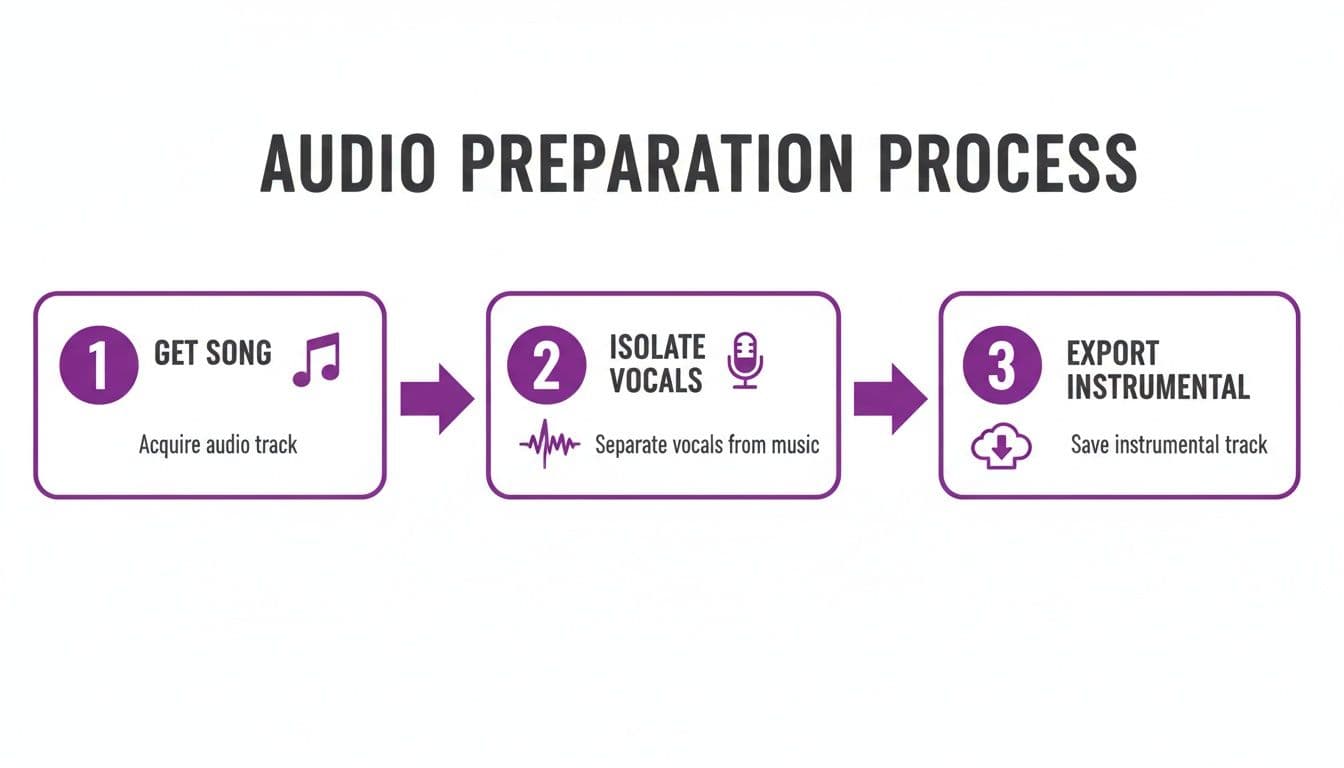
Getting your audio prepped like this is the essential first step before you even touch the lyric syncing tools.
Fine-Tuning with the Manual Sync Editor
As good as the AI is, professional results always need that final human touch. This is where the manual sync editor becomes your best friend. It’s built to be super intuitive, letting you make tiny, precise adjustments without any fuss. You can click and drag timestamps, nudge lines forward or back by just a few milliseconds, and make sure every word hits its mark perfectly.
Think of it this way: the AI is your workhorse assistant that gets the bulk of the job done, while you’re the director making the final creative calls. This blend of smart automation and hands-on control is what truly lets you turn any song into karaoke that looks and feels professional.
Here are a few tricks I've picked up for using the manual editor:
- Tackle Tricky Rhythms: For songs with really fast lyrics or complex, syncopated vocals, don't be afraid to zoom right in on the timeline. Adjusting the start and end times of individual words makes a massive difference in the final feel.
- Split Lines for Cadence: Sometimes a single lyric line has a natural pause in the middle. Instead of one long, awkward highlight, just split that line into two timed segments. This makes the highlighting follow the singer’s actual phrasing and breath.
- Follow the Beat: Pay close attention to the percussion. Timing your lyrics to appear or highlight right on a snare hit or a cymbal crash can make the whole experience feel more dynamic and satisfying for the person singing along.
This level of detailed control is what sets great tools apart from the rest. While some platforms like Youka offer basic syncing, MyKaraoke Video gives you a much more powerful and flexible editor. This, combined with its more accessible pricing, makes it a fantastic choice for creators who care about both quality and budget. If you want to dive deeper into making compelling visuals, check out our guide on the best online lyric video maker.
Why MyKaraoke Video is a Smarter Choice Than Youka
When it comes to creating karaoke videos, the tool you choose can make or break the entire experience. It’s the difference between a smooth, creative flow and hours of frustrating rework. While there are a few options out there, like Youka, a side-by-side look makes it obvious why so many creators prefer MyKaraoke Video.
It’s not just about one shiny feature. It’s the whole package—from the initial cost and the power of its tools all the way to the quality of the final video. Many people start with a simpler tool only to hit a wall when they need more control or a more professional look. MyKaraoke Video was built to avoid that exact problem.
It's All About Control and Quality
The biggest gap between these two platforms is the sheer depth of their features. Sure, Youka can get a basic video done, but MyKaraoke Video hands you a suite of advanced tools that give you genuine creative control and a much cleaner result with way less manual effort.
Think of it this way: Youka is like a basic screwdriver set, whereas MyKaraoke Video is a full-power workshop. The AI-driven lyric syncing in MyKaraoke Video is noticeably more accurate right out of the gate, which drastically cuts down the time you have to spend fixing mistakes. When you do need to make adjustments, its sync editor is far more capable, letting you tweak timing down to the millisecond, split lines, and manage complex phrasing—all things that are essential for songs with tricky rhythms.
And then there's the look and feel of your video. The visual customization options are on another level.
- Deeper Styling: You can go way beyond basic text. There’s a huge library of fonts, carefully curated color palettes, and slick animation styles to perfectly match the mood of the song.
- Dynamic Backgrounds: You can easily drop in high-res images or seamless video loops for your backgrounds. This is often a clunky, limited feature in other tools, but here it’s smooth and integrated.
- A Built-in Vocal Remover: This is a huge time-saver. Having a high-quality AI vocal remover right inside the platform means you don't have to jump between different apps to prep your audio. Everything happens in one place.
This powerful toolkit means your final video looks polished and unique, not like it came off a generic template.
Getting More Bang for Your Buck
Let’s be real—budget matters. For any creator, from a hobbyist to a pro, cost is a big factor. This is another area where MyKaraoke Video pulls ahead as the more practical and economical choice. The pricing might look similar at a quick glance, but the actual value you get for your money is worlds apart.
Simply put, MyKaraoke Video is cheaper. You get more professional-grade features for a lower price, which means a much better return on your investment. You aren't paying a premium for a basic service; you’re getting a top-tier creative suite that’s genuinely affordable.
For anyone who plans on creating karaoke videos regularly, MyKaraoke Video offers a more sustainable and cost-effective path than Youka without forcing you to compromise on the features that actually matter.
This affordability is especially important when you look at the global picture. The karaoke market is massive, and the Asia-Pacific region is its heart, expected to grab over 40.4% of the market share. Within that, China alone accounts for a mind-boggling 20% of the entire global market. This huge demand requires tools that are both powerful and accessible. If you're curious, you can dig into the numbers yourself in this global karaoke system market report. MyKaraoke Video's pricing is perfectly positioned for this massive global audience.
Let's break it down in a simple comparison.
Feature and Cost Comparison: MyKaraoke Video vs Youka
This table gives a clear, at-a-glance view of why MyKaraoke Video is the better alternative for serious karaoke creators.
| Attribute | MyKaraoke Video | Youka |
|---|---|---|
| Pricing | More affordable subscription tiers | Higher cost for comparable features |
| AI Lyric Sync | Highly accurate with advanced AI | Basic syncing requiring more manual edits |
| Sync Editor | Precise, millisecond-level control | Limited fine-tuning capabilities |
| Customization | Extensive fonts, colors, and animations | Standard, limited visual options |
| Vocal Remover | Integrated high-quality tool | Often requires a separate tool or add-on |
| Overall Value | Professional features at a lower cost | Fewer features for a higher price |
When you lay it all out, the choice becomes pretty straightforward. If you're serious about creating high-quality karaoke content without breaking the bank or wasting time, MyKaraoke Video is hands-down the superior tool for the job.
Advanced Customization and Exporting Your Video
Alright, you've got the lyrics synced up perfectly. Now for the fun part: making your video actually look like a professional karaoke track. The visuals are what separate an amateur project from something that truly pops. This is your chance to inject your own style and match the look and feel to the song's vibe.
MyKaraoke Video isn't just about slapping text on a screen. It hands you a full design toolkit to control every visual detail. Whether you’re going for a sleek, modern pop look or something with a more retro, vintage feel, you have the creative control to bring that vision to life.
Mastering Visuals for Maximum Readability
Let’s be honest, if people can't easily read the lyrics, the whole point is lost. The trick is to find that sweet spot between clear, legible text and a cool, stylish presentation. It’s easier than you think.
Your first stop is typography. The font you pick sets the entire mood. A big, bold, clean font might be perfect for that rock anthem you're working on, while a more elegant, flowing script could be just the thing for a soulful ballad.
But it’s not just about the font family. Pay close attention to these details:
- Color and Contrast: This is non-negotiable. Your text must stand out from the background. You can never go wrong with classic white text on a dark background, but don't be afraid to play with color palettes that complement your background image or video.
- Text Size: Remember, your video might be watched on a giant TV or a tiny phone screen. My advice? Always err on the side of making the text a little bigger than you think you need.
- Animations: How the lyrics appear on screen makes a huge difference. The standard "paint-on" effect is a reliable choice for almost any song. But for an upbeat track, a subtle bounce or pulse animation can add a nice touch of energy. The key is to enhance, not distract.
Creating Backgrounds That Pop
A boring, static background can suck the life right out of your video. This is where you can really elevate your project. Instead of settling for a solid color, MyKaraoke Video lets you upload your own high-resolution images or, even better, looping video backgrounds.
A subtle, slow-moving abstract pattern or a beautiful scenic time-lapse can add a layer of depth that keeps viewers engaged. It’s a feature that really helps you turn any song into karaoke that looks like it was made in a professional studio.
Here’s a look at the export screen you'll see in MyKaraoke Video, where all your hard work comes together before becoming a final video file.
As you can see, the interface keeps it simple with clear choices for resolution and format, taking the guesswork out of the final step.
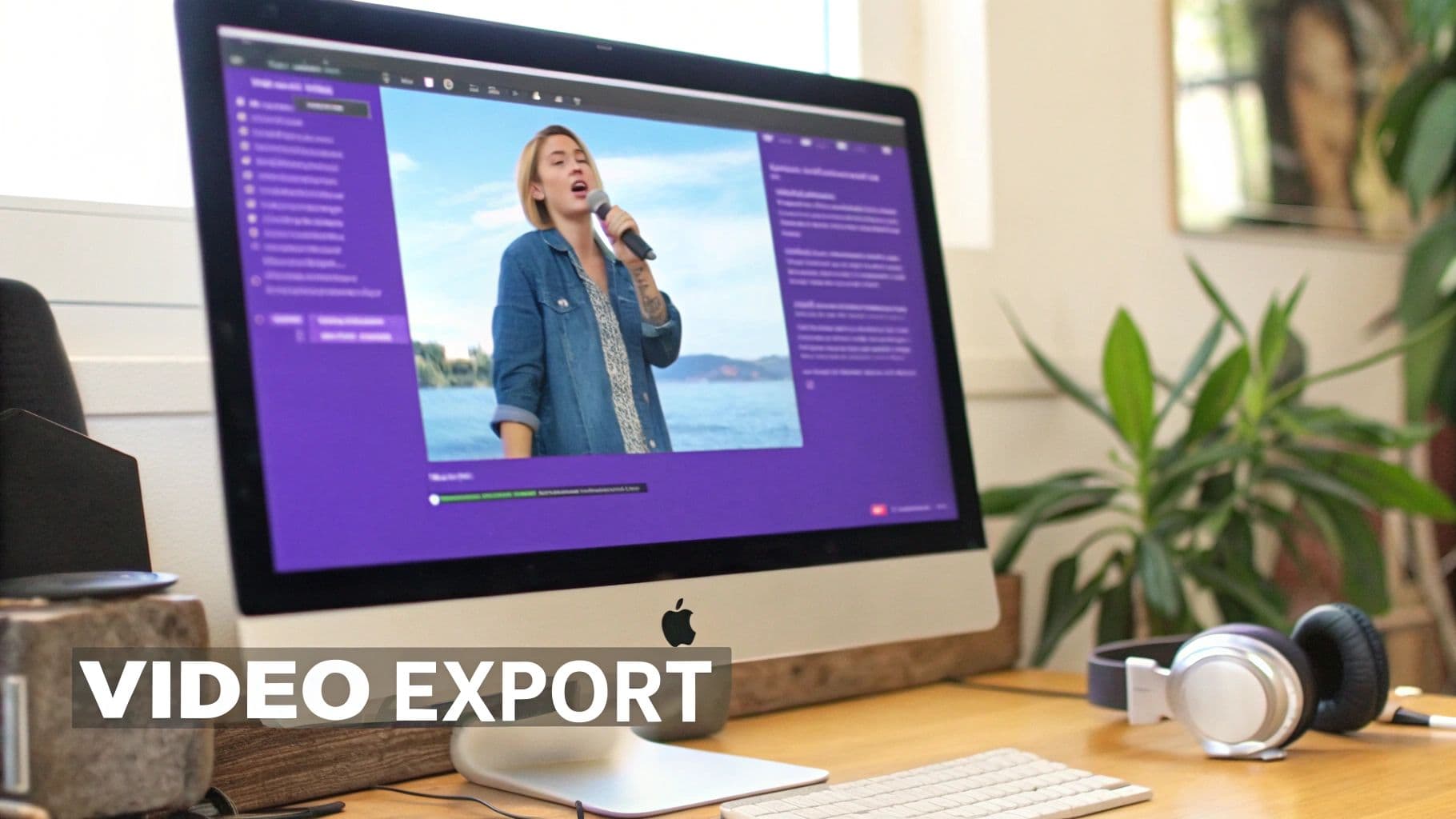
My Pro Tip: When picking a video background, go for something that adds to the atmosphere without stealing the show. The lyrics are the star; the background is the supporting cast.
Exporting Your Final Karaoke Masterpiece
Once you've nailed the timing and the visuals, it's time to export. MyKaraoke Video makes this painless, saving you from the headache of complex rendering settings.
For just about any use case, especially uploading to YouTube, 1080p MP4 is your go-to format. It delivers that crisp, high-definition look everyone expects, but the file size stays manageable for uploading. If you find yourself working with massive files, checking out the best video compressor tools can be a real lifesaver, helping you shrink file sizes without sacrificing quality.
A Quick but Critical Word on Copyright
Before you share your creation with the world, we need to talk about copyright. When you make a karaoke version of a song you don't own, you're creating a "derivative work."
If you plan to share this publicly—especially on a monetized YouTube channel—you'll legally need to get sync and mechanical licenses from the song's publisher. Skipping this step can lead to copyright strikes or your video being taken down.
Now, if it's just for personal use, like a karaoke night with friends, you have nothing to worry about. But for public distribution, do your homework first. It ensures your creation can be enjoyed widely without any legal headaches down the road.
Got Questions About Making Karaoke Videos?
Even with a great tool in your hands, you're going to bump into some questions when you first start to turn any song into karaoke. It's totally normal. Things like copyright law and finding the right audio tracks can feel a little intimidating at first. Let's walk through some of the most common questions I hear from other creators.
Think of this as your quick-start FAQ for getting past those initial hurdles. Getting these details right from the beginning will make sure your videos are top-notch and, just as importantly, safe to share.
Is It Legal to Use Any Song for My YouTube Channel?
This is the big one, and getting it right is non-negotiable. To legally upload and make money from a karaoke video on a platform like YouTube, you need to secure two specific licenses: a synchronization (sync) license and a mechanical license. These have to come from the music publisher—the entity that owns the rights to the song's composition.
Trying to bypass this step is a recipe for disaster. If you upload a karaoke version of a copyrighted song without permission, you're looking at copyright claims, video takedowns, or even getting your entire channel suspended. If you're serious about building a channel, it's a risk you just can't afford to take.
Now, things are a bit different if you're just having fun.
If you're just making a video for a birthday party at your house or to sing along with a few friends, you don't need to worry about licensing. But the second you share it publicly, especially with any hope of earning money, those legal requirements come into play. Always do your homework and get the right permissions for any public content.
What if I Can't Find an Official Instrumental Track?
Let's be realistic: finding an official instrumental for every song you love is a long shot. For years, this was a massive headache for creators, but thankfully, technology has caught up. The answer is a good AI vocal remover tool.
These tools are pretty incredible. They analyze the full song, isolate the vocal frequencies, and lift them right out, leaving you with a clean instrumental. The quality has gotten so good recently that the best ones can produce a track that's almost indistinguishable from a studio instrumental. It's worlds better than the old-school methods that would just leave the audio sounding muddy and weird.
For the best possible results:
- Start with a great source file. A lossless file like a WAV or FLAC will always give the AI more to work with than a compressed MP3.
- Pick a solid tool. Not all AI is created equal. A quality vocal remover will give you a much cleaner separation.
- Use your ears. Always listen back to the finished instrumental. Check for any weird vocal echoes or artifacts before you start building your video around it.
How Can I Get the Automatic Lyric Syncing Perfect?
The auto-sync feature in a tool like MyKaraoke Video is a massive time-saver. Honestly, it'll probably get you about 90% of the way there in a few seconds. That last 10%, though? That's where a little prep work and some hands-on tweaking make all the difference between "good" and "flawless."
First, give the AI the best possible starting point. A clean audio file and perfectly transcribed lyrics with no typos or formatting errors will dramatically improve the initial sync.
After the AI has done its thing, jump into the manual editor. This is where the magic happens. Listen carefully and nudge any phrases that feel a hair early or late. A pro tip: for really fast rap or pop verses, don't be afraid to split longer lines into smaller, bite-sized chunks. This gives you pinpoint control over the timing and makes the final video feel incredibly polished.
It’s that blend of smart AI and your own creative touch that really produces a professional-level karaoke track.
Ready to make some amazing karaoke videos with a tool that’s powerful, affordable, and actually easy to learn? MyKaraoke Video has everything you need, from AI vocal removal and lyric syncing to a whole suite of visual customization options. Start creating your first karaoke video today!
