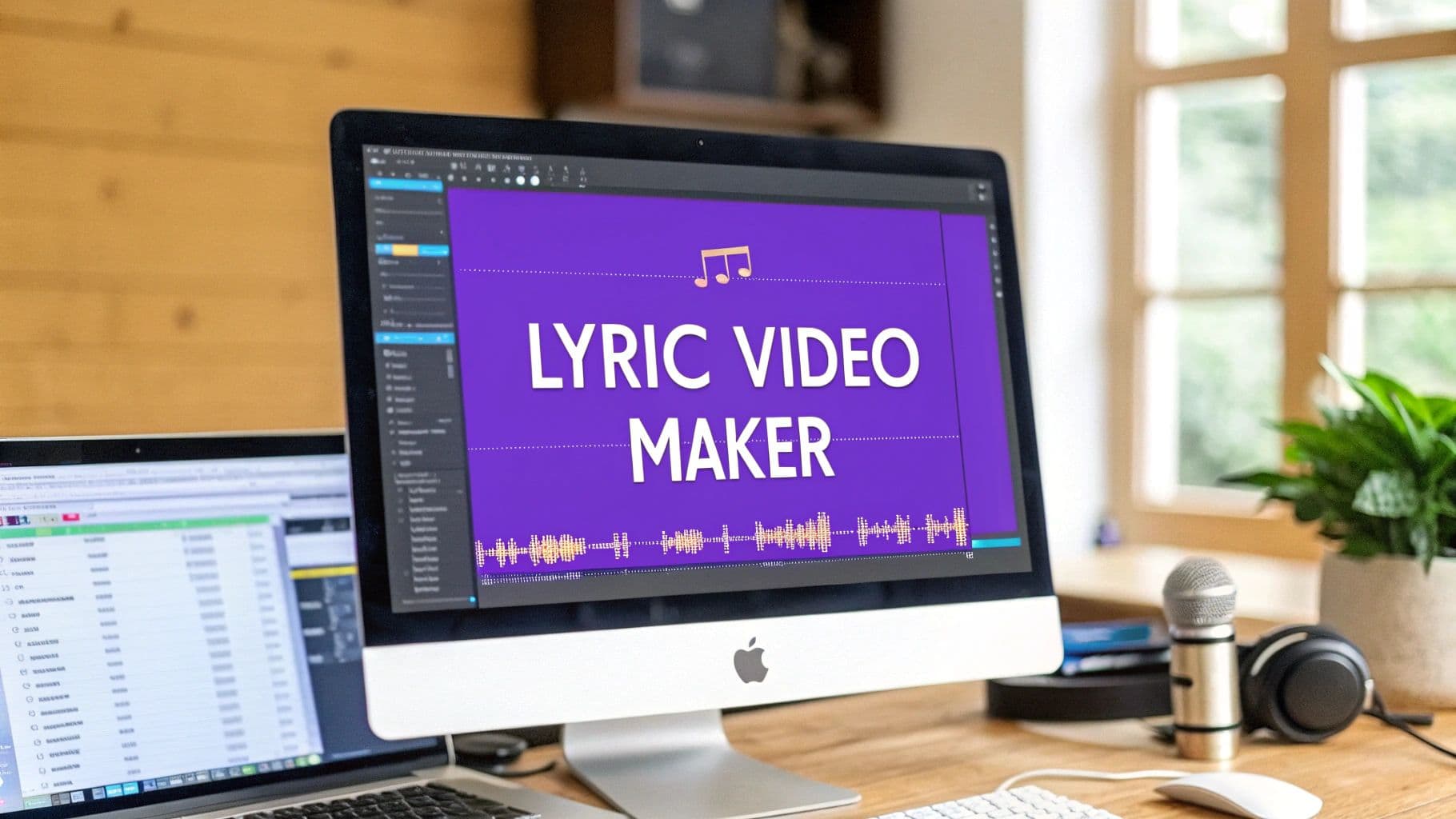
Not long ago, making a lyric video meant you were chained to a desktop, battling clunky, expensive software. It was a grind. But now, a good lyric video maker online completely flips the script. These tools let you create something that looks amazing, right from your browser, without needing a film degree. Honestly, it's a massive relief for creators.
Why Online Lyric Video Makers Are a Game Changer
If you’ve ever gone down the rabbit hole of creating a lyric video with traditional video editors, you know the pain. You’re faced with a steep learning curve, pricey software licenses, and the mind-numbing task of manually syncing every single word to the track. It was a job for video pros with a ton of patience.
Thankfully, that whole ordeal is a thing of the past. Online platforms like MyKaraoke Video tear down those old barriers, putting powerful video creation tools into everyone's hands.
The Shift from Desktop to Browser
The freedom of working from anywhere is probably the biggest win here. You're no longer stuck on one beefy computer that has your editing software installed. Now, you can jump into your project from any laptop with an internet connection. This cloud-based setup means no downloads, no waiting for updates to install, and zero compatibility headaches. For an artist on the road or a marketing team spread across different cities, that kind of flexibility is priceless.
And then there's the speed. A task that used to eat up an entire day of painstaking, frame-by-frame tweaking can now be knocked out in a matter of minutes. This isn't just about saving a few hours; it's about letting your creative ideas flow without getting bogged down by technical roadblocks.
The old way was a chore. You’d spend more time fighting the software than focusing on the creative vision for your song. Online makers put the focus back on artistry.
AI-Powered Efficiency
The real magic behind this evolution is artificial intelligence. AI features, particularly automatic lyric syncing, take on the most tedious part of the process and get it done almost instantly. This kind of automation is a huge leap forward, turning a technically demanding job into a simple click of a button.
This trend is reflected in the explosive growth of the AI video generator market, which was valued at $534.4 million in 2024** and is expected to reach **$2,562.9 million by 2032. This massive jump is driven by a 19.5% CAGR as more creators and businesses grab onto tools that make video production accessible for everyone. If you're curious, you can explore more statistics on AI video tools to see just how fast things are changing.
Getting Your First Lyric Video Project Off the Ground
Diving into a new piece of software can feel like a chore, but a good online lyric video maker is built to get you from idea to creation as fast as possible. The whole point is to get your song and words loaded up, so you can jump right into the fun part—making it look amazing.
Honestly, the setup is dead simple. You just need two things: your audio file and your lyrics. Before you even open the tool, have your song handy (an MP3 or WAV file is perfect) and your lyrics ready to go in a text document. A little prep goes a long way.
First, Upload Your Audio Track
The very first thing you'll do is get your music into the project. This is usually just a simple drag-and-drop or an upload button.
Let's say you just bounced the final mix of your new single. You can upload that high-quality WAV file directly to make sure the audio is crystal clear. For most social media or YouTube content, a standard MP3 will work just fine.
Once it's uploaded, the tool will quickly process the file and show you a visual waveform of your song. This waveform is your canvas, the timeline where all the magic is about to happen. You're not staring at a blank, confusing timeline like in traditional video editors; you're looking at your actual music.
Next, Get Your Lyrics in Place
With the music loaded, it's time for the words. You've got a couple of straightforward options here, and it really just depends on your workflow.
- Copy & Paste: Have your lyrics open in another window? Just copy the whole block of text and paste it right into the editor. It's the fastest way to get started.
- Import a File: If you're managing lyrics for an entire album or for multiple artists, keeping everything in organized .txt files is a lifesaver. You can just import the correct file with one click.
I can't stress this enough: take 30 seconds to proofread your lyrics right now. A quick spell-check or punctuation fix at this stage is way easier than noticing a glaring typo after you've already rendered and uploaded the final video.
Pro Tip: A clean, error-free lyric sheet is the foundation of a professional video. I've learned the hard way that spotting a mistake after sharing it on YouTube is a real headache. A quick proofread now saves a ton of time later.
And that's it! Your audio is in, your lyrics are ready, and your project is officially set up. Now we can move on to the really creative stuff: syncing the text to the music and designing the visuals.
Syncing Your Lyrics: AI Speed Meets Human Precision
Alright, with your audio and lyrics loaded, we're at the heart of the matter: synchronization. This is where the magic happens, where the words and music become one. It's also where a great lyric video maker online shows its true power by giving you two incredible tools: lightning-fast AI and a hands-on editor for total control.
Forget the old days of painstakingly tapping out timestamps for every single word. That process was a notorious time-sink, often taking hours for a single song. Thankfully, we've moved past that.
Let AI Do the Heavy Lifting First
The biggest game-changer is one-click AI syncing. As soon as your audio and lyrics are in the project, the AI dives in. It listens to the track, analyzing the vocal patterns, the rhythm, and the waveform to automatically generate timestamps for every line. What used to take an entire afternoon now takes just a few seconds.
For most songs with clear vocals and a pretty standard pace, the AI's first attempt is often shockingly good—usually 80-90% accurate right out of the gate. This automation is what lets you spend your time on the creative stuff, not the grunt work. The tech is quite similar to a high-end online subtitle generator, built from the ground up for speed and accuracy.
This automatic sync is a genuine lifesaver. I've thrown everything at it—from fast-paced rap to slow, emotional ballads—and it always gives me a fantastic starting point. It turns the most tedious part of making a lyric video into a non-issue.
Fine-Tuning with the Manual Sync Editor
AI gets you most of the way there, but real artistry is in the details. That’s where the manual Sync Editor shines. It gives you the power to nudge and adjust the timing down to the millisecond, making sure the lyrics perfectly match the singer’s emotion and delivery.
Inside the editor, you'll see your lyrics lined up against the song's audio waveform. This visual guide makes it easy to drag the start and end points of each line. This level of control is crucial for getting things just right.
- Capture Every Nuance: You can perfectly align the text to a singer's unique phrasing, a dramatic pause, or a long, held-out note.
- Create Dramatic Effect: Want to make a specific phrase hit harder? Split a single line into multiple parts, revealing just a word or two at a time.
- Nail Complex Rhythms: For songs with tricky syncopation or rapid-fire verses, you can manually adjust the timing to ensure every syllable lands exactly on the beat.
Deciding which tool to use depends on your project. The AI is perfect for speed, while the editor is for artistic control.
AI Sync vs. Manual Sync Editor: A Quick Comparison
This table should help you decide when to lean on the AI and when to jump into the manual editor.
| Feature | Best For | Key Benefit |
|---|---|---|
| AI Automatic Sync | Projects with tight deadlines, songs with clear vocals, creating a quick draft. | Speed. It generates a fully timed draft in seconds, not hours. |
| Manual Sync Editor | Songs with complex rhythms, capturing specific vocal nuances, artistic effects. | Precision. It offers millisecond-level control for a polished, professional feel. |
Ultimately, the best workflow often involves both. Start with the AI to save a massive amount of time, then use the Sync Editor to add that final, human touch that makes the video truly special. This hybrid approach is why creators are flocking to these tools. In fact, the global video editing software market is projected to hit $4.99 billion by 2031, a clear sign that people want tools that are both powerful and efficient.
This blend of speed and precision ensures your final video doesn't just show the lyrics—it brings them to life. To learn more about how this technology works, check out our deep dive on the power of an AI lyric video generator.
Designing a Visually Stunning Video
Once your lyrics are locked in and timed perfectly, it's time for the fun part: making the video look amazing. This is where you get to define the whole vibe of your song, and a good lyric video maker online gives you all the tools you need without having to be a professional designer. Everything from the font you pick to the background you choose will shape how people experience the music.
Think of your font choice as a piece of casting. The right font doesn't just show the words; it communicates the song's feeling. A flowy, elegant script might be perfect for a heartfelt acoustic track, while a big, bold, in-your-face font could be the only choice for a rock anthem. I always recommend trying out a few different styles to see what truly clicks with the song's personality.
Styling Your Text for Maximum Impact
After you've landed on the right font, you can start playing with colors and effects. This is more than just making sure the text is easy to read—it's about adding a visual punch that tells the story along with the music.
One of the most effective tricks is to use a highlight color that fills the text as the line is sung. Imagine clean white lyrics that turn a vibrant gold right on cue with the vocals. It’s a simple effect, but it’s incredibly satisfying for the viewer and keeps them hooked. Even subtle animations, like a soft fade-in on each new line, can add a layer of polish that makes the whole thing feel more professional.
If you're looking to take things a step further, it's worth exploring different techniques for animated text for videos to really make your project stand out.
Choosing the Perfect Background
Your background is the stage for your lyrics. It sets the mood and can really drive home the theme of your song. You can upload your own images, which is great for branding. Using your album art, a press photo, or a simple graphic with your logo is a fantastic way to keep your visual identity consistent.
You could also use a video clip for the background. I've seen a slow-motion video of city rain work perfectly for a moody synth track, while a time-lapse of a sunrise was a great match for an upbeat, optimistic folk song. The trick is to pick something that complements the music without overpowering it. At the end of the day, the lyrics need to be the main event.
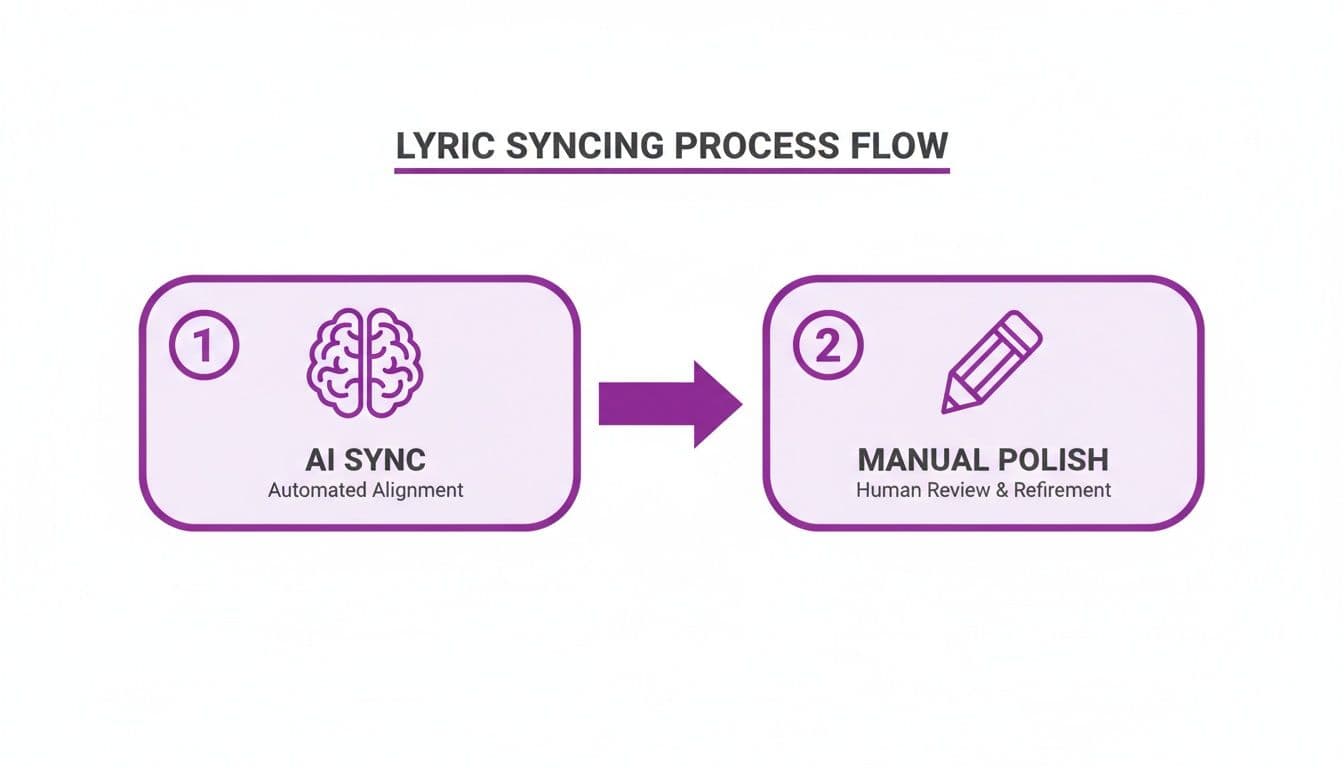
This visual shows the efficient workflow of using AI for initial timing, followed by manual adjustments for a perfect finish.
This two-step process—letting AI do the heavy lifting and then coming in for the final, human touch—is how you get professional results quickly.
A quick pro-tip: Keep your design clean. Stick to a simple color palette and maybe one or two fonts that work well together. A cohesive, uncluttered video will always look more polished than one that’s trying to do too much at once.
Getting Your Lyric Video Seen: Export and Sharing Tips
Alright, you've done the hard work. You’ve poured your creativity into making a lyric video that looks and sounds fantastic. But creating the video is only half the battle. Now, we need to get it in front of people. This final step is all about exporting your project correctly and sharing it smartly across platforms like YouTube, Instagram, and TikTok.
First things first, let's talk quality. You never want your hard work to be undermined by a pixelated, blurry final product. Always, and I mean always, export your video in the highest quality you can. For web video, that magic number is 1080p (Full HD). It’s the sweet spot that ensures your video looks crisp and professional, whether someone's watching on their phone or a big desktop monitor.
When it comes to the file type, stick with MP4. It's the universal language of online video, giving you a great balance between high quality and a manageable file size that won’t take forever to upload.
Making Your Video Discoverable
Once that shiny, high-quality MP4 is ready, it's time to think about how people will actually find it. This is where a little bit of platform optimization goes a long way.
- Nail the Title: Don't just call it "My New Song." A good title needs to be searchable. Think like a fan. What would they type into the search bar? Something like "[Song Title] - [Artist Name] (Official Lyric Video)" is a classic formula for a reason—it tells both people and the platform’s algorithm exactly what they're getting.
- Use the Description Wisely: That description box is prime real estate for search engine optimization (SEO). Drop the full lyrics in there. Tell a quick story about the song. Most importantly, link out to your Spotify, Apple Music, and social media pages. Sprinkle in keywords naturally that relate to the genre, the mood, or even artists you sound like.
- Don't Skip the Tags: Tags are like little signposts that help platforms categorize your video and show it to the right audience. Use a mix of broad terms ("lyric video," "pop music") and super-specific ones ("[artist name]," "[song title lyrics]").
One Size Doesn't Fit All: Customizing for Each Platform
Here's a pro tip that many creators miss: you can't just post the same video file everywhere. A widescreen 16:9 video that looks amazing on YouTube will get awkwardly cropped on Instagram Stories or TikTok.
Key Takeaway: Take the extra 10 minutes to create versions tailored for each platform. For short-form video apps, create a vertical 9:16 clip of the most powerful part of your song, like the chorus. It's a small effort for a potentially massive payoff in engagement.
Getting the technical details right is crucial. For example, knowing the perfect format for Instagram video is essential for it to look right in the feed. If you want to dive deeper into the specs for all the major players, our guide on social media video formats breaks it all down.
This isn't just busywork; it's a strategic move. Video is king in digital marketing right now, and short-form clips are a top priority for 17.13% of marketers planning for 2025. By being deliberate about how you export and share, you’re giving your music the best possible shot at cutting through the noise.
Got Questions? Let's Talk Lyric Videos
Jumping into any new creative software, you're bound to have a few questions. Even though an online lyric video maker is designed to be a breeze, a little clarity goes a long way. Here are some of the most common things people ask when they're getting started.
Our goal is to get you creating, not scratching your head.
Do I Really Need to Download Anything?
Nope, not a thing. That’s one of the best parts about it. A good online lyric video maker is completely browser-based.
That means you can work on your project from just about anywhere—your Mac at home, a PC at the office, even a Chromebook. As long as you have an internet connection, you're good to go. No installations, no updates, no worrying about whether your computer can handle it. Just log in and get to work.
How Good is the AI Syncing, Really?
Honestly, it's remarkably good for the vast majority of songs. The AI does an amazing job of lining up the lyrics with the audio, saving you a massive amount of tedious work right from the start.
Now, if you're working with a track that has tricky timing, overlapping vocals, or a fuzzy vocal mix, you might need to step in and make a few minor adjustments. That's precisely why the manual Sync Editor exists. It gives you the power to nudge the timing down to the millisecond, making sure every single word hits its mark perfectly.
Think of the AI as a brilliant assistant that gets the job 90% done in a matter of seconds. You then come in as the creative director to add that final polish for a flawless result.
It's this blend of AI efficiency and human control that makes the whole process so powerful.
What Can I Use for a Background?
You’ve got total creative control here. The platform is designed to be flexible, letting you use all sorts of visuals to nail the perfect vibe for your song.
You can upload your own custom assets to use as the backdrop for your lyrics. This includes:
- Still Images: Album art, promotional photos, or branded graphics work great. Standard formats like JPG and PNG are no problem.
- Video Clips: Want to add some motion? You can easily upload video loops or other clips. MP4 files and other common video formats work seamlessly.
A quick pro tip: always use high-resolution files. Your final video will export in beautiful 1080p, so starting with sharp, high-quality images and videos makes a world of difference. It's a simple step that really elevates the final look.
Is There a Limit to How Many Videos I Can Create?
That all comes down to the plan you're on. Most online tools, including ours, offer different tiers to suit everyone from hobbyists to full-time professionals.
If you’re just making videos for fun now and then, a free or basic plan might be all you need. But if you’re managing a popular karaoke channel or running marketing campaigns, you’ll probably want a professional plan with higher export quotas and access to all the bells and whistles. It’s always smart to peek at the pricing page to see which option fits your workflow and how many videos you plan to produce. That way, you’re only paying for what you’ll actually use.
Ready to stop wrestling with complicated software and start creating stunning lyric videos in minutes? MyKaraoke Video gives you the AI-powered tools and creative freedom to bring your music to life. Try it for free today!