At its heart, a karaoke machine is a pretty clever piece of tech designed to make you the star of the show. It juggles three main tasks at once: playing an instrumental-only version of a song, displaying the lyrics on a screen right when you need to sing them, and mixing your voice from the microphone back into the music.
The Magic Behind the Music: A Quick Guide to Karaoke
Ever wondered what's happening inside that box when you're belting out your favorite tune? It's not sorcery, but a brilliant blend of audio processing and visual tech. Think of it as having your own personal sound engineer and a teleprompter, all working together to put you in the spotlight.
It all starts with a special kind of song file. The machine reads a track where the original lead vocals have been stripped out or turned way down, leaving you with just the background music. At the same time, it pulls up a corresponding lyric file. Each word or syllable is tagged with a precise timestamp, which is how the system knows to light it up on the screen at the exact moment it's meant to be sung.
Your Voice Takes Center Stage
This is where you come in. As you sing into the microphone, your voice is converted into an electrical signal that zips straight into the machine's audio mixer. The mixer is the central hub of the operation, where it expertly blends your vocals with the instrumental track.
Most systems let you add effects like a touch of reverb or echo, which can give your voice that polished, professional sound. The final output—your voice layered perfectly over the music—is then sent out through the speakers, creating that classic karaoke experience.
Before we go deeper, let's break down the essential hardware that makes this all possible.
Core Components of a Karaoke System
Here’s a quick look at the fundamental parts of any karaoke setup and what they do.
| Component | Function |
|---|---|
| Media Player | Reads and plays the karaoke files (e.g., CD+G, MP3+G, or video formats). |
| Microphone Input | Captures the singer's voice and converts it into an audio signal. |
| Audio Mixer | Blends the singer's vocal signal with the instrumental backing track. |
| Effects Processor | Adds audio effects like reverb and echo to enhance the vocals. |
| Amplifier | Boosts the final mixed audio signal to a level powerful enough for speakers. |
| Lyric Display Output | Sends the synchronized lyric video signal to a TV or monitor (e.g., via HDMI). |
Essentially, these components work together as a team to process the music, your voice, and the visuals simultaneously.
From Professional Setups to Portable Fun
Karaoke has come a long way. What started with bulky, professional rigs has transformed into a market dominated by portable machines, which now hold a massive 68% share. This shift is driven by things we all love: easy smartphone integration and handy features like an 8-hour battery life for parties on the go.
The industry is booming, too. Projections show the market growing from $5.7 billion in 2025 to an estimated $6.8 billion by 2032. It's clear that the joy of singing along at home isn't going anywhere. If you want to dive deeper, you can discover more about karaoke market trends to see why these devices are still such a party staple.
How Your Voice Travels from the Mic to the Speakers
Ever wonder what actually happens when you sing into a karaoke microphone? Your voice goes on a lightning-fast journey, a path we call the audio signal chain. It’s a slick process that takes your raw singing and transforms it into a polished, stage-ready performance coming out of the speakers. It all starts with two key audio sources.
First, there's you. When you sing, the microphone's diaphragm vibrates, turning the sound waves of your voice into a faint electrical signal. This signal is a pure, unfiltered digital copy of your voice, capturing all its unique qualities.
At the same time, the karaoke machine is pulling up the instrumental backing track. This is the second audio signal, the professional musical foundation just waiting for your vocals. These two signals—your live voice and the pre-recorded music—are about to meet in the machine's central hub.
The Mixer: The Heart of the Operation
Think of the audio mixer as the karaoke machine's command center. Its main job is to take your voice and the music and blend them together perfectly. The microphone signal and the music signal arrive on separate channels, which is incredibly important.
Why? Because this separation gives you control. The knobs and sliders let you adjust the volume of your voice against the music, making sure you’re not buried in the mix or shouting over the band. A good mix strikes that perfect balance, placing your vocals right where they belong: front and center.
At its core, a karaoke mixer is all about blending your live vocals with the backing track in real time. This is what creates that seamless, engaging experience everyone loves.
But once the levels are set, the mixer's work isn't done. The next step is where the real sparkle is added, using digital processing to give your voice a professional sheen.
Adding Polish with Audio Effects
Let's be honest, even the pros get a little help from audio effects. Karaoke machines come equipped with built-in tools to do just that, handled by a microchip called a Digital Signal Processor (DSP). It's a tiny powerhouse that tweaks the audio before it ever hits the speakers. The most common effects you'll find are:
- Reverb: This is the big one. Reverb simulates the acoustics of different spaces, like a concert hall or a small club. It adds a lush series of echoes that give your voice depth and richness, making it sound fuller and more professional.
- Echo (or Delay): Simpler than reverb, echo creates distinct, repeating copies of your voice that fade out. It's great for adding a bit of creative flair or emphasizing a specific word or phrase.
- Pitch Correction: Widely known as "Auto-Tune," this feature gently nudges your pitch to the closest correct note in the song's key. It's not on every machine, but it can be a real confidence-booster by smoothing out any shaky notes.
These effects are what make singing in your living room feel like you're performing on a real stage. If you're looking to build a more serious setup, the quality of these internal components really matters. You can dive deeper into the gear that makes this all possible in our guide to the best professional karaoke equipment.
This diagram breaks down the fundamental process of creating a karaoke track.
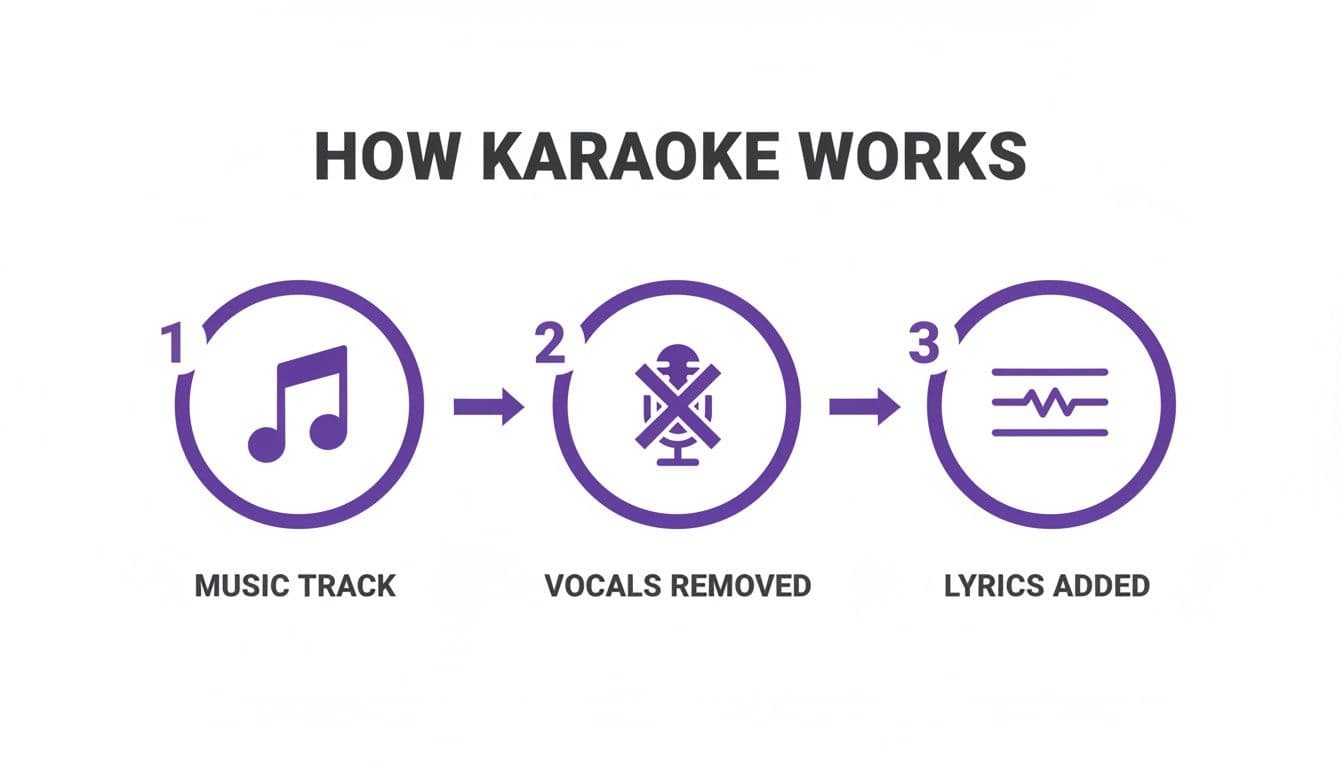
As the visual shows, it’s all about removing the original singer and layering in new lyrics for a new performer. Once mixed and processed, this combined audio signal is ready for its final stop. The mixer sends it to an amplifier, which gives it a massive power boost. Without this step, the signal would be far too weak to even make a sound. From there, the amplified signal goes to the speakers, which turn it back into the sound waves you hear—your voice and the music, blended together.
The Art and Science of Synchronizing Lyrics
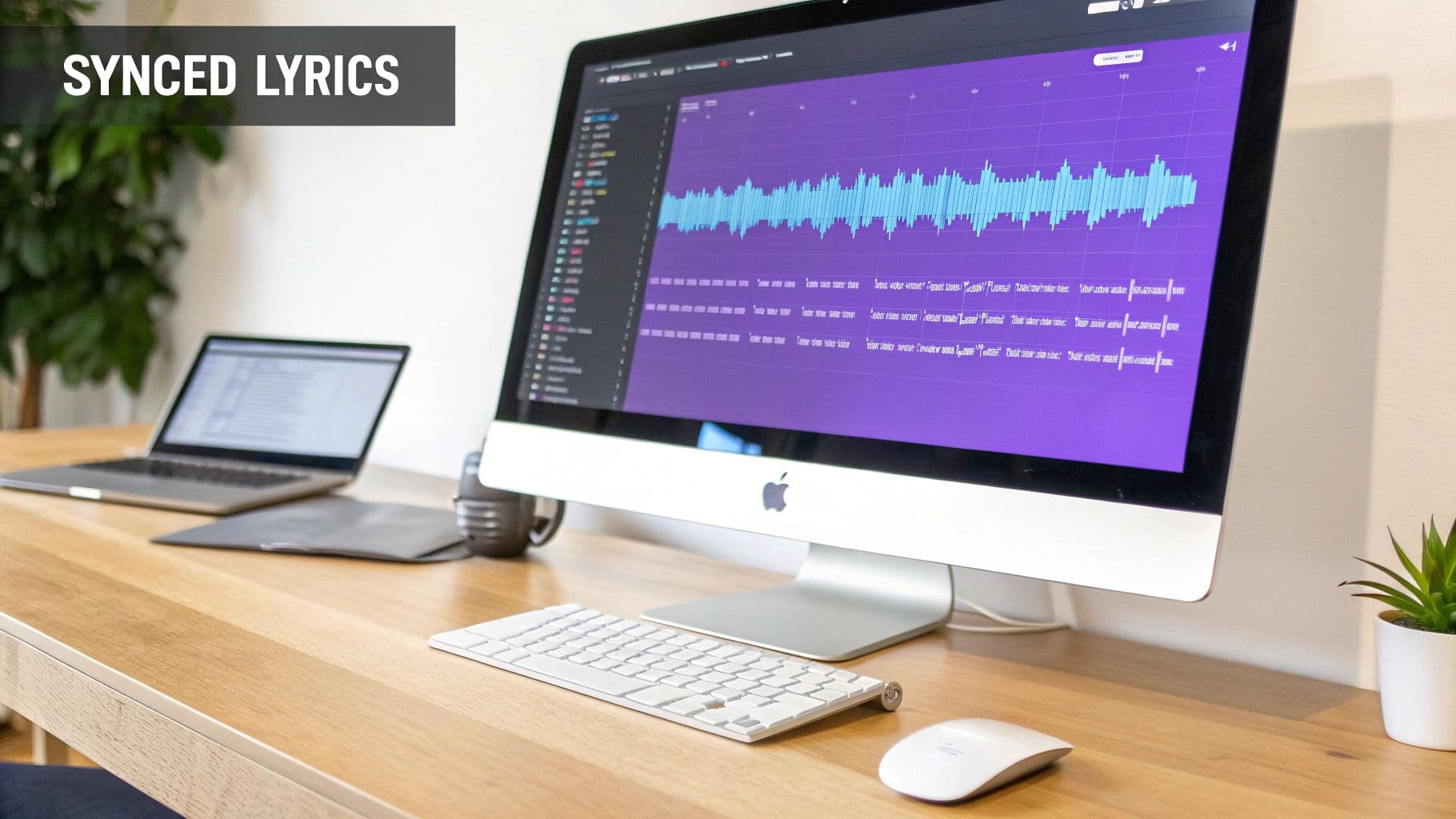
The real magic of karaoke isn’t just the music—it's watching the right words light up on screen at the perfect moment. That seamless timing is the result of lyric synchronization, a process that turns a simple audio track into an interactive performance. It feels like magic, but it’s actually a clever, data-driven system built to keep every singer perfectly on cue.
Think of it as a musical script where every single word has its own stage direction. That “direction” is a timestamp—a precise timecode that nails a specific lyric to its exact moment in the song. When the audio hits that timecode, the machine highlights the word or phrase. This simple but powerful concept is the very foundation of karaoke, making sure you never miss a beat.
Of course, this whole system depends on specialized file formats designed to bundle the audio and lyric data together. Without them, the machine would just be playing music with no idea which words to show or when.
The Classic Format: CD+G
For decades, the undisputed king of karaoke was CD+G, which stands for Compact Disc + Graphics. It was a brilliant workaround that cleverly added a visual layer to standard audio CDs without messing with the music.
Engineers used a CD's subcode channels—parts of the disc normally reserved for basic track information—to store low-resolution graphics. This meant a single disc could hold both the high-quality instrumental audio and the simple, blocky graphics for the lyrics. When you popped it into a CD+G player, the machine read both streams of data at once, sending the music to the speakers and the timed graphics to the screen.
The Digital Successor: MP3+G
As music went digital, karaoke had to evolve. The answer was MP3+G, a format that perfectly mimicked its physical predecessor for the modern age.
Instead of one file, an MP3+G track is actually a pair of files that have to stay together:
- An .mp3 file containing the instrumental audio.
- A .cdg file containing the raw graphical data for the lyrics, timed to match the audio.
When you select a song, the karaoke software plays both files simultaneously, creating the same synchronized experience you'd get from a classic CD+G disc. This two-file system became the workhorse of digital karaoke, powering everything from professional rigs to home computer software.
Even a tiny timing hiccup can throw off a performance, which is why fixing sync issues is a crucial skill. If you run into delays, our guide on how to fix common karaoke sync issues can get you back on track.
At its core, a karaoke machine's lyric synchronization engine timestamps words to music with incredible accuracy, often achieving 0.1-second precision for a seamless singing experience.
This technology has come a long way since the first commercial machine appeared in 1971. Modern systems process audio through DSP chips that add reverb and EQ while suppressing original vocals by 20-30dB. It’s a testament to this progress that the Asia-Pacific region is projected to command 36.3% of a $1,365 million equipment market by 2025.
Modern Lyric File Formats
While MP3+G is still a major player, newer formats offer far more flexibility and much better visual quality. Instead of the old-school blocky graphics, modern karaoke videos feature dynamic text overlays and high-definition backgrounds.
A few common formats you’ll see today include:
- MP4: A standard video file that embeds everything—synced lyrics, background video, and audio—into one convenient package.
- MKV: Another versatile video container that can hold audio, video, and multiple subtitle tracks, which is great for multilingual karaoke.
- .LRC: A simple text file with lyrics and their corresponding timestamps, often used by music players to display scrolling lyrics alongside a regular song.
These newer approaches give creators far more control over the look and feel of their karaoke videos. For a glimpse at where this tech is headed, you can even explore advancements in AI that can make photos sing, adding a whole new dimension to visual performance. No matter the format, the principle is always the same: precise timing is everything.
How AI Is Completely Changing the Karaoke Game
For decades, the basic karaoke setup didn't change much. You had a limited library of special tracks and lyrics that someone had to time out by hand. But now, Artificial Intelligence is turning that old model on its head, making the whole process smarter, faster, and open to pretty much anyone. You no longer need to hunt down a specific karaoke file; AI gives you the power to turn almost any song you own into a karaoke track.
This massive shift is all thanks to huge strides in machine learning. AI models have been trained on mountains of music, learning to tell the difference between a singer's voice and a guitar riff, a drum beat, or a piano melody. This ability to "understand" music is what makes the two biggest breakthroughs in modern karaoke possible.
AI That Removes Vocals from Any Song
The classic karaoke challenge was always finding a clean instrumental version of a song. You needed a special mix from the studio where the vocals were already stripped out. AI vocal removers have made that entire headache a thing of the past by intelligently taking apart a finished song.
Imagine a song is a fully baked cake. The old way meant you needed the original recipe and all the separate ingredients (the multi-track recording) to leave out the eggs. AI, on the other hand, can look at the finished cake and figure out how to pull the frosting (the vocals) right off without messing up the sponge and filling (the instruments).
Here's a peek at how it works:
- It Scans for Frequencies: The AI listens to the whole track, picking out the specific frequency ranges and sound patterns that are unique to the human voice.
- It Lifts the Voice Out: Once it identifies the vocal signature, it isolates those patterns and digitally extracts them from the mix, leaving you with a crisp instrumental.
- It Happens in Seconds: The best part? Modern tools can do all of this in a snap, turning a standard MP3 or WAV file into a sing-along track.
This means your music library isn't just for listening anymore. It’s now your personal, bottomless karaoke catalog, ready to go whenever you are.
AI That Syncs Lyrics Automatically
The second game-changer is automatic lyric synchronization. Manually timing lyrics—pinpointing the exact moment each word is sung—used to be a painfully slow process. It could take hours to get one song just right. AI now does the whole thing for you.
An AI model can listen to a song, look at the lyrics you provide, and match them up with superhuman precision. It detects the precise start and end time for every single word or syllable, generating perfect timestamps in a fraction of the time it would take a person. This is the technology that powers tools that can create a perfectly synced karaoke video almost instantly.
If you want a closer look, our complete guide on using an AI karaoke video maker walks through this process step-by-step.
At its heart, karaoke has always been about separating vocals and syncing lyrics. AI just automates both steps with incredible speed and accuracy, which helps explain why over 15 million karaoke systems are sold every year around the world.
This constant innovation, from simple vocal mixing to advanced AI processing, is what turned karaoke from a niche Japanese pastime into a global phenomenon. AI has simply removed the biggest technical hurdles, putting the power to create right in your hands.
Creating Your Own Karaoke Videos the Modern Way
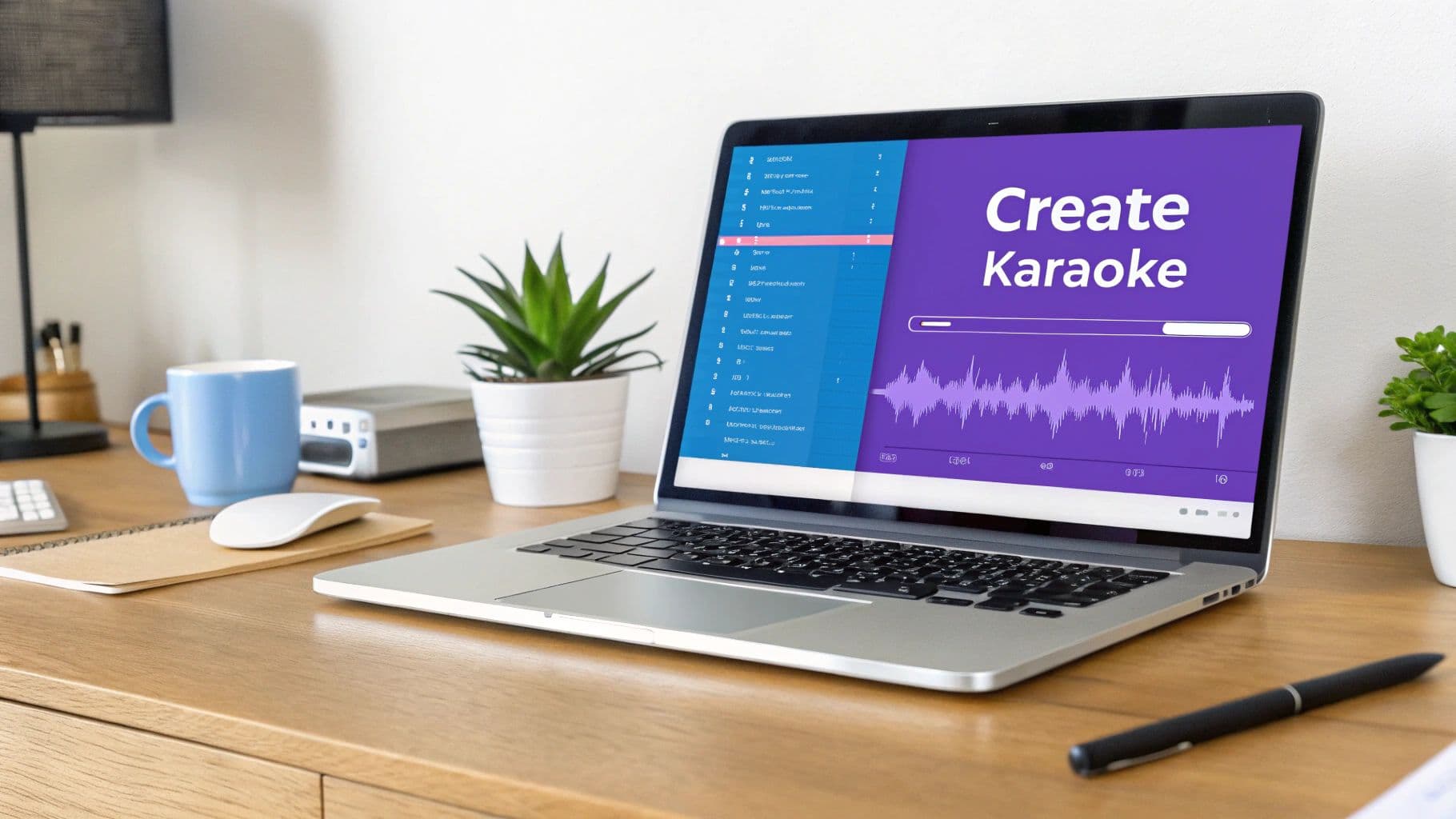
Knowing the theory behind how karaoke works is one thing, but actually making your own tracks is where the real fun starts. Not too long ago, creating a karaoke video was a serious undertaking. It was a job for people with technical chops and expensive software, and it involved the grueling task of manually timing every single word. You could easily spend hours on just one song.
Thankfully, those days are over. A new generation of tools has completely changed the game. Browser-based platforms like MyKaraoke Video use AI to automate all the tedious, time-consuming parts of the job. This means anyone can now create a professional-looking karaoke video right from their web browser—no downloads, no complicated manuals.
The Old Way Versus the New Way
To really appreciate the difference, let’s look at how the old, manual approach stacks up against today’s AI-powered method.
| Aspect | The Old Method | The Modern Method |
|---|---|---|
| Software | Needed dedicated, often costly desktop software. | Runs entirely in your browser, nothing to install. |
| Syncing | A manual, frame-by-frame slog to time lyrics. | AI-powered automatic syncing gets it done in seconds. |
| Accessibility | Steep learning curve, not for beginners. | Simple, intuitive interface anyone can use. |
| Customization | Limited options with clunky editing tools. | Deep, real-time customization (fonts, colors, backgrounds). |
| Exporting | Slow rendering with few format choices. | Quick export to standard 1080p MP4 video files. |
This isn't just a small improvement; it's a fundamental shift that has opened up karaoke creation to everyone, turning it from a technical chore into a fun, creative outlet.
A Simple Workflow for Professional Results
The modern process for making karaoke videos is all about speed and simplicity. It breaks down what used to be a complicated project into a few easy steps, letting AI do the heavy lifting so you can focus on making it look great.
Here’s what that workflow looks like in practice:
- Upload Your Audio: Just drag and drop the song you want to use. This can be an official instrumental or a track where you've already used a vocal remover.
- Add Your Lyrics: Copy and paste the song’s lyrics into the text editor. The system is now ready to match the words to the music.
- Let AI Do the Syncing: This is the magic step. With one click, the AI listens to the track and generates precise timestamps for every word and syllable. It's the same core principle of how karaoke machines work, but now it’s working for you, saving hours of manual effort.
- Customize the Visuals: Now you get to be the director. Pick your fonts, tweak text colors, and upload your own background images or video loops. Learning how to make video from photos with music is a great skill that transfers directly to creating unique karaoke backgrounds.
- Export Your Video: Once the preview looks perfect, you just hit export. You’ll get a high-definition MP4 file, ready for your next karaoke party or to share online.
The biggest win here is efficiency. A task that once took up an entire afternoon can now be finished in the time it takes to listen to the song a couple of times.
This simplified process gets rid of all the technical roadblocks, letting you focus purely on the creative side of things. It's a fantastic example of how smart technology can empower human creativity, putting professional-grade tools in everybody's hands.
Got Questions? We've Got Answers
Even after diving deep into the tech, you probably still have a few practical questions rattling around. It's one thing to understand the concepts, but it's another to see how it all plays out in the real world. This final section tackles some of the most common queries I hear, from pro setups to the magic of turning any song into a karaoke banger.
Think of this as tying up the loose ends. We'll clear up any lingering confusion and give you a complete picture of the technology that powers your favorite sing-alongs.
Professional vs. Home Karaoke Systems: What’s the Real Difference?
On the surface, a pro karaoke rig and a home system seem to do the same thing. But dig a little deeper, and the differences are all about power, durability, and control. A home system is built for convenience—it's often an all-in-one box designed for casual fun and easy setup.
A professional setup, on the other hand, is a modular beast built from separate, high-quality components. This approach gives the K.J. (Karaoke Jockey) far greater control and, frankly, much better sound.
Here’s where they really part ways:
- The Mixer: Pro systems use external audio mixers with multiple channels. This lets you fine-tune the volume and effects for every single microphone and audio source independently. A home system usually has a simple, built-in mixer with just the basics, like a master volume knob and a single echo effect.
- The Speakers: A professional rig connects to powerful PA (Public Address) speakers. These are designed to fill a big, noisy room with clear, loud sound that doesn't distort when you crank it up. Your typical home machine relies on smaller, built-in speakers that are fine for the living room but can't compete in a bar.
- Built to Last: Every piece of a professional rig—from the mics to the cables—is built to withstand the abuse of a commercial environment. It’s designed for nightly use, spills, and drops.
At the end of the day, a home system is all about simplicity and portability. A professional system is built for performance, fine-grained control, and absolute reliability.
How Does Karaoke Scoring Actually Work?
That little score at the end of your song can be a fun bit of competition, but how does the machine decide you earned a 92%? The secret is a technology called pitch detection. It analyzes your singing in real time and compares it note-for-note against the original song's melody.
It's less about judging the quality of your voice (phew!) and more about measuring your accuracy.
The process is pretty clever. The machine has a digital map of the correct notes for the song, like a perfect vocal blueprint. As you sing, its processor listens to the pitch of your voice for every syllable.
It then compares your pitch to that blueprint. Were you sharp? A little flat? Or right on the money? The system keeps a running tally of how well you matched the target notes. Your final score is just the percentage of notes you hit correctly. It’s a purely data-driven way to turn your performance into a number.
Can You Really Turn Any Song into a Karaoke Track?
Not too long ago, the answer was a hard "no." To create a proper karaoke track, you needed access to the original multi-track studio recordings to remove the main vocals. Without those master tapes, you were out of luck.
Today, thanks to AI, the answer is a resounding "yes!" Modern AI-powered vocal remover tools have completely changed the game. These smart algorithms can analyze a standard, finished audio file—like an MP3 you bought online—and intelligently separate the vocal frequencies from the instrumental ones.
This process is known as source separation. You can think of it like un-baking a cake. The AI digitally "lifts" the vocals out of the finished song, leaving the backing track behind. While the quality can vary based on how complex the original mix is, the technology has become shockingly good.
This means you’re no longer stuck with whatever is in the official karaoke catalogs. With the right tools, your entire music library is fair game. This is a huge reason why creating custom karaoke has exploded in popularity, letting anyone turn their favorite deep cuts into a singable track. It has truly opened up the creative floodgates.
Ready to stop wondering and start creating? With MyKaraoke Video, you can transform any song into a great-looking karaoke video in just a few minutes. Our browser-based tool uses powerful AI to sync lyrics for you, giving you professional results without the headache. You can customize the fonts, backgrounds, and more, then export a high-definition video that’s ready for your next party.
Start creating your first karaoke video for free at MyKaraoke Video today!