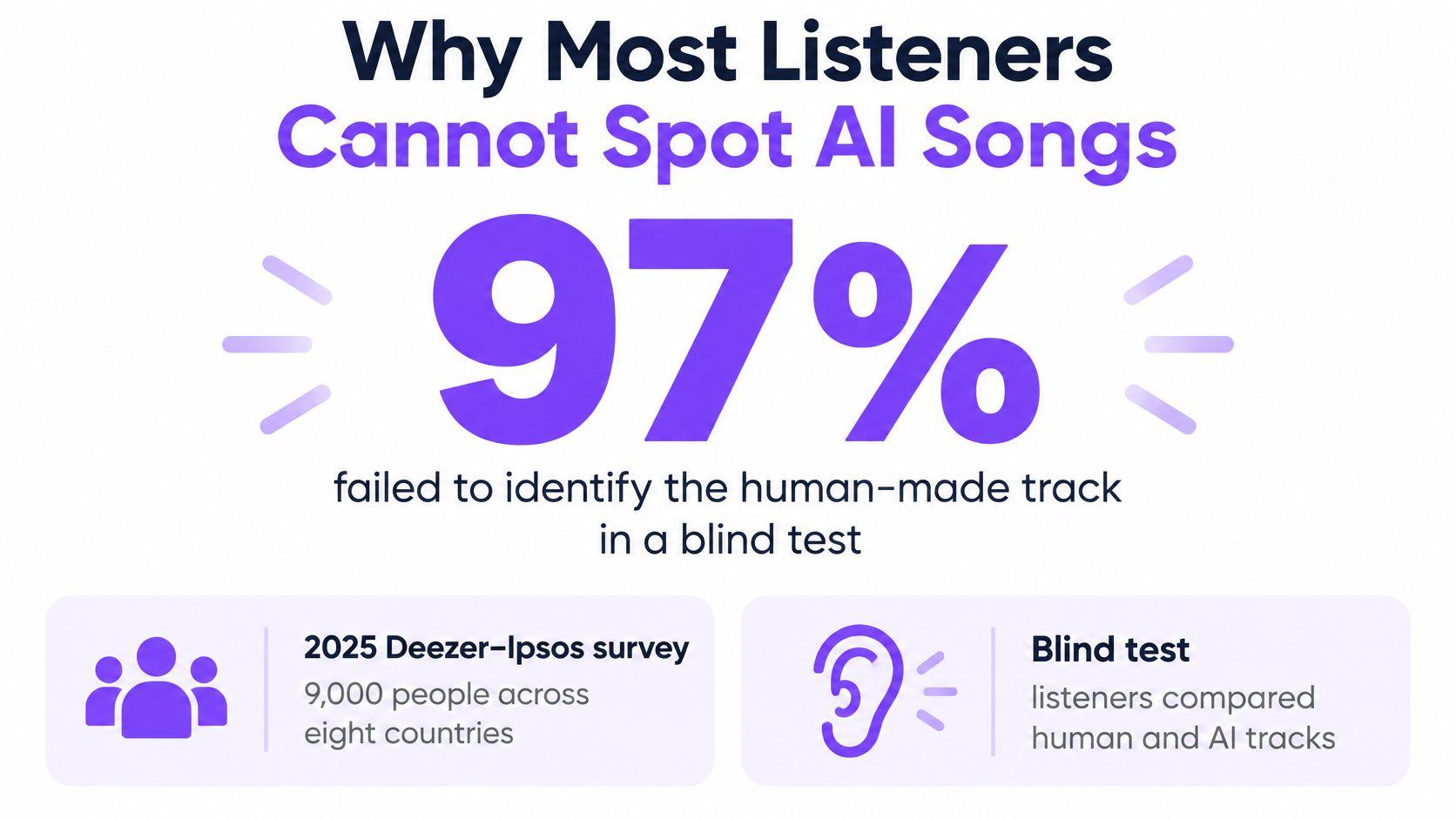
97% of listeners failed to identify the human-made song when it was played beside two AI-generated tracks, in a 2025 blind test of 9,000 people across eight countries commissioned by Deezer, as the Deezer–Ipsos survey report sets out. Read that as a producer rather than a curious fan. The audience you publish for cannot reliably tell where the words came from, and they will still judge you for how you present them.
That matters most to people who build sing-along content for a living. A karaoke channel receives a song with no lyric sheet. A musician wants a lyric video for a track they wrote and sang themselves. A creator wants the same chorus available in a second language. In every case a model can supply words, and in every case the words need a different kind of checking.
The confusion usually starts with vocabulary. "AI lyrics" gets used for four or five different jobs, and each one fails in its own place. Name the job before you open a prompt box, and most of the mess disappears.
What AI Lyrics Are in a Real Song
AI lyrics are words a model produces or processes. That covers drafting a verse from a brief, rewriting lines you paste in, translating a chorus, finishing a half-written song, or guessing at words from a recording. In modern music generators the words often arrive bundled with melody, arrangement and a synthetic vocal, all from a single prompt.
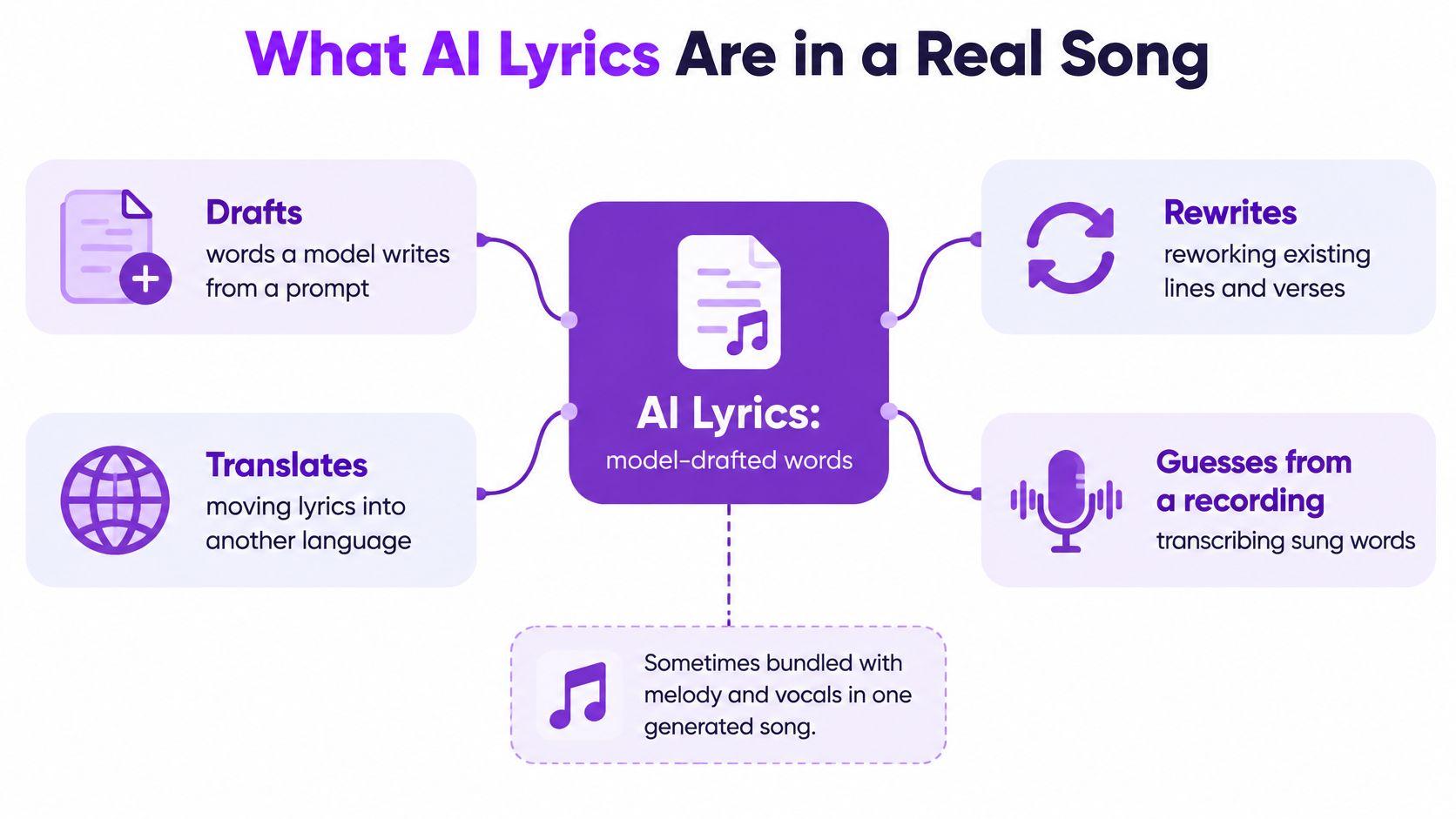
Three jobs look identical in conversation and behave nothing alike in practice. A songwriter pastes a chorus and asks for a second verse. A karaoke channel has only an audio file and needs the words at all. A lyric video editor already holds accurate human lyrics and needs them placed against the waveform. Only the first two involve generating text. The third is a timing job that people routinely mislabel as an AI lyrics problem.
| Role | What the model does | What you still check |
|---|---|---|
| Draft a new lyric | Writes verses from topic, mood, and structure | Meaning, rhyme, and originality |
| Rewrite or finish a verse | Continues or revises lines you supply | Whether a known song was reconstructed |
| Translate a line | Adds a second-language line under yours | Idiom, sense, and singability |
| Transcribe from audio | Guesses the words from the recording | Names, ad-libs, and wrong words |
| Time words to audio | Places text against the waveform | Drift on rap, melisma, and effects |
| Full song generation | Writes words with melody, arrangement, and vocals | Rights, credit, and permission to publish |
The volume behind this shift is recent and large. A 2025 analysis assembled 101,953 songs made with Suno and Udio and released between May and October 2024, with Suno accounting for 81,434 tracks (about 79.9%) and Udio for 20,519 (about 20.1%), as the dataset study records. Those are complete songs rather than lyric files alone, which is exactly the point. Words now arrive attached to audio, in bulk, faster than any manual lyric-sheet process was ever built to handle.
Before you write a prompt, say out loud which of those six rows you're in. Drafting, translating and transcribing fail in different places, and the checks only make sense once the role is clear.
How Prompts Become Lines and Timing
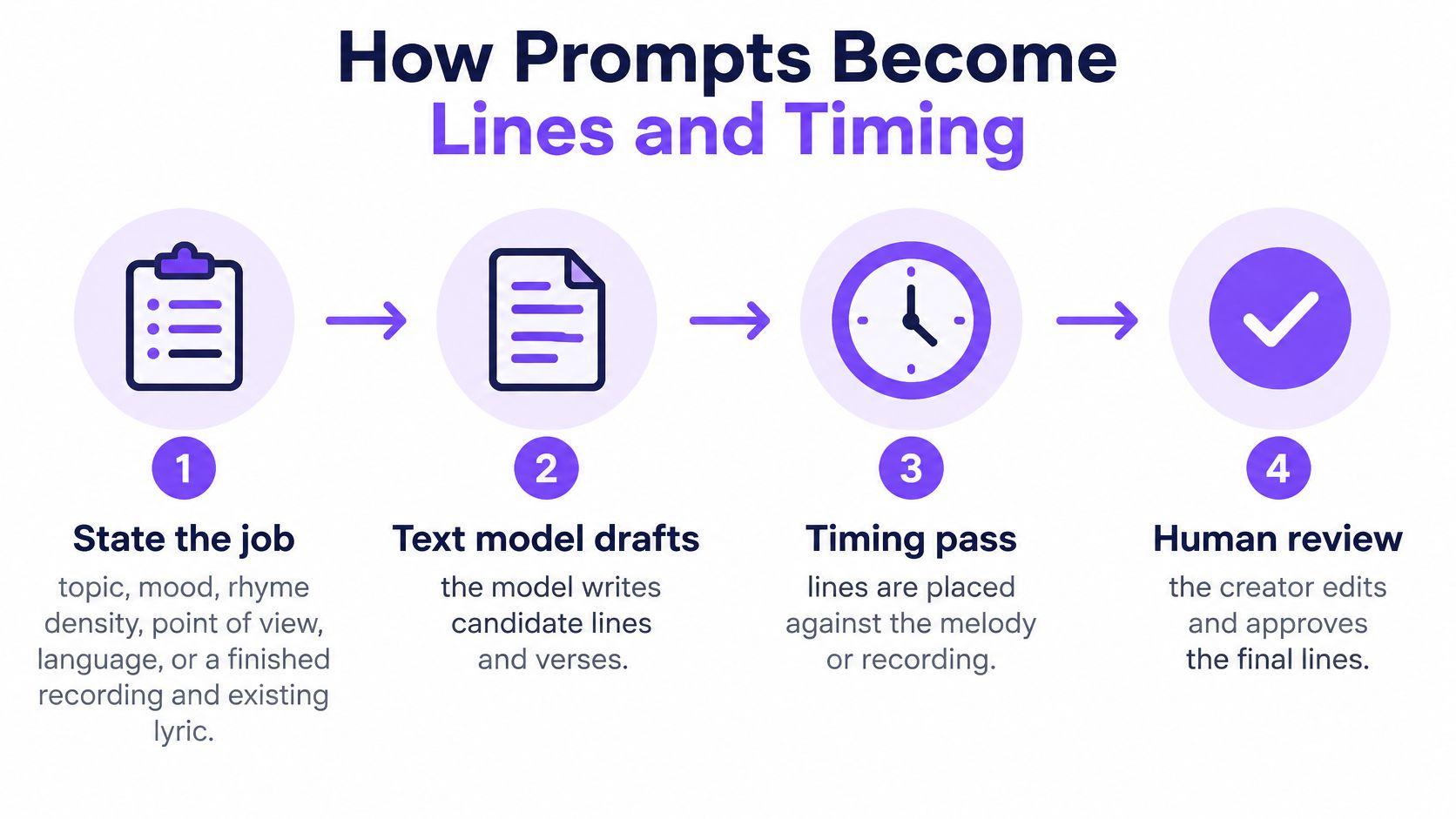
Every AI lyric starts as a brief. Output quality tracks the specificity of that brief far more than the brand of the model, and the timing step is separate from the writing step in almost every real workflow.
1. State the job. Give the topic, mood, rhyme density, point of view and language, or hand over a finished recording plus an existing lyric. Vague briefs produce generic lines about fire and freedom. A brief that says "second verse, same narrator, six lines, slant rhyme, don't repeat the title word" gets something you can work with.
2. Draft or rewrite. A text model writes candidate lines. A music model writes words together with melody, arrangement and a vocal in one pass, which means the words and the tune are co-designed and difficult to separate afterward.
3. Transcribe when no lyric exists. If you have audio only, a transcription model guesses the words from the recording. This stage carries the highest error rate of the five, so it needs its own review pass rather than a quick skim.
4. Align words to audio. An alignment step drops lines, or individual words, onto the waveform. Editors lean on it because it saves hours; they still own the result.
5. Human review. You fix weak rhymes, wrong names, and line breaks that don't match the breath. A line that reads beautifully on paper can be unsingable in one breath, and only a person notices that.
What a model still doesn't know
Think of the model as a fast session player who can imitate any style you name but has never met the people in the song. It will cheerfully write a line that sounds like a specific hit, because it has encountered that hit a great many times. A song title, a famous opening line, or an instruction to continue a known lyric pushes it toward reconstruction, and that's a rights question rather than a writing question.
Practical rule: brief the model on mood, structure and point of view, never on a song title and never on a quoted hook.
Keep the trail from the first prompt
Save the prompt, the raw first output, and the version you edited. When a viewer asks where a line came from, or a rights query lands six months after upload, that trail is your answer. It's also what any originality check depends on, because you can't compare against a draft you no longer have.
If your timing lives in a subtitle file rather than a proprietary project, the export is its own small skill. This guide to how to generate SRT files covers the format side so the text and the timings survive a move between tools.
A draft is usable when three things are true. It can be sung on the melody without rewriting the tune, every name and place is correct, and no line is an obvious echo of a hit. If any of the three fails, you're not editing, you're re-briefing.
Where Automatic Transcription Still Fails
Singing breaks speech recognition in ways ordinary dictation never does. Vowels are held, pitch swings constantly, melisma stretches one syllable across several notes, the accompaniment masks the voice, pronunciation bends to fit the melody, and the timing follows music rather than speech. The benchmark numbers reflect all of that.
| System | Word error rate | What the test showed |
|---|---|---|
| Whisper v2 | 34.5% | General speech model on sung lyrics |
| Whisper v2 plus Demucs | 41.4% | Vocal separation made this model worse |
| Whisper v3 | 59.0% | Higher error than v2 on this benchmark |
| AudioShake v3 | 24.3% | Best specialist result reported here |
In the Lyrics Transcription for Humans benchmark, Whisper v2 landed at 34.5% word error rate, Whisper v3 at 59.0%, and the specialist system AudioShake v3 at 24.3%, according to the benchmark paper. Separation isn't a free win either. Adding Demucs to the pipeline pushed Whisper v2 from 34.5% to 41.4%, because isolating a vocal can introduce artifacts that damage recognition.
Read the best figure. Even 24.3% means roughly one wrong word in four on a deliberately hard test set. That's a first pass, not a finished lyric. Anyone who treats an automatic transcript as publishable text is shipping errors to viewers who know the song by heart.
Where to spend your review time
Not every line deserves the same scrutiny. Put your attention where the model is weakest. Dense mixes with several instruments competing for the same frequency range hide consonants. Backing vocals and stacked harmonies give the model two candidate words for one syllable. Rap moves too many syllables through too little time. Heavy effects, from delay to pitch correction, smear the phonemes. Less common languages get thinner training data, so accuracy drops further.
Lower error rates generally mean less correction time, but the pipeline itself has to be tested on your own catalog. A separation setting that rescues one genre can wreck another.
Trust the timing grid as a starting map. Don't publish a word until a person has read it against the song.
The practical controls are unglamorous: keep the original mix untouched, expose word-level or line-level timing edits, and route anything unusual to a human. If you want to see how a first-pass transcript and its corrections sit side by side, this walkthrough of automatic song lyrics shows the review loop rather than the marketing version of it.
Why Most Listeners Cannot Spot AI Songs
97% of listeners in a survey could not distinguish AI-generated music from human-made music. Yet people still want platforms to identify AI tracks. In the same eight-country survey, 73% supported disclosure when a platform recommended AI-generated tracks, 45% wanted filtering options, and 40% said they would skip AI-generated songs entirely, as Reuters reported.
Deezer has reported that AI-generated tracks make up a large and fast-growing share of its daily uploads. As that volume grows, platforms face a labeling and discovery challenge alongside the creative opportunity.
A detector score cannot settle every question. Audio-based detection examines the recording, so a human singer performing AI-written lyrics may give it nothing distinctive to flag. A polished sing-along can sound entirely human even when a model drafted the lyrics underneath. Listening alone may not reveal how those words were written.
For creators, disclosure belongs in the credits or description, where listeners can see it. A detector score describes a recording; clear credits describe the role AI played in making it.
Copyright Risks in Familiar-Sounding Lines
A lyric can sound original at first listen and still echo wording a model has memorized. Research on partial-information probing finds that larger language models can memorize more text. A legal and technical review also summarizes evidence that models within the same family may memorize roughly 2 to 5 times more as model size increases, according to the memorization review. Repeated training examples and prompts that supply more of a song's context can make familiar text easier to reproduce.
The practical risk often starts with the prompt. Three cues deserve particular care:
- A song title. Asking for lyrics “like” a named song can steer a model toward that song's vocabulary and structure.
- A famous opening line. Quoting a recognizable first line gives the model a direct cue to continue with familiar lyrics.
- “Keep going” on a known verse. A continuation request can invite the model to reproduce protected wording.
Keep user-supplied lyrics distinct from model-written lines, retain the upload and generation records, and avoid requests to continue or reproduce an identifiable song. A phrase-overlap check before publication can help catch wording that resembles existing lyrics. Lines written independently from a general mood or theme differ from lines prompted by a title or quoted hook.
If a draft echoes a hit, replace the passage rather than editing around the resemblance. Start again with mood or structure, without the title or quoted hook. A fresh draft can reduce the pull of that cue, though it still needs review.
Publishing gate: no lyric video leaves the building until the overlap check is done and logged.
Before relying on a fair-use assumption, review these fair-use guidelines for karaoke and lyric projects.
How to Label Mixed Human and AI Credits
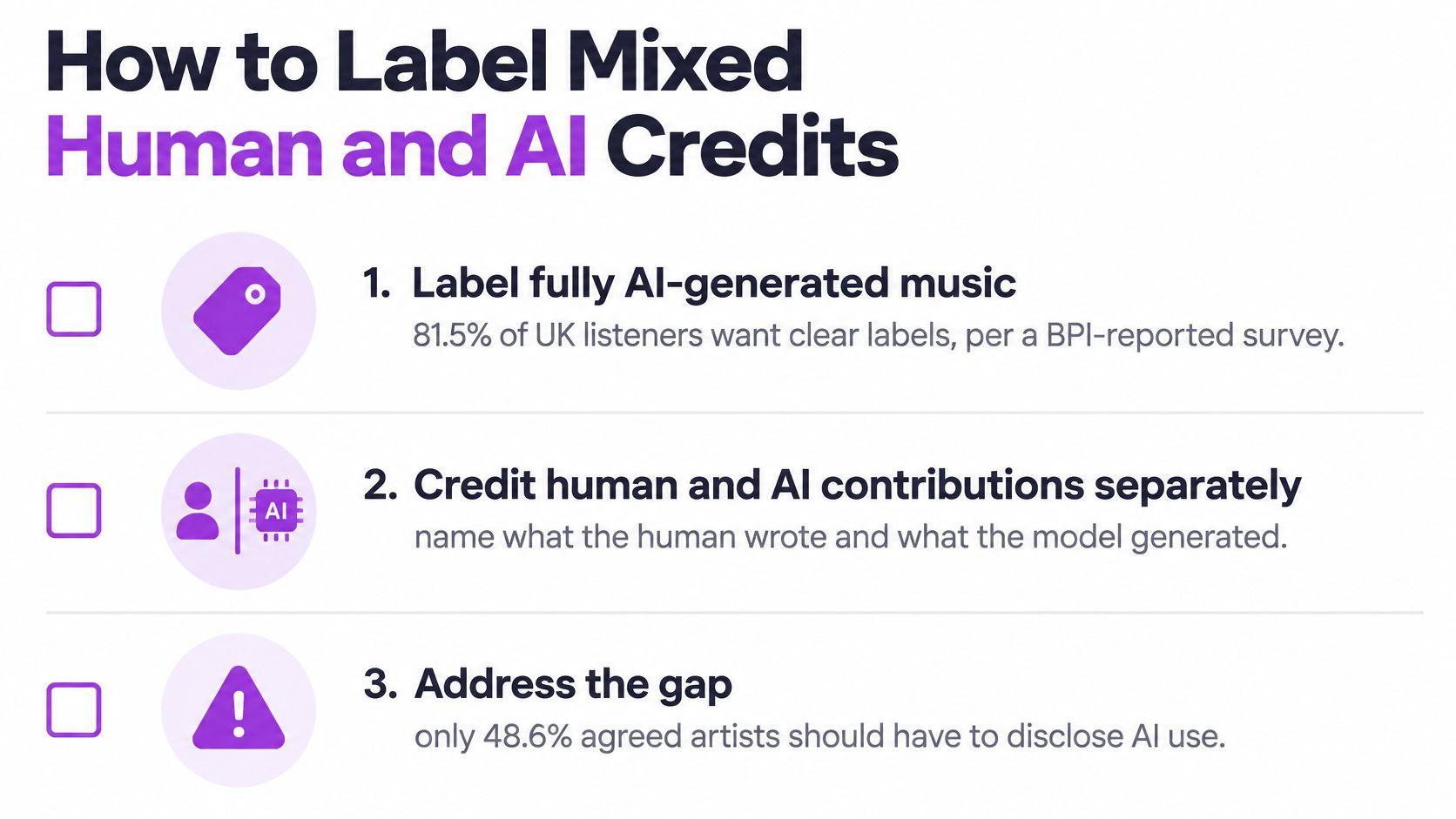
Audience evidence is clearest at the extremes and quiet in the middle. A UK listener survey reported by the BPI found 81.5% wanted fully AI-generated music clearly labeled, while only 48.6% agreed that artists should use AI when they remain in control, according to the BPI summary. Neither figure tells you whether a lyric video should mention a draft, a translation, or a timing pass.
That gap is where real projects live. AI may draft, rewrite, translate or sync the words while a human writes the melody, sings the vocal, or heavily edits the text. Treating the whole thing as binary, fully human or fully generated, misleads viewers in both directions: a vague "AI-generated" tag implies the performer and editor did nothing, while silence about a model-drafted verse overstates the authorship.
| AI role | Fair credit | Where to show it |
|---|---|---|
| Sync or timing only | Human lyrics; AI assisted the timing | Video description |
| Draft heavily edited by you | Lyrics edited by you after an AI draft | Description and project notes |
| Translation under your line | Name the lyricist and say the translation was AI-assisted and checked | On screen and description |
| One completed verse | Say which verse the model wrote | Description |
| Imitated singing voice | State that the voice is synthetic | On screen before playback |
| Words and track fully generated | AI-generated lyrics and track, plus any human editor | Opening card and description |
Two credit lines you can reuse
Timing help: Lyrics by [name]; timing assisted by AI.
Drafted, then edited: Lyrics drafted with AI and edited by [name].
Where each note appears follows the same logic as the table. Timing assistance is a production detail, so the description is enough. Voice imitation and full generation change what the viewer is hearing or reading, so they belong on screen before the song plays as well as in the description.
Keep transparency separate from ownership. A credit line doesn't create a license, and leaving AI out of the description doesn't make the words original. They answer different questions, and confusing them is how channels get caught claiming authorship of text they didn't write.
Before you upload, run three checks: save the human edit, name the source of the lyrics, and match the public credit to the role you used.
Karaoke and Lyric Video Jobs AI Lyrics Fit
Four scenes cover most of what a working channel meets, and each one has a single decision that determines whether the output is any good.
The musician promoting an original song. The vocal stays, because it's the whole point. AI work here is limited to placing already-written lines on screen and checking that nothing drifts against the recording. If the song is going out under the artist's name, the wording and framing should follow whatever approval process the artist uses for official lyrics, which is the approach described in this guide to publishing artist-approved lyrics on screen. The human decision is simple: the artist's words are fixed, the timing bends to them.
The solo performer who wants a song nobody ever sold as a karaoke track. The backing has to be separated or supplied, and the pasted lyric gets checked line by line, because a track with no commercial karaoke version usually has no reliable lyric source either. That line-by-line pass is where an AI-written "correction" does the most damage, so reject any edit you can't hear.
The channel adding a translation for a second audience. An English chorus stays in the large line, a second-language line sits underneath, and a literal but unsingable phrase gets rewritten before export. A native speaker approves the idioms, not a dictionary.
The band that wants chord names above the lyric for rehearsal. Those labels are a display aid, not proof that the harmony is right. Someone with an instrument still confirms the chords before the file goes out to players who will trust it.
Match each job to an on-screen pattern you already know: two lines with a word-by-word fill and a short countdown for sing-along, a scroll that keeps the next lines in view, or a stacked pair of languages for translation. Pick the scene that matches the song you have, then work through the export checks.
Make a Sing-Along From the Lyrics You Have
- Confirm the words are yours to use, either original, licensed, or a draft you rewrote after the overlap check.
- Paste the corrected lyric instead of trusting a first transcript, because dense mixes and unusual languages produce the largest errors.
- Choose the output: a lyric video if the vocal should stay, a karaoke video if the vocal should come out.
- Export a preview and read every timed line against the audio, starting with rap, effects and less common languages.
- Add the credit sentence that matches the role you used, written down before the file is posted.
MyKaraoke Video runs this path in a browser. Upload a song and paste the lyrics, and the AI removes the vocals and syncs every word into a sing-along in about two minutes. If you don't paste a lyric, it can transcribe from the audio. Five layouts cover the scenes here: Karaoke, Single, Scrolling, Duet and Dual Language, and the full workflow sits in this guide to making a karaoke video online.
MyKaraoke Video takes the song you already have and turns it into a finished sing-along, with vocals removed and every line locked to the music in about two minutes, whether you pasted a lyric you checked yourself or let it transcribe from the audio. It handles the karaoke track for a venue set and the lyric video for a release you wrote, with layouts for single lines, scrolling text, duets and two languages at once. Pick one song this week, write its credit line first, and build it at MyKaraoke Video.
