Ever thought about starting a YouTube channel but weren't sure which niche to pick? Let me tell you, the world of karaoke is a goldmine waiting to be tapped. Creating a YouTube karaoke with lyrics video has become incredibly straightforward, and it connects you with a massive, built-in audience of singers. All you need are the right tools to make those high-quality, perfectly synced videos that will have viewers hitting "subscribe" and coming back for more.
Why YouTube Karaoke Is a Golden Opportunity
You've probably seen it yourself—a karaoke channel that seems to blow up out of nowhere. It's not magic. These creators are tapping into a huge and incredibly passionate community that's swapped sticky-floored karaoke bars for the comfort of their own living rooms. This massive shift has created a real hunger for top-notch, at-home karaoke experiences.
And the numbers back this up. YouTube is, without a doubt, the undisputed king of karaoke. Millions of people search for their favorite songs to sing along to every single day. The platform is flooded with videos covering every genre and decade imaginable, and the algorithm is constantly pushing karaoke playlists. It’s clear this is where karaoke lovers live. If you want to see the scale, just take a look at the platform's huge collection of karaoke content.
A Loyal and Engaged Audience Is Waiting
Here's something special about the karaoke niche: the viewers are incredibly loyal. Once someone finds a channel that consistently delivers clean audio and accurate, easy-to-read lyrics, they don't just watch once. They subscribe, they come back, they binge-watch your playlists, and they share your videos with friends for their next party.
This loyalty is the engine for real channel growth. A single, well-made video for a popular song can catch fire, bringing in a flood of new subscribers who will then dive into the rest of your content.
Karaoke is more than just a fun pastime; it's one of the best ways to explore music without judgment and reconnect with a love for singing. Building a channel around that shared passion creates a sense of community that you just don't find in many other niches.
The Old, Hard Way vs. Modern Tools
Not too long ago, making a karaoke video was a real grind. It meant wrestling with complicated software and spending hours manually syncing lyrics, one frustrating line at a time. Thankfully, those days are over.
Tools like MyKaraoke Video have completely changed the game. The whole process is now refreshingly simple, opening the door for creators of any skill level to jump in and start making amazing content. This means you can spend less time fighting with clunky editors and more time doing what you love—creating.
Before we dive into the nitty-gritty, let's get a bird's-eye view of the modern workflow. It’s surprisingly quick.
Here's a high-level look at the entire video creation process, from audio upload to final export, highlighting the key stages we'll cover in this guide.
| Stage | Action | Key Tool or Feature |
|---|---|---|
| 1. Upload | Import your audio track and lyrics file. | MyKaraoke Video Uploader |
| 2. Sync | Time the lyrics to the music with a simple click. | Lyric Sync Editor |
| 3. Style | Customize fonts, colors, and background. | Video Styler & Branding |
| 4. Export | Render your final video in 1080p MP4. | Export Settings |
| 5. Publish | Upload to YouTube and optimize for search. | YouTube Studio |
See how straightforward that is? In the next sections, we'll break down each of these stages step-by-step, giving you all the practical tips you need to get started.
Diving In: Making Your First Karaoke Video
Alright, let's get our hands dirty and actually build your first karaoke video for YouTube. I'll walk you through the entire process using MyKaraoke Video, from getting your files into the system to that initial sync. Mastering these first few steps will set a solid foundation for every video you make from here on out.
First things first, you need your raw materials: the instrumental audio track and the song's lyrics. Don't skimp on audio quality here. A clean, high-bitrate MP3 or, even better, a WAV file, makes a huge difference in the final experience for your audience.
If you can't find an official instrumental, don't worry. There are some fantastic AI tools for creating instrumental tracks that can strip the vocals from popular songs. I've found these to be a real game-changer when I'm in a pinch.
The whole process really boils down to three simple stages.
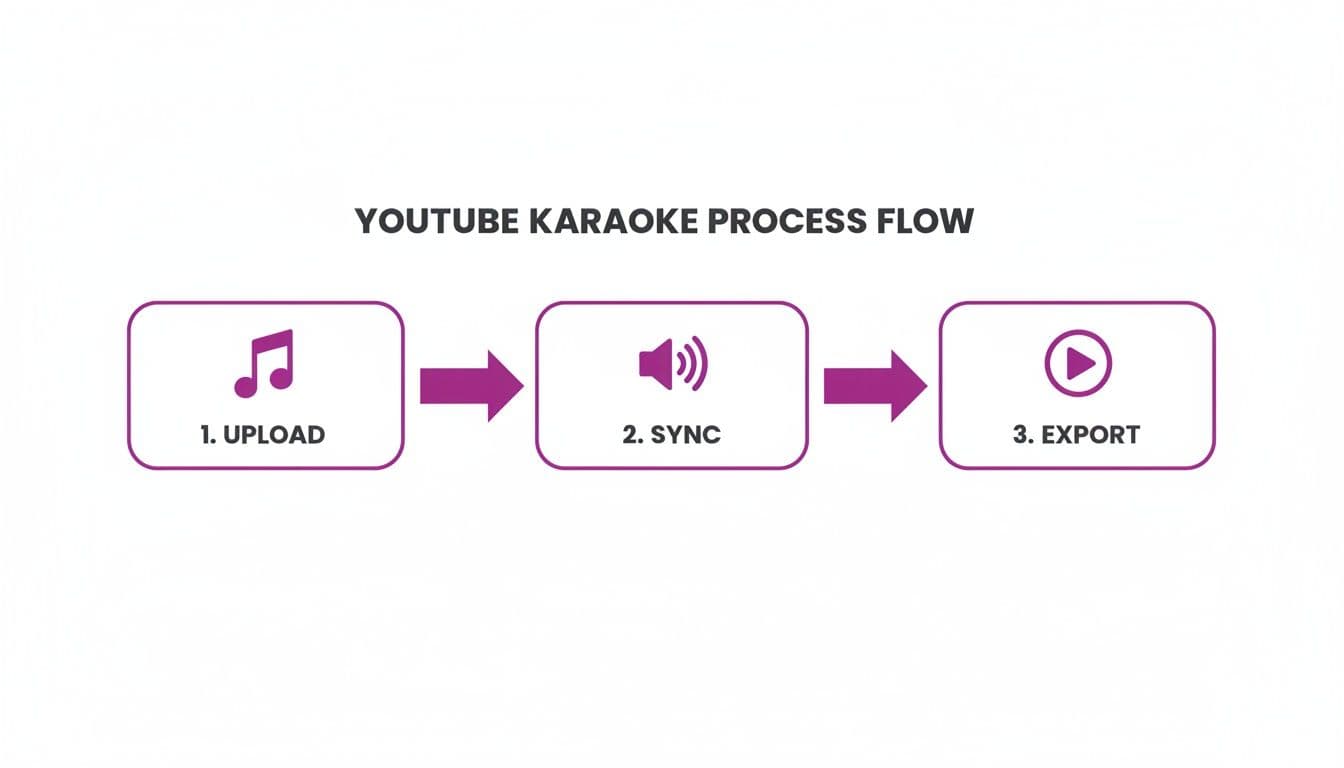
As you can see, it’s a straightforward path designed to get you from A to B without a lot of fuss.
Getting Your Track and Lyrics Uploaded
With your files ready, jump into the MyKaraoke Video editor. The first thing you'll do is upload your instrumental. It handles all the common audio formats, so you can just drag and drop your file and move on.
Next up are the lyrics. Find a reliable source online and simply copy-paste them into the text field. Don't sweat it if the formatting looks a little weird at first—we'll clean that up in a moment. The key is just getting the words into the system.
Pro Tip: I always run my lyrics through a basic text editor like Notepad first. I strip out all the extra stuff like "[Chorus]" or "[Verse 2]" tags. A clean text file means a much cleaner starting point for the sync, which saves a ton of tweaking later.
The Initial AI-Powered Sync
Now for the fun part. Once your audio and text are loaded, MyKaraoke Video’s AI goes to work. It listens to the music and automatically lines up the lyrics. In just a few seconds, you'll have a fully synced draft. Seriously, this first pass gets you about 90% of the way there.
This is what makes the process so fast. Instead of spending hours manually timing every single line in a traditional video editor, you get a nearly-finished product right out of the gate.
Tackling Common Hurdles
Even the best AI isn't perfect, so a few small adjustments are usually needed to get that professional polish. I typically run into two small issues right away.
- Messy Lyric Formatting: Lyrics from the web can have some odd line breaks. Inside the editor, you can quickly merge or split lines to make sure they match the natural phrasing of the song. It's super intuitive.
- Minor Sync Adjustments: Sometimes a word or phrase might be a fraction of a second off. The AI gets incredibly close, but you can just click and drag any word or line on the timeline to nudge it into the perfect spot.
Getting these basics right is crucial. For a deeper dive into just the lyric side of things, we have a whole guide on https://www.mykaraoke.video/blog/how-to-add-lyrics-to-songs with more advanced tips.
Once you’ve done these initial steps, you'll have a solid, fully functional karaoke video just waiting for some styling before you export it. This is the core workflow that makes creating these videos so efficient.
Mastering Lyric Sync for That Professional Polish
The real magic that separates a decent karaoke video from a truly great one? It's all in the timing. While the initial AI sync in MyKaraoke Video gets you surprisingly close, the Sync Editor is where you apply the final polish. This is where you'll spend your time transforming a good video into a fantastic one that people genuinely love to sing along with.
Think about it: when a singer knows they can trust your lyrics to be perfectly on beat, they'll come back for more. It's a small detail, but it has a huge impact on viewer retention and how long people stay on your video—both are huge signals to the YouTube algorithm.
Fine-Tuning, Word by Word
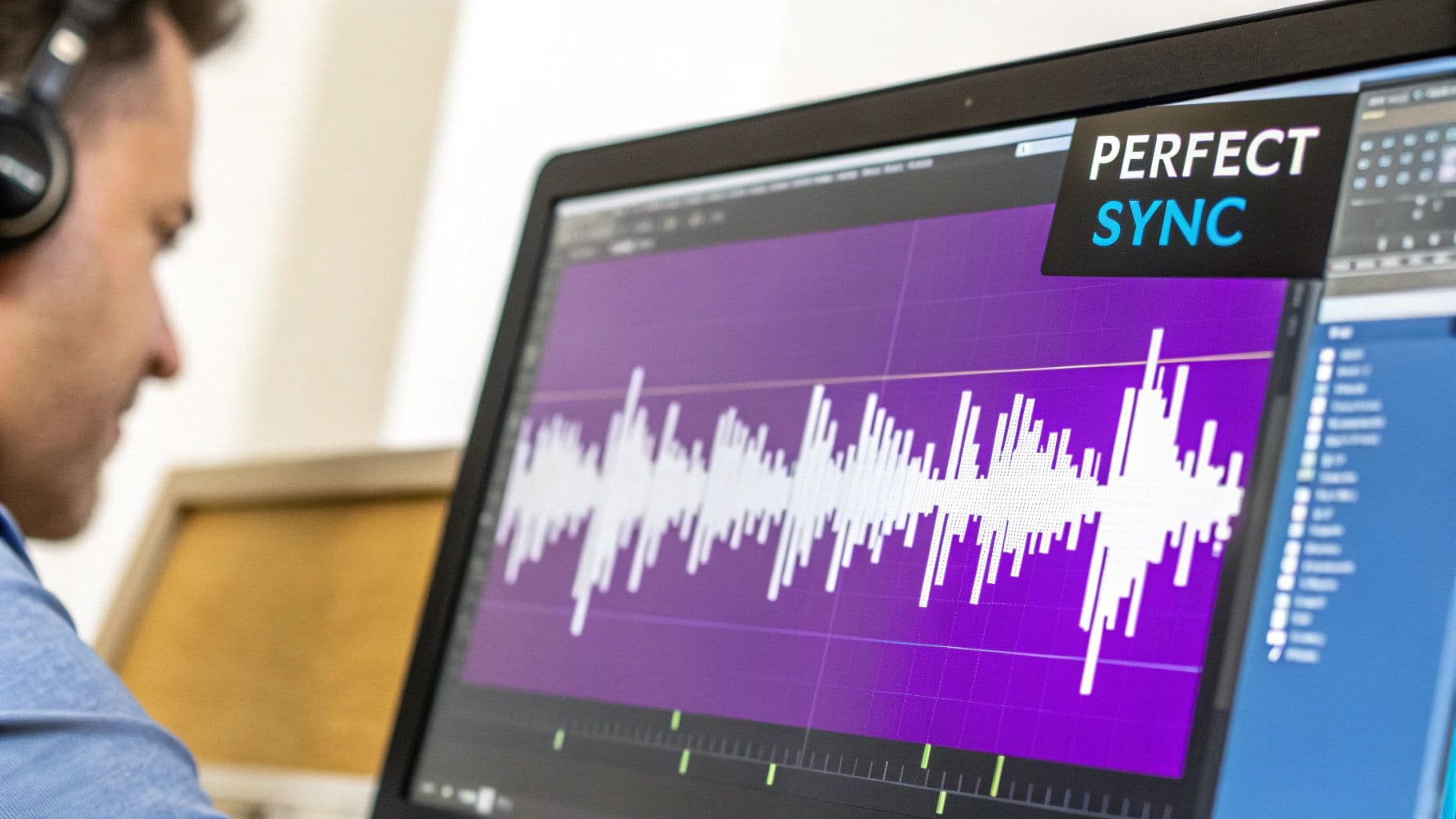
Once you jump into the Sync Editor, you’ll see your lyrics laid out on a timeline right over the song’s audio waveform. This visual map is your secret weapon. You can literally see the exact moment a word is sung, letting you drag the corresponding lyric block to match it perfectly.
Let's say you're working on a slow ballad where the singer holds a note for a few seconds. The AI might nail the start of the word, but you can manually stretch the end of that lyric block to cover the full duration of the note. This is the kind of control that makes the highlighting flow smoothly and naturally with the vocalist's actual performance.
Honestly, this visual approach is way more intuitive than just punching in timestamps. It feels more like you're painting the lyrics right onto the sound. This is what sets a dedicated karaoke tool apart from a generic video editor. If you're curious about other tools, we've also put together a guide on the best subtitle editor software that explores different approaches to this challenge.
Handling Tricky Vocal Phrasing
Singers are artists, not metronomes. They add pauses for drama, rush through certain phrases, and stretch words to add emotion. Your lyric sync has to capture that nuance. For this, the Sync Editor gives you two powerhouse tools: splitting and merging.
- Splitting Lines: Picture a line like, "I will always... love you." A singer might leave a big, dramatic pause after "always." To match that, you just split the line right after that word. Now you have two separate lyric blocks, and you can time that pause down to the millisecond.
- Merging Lines: On the flip side, sometimes lyrics are formatted with weird line breaks that just get in the way. If a singer delivers two short lines as one continuous thought, you can merge them into a single block. This makes the on-screen presentation much cleaner and more natural to follow.
These simple actions are incredibly effective for matching the true artistic delivery of the performance.
Karaoke isn’t just a party trick; it’s one of the best ways to free your voice, explore songs without pressure, and remember why you fell in love with singing in the first place. Perfecting the sync honors that experience for your audience.
Insider Tips for Faster Editing
Okay, manually tweaking every single word might sound tedious, but a few pro tricks will seriously speed up your workflow. Getting these down will help you produce more high-quality videos, faster.
Get Friendly with Keyboard Shortcuts Seriously, learning a few keyboard commands can cut your editing time in half. Here are the ones I couldn't live without:
| Action | Shortcut (Typical) | Why It's a Game-Changer |
|---|---|---|
| Play/Pause | Spacebar | Instantly check your timing without ever taking your hand off the keyboard. |
| Split Line | S Key | Quickly break up a lyric block right where the cursor is, perfect for tricky phrasing. |
| Merge Lines | M Key | Combine selected blocks to clean up the formatting in a single keystroke. |
| Nudge Left/Right | Arrow Keys | Make tiny, frame-by-frame adjustments to get the timing absolutely perfect. |
Using shortcuts keeps you in the zone, focused on the timeline, and helps you build a really efficient editing rhythm.
Let the Waveform Be Your Guide Don't just listen to the music—watch it. The audio waveform is a visual map of the entire song. You can clearly see the spikes that correspond to drum hits, the start of a vocal line, and the quiet parts.
For example, when you’re trying to sync up a powerful chorus, look for the dense, tall peaks in the waveform. Line up the start of your lyric blocks with the very beginning of those spikes. This visual cue is often far more accurate than just trusting your ear, especially with fast-paced songs. This is the real secret to getting that locked-in, professional feel that makes a YouTube karaoke channel stand out.
Developing a Signature Style for Your Karaoke Channel
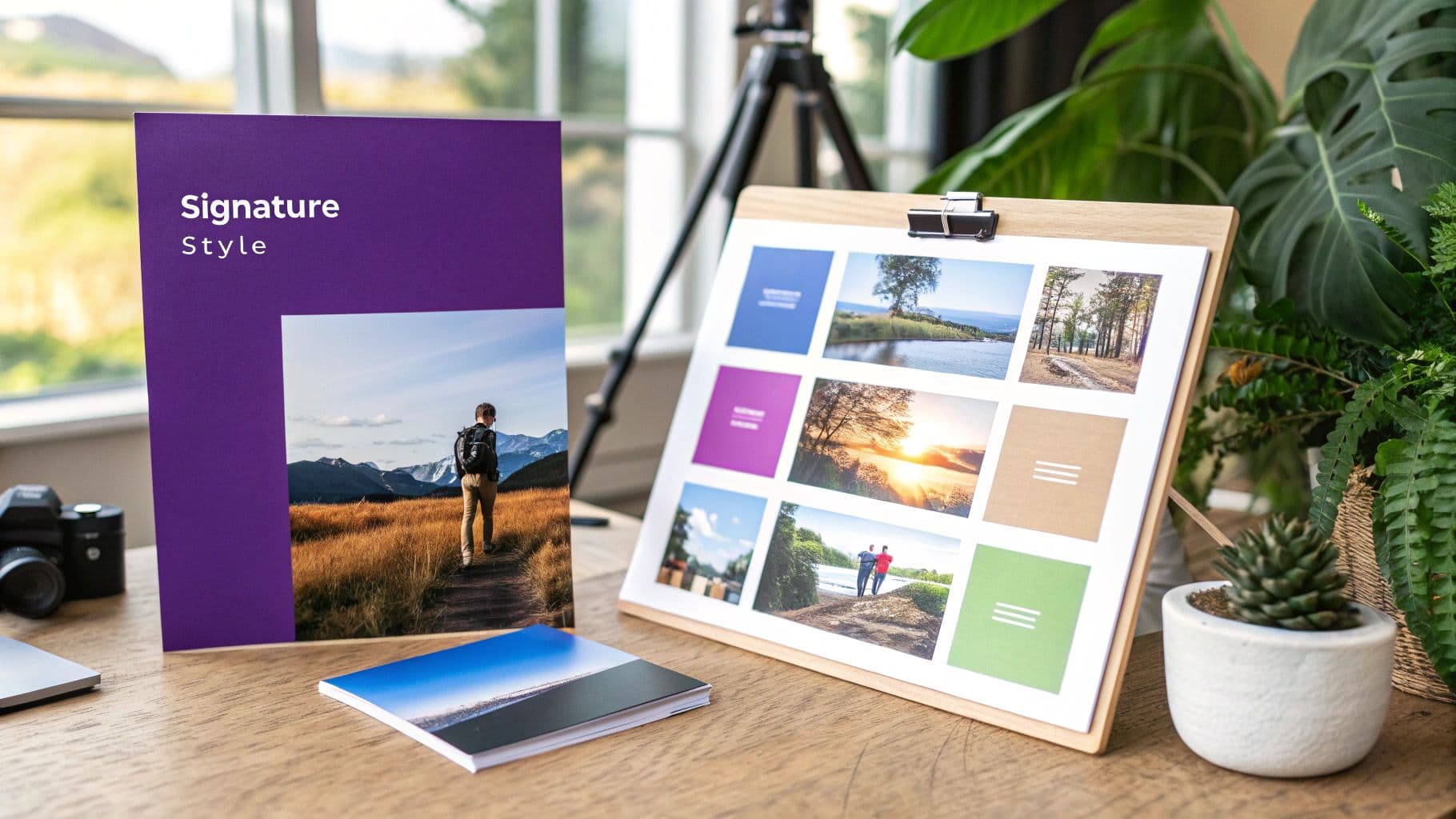
Perfectly synced lyrics are the bedrock of any good karaoke video, but that technical precision is only half the battle. What truly builds a memorable channel—the kind people subscribe to and come back for—is your visual identity. Your signature style.
Think about it from a user's perspective. They search for a popular song and see a dozen options. What makes them click yours? It's often a consistent, professional, and visually appealing brand that signals quality before they even hit play. MyKaraoke Video has all the design tools you need to build this identity right inside the editor.
Choosing Fonts and Colors That Pop
Let's start with the most critical design elements: your font and color choices. The absolute number one goal here is readability. If singers can't easily follow along, the best-looking video in the world won't save you. They’ll just leave.
I always recommend starting with a clean, bold font. There's a reason you see sans-serif fonts like Arial, Montserrat, or Oswald so often—they work. They're incredibly easy to read on any screen, big or small. You'll want to steer clear of super decorative or thin script fonts. They might look cool, but they can become a blurry mess on a phone, where a huge chunk of your audience is watching.
Next up is color contrast. This is non-negotiable. You need a high-contrast combo like white text on a dark background or black text on a light one. For the "fill" color that sweeps across the lyrics, pick something vibrant that pops against both the background and the inactive text. A bright yellow or a punchy electric blue usually gets the job done well.
Your design should match the vibe of your channel. A channel dedicated to 80s rock ballads could lean into bold, blocky fonts and neon colors. One focused on acoustic folk? Maybe a softer, more rounded font with earthy tones. The key is to find your lane and stay in it.
Creating a Unique Look with Custom Backgrounds
Your background is the canvas that sets the entire mood. This is a massive opportunity for branding, and MyKaraoke Video gives you the freedom to use static images or looping video clips.
Here are a few ideas I've seen work really well:
- Simple Color Gradients: A subtle, slowly shifting gradient looks incredibly professional without being distracting.
- Looping Animated Backgrounds: You can find tons of free, high-quality looping videos on sites like Pexels or Pixabay. Think abstract shapes, gentle animations, or atmospheric scenes. A slow-moving particle effect adds a touch of class.
- Themed Static Images: If you have a specific niche, lean into it. A Disney karaoke channel might use subtle, royalty-free castle silhouettes. A country music channel could use a rustic wood texture.
The trick is to choose backgrounds that aren't too "busy." You want the background to enhance the experience, not fight the lyrics for the viewer's attention.
Building Brand Recognition with Watermarks
A watermark is just a small, semi-transparent logo or channel name tucked into the corner of your video, but it’s a powerhouse for brand recognition. Every time someone shares your video or a clip of it lands on social media, your brand is right there.
Don't overthink the logo. A free online tool can help you create a simple text-based logo with your channel name in a cool font. Just make sure you export it as a PNG file with a transparent background.
Inside MyKaraoke Video, you can upload that image, stick it in a corner (bottom-right is pretty standard), and dial back its opacity. I’ve found that setting the opacity to around 20-30% is the sweet spot. It's visible enough to be noticed but not so bold that it gets in the way. This one small step ensures every single youtube karaoke with lyrics video you create is clearly and professionally stamped as yours.
Getting Your Videos Found on YouTube
Making a perfect karaoke video feels like a huge win, but honestly, that’s only half the battle. Now comes the real test: making sure the millions of karaoke fans on YouTube can actually find your masterpiece. This is where a smart approach to YouTube SEO turns your hard work into views, subscribers, and a channel that people love.
Think of the YouTube algorithm as a giant discovery engine. Your job is to feed it clear signals that your video is exactly what someone wants when they search for "youtube karaoke with lyrics." This all comes down to optimizing your video's title, description, tags, and thumbnail. Each piece plays a critical role in getting you discovered.
Crafting Magnetic Video Titles
Your title is the single most important piece of SEO real estate you have. It needs to be crystal clear, descriptive, and packed with the right keywords without sounding like a robot wrote it. I've found that a simple, proven formula works wonders for karaoke channels.
The structure I always come back to is: Artist Name - Song Title (Karaoke Version with Lyrics)
For instance, a title like "Taylor Swift - Cruel Summer (Karaoke Version with Lyrics)" is perfect. It immediately tells both viewers and the algorithm everything they need to know: the artist, the song, and the format. This approach directly matches what people are searching for, giving your video a huge leg up in the search results.
Writing Search-Friendly Descriptions
The video description is your chance to add more context and reinforce your keywords. So many creators just skip this part, but a well-written description can give your rankings a serious boost. The key is to provide value, not just stuff it with keywords.
I always start by repeating the full video title naturally in the first sentence. This gives the algorithm immediate confirmation of what the video is about. From there, I'll add interesting details like the album the song is from, the year it was released, or a quick, engaging blurb about the track. Pasting the full lyrics into the description also adds a ton of relevant text for YouTube to index.
Remember, the first 2-3 lines of your description show up in search results right under your title. You have to make that little snippet count! Hook the viewer and make them want to click.
The Ultimate Karaoke Video SEO Checklist
Use this quick-reference checklist for every upload to ensure you're hitting all the essential SEO marks for maximum reach and engagement.
| SEO Element | Best Practice | Why It Works |
|---|---|---|
| Title | Use the Artist - Song (Karaoke Version with Lyrics) format. | Directly matches high-intent user search queries. |
| Description | Repeat the full title in the first sentence. Include lyrics and song details. | Reinforces keywords and provides rich, crawlable text for the algorithm. |
| Tags | Mix specific (song title), broad (genre), and channel tags. | Helps YouTube categorize your video and show it as a "suggested video" next to similar content. |
| Thumbnail | Use bold, high-contrast text with the artist and song title. Keep it clean. | A high click-through rate (CTR) is a major ranking signal. A great thumbnail gets the click. |
| Shorts | Create 30-60 second clips of the song's chorus. | Taps into the massive Shorts audience and drives traffic back to your main video. |
| Internal Link | Link to the full video from your Short's pinned comment and description. | Creates a direct pathway for viewers to move from discovery to deeper engagement. |
Following these steps consistently signals to YouTube that your channel is a reliable source for high-quality karaoke content, which is exactly how you build a loyal following over time.
Using Tags to Broaden Your Reach
Tags are another way you can signal to YouTube what your video is all about. While their direct impact on rankings has been debated over the years, they are still crucial for helping YouTube associate your video with similar content. This is how you end up in that coveted "suggested videos" sidebar.
My tagging strategy is always layered:
- Specific Tags: Start with the most obvious ones. Think "Cruel Summer karaoke," "Taylor Swift lyrics," and the full artist/song title.
- Broader Tags: Then, zoom out a bit. Use tags like "pop karaoke," "2010s hits," or "sing along songs."
- Channel Tags: Always, always include your channel name. This helps YouTube group all your videos together.
Put yourself in the shoes of someone searching. What different phrases might they try? Add those as tags. If you really want to dive deep, these powerful YouTube SEO optimization tips cover strategies that go way beyond the basics.
Designing Thumbnails That Get Clicks
Let's be real: your thumbnail is your video's billboard. It’s sitting on a page competing with dozens of others, and a great one can make all the difference in your click-through rate (CTR), which is a huge signal to the YouTube algorithm.
For karaoke channels, consistency is key to building a recognizable brand. I recommend using bold, easy-to-read text that clearly shows the artist and song title. Pick a high-contrast color scheme that matches your channel's branding and makes the text pop off the screen. Simplicity wins here—avoid clutter at all costs.
Promote Your Work with YouTube Shorts
Finally, do not sleep on YouTube Shorts. They are an incredible tool for promoting your full-length karaoke videos.
Find the most exciting part of your song—usually the big chorus—and clip a 30-60 second vertical video. In the Short's title, description, and a pinned comment, drop a link back to the full-length video. This strategy is a game-changer. It exposes your channel to a massive new audience on the Shorts shelf and funnels them directly to your main, monetizable content. It's a powerful growth loop that really works.
Growing Your Channel and Navigating Copyright
Making great videos is just the start. If you want your karaoke channel to thrive long-term, you need a solid strategy for growth and a crystal-clear understanding of copyright law. Let's be honest: building a successful youtube karaoke with lyrics channel is a marathon, not a sprint.
Find Your Niche and Build a Community
One of the biggest mistakes I see new creators make is trying to be everything to everyone. Instead of chasing every trending pop song, find your corner of the karaoke world. A channel dedicated to "90s R&B Karaoke" or "Disney Movie Sing-Alongs" will attract a much more loyal audience—the kind of fans who subscribe and watch every new video you post.
This niche strategy makes playlists your secret weapon. Group your videos into themes like "Best of Broadway" or "80s Rock Anthems." When someone finishes a song they love, YouTube's autoplay is far more likely to serve them another one from that same playlist. This is a game-changer for boosting your channel's watch time.
Tapping into Interactive Content Trends
Want to really get your audience hooked? Think beyond simple sing-alongs. We're seeing huge engagement with interactive formats like 'Finish the Lyrics' quiz videos. These turn passive viewing into an active game and can rack up serious views. Check out these viral karaoke trends on YouTube for inspiration.
When a song goes viral on social media, the window of opportunity is small. Creators who can jump on these trends and produce a high-quality karaoke version quickly can capture a massive audience at the peak of their interest.
The Elephant in the Room: YouTube’s Content ID and Copyright
Alright, let's talk about the most critical part of this whole endeavor: copyright. Pretty much all popular music is protected, and YouTube's automated Content ID system is incredibly good at spotting it. When you upload a video with a copyrighted instrumental, you can bet the system will flag it.
Usually, this results in a copyright claim, not a strike. A claim just means the copyright owner can place ads on your video and collect the revenue. You won't make money from that video, but it can typically stay online.
A copyright strike is a different beast entirely. It's much more serious. Strikes are given when you use content without permission in a way that the owner feels violates their rights. Get three of these, and your channel could be terminated for good.
The only truly safe path to monetization and a long-lasting channel is to use instrumentals that you have a proper license for. This means buying licenses from production music libraries or using high-quality, royalty-free tracks. It's the only guaranteed way to avoid claims and qualify for the YouTube Partner Program.
Knowing how to avoid copyright strikes on YouTube is non-negotiable for any karaoke creator. By finding a smart niche, building engaging playlists, and—most importantly—respecting copyright law, you're setting yourself up for real, sustainable success.
Karaoke Channel FAQs: Your Questions Answered
If you're diving into the world of YouTube karaoke with lyrics, you've probably got a few questions. I see the same ones pop up all the time from new creators, so let's get you some straight answers and set you on the right path.
Can You Actually Make Money from This?
Let's be upfront: making money with karaoke videos can be tricky, but it's not impossible. If you use the original artist's track, any ad revenue is almost certainly going straight to the copyright holders through Content ID claims. That's just how the system works.
The real path to getting paid is by using instrumental tracks you have a license for or finding high-quality, commercially-cleared royalty-free music. Your initial focus should be on building an audience with legally sound audio. Once you're big enough, you can join the YouTube Partner Program and monetize those videos directly.
How Long Does One Video Take to Make?
This is where the right tool makes all the difference. With an AI-powered platform like MyKaraoke Video, you can knock out a standard, high-quality karaoke video in about 10-15 minutes. That covers everything from uploading your files and running the first sync to making a few quick adjustments.
Now, if you're a perfectionist like me and you're tackling a song with really fast, complex lyrics, you might spend closer to 30-45 minutes getting every single word perfectly timed. Even so, that's a world away from the hours it would take in a traditional video editor.
The name of the game is efficiency. The faster you can churn out great-looking videos, the more consistently you can upload. The YouTube algorithm loves consistency, and that's how you grow.
What Is the Best Audio File Format?
Audio quality can make or break a karaoke video. Don't skimp here.
If you can get your hands on an uncompressed WAV file, that's the absolute best-case scenario. It delivers pure, uncompromised sound.
Realistically, though, a high-bitrate MP3 (320kbps) is an excellent and much more common choice. A clean, crisp instrumental track is vital for a good user experience, so whatever you do, avoid low-quality rips from other videos. Your audience will thank you.
Ready to ditch the hours of manual syncing and start creating professional-looking karaoke videos in just a few minutes? MyKaraoke Video has the AI-powered tools you need to build and grow your channel faster. Create your first video for free and see for yourself.
