The popular advice is to find one all-purpose editor that does everything VEED does, only faster or cheaper. That's the wrong starting point. A karaoke channel manager, a social media team producing caption-heavy clips, and a marketing department maintaining branded campaigns don't have the same production problem, so they shouldn't choose from the same feature checklist.
The right VEED alternative depends on the job. This comparison separates dedicated karaoke and lyric creation from captioning, design-led publishing, AI-assisted drafts, cloud timelines, and collaborative review. It also focuses on the practical details that affect delivery, including sync control, export workflow, collaboration, usage limits, pricing structure, rights responsibility, and learning curve. If your broader work includes paid promotion, you may also want to compare meme ad networks separately from your video-editing stack.
1. MyKaraoke Video
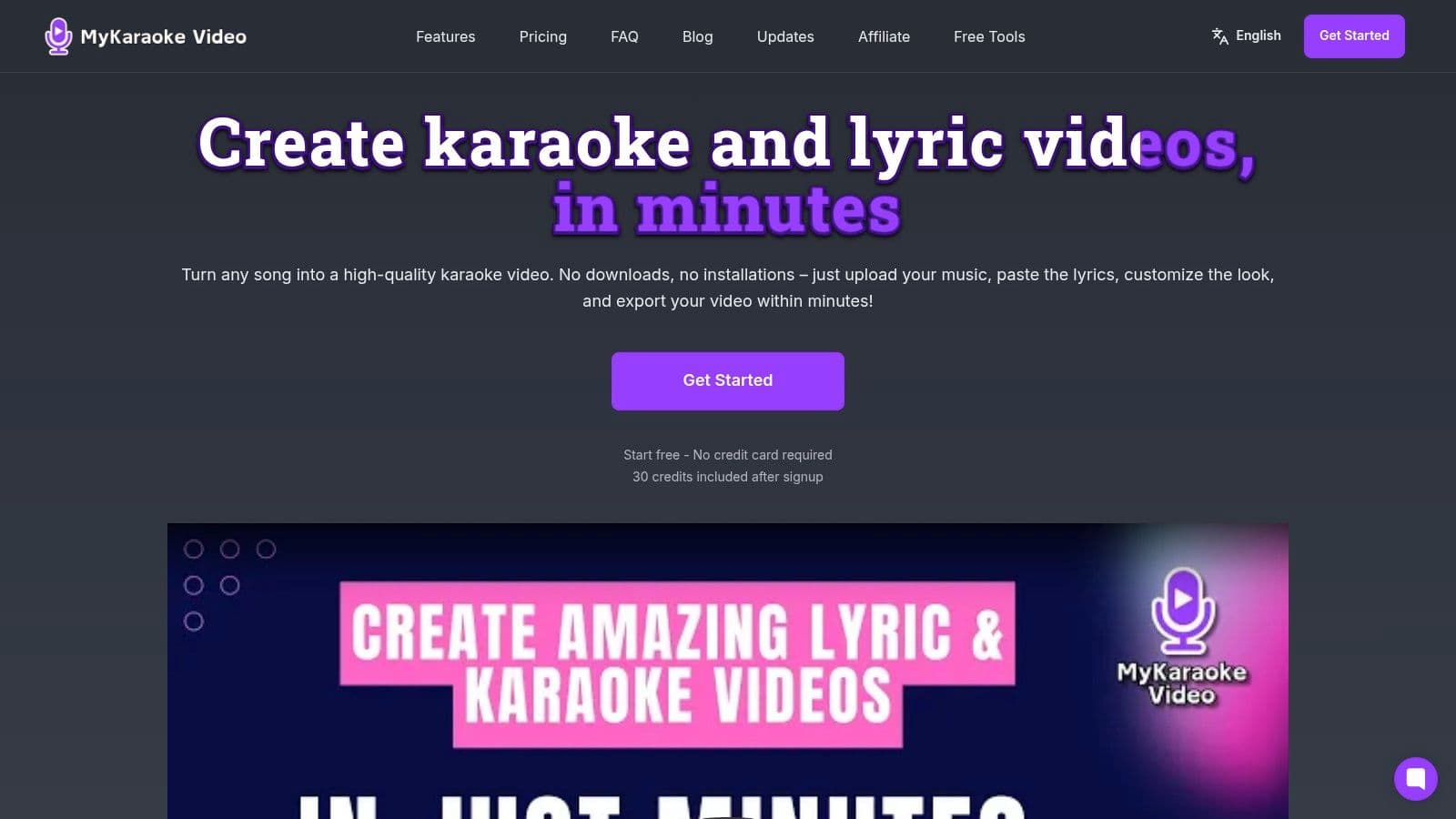
MyKaraoke Video is the strongest VEED alternative when the finished asset needs to be a karaoke video or synchronized lyric video, not just a captioned clip. It runs in the browser, uses AI for vocal removal and lyric transcription, and produces a 1080p MP4 without requiring downloads or heavy desktop software. That focused workflow removes several manual steps that general-purpose editors leave to the creator.
Upload a song and lyrics, or let the platform transcribe the lyrics, then review the result in a real-time preview. The automatic sync is designed to get the project close quickly, while the precision sync editor gives you manual control when a syllable, line break, or musical entrance needs correction. That combination matters. Automatic timing saves production effort, but manual timing prevents an imperfect transcription from becoming a visible publishing error.
Where the specialist workflow wins
The editor supports visual customization across fonts, colors, backgrounds, stock media, and animations. Karaoke, scrolling, single, duet, and dual-language layouts give creators more relevant starting points than a generic subtitle track. Duet and multi-voice support are particularly useful for performance videos where two vocal parts need separate visual treatment.
Server-side rendering keeps the heavy processing away from the creator's device. Subscribers receive free queue exports and priority processing, while instant exports are available when a project needs to move immediately. The trade-off is the credit model. The free trial includes 30 signup credits, pay-as-you-go credits cost $0.10 per credit**, and subscriptions include **Standard at $7.99 per month for 300 credits and Premium at $14.99 per month for 600 credits, as stated on the MyKaraoke Video website. Heavy users should track instant-export charges and credit consumption rather than assuming every export has the same cost.
Practical rule: Choose MyKaraoke Video when timing, vocal removal, duet presentation, and quick lyric-video output matter more than broad cinematic editing.
AI syncing can still need a final human correction, especially with unusual phrasing or unclear lyrics. Commercial use also requires the creator to hold the proper rights to the song. For karaoke creators, musicians, event organizers, and lyric-video publishers, those limitations are manageable because the platform is solving the central production task directly.
2. Kapwing
Kapwing is a strong choice for teams producing caption-heavy social clips in a shared browser workspace. Its interface is approachable, and the workflow suits creators who need to trim performance footage, add subtitles, apply text overlays, and publish short-form content without installing a desktop editor.
The auto-caption system creates an editable transcript, and users can export captions as SRT files when they need a separate subtitle asset. That's useful for accessibility workflows and for teams that want to correct text before styling it on the canvas. Kapwing also includes templates, stock media, and brand-kit features, so recurring social formats don't have to start from a blank project.
Kapwing's collaboration model is one of its clearest advantages. Team members can work from shared projects with cloud autosave, comments, and review-oriented workflows. That makes it more practical than a solo editor when a producer, copy editor, and designer all touch the same video before publication.
The trade-off is editorial depth. Kapwing handles short-form cuts and caption styling well, but its timeline control is lighter than a professional non-linear editor. If you need detailed audio mixing, complex motion graphics, or intricate multi-track timing, you'll likely reach its limits sooner.
The free tier also applies watermarks and usage limits, so test the complete export path before moving an active campaign. Teams comparing browser tools should also review this browser-based video editor guide when deciding whether they need a general collaborative editor or a specialist lyric workflow.
Go with Kapwing when several people review social videos and captions are central to the output. Choose MyKaraoke Video instead when the source is a song and the core requirement is musical lyric synchronization rather than spoken-word captioning.
3. Microsoft Clipchamp
Microsoft Clipchamp makes the most sense for users already working inside Windows and Microsoft 365. Its browser-based editor connects naturally with Microsoft's wider environment, making it a practical replacement for VEED when the priority is accessible internal communication, training content, or social editing within an established Microsoft workflow.
The editor includes auto-captions powered by Azure Cognitive Services, text-to-speech voices, stock media, and aspect-ratio templates for social publishing. The caption process is straightforward: generate the captions, edit the text, and prepare the export. Text-to-speech is also useful for internal announcements or simple narrated explainers when recording a voiceover would slow down production.
Clipchamp's timeline is intentionally approachable. Beginners can assemble video, text, music, and voiceover without learning a complex professional interface. Windows 11 integration further reduces friction for users who already access projects and media through Microsoft services. Premium features may also be available through qualifying Microsoft 365 plans, so the total cost should be evaluated in the context of the software your team already pays for.
The limitation is specialization and interchangeability. Clipchamp has fewer pro-grade effects than more advanced rivals, and projects and media live within Microsoft's cloud environment. That can make cross-app movement less flexible if your team needs to hand projects to editors using other software.
For a deeper look at no-install workflows, review this guide to free online video editors. Clipchamp is a sensible Microsoft-centered baseline, but it isn't the right fit for precise karaoke timing, automatic vocal removal, or lyric layouts. Use it for accessible general editing, not as a dedicated music-production replacement.
4. Descript
Descript is built around a simple but powerful idea: edit recorded video by editing its transcript. That makes it especially effective for podcasts, interviews, webinars, screen recordings, and other dialogue-led material where removing a sentence should remove the corresponding video and audio.
The platform combines transcription, text-based editing, screen recording, caption export, and shared workspaces. SRT and VTT export support helps when captions need to be delivered separately, while AI audio cleanup can make spoken recordings easier to prepare for publication. Paid overdub voice options add another route for correcting narration without reopening a recording session.
For teams repurposing long recordings into short clips, the transcript provides a faster way to locate useful moments than scanning a conventional timeline. A producer can search words, remove unwanted passages, and shape the edit from the written content before applying visual treatments. That workflow is more natural for editorial teams than dragging through waveforms and video tracks.
Descript isn't a motion-graphics specialist. Its strength is speech and narrative structure, not elaborate animation, dense compositing, or detailed music synchronization. It also uses both a web app and a desktop client, and its strongest AI features sit behind paid tiers.
“Edit the words first when the words are the structure.”
That principle explains why Descript is a better VEED alternative for transcript-led dialogue editing than for karaoke. Creators seeking a broader caption workflow can also consult this resource on software for transcribing video. If your project begins with a song, timed lyrics, and vocal separation, MyKaraoke Video's specialist controls are more relevant. If it begins with a conversation, Descript is the more efficient starting point.
5. Canva Video Editor
Canva Video Editor is a design-first alternative for teams that care about brand consistency as much as video assembly. It works particularly well for lyric-style title cards, branded lower-thirds, social packages, announcements, and promotional clips that need to match existing graphics and presentation assets.
The platform combines auto-caption generation, video-to-text transcription, brand kits, templates, fonts, and one-click resizing. Magic Translate can help localize captions and on-screen text, while the broad template ecosystem gives non-editors a practical set of starting points. A marketing team can move from a campaign graphic to a social video without changing creative systems.
That consistency is Canva's real advantage. Logos, colors, fonts, and reusable layouts are easier to maintain when the same brand kit supports video and other design work. Batch social output also becomes less repetitive because creators can adapt a core design across formats instead of rebuilding each version manually.
The compromise is precision. Auto-caption quality can vary, and timeline controls are less granular than those in video-first tools. When caption timing needs detailed correction or a music cue must land at an exact moment, the design-led interface can feel restrictive. Canva is excellent for visual packaging, but it isn't intended to replace a specialist editor for complex audio timing.
Use Canva when the project is part of a broader brand-content system. Choose it over VEED when typography, templates, and multi-format design matter most. Choose MyKaraoke Video when synchronized lyrics, vocal removal, duet modes, and a polished 1080p music export define success.
6. Flixier
Flixier targets teams that want a fast cloud timeline with more traditional editing structure than a design platform usually provides. It offers browser-based editing, cloud rendering, auto-subtitles, project sharing, review links, stock media, motion titles, and a workflow that feels closer to a multi-track editor without requiring a local installation.
The platform is useful when editors need to assemble several media layers, review changes remotely, and keep rendering work in the cloud. Free-tier 1080p exports make it possible to evaluate output quality before committing, while paid plans include metered auto-subtitle minutes. That combination suits teams that care about delivery speed but still need a recognizable editing timeline.
Flixier's collaboration tools are practical for feedback cycles. A producer can share a project or review link, collect comments, and keep the edit in one cloud environment rather than passing large files between contributors. This matters for recurring campaigns where approval delays, not editing complexity, often slow publication.
The cost structure needs attention. Exports and subtitle usage are metered by plan, so high-volume teams should estimate their actual workflow instead of comparing subscription prices alone. Flixier also has a smaller template and asset ecosystem than Canva or Adobe, which means editors may need to bring in more of their own visual material.
Before subscribing, run a full project through import, subtitle generation, review, and final export. The workflow is only fast if the plan's metered allowances fit your production rhythm.
Flixier is a strong VEED alternative for collaborative browser timelines and cloud rendering. It's not a karaoke specialist, so creators who need automatic vocal removal and lyric timing should use MyKaraoke Video for the core asset, then consider Flixier for broader campaign assembly.
7. InVideo
InVideo, including InVideo AI, is designed to solve the blank-canvas problem. Instead of asking the creator to build every scene manually, it uses prompts, scripts, templates, and stock media to generate a first draft for social videos, explainers, and product-focused content.
The platform's workflow is useful for ideation. A creator can start with a brief, generate a structured draft, adjust the script or selected media, and export a captioned video with text overlays. That's a different proposition from a conventional editor. InVideo is most valuable when the first draft is the bottleneck and the final video can rely on stock footage, templates, and editorial refinement.
Its credit-based usage model is the central trade-off. Generations, edits, and model runs consume credits, so frequent experimentation can create unpredictable usage. Teams should monitor how credits are spent and test several representative prompts before building a production process around the tool.
The output also depends on the source brief. A precise prompt can produce a useful starting point, while a vague prompt may result in generic visuals or pacing that still requires substantial manual work. InVideo accelerates ideation, but it doesn't remove the need for editorial judgment.
Use InVideo when your team wants AI-assisted drafts for captioned social content, product explainers, or marketing variations. It's less suitable when the project depends on exact musical timing, custom lyric presentation, or a highly controlled visual sequence. For those jobs, a purpose-built workflow such as MyKaraoke Video is more direct and easier to evaluate by finished output rather than draft quality.
8. Wave.video
Wave.video combines editing with hosting and publishing, which makes it a useful VEED alternative for small businesses and marketing teams that want fewer handoffs. The platform supports caption and subtitle styling, templates, transitions, text effects, video hosting, embeddable players, and brand-management features for fonts and colors.
That broader workflow is Wave.video's main distinction. A team can prepare a promotional clip, apply consistent branding, host the video, and use an embeddable player without immediately moving to another service. This is valuable for landing pages, campaign pages, and social promotion where distribution is part of the same operating process as editing.
The editor is practical for marketing content but less suited to intricate post-production. Timeline features don't match specialist editors, and more advanced branding removal and hosting options require paid tiers. Teams should therefore assess the publishing destination as carefully as the editing interface. If your audience mostly watches on social platforms, built-in hosting may matter less. If your business needs embedded video pages, it may justify the trade-off.
Wave.video also makes sense for recurring promotional work where templates and brand colors do most of the heavy lifting. It won't replace a dedicated karaoke maker, because hosting and marketing templates don't solve vocal separation or precise lyric synchronization.
Choose Wave.video when edit, host, and publish belong in one workflow. Choose MyKaraoke Video when the output itself is the priority and the project requires automatic lyric syncing, visual karaoke modes, manual timing control, and 1080p MP4 delivery.
9. WeVideo
WeVideo is a mature cloud editor for education, organizations, and collaborative teams that need a stable general-purpose environment. Its strengths include shared cloud timelines, captioning, export options, project storage, and integrations with Google Drive, Google Classroom, and Microsoft OneDrive.
The platform's organizational fit matters more than flashy creation features. Schools and small businesses often need clear onboarding, predictable sharing, and training resources as much as they need effects. WeVideo Academy provides documentation for users who may not have formal editing experience, while shared projects support distributed production.
Captioning makes WeVideo suitable for classroom media, internal communications, and SMB content. Its integrations can reduce file-management friction when an organization already stores media in Google or Microsoft cloud services. That's a meaningful advantage over tools that require teams to establish a separate asset system.
The trade-off is feature depth. WeVideo focuses on general editing rather than advanced motion graphics, so creators working on complex branded sequences may need another tool. Education pricing and licensing can also be difficult to compare without mapping seats, permissions, storage, and export needs to the actual organization.
WeVideo is a sensible choice for teams that value documentation, shared projects, and institutional compatibility. It's less appropriate for a music-first workflow where every lyric line needs visual timing against a vocal-removed track. In that case, MyKaraoke Video handles the specialist creation stage more efficiently, while WeVideo may still be useful for broader institutional video work.
10. Adobe Express Video Editor
Adobe Express is a browser-based design and video tool for users who want guided editing with access to the wider Adobe ecosystem. It includes auto-caption generation and editing, templates, fonts, stock assets, brand kits, Quick Actions, social resizing, and simple web and mobile workflows.
The captioning process is clear for straightforward social videos. Generate captions, edit the text, apply visual styling, and prepare a platform-specific version without opening a heavier application. Brand kits help maintain visual consistency, while Adobe's broader ecosystem provides a path to more advanced work when Express no longer has enough control.
That path is important. Adobe Express is not intended to replace Premiere for demanding motion graphics or multi-track editing. It's a fast publishing layer for creators who need professional-looking design support without the full complexity of a professional non-linear editor.
Premium assets and features are gated behind paid plans, so evaluate the complete project rather than only the free editing surface. A team may find the basic workflow sufficient, then discover that a preferred template, stock asset, or brand feature requires an upgrade.
Adobe Express is a strong VEED alternative for branded captioned content and quick social resizing. It's not the best tool for lyric-video production because it lacks the specialist combination of automatic vocal removal, karaoke layouts, and dedicated sync editing. For that specific job, MyKaraoke Video offers a shorter path from song upload to finished 1080p MP4.
Top 10 Veed Alternatives, Features & Pricing Comparison
| Product | Core features ✨ | UX / Quality ★ | Price / Value 💰 | Target audience 👥 | USP / Notes |
|---|---|---|---|---|---|
| MyKaraoke Video 🏆 | AI lyric-sync; vocal removal; sync editor; 1080p MP4; server-side render ✨ | ★★★★☆, real-time preview; fast workflow | 💰 Free 30 credits; $0.10/credit; Std $7.99/mo (300); Prem $14.99/mo (600) | 👥 Karaoke channel managers, creators, musicians | 🏆 AI-first karaoke/lyric focus; duet mode; precise sync; instant exports |
| Kapwing | Auto-subtitles; cloud editor; templates ✨ | ★★★★☆, intuitive; quick for short clips | 💰 Free (watermark); paid subs remove limits | 👥 Social creators, teams | Fast subtitle workflow; collaborative editor |
| Microsoft Clipchamp | Auto-captions (Azure); TTS; MS365 integration ✨ | ★★★☆☆, simple timeline; Windows-friendly | 💰 Free basic; MS365 adds premium features | 👥 Microsoft ecosystem users, teams | Native Windows/365 integration; Azure captions |
| Descript | Transcription-led editing; overdub; audio cleanup ✨ | ★★★★☆, excellent for dialogue/audio edits | 💰 Free tier; paid for overdub & pro features | 👥 Podcasters, long-form editors | Edit-by-text workflow; powerful audio tools |
| Canva Video Editor | Templates; auto-captions; Magic Translate; brand kits ✨ | ★★★★☆, design-first; strong typography | 💰 Free + Pro subscription for assets | 👥 Marketers, social teams, non-designers | Huge template & font ecosystem; fast branding |
| Flixier | Cloud timeline; fast 1080p exports; auto-subtitles ✨ | ★★★☆☆, very fast cloud processing | 💰 Free exports; usage minutes metered on plans | 👥 Teams needing speedy cloud edits | Low-latency cloud rendering; review links |
| InVideo (InVideo AI) | Script-to-video AI; templates; credit model ✨ | ★★★☆☆, rapid ideation; quick drafts | 💰 Credit-based; varying credit costs | 👥 Marketers, social video creators | AI-driven script→video; credit metering |
| Wave.video | Captions & styling; templates; hosting & players ✨ | ★★★☆☆, solid publish workflow | 💰 Paid tiers for hosting/branding | 👥 Small businesses, marketers | Edit + host + publish in one platform |
| WeVideo | Cloud timelines; captions; edu integrations ✨ | ★★★☆☆, stable; education-focused | 💰 Education/team pricing; tiered plans | 👥 Schools, organizations, SMBs | Google/Microsoft integrations; training resources |
| Adobe Express (Video) | Auto-captions; templates; brand kits; Quick Actions ✨ | ★★★★☆, guided, design-forward | 💰 Free + premium subscription for assets | 👥 Designers, Adobe users, social creators | Adobe ecosystem access; strong templates |
Choose the Workflow, Not Just the Brand
The best VEED alternative isn't the tool with the longest feature list. It's the one that reduces the most work in your actual production process. Start with the source material and the final deliverable, then judge the editor by how directly it gets you from one to the other.
For dedicated karaoke and lyric creators, MyKaraoke Video should be the first tool to test. It combines automatic vocal removal, AI lyric transcription and syncing, a manual timing editor, duet support, visual customization, real-time previews, and 1080p MP4 output in one browser workflow. That's a better fit for karaoke channels, musicians, lyric-video creators, event organizers, and entertainment teams than adapting a general caption editor to music production.
For branded social packages, Kapwing, Canva, and Adobe Express cover different versions of the same need. Kapwing is the better choice when several people need to review and edit captioned clips. Canva is stronger when video sits alongside presentations, graphics, and a central brand kit. Adobe Express fits teams that want guided social editing with a path into Adobe's broader creative ecosystem.
Descript belongs with transcript-led dialogue editing. It's the practical choice for podcasts, interviews, screen recordings, webinars, and content teams that want to cut spoken footage by editing text. It isn't a replacement for a music-focused editor, and it won't provide the same lyric timing or vocal-removal workflow as MyKaraoke Video.
For collaborative cloud timelines, compare Flixier and WeVideo. Flixier is a better fit when fast cloud rendering, review links, and browser-based timeline work are central. WeVideo is more suitable for schools and organizations that prioritize integrations, shared projects, training resources, and predictable onboarding.
Microsoft Clipchamp is the logical option for Microsoft-centered teams, particularly when Windows and Microsoft 365 already shape file storage and collaboration. InVideo is the better candidate for AI-generated drafts, especially when a team wants prompt-based scripts, stock footage, and captioned social concepts before refining the result. Wave.video wins when hosting and publishing need to remain close to editing.
Before committing, test the complete workflow with representative source material. Check whether credits, export minutes, subtitle minutes, watermarks, instant-processing fees, premium assets, and collaboration permissions match your real usage. Don't overlook rights responsibility either. If you publish music commercially, confirm that you have the proper rights to the song, regardless of which editor creates the final file.
The video-editing market is broad enough that these tools are competing inside an expanding category, not a narrow niche. The global video editing software market was valued at USD 3.54 billion in 2025 and is projected to reach USD 4.99 billion by 2031, with a 5.88% CAGR, while North America was identified as the largest market and Asia Pacific as the fastest-growing region in the Mordor Intelligence video editing market report. Online platforms are also becoming structurally important. The global online video editing platforms market was valued at USD 238.0 million in 2024 and is forecast to reach USD 376.5 million by 2032, implying a 5.9% CAGR, according to Congruence Market Insights.
That growth gives buyers more choice, but it also makes generic comparisons less useful. Choose the workflow that matches the job. If your job is turning songs into accurate, customizable karaoke and lyric videos quickly, a specialist platform is usually more efficient than forcing a general editor to behave like one.
MyKaraoke Video turns songs into browser-made karaoke and lyric videos with automatic vocal removal, AI lyric syncing, manual timing control, duet layouts, real-time previews, and 1080p MP4 exports. If that's the workflow you need, visit MyKaraoke Video and test a specialist alternative to VEED.
