
You're staring at an editing timeline with a dozen unfinished tasks open around it. The script needs another pass, the render queue is waiting, a thumbnail still needs work, and new messages keep appearing. By the end of the day, you've been busy for hours, but the upload still isn't ready.
That pattern doesn't usually mean you need more discipline. It means your attention is being asked to change jobs too often. Learning how to work faster starts with redesigning the path your work takes through the day, not forcing yourself to type, edit, or respond at a higher speed.
Why Speed Alone Will Not Save Your Workweek
A creator can spend fourteen hours working and still miss an upload deadline. The day might contain scripting, recording, editing, thumbnail revisions, export delays, comments, direct messages, analytics checks, and last-minute changes from collaborators. Every individual action looks reasonable, yet the workflow produces little finished work because attention keeps moving between incompatible tasks.
The first mistake is treating speed as a personal trait. If you try to write faster inside a broken pipeline, you may create drafts that require more revisions. If you answer messages faster while editing, you haven't removed the interruption. You've made the editing process less stable.
Practical rule: Improve the handoff between tasks before trying to accelerate the tasks themselves.
A faster workflow has three characteristics:
- It protects attention: High-concentration work has a defined start and finish, with notifications and reactive work kept outside the block.
- It reduces rework: Templates, checklists, naming conventions, and review points prevent avoidable corrections later.
- It matches work to capacity: Difficult creative work happens when your mind is fresh, while routine administration waits for lower-energy periods.
This is why generic hustle advice underperforms. “Work harder” doesn't fix a render queue that begins too late, a script that lacks a clear brief, or an editing session interrupted by messages. Nor does adding more tools help when each tool creates another place to check.
The practical shift is to treat your workday as an attention-design problem. Decide what deserves uninterrupted focus, what can be grouped, what can be automated, and what should be removed. Sustainable velocity comes from making fewer decisions while you work, not from demanding constant urgency from yourself.
The Hidden Cost of Switching Tasks
Multitasking feels productive because several projects appear to move forward. In practice, each switch forces you to reload the goal, locate your place, remember the relevant rules, and recover the mental context you had just built.
The American Psychological Association's summary of multitasking research reports that brief mental blocks during task switching can consume up to 40% of productive time, and experimental research cited there finds multitasking particularly inefficient for complex or unfamiliar work. A Cambridge experimental economics study described in the same source found significantly worse performance under multitasking than sequential work, with a difference-in-differences result of -23 points, p=0.04.
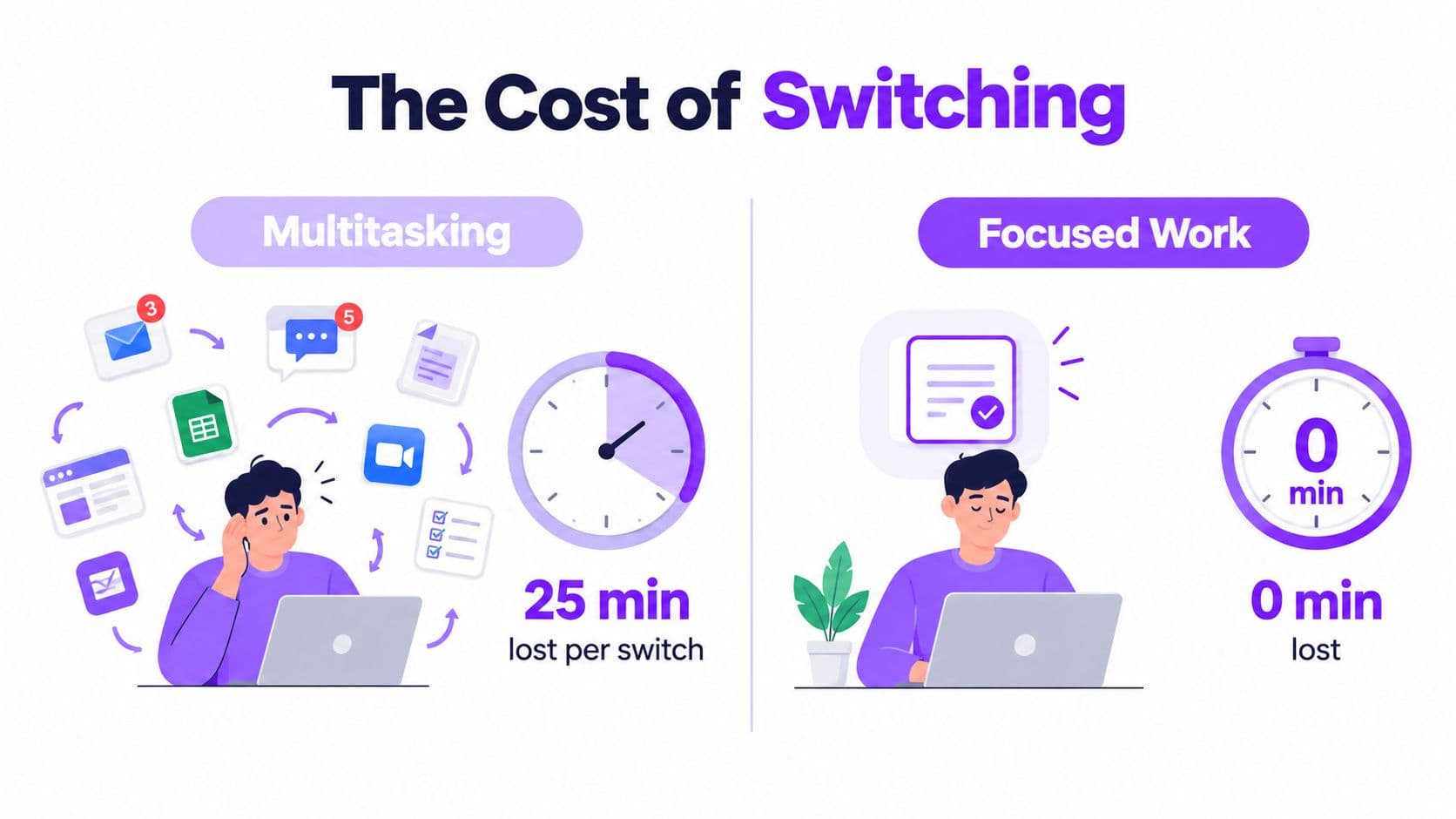
Consider editing a karaoke video while replying to direct messages and checking analytics. You trim a verse, notice a message, open the inbox, see a question about a previous upload, answer it, check the latest view graph, return to the editor, and replay the same section to remember where the timing problem was.
The work doesn't stop during every interruption, but the quality of attention does. A field study involving 24 workers found that people were interrupted before completing tasks in 57% of work segments and typically spent only 11 to 12 minutes on a task before switching, as summarized by Saner's context-switching research overview. Those figures describe why a day can feel full while the central project remains unfinished.
What focused work changes
Single-tasking doesn't mean refusing every interruption. It means giving each type of work its own container. Editing gets an editing block. Messages get a communication block. Analytics gets a review block.
Start by removing visible triggers. Close the inbox, silence desktop alerts, keep the analytics tab closed, and write down unrelated thoughts instead of acting on them immediately. The aim isn't perfect concentration. It's fewer unnecessary decisions about what to do next.
Time Blocking and If-Then Planning
Time blocking turns a list of intentions into a schedule with protected space. Instead of writing “edit video” on a task list, you reserve a calendar block for editing, define the output, and decide what happens when a predictable interruption appears.
Research summarized by Aftertone's explanation of time blocking and implementation intentions cites an effect size of d = 0.65 across 94 studies for specifying when and where an action will happen. The same summary reports completion rates of around 91% for specific if-then plans versus 35% for vague goal intentions. It also notes that no large-scale randomized trial has tested time blocking as a standalone intervention, so use the method as a practical operating system, not a guaranteed intervention.
A creator's daily template
Copy this structure into your calendar and adjust the activities to your production cycle:
- Deep Work, 9:00 to 10:30: Write a script, build a video structure, or solve the hardest editing problem. Keep the first 90 minutes protected from messages and meetings.
- Shallow Work, 10:45 to 11:30: Review footage, organize assets, prepare captions, or make routine corrections.
- Admin, 11:30 to 12:00: Reply to comments, process email, schedule posts, and update project notes.
- Recovery, 12:00 to 12:30: Leave the desk, eat, walk, or rest without filling the gap with another feed.
- Focused production, 1:30 to 3:00: Batch recording, editing, thumbnail creation, or export preparation.
- Publishing and review, 3:15 to 4:00: Upload finished files, check metadata, schedule content, and record the next action.
The exact times matter less than the separation. Use a short transition ritual between blocks: save the project, write the next action in one sentence, close the current tools, and open only what the next block requires.
If-then plans for interruptions
Write responses before the interruption happens:
- If a message arrives during Deep Work, then I add it to the communication list and continue.
- If I remember a new video idea during editing, then I capture the title in the idea bank without researching it.
- If a render fails, then I document the error and move to the next prepared task instead of repeatedly watching the queue.
- If a meeting is proposed during the first focus block, then I offer the next available admin window.
Use a social media posting schedule template to keep publishing decisions outside your creative block.
To implement this in ten minutes, choose tomorrow's hardest output, reserve the first focus block, place communication later, write three if-then rules, and add a short end-of-day review. Don't fill every minute. Empty space absorbs delays and protects the schedule when reality interrupts it.
Batching Similar Work Into Focused Sprints
Scattered editing creates setup costs that are easy to miss. You open the thumbnail tool, switch to the editor, search for a reference clip, answer a message, return to the timeline, and then spend time remembering what you were about to change.
A batched workflow keeps the same tool, mental mode, and input type together. Rather than touching thumbnails in small fragments throughout the day, create them in one dedicated window. Rather than trimming clips between messages, prepare the clips and complete them in a separate editing sprint.
| Task | Scattered, time and overhead | Batched, time and overhead |
|---|---|---|
| Direct messages | Repeated inbox opening and attention recovery | One communication window with a defined response list |
| Thumbnail revisions | Small edits interrupted by unrelated work | One thumbnail sprint using the same project assets |
| Clip trimming | Timeline reopened repeatedly, with context rebuilt each time | One trimming block with all source clips preloaded |
The table describes a workflow pattern, not a guaranteed time saving. Your actual result depends on project complexity, tool performance, and the quality of your inputs. The point is to make overhead visible so you can remove it deliberately.
Three batching rules
- Group by tool: Keep Photoshop, your video editor, analytics, or the publishing dashboard inside dedicated windows.
- Group by cognitive mode: Put ideation together, precision editing together, and routine administration together. Don't mix brainstorming with detailed timing corrections.
- Pre-load inputs: Gather footage, lyrics, brand assets, reference links, and filenames before the sprint begins.
Use this scoring prompt before batching a task: “Will I perform this action repeatedly, with the same tool, using the same kind of judgment?” If the answer is yes, batch it. If the work requires a different type of thinking each time, keep it separate.
A useful workflow optimization guide can help you document the current process before changing it. For the next batch, spend sixty seconds creating a folder, opening the required project files, closing unrelated tabs, writing the target output, and setting a stop point. Stop when the output is complete, even if the timer has room left. A sprint is a container, not a reason to keep working.
Automation and Tool Workflows That Cut Hours
Automation works best after you understand the manual process. If you automate confusion, you'll get confusion delivered faster. Start by separating work that needs judgment from work that follows a repeatable rule.
A practical pipeline has four stages:
- Capture: Collect the song, lyrics, footage, brief, or content request.
- Process: Sync, edit, format, render, rename, or prepare the material.
- Review: Check timing, quality, branding, metadata, and final output.
- Publish: Export, upload, schedule, and record the result.
Automation can capture form submissions, process repeatable edits, prepare templates, and move approved files into publishing queues. Human attention should remain on decisions that affect meaning, quality, audience fit, or legal and brand requirements.

For a karaoke channel, MyKaraoke Video provides a browser-based workflow for vocal removal, lyrics synchronization, real-time previews, manual timing adjustments through a Precision Sync Editor, and export workflows. Its server-side rendering and queue options keep production from depending entirely on the local machine. The publisher describes a process in which syncing lyrics, rendering synchronized captions, and exporting karaoke-ready files can remove three to four hours of manual editing per batch of five songs, based on the product information supplied for this article.
Automation principles also apply beyond karaoke. Workflow automation benefits are easiest to evaluate when you measure the repetitive handoffs, not just the number of tools in your stack.
Build a small, dependable stack
Use one planning system for blocks and deadlines, one capture location for ideas and source files, one editing environment for production, and one publishing system for approved outputs. Add template-based exports, scheduled renders, auto-uploads, and a snippet library only when they remove a repeated step.
Apply a simple decision rule: automate anything you've completed the same way more than four times, then review that automation quarterly. Check whether it still saves attention, whether failures are visible, and whether the review step remains strong enough to catch bad outputs. For a broader tool comparison, see YouTube automation tools for creators in 2026.
Prioritization, Energy, and Focused-Sprint Templates
A fast schedule can still produce poor work if it assigns difficult tasks to your weakest mental window. Recent university research summarized by ScienceDaily's coverage of productivity and mental sharpness emphasizes sleep quality, burnout avoidance, and reduced depressive symptoms as important factors in productivity and mental sharpness. That makes energy management more than a wellness add-on. It's a quality-control decision.
Classify work before placing it on the calendar:
- Deep work: Scripting, composition, difficult editing, creative direction, and decisions with expensive rework.
- Shallow work: Formatting, file organization, routine corrections, asset preparation, and straightforward revisions.
- Admin: Inbox processing, scheduling, invoices, publishing metadata, and status updates.
A 90-minute deep-work sprint
Copy and adapt this block:
Intent: Produce one meaningful creative output.Task list: Choose the target, remove notifications, complete the hardest section, mark unresolved questions, save the next action.Success metric: One defined script section, edit sequence, or finished creative decision is ready for review.Cooldown: Save, close the project, write a short handoff note, and step away briefly.
A 45-minute shallow-work sprint
Use this for a batch of routine production:
Intent: Clear prepared work without opening new projects.Task list: Organize assets, apply known corrections, prepare captions, check filenames, and move completed items to review.Success metric: The chosen batch reaches a clear review state.Cooldown: Log what remains and reset the workspace for the next mode.
A 25-minute admin sprint
Keep reactive work contained:
Intent: Process communication and scheduling without letting it spread.Task list: Reply to priority messages, schedule approved content, update deadlines, and capture follow-up tasks.Success metric: Every open item has a response, owner, or next action.Cooldown: Close communication tools and return to the calendar.
Map the 90-minute sprint to the first protected block, place shallow work after a demanding session, and keep admin in its designated window. For two weeks, record your energy before and after each block using a simple low, medium, or high note. Move demanding work toward the windows where you stay accurate, not merely the windows where you feel busy.
Your Weekly Speed System and Common Pitfalls
A weekly rhythm prevents daily planning from becoming another source of switching. Use Monday to decide what must ship, Wednesday to inspect the workflow, and Friday to remove friction before it carries into the next cycle.
Monday, Wednesday, and Friday
- Monday planning: Choose the week's priority outputs, reserve deep-work blocks, group editing and publishing tasks, and identify anything that can be automated.
- Wednesday review: Check what shipped, what stalled, which interruptions appeared repeatedly, and whether the calendar protected the work that mattered.
- Friday cleanup: Clear temporary files, close abandoned tasks, verify automation, update templates, and prepare the first focus block for the next week.
Five failures undo otherwise useful systems:
- Over-scheduling: A calendar packed with blocks leaves no room for revisions, exports, or recovery.
- Skipping the review: Without a mid-week inspection, the same interruption pattern becomes normal.
- Ignoring maintenance: A tool update can disrupt templates or render queues if nobody checks the workflow.
- Chasing new apps: Switching platforms creates another learning curve when the current tool is already sufficient.
- Treating speed as intensity: Long days can hide a pipeline that still loses time to rework.
Keep batch windows short enough to preserve accuracy, reserve at least one recovery slot, and make automation health part of the weekly review. Your checklist can stay simple: weekly review complete, priority blocks protected, automation checked, batch windows reasonable, files organized, and recovery reserved.
Sustainable speed comes from rhythm. You're not trying to win one heroic day. You're building a production system that makes the next correct action obvious.
MyKaraoke Video helps creators turn songs into karaoke or lyric videos in the browser with automatic lyrics syncing, customizable previews, precision timing edits, and export workflows designed to reduce manual production steps. Visit MyKaraoke Video and test whether moving repetitive editing out of your focus blocks gives your channel a faster, more sustainable publishing workflow.
