Juggling multiple social media platforms without a plan often feels chaotic. You're constantly scrambling for content ideas, missing optimal posting times, and struggling to build a consistent brand voice across channels. A solid social media posting schedule template transforms this disorganization into a focused, strategic workflow. It acts as your central command center for planning content, tracking campaigns, and ensuring every post aligns with your specific goals.
This isn't just about filling a calendar; it's about reclaiming your time and posting with intention. For creators promoting karaoke tracks or lyric videos, it means methodically planning your release hype. For marketing teams, it’s the key to executing cohesive, multi-platform campaigns without the last-minute stress. To truly master this process, learning how to create a social media content calendar that saves time is an essential first step for long-term strategic success.
In this guide, we've curated the 12 best free templates to help you get started immediately. We analyzed each one, from straightforward Google Sheets and Excel files to dynamic Notion and Trello boards, to help you find the perfect fit. Below, you’ll find direct download links, screenshots, and practical advice on which template works best for different needs, whether you're a solo creator or part of a growing team. Forget the guesswork and find the structure you need to amplify your message effectively.
1. Hootsuite - Free Social Media Calendar Template
Hootsuite offers a free, straightforward social media posting schedule template in Google Sheets and Excel format, serving as an excellent entry point for creators who prefer a tool-agnostic planning system. This resource is designed for mapping out your content strategy on a weekly and monthly basis without being tied to a specific scheduling platform. Its simplicity makes it highly adaptable for various content types, including music releases or lyric video promotions.
To get the template, you must fill out a short form with your name, email, and company details. Once submitted, you receive direct download links. The spreadsheet itself includes dedicated tabs for a monthly overview and a more detailed weekly schedule, with columns for date, time, social network, copy, links, and visual assets.
Use Case and Implementation
This template is ideal for solo creators or small teams who need a central, shareable document to organize their posts. For a karaoke channel, you can add a column for "Song Title" or "Video Asset Link" to track which files correspond to each post. Because it's a standard spreadsheet, you can easily customize columns, add data validation for post status (e.g., Draft, Approved, Posted), and create new tabs for brainstorming content pillars. Planning your promotional cycle this way helps ensure you know how to create engaging social media content well ahead of launch dates.
| Feature | Details |
|---|---|
| Format | Google Sheets, Microsoft Excel |
| Access | Free (requires email signup) |
| Best For | Manual, multi-platform planning and team collaboration. |
| Limitations | No built-in automation, analytics, or direct posting. |
Ultimately, Hootsuite’s template provides a solid, no-cost foundation for organizing your social media efforts before committing to a paid management tool.
Website: Hootsuite Social Media Calendar Template
2. Sprout Social - Downloadable Social Media Calendar Template
Sprout Social provides a downloadable social media posting schedule template focused on aligning your content strategy with key performance indicators (KPIs). Offered as a Google Sheets file, this resource is structured for creators and teams who need to demonstrate the business impact of their social media activities. It moves beyond simple scheduling to include fields for campaign categorization and stakeholder notes, making it a powerful tool for strategic planning.
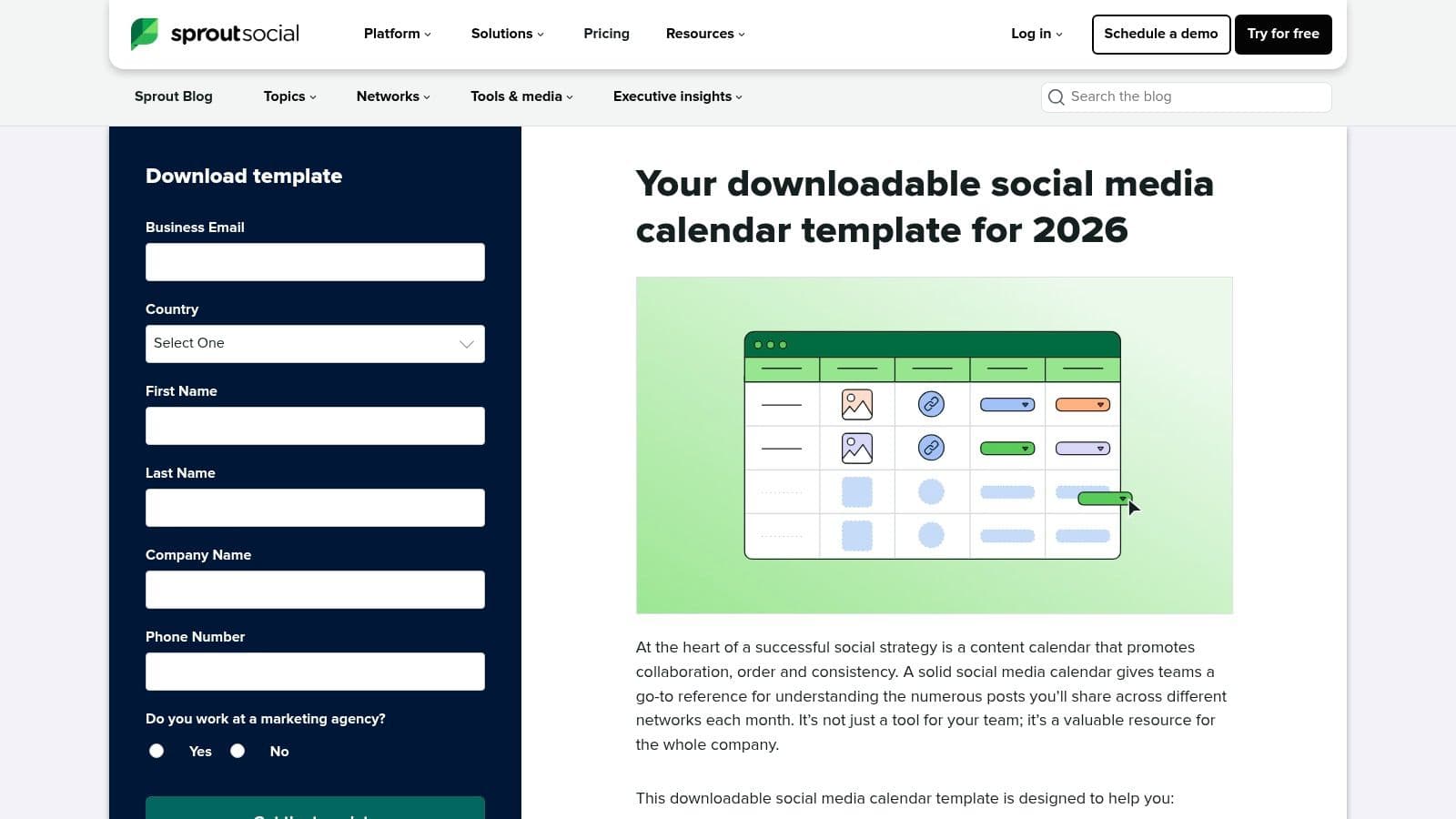
Accessing the template requires submitting your name, email, and company information through a form on their website. The spreadsheet is designed with a professional, clean layout that facilitates easy cross-functional reviews and approvals. It encourages a more thoughtful approach to content creation by prompting you to connect each post to a larger goal.
Use Case and Implementation
This template is especially well-suited for marketing teams or solo creators who report to stakeholders and need to justify their content choices. For a karaoke channel promoting a series of new lyric videos, you could use the "Category" column to tag posts as "New Release," "Behind-the-Scenes," or "Community Feature." The KPI alignment fields allow you to specify whether a post is meant to drive "Engagement," "Website Clicks," or "Video Views," helping to measure success more accurately. Customizing it is simple; you can add a "Reviewer" column or conditional formatting to visually track post statuses from draft to publication.
| Feature | Details |
|---|---|
| Format | Google Sheets |
| Access | Free (requires email and contact details) |
| Best For | Goal-oriented planning and reporting to stakeholders. |
| Limitations | Gated download; advanced features require the full Sprout Social platform. |
Sprout Social's template is an excellent choice for those who want a structured, data-informed system for managing their social media calendar without immediate financial investment.
Website: Sprout Social Social Media Calendar Template
3. Later - Social Media Content Calendar Template (Google Sheets)
Later, a platform known for its visual-first approach to social media management, provides a free social media posting schedule template as a Google Sheet. This resource is built to help creators brainstorm content themes, plan around key dates, and establish a consistent posting rhythm, making it an excellent companion to their core scheduling tool, especially for platforms like Instagram, TikTok, and YouTube Shorts.
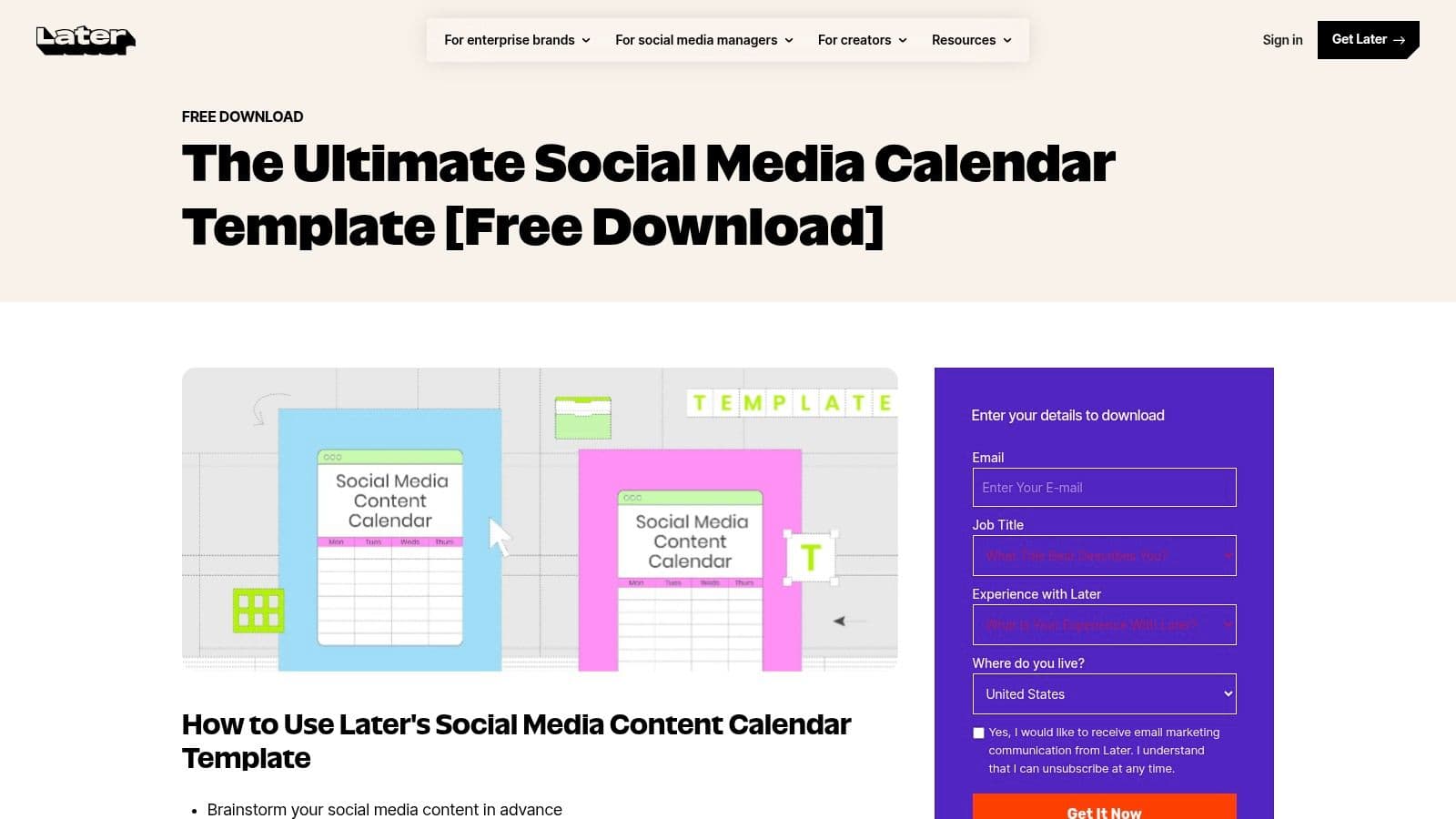
Accessing the template is simple: you provide an email on their landing page to receive a direct link to the Google Sheet, which you can then copy to your own Google Drive. The spreadsheet is cleanly organized with dedicated columns for setting monthly content goals, defining content pillars, and logging post details like copy, visuals, and links. It also includes helpful prompts for holidays and important events to anchor your content strategy.
Use Case and Implementation
This template is perfect for video-first creators who plan their visual content in batches and need a structured way to outline their strategy before moving assets into a scheduling tool. For a lyric video channel, you can use the "Content Themes" section to categorize posts by genre, artist, or mood, ensuring a balanced feed. Because it’s a Google Sheet, it’s built for collaboration; you can easily share it with team members for review and approval by using the built-in comment and suggestion features. While the spreadsheet itself doesn't automate posting, it provides the strategic framework needed to efficiently use a platform like Later for the final scheduling and publishing steps.
| Feature | Details |
|---|---|
| Format | Google Sheets |
| Access | Free (requires email signup) |
| Best For | Visual content planning and brainstorming themes. |
| Limitations | Manual spreadsheet; analytics and publishing require a separate tool. |
Ultimately, Later's template acts as a strong strategic planner, helping you organize your creative ideas before you start populating your visual content calendar.
Website: Later Social Media Content Calendar Template
4. Buffer - Content Calendar Template (Notion)
For teams and creators already working within Notion, Buffer offers a powerful and free social media posting schedule template built for that environment. This editorial calendar moves beyond simple spreadsheets by providing multiple database views, advanced filtering, and rich media integration. Its design is perfect for managing a complex content pipeline, from initial idea to final publication, making it great for tracking lyric video production stages or album release campaigns.
To use it, you simply duplicate the template into your own Notion workspace. The calendar comes pre-configured with views like a traditional calendar, a Kanban board to track statuses (e.g., Idea, In Progress, Published), and a table. Custom properties for content pillars, authors, target channels, and review status are already included, providing a robust starting point.
Use Case and Implementation
This template is ideal for creators who need a dynamic and collaborative planning space. A karaoke channel can use the Kanban view to visually track a new video's journey from "Song Selected" to "Video Rendered" and "Scheduled." You can embed video previews, link to asset folders, and assign tasks directly within each content card. The filtering capability allows you to instantly see all posts scheduled for TikTok or all content related to a specific artist. It functions as a central command center, fitting in well with other social media tools for small businesses.
| Feature | Details |
|---|---|
| Format | Notion Template |
| Access | Free (requires a Notion account to duplicate) |
| Best For | Collaborative teams, visual content planning, and Notion power-users. |
| Limitations | Requires familiarity with Notion; no direct publishing or analytics. |
Buffer’s Notion template is an excellent choice for those who want a more integrated and visually organized system than a traditional spreadsheet can offer.
Website: Buffer Content Calendar Template
5. Notion - Social Media Calendar (Official Template)
Notion’s official social media calendar template offers a dynamic and database-driven approach to content planning. Unlike static spreadsheets, this social media posting schedule template is an all-in-one workspace where you can manage ideas, assets, copy, and statuses within a single, interconnected environment. It provides multiple views, including a traditional calendar, a Kanban board for tracking progress, and a gallery for visual planning.
This template is accessible for free to anyone with a Notion account. The setup is immediate, allowing you to duplicate the template into your own workspace with one click. It comes pre-configured with properties like "Status" (e.g., Idea, In Progress, Published), "Platform," and "Publish Date," which are all fully customizable. You can add your own properties to track video assets, song titles for a karaoke channel, or specific promotional campaign tags.
Use Case and Implementation
This template is a perfect fit for creators and teams who need more than just a schedule; they need a content hub. For a musician promoting a new single, you can create a single entry for the song and link all related posts (teasers, lyric video snippets, behind-the-scenes content) directly to it. The Kanban board view is especially useful for visualizing your content workflow from initial concept to final publication, allowing you to drag and drop posts between stages. You can also embed design files, link to video drafts, and collaborate with team members using comments.
| Feature | Details |
|---|---|
| Format | Notion database (Calendar, Board, Gallery views) |
| Access | Free (requires a Notion account) |
| Best For | Centralizing content strategy, assets, and workflows in one place. |
| Limitations | No direct publishing or analytics without third-party integrations (e.g., Zapier). |
Ultimately, Notion’s template excels at organizing the entire content lifecycle, making it an excellent command center for creators who value flexibility and an integrated planning system.
Website: Notion Social Media Calendar Template
6. Airtable - Social Media Calendar Templates
Airtable elevates the concept of a social media posting schedule template from a simple spreadsheet into a powerful, database-like system. Instead of static cells, it uses structured "bases" with multiple views, perfect for managing complex content workflows. This approach is ideal for teams that need to track everything from post ideas and production status to asset delivery and final captions in one central hub.
The platform provides several free starter templates specifically for social media planning that can be customized with unique fields like "Status," "Owner," and "Platform." Its true strength lies in its flexibility, allowing users to switch between a traditional calendar view, a Kanban board for tracking progress, and a gallery view for previewing visual assets. Access to these templates is available on Airtable's free plan, though advanced features require a paid subscription.
Use Case and Implementation
This system is best suited for content creators and teams who have outgrown basic spreadsheets. For a music creator promoting a new album, Airtable can function as a complete production pipeline. You could create linked records for songs, artists, and promotional assets, then track the status of each social media post from "Idea" to "Published" using the Kanban view. The ability to attach files directly to records makes it an excellent visual asset library, ensuring the right video clip is always paired with the correct post copy. While there's a learning curve, the payoff is a highly organized and scalable workflow.
| Feature | Details |
|---|---|
| Format | Airtable Base (interactive database) |
| Access | Free (paid plans offer higher record limits and more features) |
| Best For | Teams needing a structured, multi-view content pipeline and asset management. |
| Limitations | Steeper learning curve than a standard spreadsheet; paid tiers are needed for full automation and higher capacity. |
Airtable's templates provide a structured foundation that can grow with your team, moving beyond simple scheduling into a comprehensive content operations tool.
Website: Airtable Social Media Calendar Templates
7. Asana - Social Media Calendar Template
Asana offers a built-in social media posting schedule template that transforms content planning into a dynamic project management workflow. Instead of a static spreadsheet, this template uses tasks and a visual calendar to track posts from idea to publication. It is particularly effective for teams managing a high volume of content, where clear approval stages and assigned responsibilities are essential.
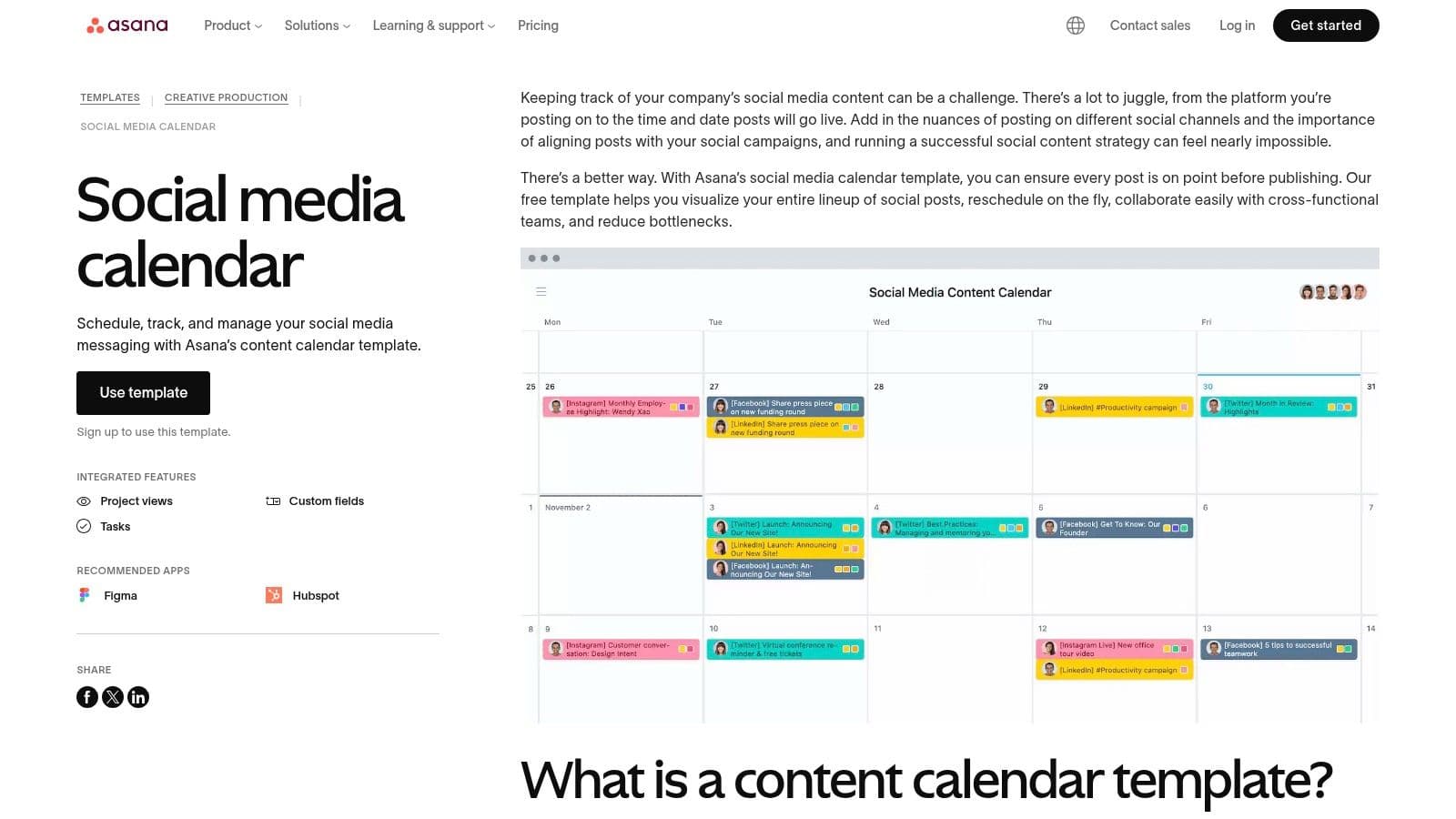
This template is part of Asana’s core offering and can be accessed within the platform. Each social media post becomes a task, which can then be assigned a due date, an owner, and a status. Custom fields allow you to tag the platform, add copy directly, and link to creative assets, creating a single source of truth for every post.
Use Case and Implementation
This system is perfect for a music creator collaborating with a designer and a social media manager. You can create a task for a new lyric video announcement, assign the copy to the manager, and link a Figma file for the designer to create visuals. The approval workflow ensures everyone signs off before the post goes live. The calendar view provides a clear, at-a-glance overview of the entire month's content schedule, and tasks can be dragged and dropped to reschedule posts easily.
| Feature | Details |
|---|---|
| Format | Integrated Asana project (Calendar, List, Board views) |
| Access | Free tier available; advanced features require a paid plan. |
| Best For | Collaborative teams needing structured approval workflows. |
| Limitations | Overkill for solo creators; key features like custom field locking are on paid tiers. |
Asana's template excels at bringing process and accountability to social media management, making it a strong choice for teams that need more than a simple spreadsheet.
Website: Asana Social Media Calendar Template
8. monday.com - Social media Planner / Calendar Templates
monday.com offers a robust social media posting schedule template that functions more like a project management board than a simple spreadsheet. It’s built for teams that require a visual pipeline to manage content from initial idea to final publication. This template is ideal for creators who need to track multiple stages, assign tasks, and manage approvals within a single, dynamic workspace.
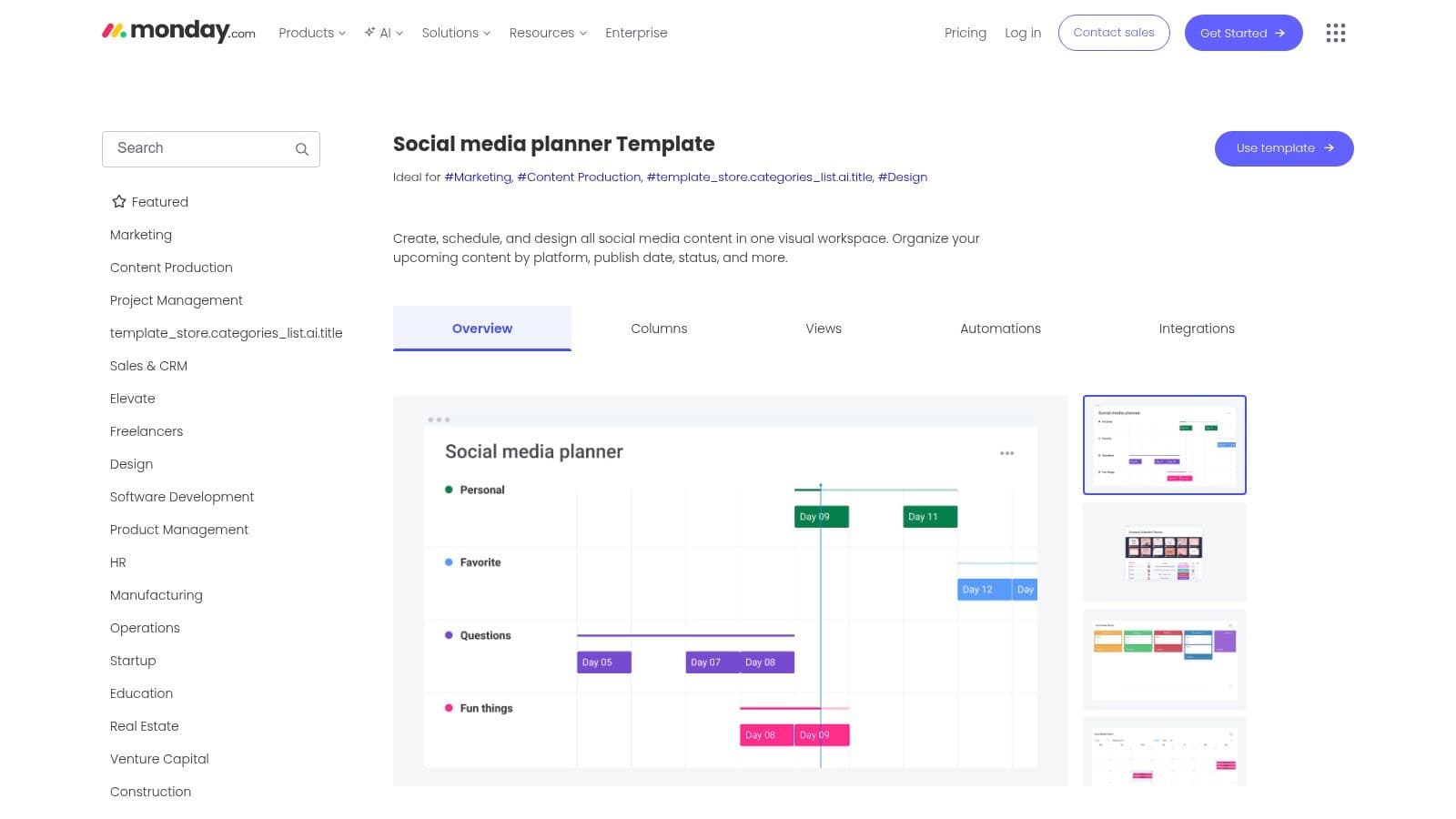
The platform provides pre-built boards that can be viewed as a calendar, kanban, or timeline, giving you flexible ways to visualize your content flow. Its standout feature is automation; you can set rules to automatically move tasks to the next stage, notify team members for approvals, or set deadlines based on publish dates, significantly reducing manual work.
Use Case and Implementation
This template is well-suited for a music creator managing a multi-platform release campaign. You can create an item for each promotional asset (e.g., "Teaser Video for TikTok," "Lyric Snippet for Instagram Reels") and track its progress through columns like "Scripting," "Filming," "Editing," and "Approved." Stakeholder fields allow you to tag collaborators, like a video editor or a manager, who need to provide feedback directly on the post's card. Centralizing communication and assets this way prevents version control issues and keeps the entire team aligned on the publishing cadence.
| Feature | Details |
|---|---|
| Format | monday.com Board (Calendar, Kanban, Timeline views) |
| Access | Included with paid monday.com plans (Free trial available). |
| Best For | Collaborative teams needing a visual content pipeline and workflow automation. |
| Limitations | Overkill for solo creators; seat minimums and tiered pricing can be costly for small teams. |
For those managing a complex content strategy with multiple contributors, monday.com’s planner provides unparalleled visibility and control over the entire production process.
Website: monday.com Social Media Planner Template
9. ClickUp - Modern Social Media Calendar Template
ClickUp provides a dynamic social media posting schedule template that functions as a project management workflow rather than just a static spreadsheet. This List template is built to manage the entire content lifecycle, from ideation and production to approvals and publishing. Its strength lies in connecting content planning with actionable tasks, making it a great fit for video-first creators managing complex production steps.
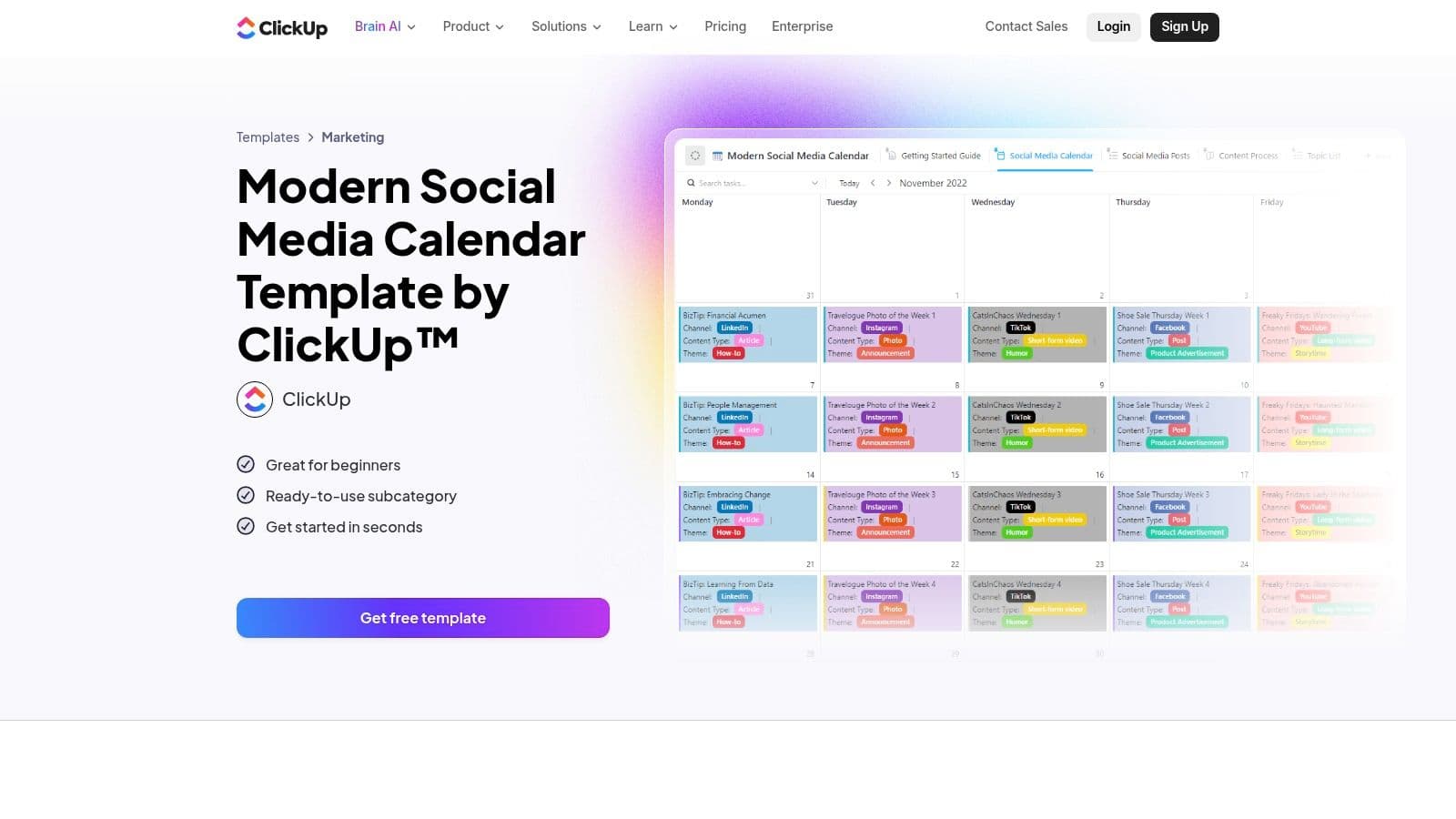
The template is available for free to any ClickUp user and can be added to your workspace with a single click. It comes pre-configured with multiple views (List, Board, Calendar) and custom fields for channel, publish date, and hashtags. Built-in features like comments, subtasks, and document attachments allow teams to collaborate directly within each content item.
Use Case and Implementation
This template is perfect for karaoke or lyric video channels where each post requires a multi-step production process, such as audio mixing, video editing, and graphic design. You can create subtasks for each production stage and assign them to team members, tracking progress from a Kanban-style board view. The Calendar view offers a high-level look at the publishing schedule, while custom fields allow you to filter content by song genre or promotional campaign, ensuring a balanced content mix.
| Feature | Details |
|---|---|
| Format | ClickUp List Template |
| Access | Free with a ClickUp account |
| Best For | Integrating content planning with production and task management. |
| Limitations | Requires some initial setup and familiarity with the ClickUp platform. |
By blending scheduling with project management, ClickUp’s template helps teams manage both the creative and logistical sides of social media content.
Website: ClickUp Modern Social Media Calendar Template
10. Canva - Social Media Calendar Templates (Canva Sheets + Planner)
Canva offers a uniquely integrated social media posting schedule template by combining its new Canva Sheets functionality with its established Content Planner. This setup creates an all-in-one ecosystem where you design your visual assets and organize their rollout without leaving the platform. The templates are visually driven and designed to be edited directly within Canva, making them a natural fit for creators who prioritize aesthetics in their planning process.
To access the templates, you can search for "social media calendar" on Canva's main page. The Canva Sheets versions work like a simplified spreadsheet, but with the full power of Canva’s design tools. You can embed images, video thumbnails, and brand elements directly into your schedule, providing a clear visual overview of your upcoming content feed.
Use Case and Implementation
This system is perfect for visual-heavy creators, such as those producing lyric videos or karaoke content, who need to match their post copy with specific video thumbnails or promotional graphics. You can plan your content in a Canva Sheet, design the corresponding asset in a separate Canva project, and then use the Content Planner to schedule it for direct publishing to platforms like Instagram or Facebook. This tight integration removes the friction of downloading and re-uploading files, saving significant time. While the templates are free, direct scheduling via the Content Planner is a Canva Pro feature.
| Feature | Details |
|---|---|
| Format | Canva Sheets, Canva Content Planner |
| Access | Free templates (Content Planner scheduling requires Canva Pro) |
| Best For | Visual-first creators wanting an integrated design and planning workflow. |
| Limitations | Advanced scheduling and the Content Planner are gated behind a Pro subscription. |
Ultimately, Canva’s approach is ideal for those who already use the platform for asset creation and want to consolidate their entire social media workflow into a single, visually intuitive environment.
Website: Canva Social Media Calendar
11. Trello - Editorial Calendar Template
For teams who prefer a visual, kanban-style workflow, Trello offers a flexible social media posting schedule template disguised as an editorial calendar. Instead of rows and columns, Trello uses boards, lists, and cards to represent the entire content pipeline from ideation to publication. This visual approach is excellent for tracking the status of multiple posts at once and managing handoffs between team members.
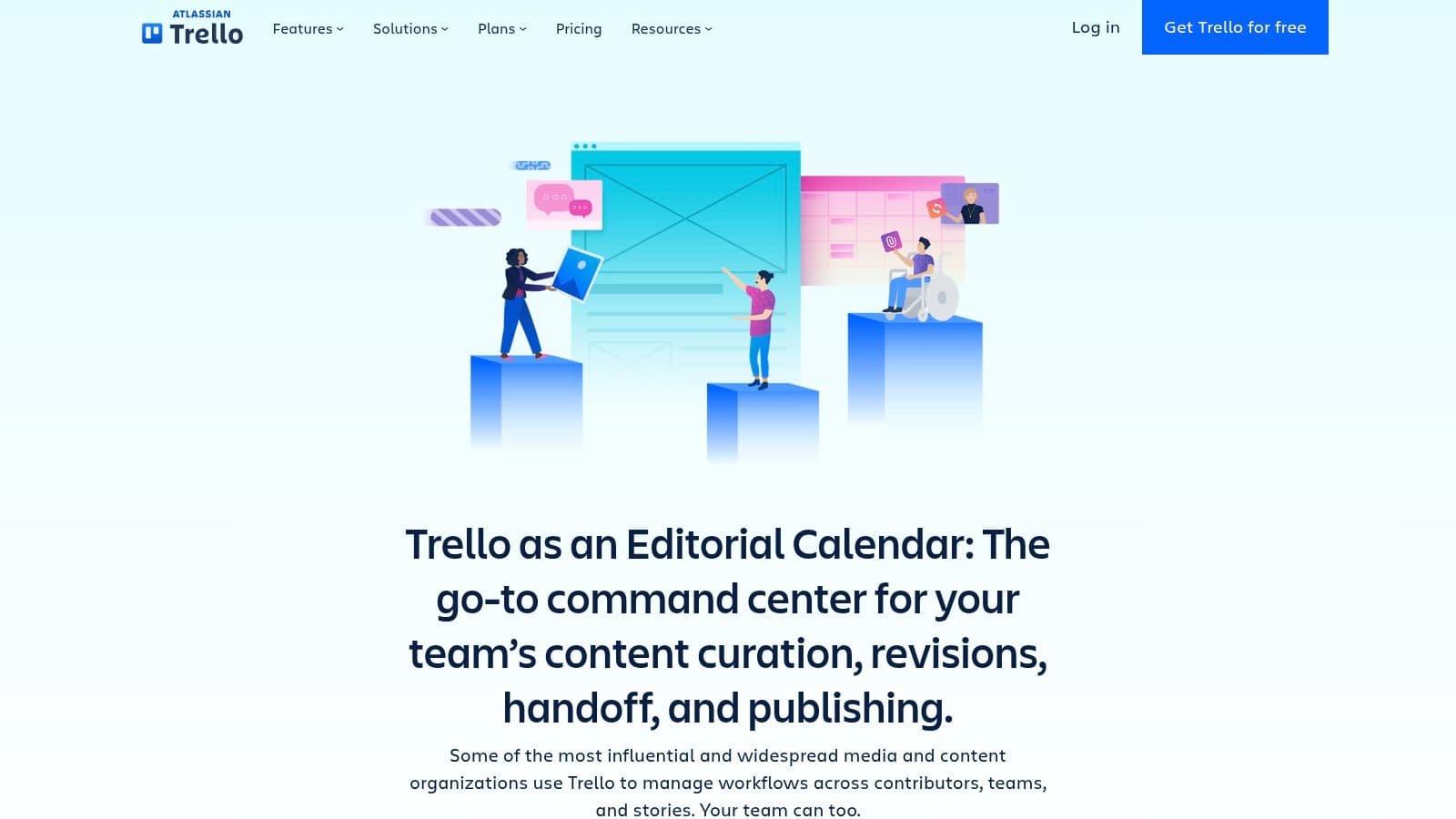
The free template allows you to create lists for different stages like "Ideas," "In Progress," "For Review," and "Published." Each card can represent a single social media post, containing checklists, due dates, attachments (like video files), and colored labels for different platforms or content types (e.g., "Karaoke Clip," "Lyric Video Teaser").
Use Case and Implementation
This template is perfect for small teams managing a content approval process. A creator can draft a post in the "In Progress" list, attach a video, and then move the card to "For Review." A manager can then leave comments, approve it, and move it to a "Scheduled" list. You can also integrate Power-Ups like Google Drive to attach assets directly. Before uploading, it's a good idea to ensure your files meet the latest social media video specs to avoid platform errors.
| Feature | Details |
|---|---|
| Format | Trello Board (Kanban) |
| Access | Free (core features), Paid plans for advanced views. |
| Best For | Visual pipeline management and lightweight team approvals. |
| Limitations | Calendar and timeline views require paid tiers; no native analytics. |
Trello’s strength lies in its simplicity and visual clarity, making it a powerful organizational tool for creators who manage content production as a multi-step project.
Website: Trello Editorial Calendar
12. Smartsheet - Free Google Sheets Social Media Calendar Templates
Smartsheet provides a collection of free social media posting schedule template options specifically designed for Google Sheets, including editorial and dashboard variations. These resources are perfect for creators who want the structure of a professional planning tool within the familiar, accessible environment of Google Sheets. The templates offer a clean way to track post details, from launch times and copy to engagement metrics, without committing to a new software platform.
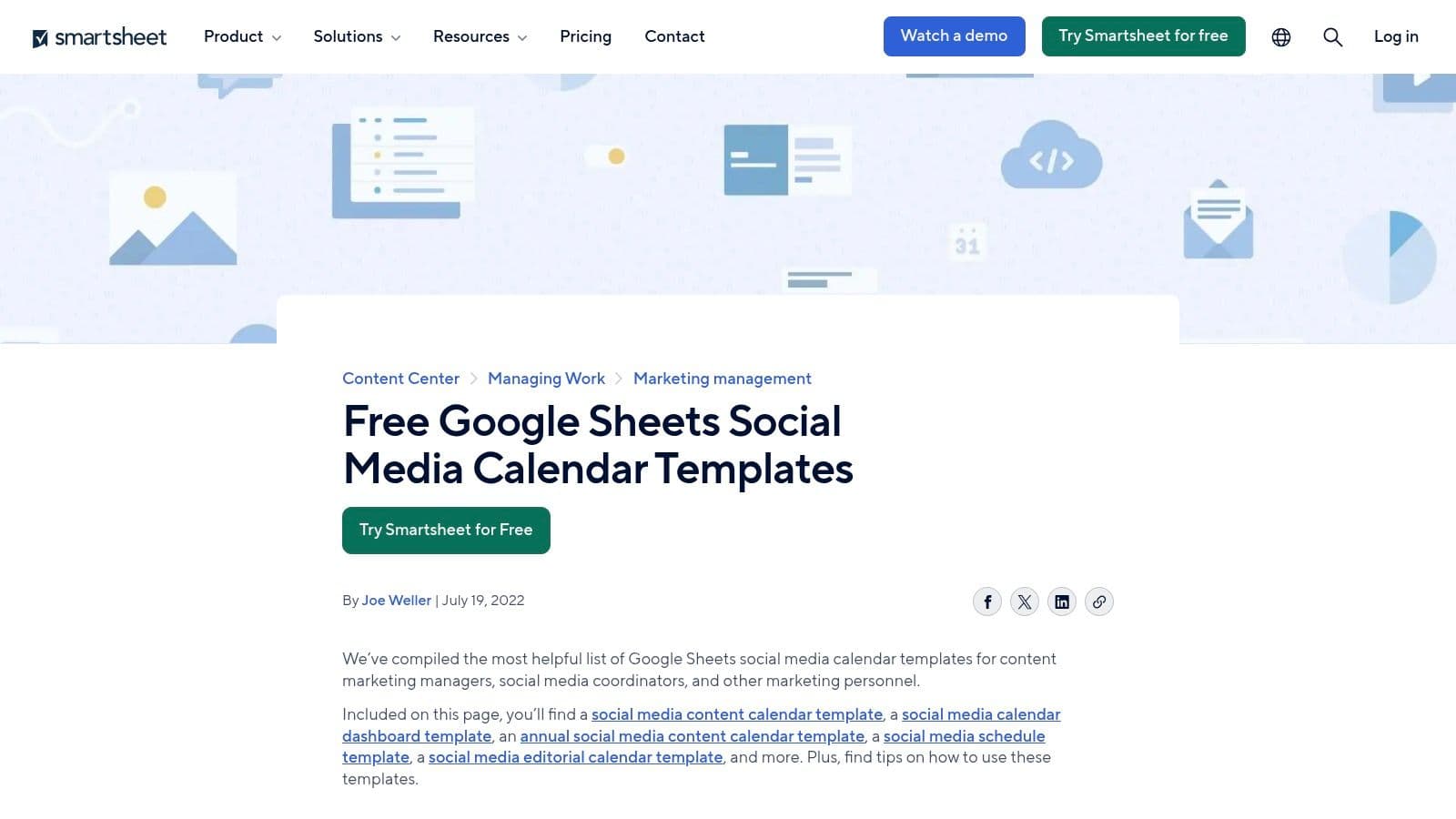
To access the templates, you simply visit the resource page and can immediately copy the Google Sheets to your own Drive. No signup is required. The primary calendar includes organized, channel-specific sections with columns for post date, timing, copy, links, and visual assets, while the optional dashboard template offers a way to visualize performance at a glance.
Use Case and Implementation
This set of templates is especially practical for freelancers or small agencies that need a straightforward, shareable method for presenting content plans to clients. A karaoke channel creator could use the main calendar to schedule upcoming song promotions and then use the dashboard to manually input views, likes, and comments from each platform. This two-part system keeps planning separate from performance analysis. The fields for metrics are a key differentiator, encouraging you to close the loop on your content strategy by tracking what works.
| Feature | Details |
|---|---|
| Format | Google Sheets |
| Access | Free (direct access, no signup) |
| Best For | Manual planning with built-in, but manual, performance tracking. |
| Limitations | All analytics and metrics require manual data entry. |
Smartsheet's templates offer a robust, data-informed approach to spreadsheet-based planning, making them a great choice for those who want to track results without leaving their Google Workspace.
Website: Smartsheet Social Media Calendar Templates for Google Sheets
12 Social Media Posting Schedule Templates — Features & Formats
| Template | Core features ✨ | UX/Quality ★ | Best for 👥 | Value/Price 💰 | Standout 🏆 |
|---|---|---|---|---|---|
| Hootsuite - Free Social Media Calendar Template | Monthly & weekly tabs, multi-platform fields, spreadsheet format | ★★★ | 👥 Solo creators & small teams | 💰 Free (form-gated) | 🏆 Quick, tool-agnostic starter |
| Sprout Social - Downloadable Social Media Calendar Template | KPI fields, category tags, stakeholder prompts | ★★★★ | 👥 Teams needing KPI-aligned plans | 💰 Free (form-gated) + paid product extras | 🏆 Best for KPI-driven planning |
| Later - Social Media Content Calendar Template (Google Sheets) | Content themes, event anchors, collaboration-ready | ★★★★ | 👥 Visual/video creators (Instagram, Shorts) | 💰 Free (Google Sheets) | 🏆 Calendar tuned for visual cadence |
| Buffer - Content Calendar Template (Notion) | Multiple Notion views, custom properties, asset links | ★★★★ | 👥 Indie teams & Notion users | 💰 Free to clone (Notion account) | 🏆 Notion-native editorial workflow |
| Notion - Social Media Calendar (Official Template) | Calendar & board views, tags/statuses, asset centralization | ★★★★ | 👥 Cross-channel planning teams | 💰 Free | 🏆 Centralized assets + collaboration |
| Airtable - Social Media Calendar Templates | Multiple views, structured fields, automations & integrations | ★★★★ | 👥 Teams needing scalable databases | 💰 Free tier; paid for higher limits/automations | 🏆 Database-style scale & automation |
| Asana - Social Media Calendar Template | Task-based calendar, custom fields, collaboration tools | ★★★ | 👥 Structured teams with clear roles | 💰 Free/basic; paid for advanced features | 🏆 Workflow-driven scheduling |
| monday.com - Social Media Planner / Calendar Templates | Calendar/kanban/timeline views, automations, centralized assets | ★★★★ | 👥 Cross-functional teams & agencies | 💰 Paid tiers; seat minimums | 🏆 Visual pipeline & automations |
| ClickUp - Modern Social Media Calendar Template | Custom fields, multiple views, docs/comments, time tracking | ★★★★ | 👥 Cost-conscious teams wanting features | 💰 Strong free tier; inexpensive upgrades | 🏆 Robust feature set for price |
| Canva - Social Media Calendar Templates (Canva Sheets + Planner) | Editable Canva Sheets, content planner, brand kit support | ★★★★ | 👥 Designers & creators focused on visuals | 💰 Free; Pro for advanced scheduling | 🏆 Design + planning in one ecosystem |
| Trello - Editorial Calendar Template | Boards/cards/labels, calendar/timeline via paid plans, Power-Ups | ★★★ | 👥 Small teams wanting simple visual flow | 💰 Free; paid for calendar/timeline features | 🏆 Fast, low-friction adoption |
| Smartsheet - Free Google Sheets Social Media Calendar Templates | Channel sections, fields for timings/assets/metrics, dashboard variant | ★★★ | 👥 Agencies & freelancers preferring Sheets | 💰 Free (copyable Google Sheets) | 🏆 Spreadsheet dashboards for client work |
From Template to Triumph: Putting Your Social Schedule into Action
We've explored a dozen powerful tools, from the straightforward functionality of Hootsuite's free template and Sprout Social's downloadable calendar to the integrated ecosystems of Notion, Asana, and ClickUp. Each resource offers a unique approach to organizing your content, proving that there is no single "best" social media posting schedule template. The ideal choice is the one that removes friction from your creative process and fits seamlessly into your existing workflow.
For many creators, especially those in the music and entertainment space, a simple Google Sheet or a visual Trello board is the perfect starting point. These tools are accessible, easy to customize, and require minimal setup. They allow you to focus on the core task: planning what to post and when. As your content strategy grows more complex, migrating to a dedicated project management tool like Asana or monday.com can provide the structure and automation needed to manage a larger team and multiple content streams.
Key Takeaways for Selecting Your Template
The journey from a blank calendar to a thriving social media presence begins with a single, deliberate choice. Remember that the template is a guide, not a rigid set of rules.
- Simplicity Wins: Don't overcomplicate your system. If you're a solo creator, a feature-heavy platform might be more of a distraction than a help. Start with a basic spreadsheet or a Notion template and add complexity only when necessary.
- Visuals Are Paramount: Your schedule is only as good as the content you fill it with. For platforms like Instagram and TikTok, visual quality is non-negotiable. Planning your posts also means planning your assets, and ensuring they are optimized for each platform is critical. For instance, knowing how to properly upscale images for Instagram can make the difference between a post that gets scrolled past and one that stops a user in their tracks.
- Consistency Over Intensity: The ultimate goal of using a social media posting schedule template is to establish a consistent presence. It's better to post three high-quality, well-timed pieces of content per week, every week, than to post ten times in one week and then disappear for a month.
Your Action Plan for Success
Choosing a template is just the beginning. The real work starts when you put it into action. Here are your next steps to move from planning to posting with confidence.
- Select Your Foundation: Based on the reviews, pick one template that aligns with your current needs. Consider your team size, technical comfort, and the platforms you prioritize.
- Customize Your Workspace: Spend 30 minutes tailoring the template. Add columns for your specific metrics (e.g., "Karaoke Song Title," "Lyric Video Status," "Audio Clip Link"). Change colors, labels, and views to make it your own.
- Batch Your Content: Dedicate a block of time to fill your new schedule. Plan out at least one to two weeks of content. This includes writing captions, designing graphics, and preparing your video files.
- Review and Adapt: After two weeks of use, assess what's working and what isn't. Is the template easy to update? Is it helping you post more consistently? Don't be afraid to switch to a different tool if your first choice isn't a good fit.
Ultimately, a social media posting schedule template is a tool for empowerment. It frees up mental energy, provides a clear roadmap for your content, and gives you the structure needed to turn your creative ideas into a tangible, engaging online presence that connects with your audience day after day.
Ready to fill your new schedule with engaging video content? MyKaraoke Video allows you to create professional-quality karaoke and lyric videos in minutes, providing a steady stream of assets for your social media calendar. Get started today and turn your song library into a powerful content engine with MyKaraoke Video.
