You know the feeling. A song is ready, the lyrics are cleaned up, and you sit down to make a “quick” lyric video. Then the next few hours disappear into font choices, line breaks, timing fixes, background swaps, export settings, and tiny edits nobody will notice except you.
That kind of work can still produce a good video. It just doesn't scale.
If you're running a karaoke channel, releasing music consistently, or handling client requests, one-off editing habits turn into bottlenecks fast. Workflow optimization matters because lyric video production has a lot of repeatable decisions hiding inside what feels like creative work. Once you separate the repeatable parts from the artistic parts, your output changes. You stop rebuilding the same project over and over. You start running a system.
Beyond One-Off Videos to a Production System
Most creators begin as video craftsmen. They open a project, make decisions one by one, and push a single track across the finish line. That approach works when the stakes are low and the schedule is loose. It fails when you need consistency across multiple uploads.
The shift is simple to describe and harder to adopt. Stop treating every song like a blank page. Treat every song like a variation of a proven production process.
What actually slows lyric video work down
The slow part usually isn't rendering. It's decision fatigue.
You lose time when you:
- Rebuild styling from scratch: picking fonts, colors, transitions, and background treatment every time
- Hunt for assets mid-project: opening folders, searching downloads, checking versions
- Mix technical and creative tasks together: syncing lyrics while also judging visuals and fixing file names
- Edit reactively: spotting problems late, then backtracking through the whole project
That's why experienced creators don't optimize by “working faster.” They optimize by reducing the number of decisions required per video.
Practical rule: If you make the same decision three times in a month, it belongs in a reusable process.
A lot of this overlaps with channel operations in general. The logic behind Satura AI's YouTube automation insights applies here too. Build the system before you try to scale output. If the process is messy at one video, it becomes chaos at ten.
A producer mindset creates room for quality
Workflow optimization doesn't mean lowering standards. It means protecting your attention for the moments that deserve it. In lyric and karaoke videos, those moments usually include the opening visual feel, readability, timing around key phrases, and the final review.
Everything else should become repeatable.
A practical production system for this niche usually has four layers:
- Preparation Clean lyrics, named audio files, and ready background assets.
- Reusable styling Saved looks for different song types and channel formats.
- Automation Let software handle repetitive timing and setup tasks where it performs reliably.
- Polish Human review for readability, emphasis, pacing, and export quality.
If you also create broader music content, music and video production workflows benefit from the same principle. The strongest systems separate setup work from creative judgment. That one change removes a surprising amount of friction.
Building Your Reusable Production Toolkit
The fastest project is the one that starts mostly built.
When I look at creators who stay consistent, they rarely rely on motivation. They rely on a reusable toolkit that turns a new song into a configured project with minimal setup. For lyric and karaoke work, that toolkit lives partly in your editor and partly in your file system.
Start by locking down your visual defaults.
Build style templates by use case, not by mood board
A lot of creators make one “cool” template and try to force every song into it. That creates friction. Some songs need clean readability. Others need stronger motion, heavier contrast, or softer presentation.
Build templates around actual publishing needs:
- Pop ballad templateUse softer backgrounds, more spacing between lines, elegant but readable fonts, and slower visual movement. This works when the vocal delivery needs room.
- EDM or dance templateUse bold type, stronger contrast, simplified line treatment, and visuals that can support more kinetic energy without making lyrics hard to follow.
- Acoustic or singer-songwriter templateKeep the frame calmer. Minimize distractions. Let the words carry more of the emotional weight.
- Branded channel templateKeep recurring elements consistent so returning viewers recognize your videos immediately.
The key is restraint. Don't create templates that are over-designed. Create templates that remove repetitive setup while leaving room for song-specific choices.
Organize source files so projects assemble cleanly
Most workflow optimization problems show up before you open the editor.
Use a folder structure that separates:
- Audio masters
- Lyric text files
- Background videos or stills
- Brand assets
- Exports
- Archive versions
Inside each song folder, keep naming consistent. If the audio file, lyric file, and thumbnail draft all use different naming styles, mistakes creep in during batch production. The cleaner your structure, the easier it is to move quickly without checking everything twice.
The right folder system doesn't feel impressive. It just prevents bad edits, duplicate exports, and missing assets.
For creators comparing app stacks, content creation tool setups for video work are worth reviewing with one question in mind. Which tools reduce handoffs, and which ones add them?
Save defaults that protect readability
Readable karaoke and lyric videos are rarely the most visually aggressive ones. They're the ones with consistent contrast, sensible text positioning, and line lengths that don't force rushed reading.
Set defaults for:
- Text safe area: keep lyrics out of visual clutter and screen edges
- Line length: break lines where people can sing or read naturally
- Contrast treatment: choose background and text combinations that survive different scenes
- Highlight behavior: make the active lyric state obvious without being garish
Later in the setup, it helps to watch the full editor flow in motion:
Keep a template library small on purpose
Too many templates create another kind of delay. You start auditioning designs instead of producing videos.
A lean toolkit usually works better:
- one default lyric template
- one karaoke-focused template
- one premium or cinematic option
- one channel-branded fallback
That's enough range for most production schedules. If a song needs a custom visual treatment, build it on top of an existing base rather than starting from zero.
Mastering Batch Production Techniques
Single-video workflow feels productive because you're always moving. Batch workflow is more effective because you're moving in the same direction.
The difference matters. When you prepare one song from start to finish, you switch constantly between file prep, lyric cleanup, background selection, timing, design, review, and export. Each switch costs attention. By the time you finish, your brain is tired from changing modes, not from doing difficult work.
Batching fixes that.
What a weekly batch actually looks like
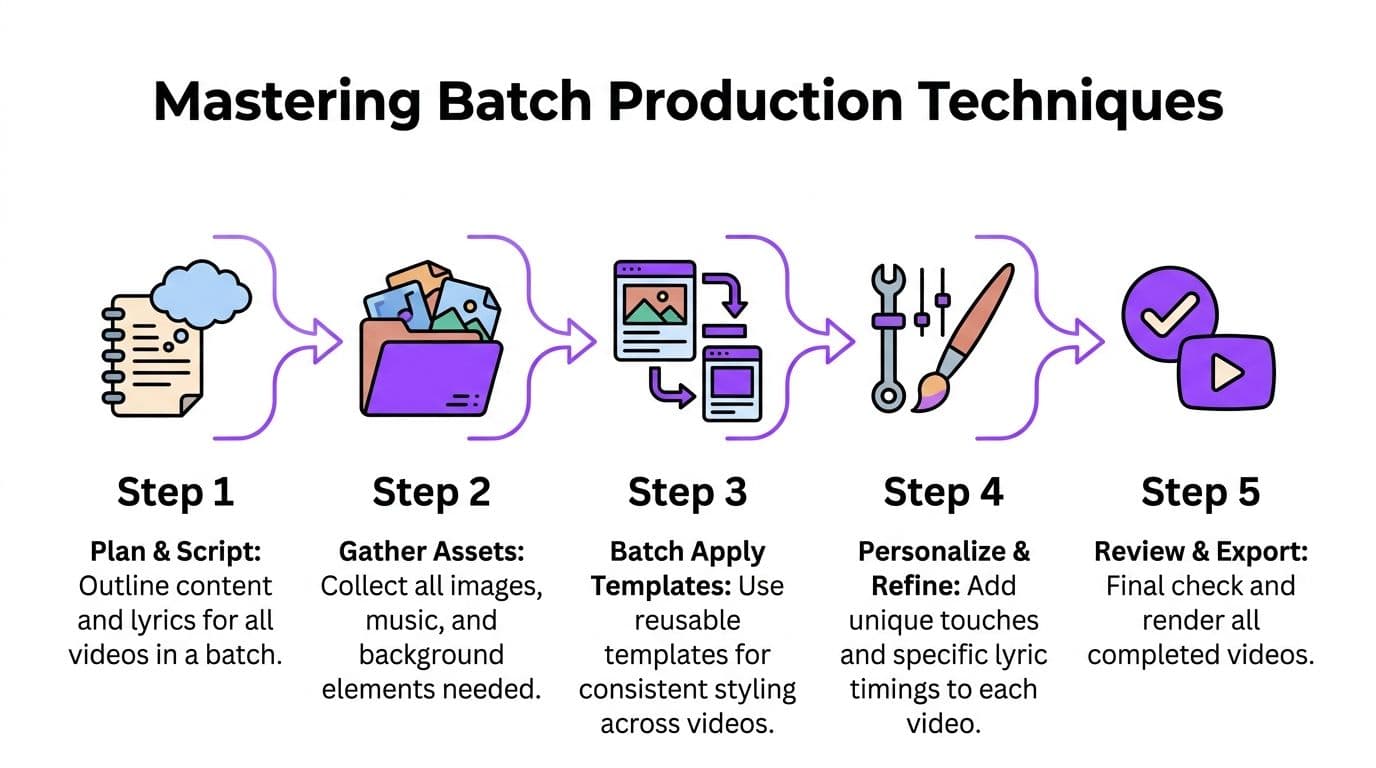
A practical weekly cycle for lyric or karaoke output might look like this:
On one prep block, you collect songs, confirm final audio, and clean all lyric files. In the next block, you choose or organize background assets for the full set. Then you move into project assembly, where each song starts from the closest matching template. Timing and polish happen after that, when the base work is already done.
This is why an assembly-line approach works so well in this niche. Repetition helps rather than hurts because each task uses the same mental gear.
A real production sequence that holds up
Here's a sequence I've seen work repeatedly for channel production:
- Lyrics sessionClean punctuation, remove stray annotations, standardize line breaks, and save all text files in one pass.
- Asset sessionMatch each song with a background direction. Not final perfection, just a strong first visual choice.
- Project assembly sessionCreate each project from a template, load audio, import lyrics, and apply baseline styling.
- Timing sessionHandle sync work across the full batch while your ear is tuned for alignment issues.
- Review and export sessionWatch for readability, clipping, awkward line transitions, and any visual mismatch with the track.
This isn't glamorous. It's reliable.
Batch the boring work first. Creative energy lasts longer when it isn't spent on renaming files and fixing formatting.
Creators who publish regularly often need a broader schedule discipline too. If that's a weak point, BeyondComments has a useful YouTube creator time management system that fits well with batch-based production.
What not to batch
Not every task benefits from batching.
Avoid batching these too aggressively:
- Final aesthetic judgment: some songs need a last-minute visual change after you hear and watch the full result
- Nuanced lyric emphasis: key lines often deserve individual timing attention
- Quality control: don't turn review into a checklist blur
A good batch system standardizes setup, not taste. That distinction keeps quality intact.
Signs your batching is off
If batching makes your videos feel generic or error-prone, the process usually has one of these problems:
| Problem | What it looks like | Better adjustment |
|---|---|---|
| Batch size is too large | You rush reviews and miss obvious issues | Use smaller content groups |
| Templates are too rigid | Songs all feel visually mismatched | Keep a few flexible variants |
| Tasks are mixed together | You're still context-switching constantly | Separate prep, sync, and polish |
| Review is too late | Problems appear after export | Add a short checkpoint before final rendering |
The point of workflow optimization isn't to industrialize everything. It's to remove friction where repetition adds no value.
Identifying and Leveraging Automation Points
Repetitive clicking is not where your value lives. Your value is in judgment.
That's why automation works best in lyric video production when you hand repetitive setup to software and keep the taste-based decisions for yourself. Automatic syncing is the clearest example. The first pass of timing is exactly the kind of task that benefits from machine assistance. Fine timing around dramatic pauses or phrase emphasis usually still benefits from human review.
Where automation helps most
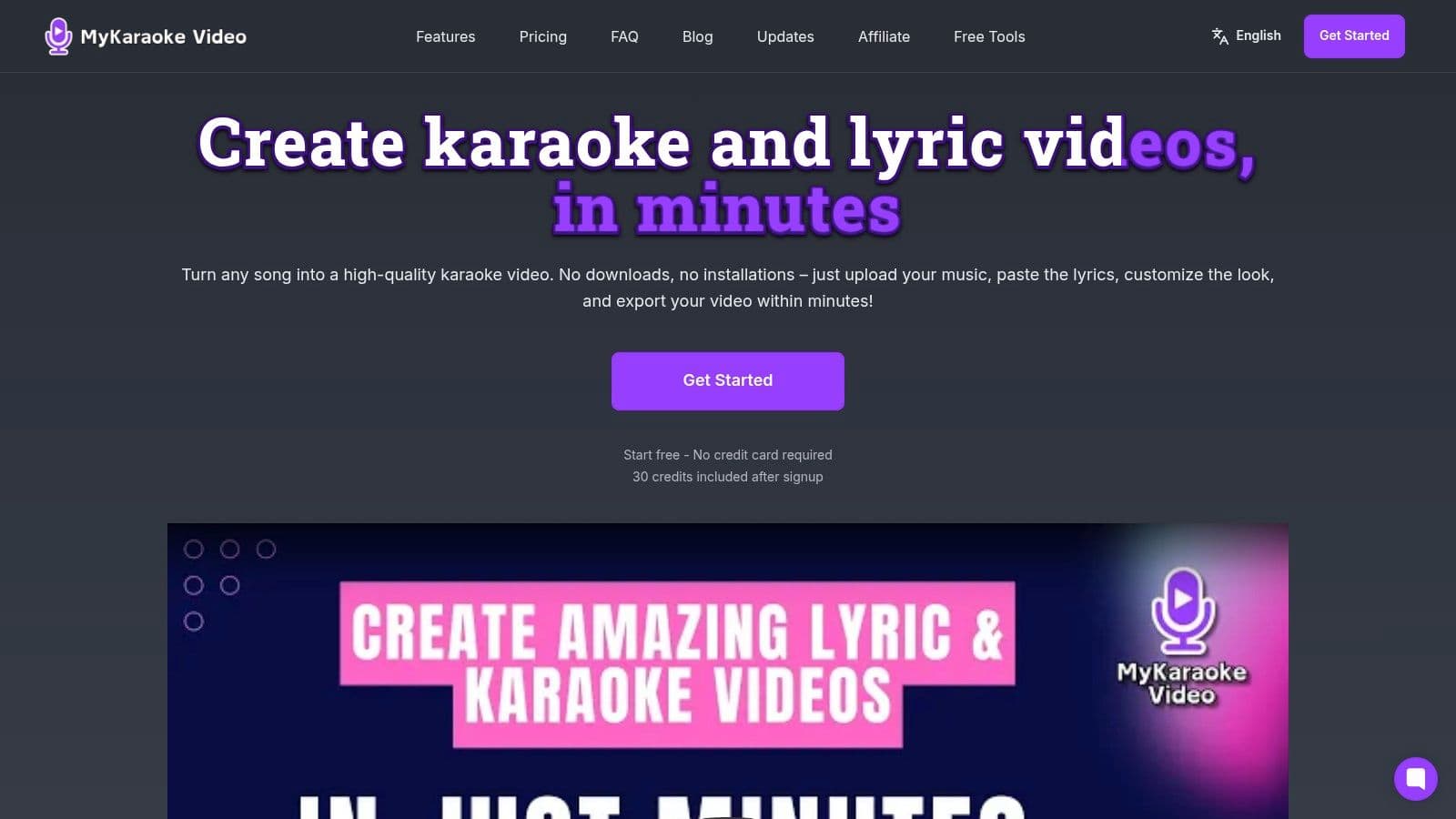
In a browser-based workflow, MyKaraoke Video is useful because it combines lyric syncing, visual editing, and export in one place. That kind of setup removes some of the friction that comes from moving between separate tools.
The strongest automation points in this type of workflow are usually:
- Initial lyric timing
- Applying saved style choices
- Reusing project structures
- Handling repetitive formatting tasks
- Standardizing export setup
The weakest automation points are the ones that rely on interpretation. A machine can align words to vocals reasonably well. It can't always decide where a phrase should linger for emotional effect, or when a background feels tonally wrong for a chorus.
Better input produces better automated output
Automation quality starts with file prep. Messy lyrics create messy sync.
Use these prep habits:
- Match the sung version: don't paste album notes, repeated headers, or extra commentary into the lyric file
- Clean line breaks deliberately: break where the singer breathes or where the viewer can read naturally
- Remove ambiguity: fix duplicate fragments, stray punctuation, and spoken intros that aren't in the track
- Use a final audio file: timing against a draft version invites correction work later
If the first automated pass comes back rough, don't assume the tool failed. Check the source text first. In practice, bad inputs create most sync headaches.
A clean lyric file is part of editing, not admin work. Treat it with the same care as the final timeline.
Decide what deserves human attention
A useful rule is to split work into machine-first tasks and editor-first tasks.
| Task type | Better owner |
|---|---|
| First sync pass | Automation |
| Reapplying a visual preset | Automation |
| Standard export settings | Automation |
| Phrase emphasis | Editor |
| Readability checks | Editor |
| Song-to-visual fit | Editor |
That balance is what makes workflow optimization sustainable. You're not trying to automate the whole craft. You're trying to stop spending expert attention on entry-level repetition.
The same thinking applies outside editing too. If you also schedule content around your video releases, SleekPost's guide on how to automate social media posts is a good reminder that distribution can be systemized without making the content itself feel robotic.
For a broader look at adjacent tools in this space, YouTube automation workflows for creators can help you spot where your process is still too manual.
Pro Editor Tips for Speed and Quality
Small habits make a visible difference. Once lyrics are in place and the project is assembled, editor speed comes from knowing what to touch and what to leave alone.
Beginners tend to over-edit. They tweak every line, test endless combinations, and replay the same segment too many times. Experienced creators work narrower. They identify the lines that need intervention and move on.
Make fewer but smarter adjustments
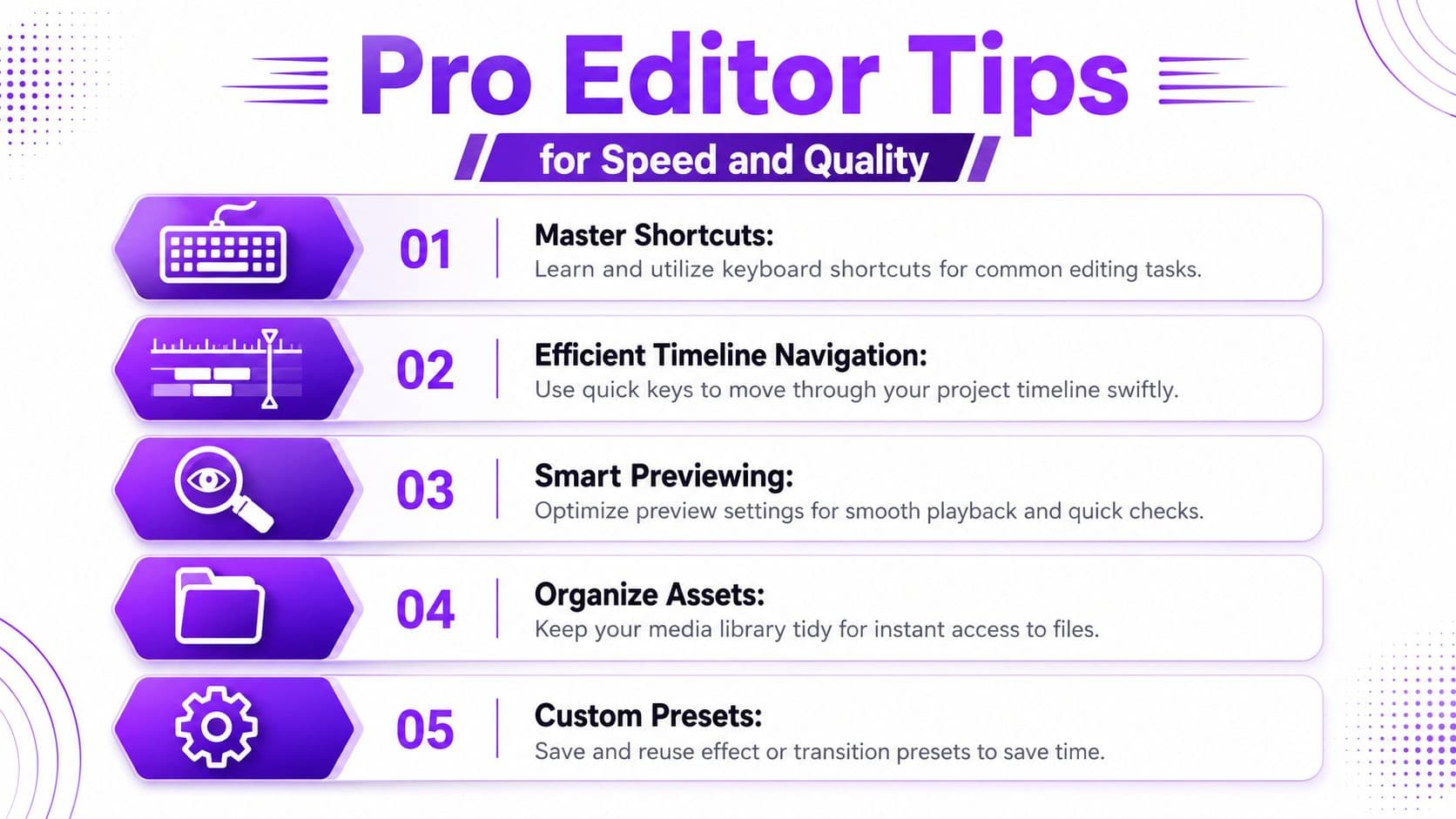
A strong editing pass usually follows this order:
- Fix readability first: if viewers can't follow the words comfortably, nothing else matters
- Correct timing outliers next: don't touch every line, only the ones that visibly or audibly break flow
- Review background fit after sync is stable: changing visuals too early can distract from timing issues
- Polish openings and endings last: these moments shape perceived quality more than constant micro-adjustments
That order keeps you from wasting effort on details that may disappear after a more important correction.
Use comparison, not endless exploration
One of the biggest time drains is visual indecision. You test background after background, then lose track of which one worked.
Limit yourself to a short comparison process:
- preview the current option
- swap in one clearly different option
- decide which serves the lyrics better
- move on
If neither works, use a neutral fallback and finish the video. You can always revisit standout tracks later. You can't scale a channel if every upload turns into an aesthetic spiral.
Fast editors don't skip quality. They stop reopening decisions that were already good enough.
Watch the timeline for problem clusters
Timing problems usually cluster in predictable places:
- fast verses with dense syllables
- ad-libs and overlapping vocal phrases
- chorus entries after music pickups
- repeated refrains where line duplication creates confusion
Instead of reviewing the timeline with equal intensity from start to finish, scan for those pressure points. That's where manual intervention earns its keep.
Keep a short pre-export checklist
I prefer a short review list over a long one because long lists become background noise. A useful final pass checks only what regularly causes rework:
| Final check | What you're looking for |
|---|---|
| Lyric visibility | Text stays readable against every background section |
| Line timing | No glaring early or late phrase entries |
| Spelling and formatting | No duplicate lines, broken breaks, or stray characters |
| Start and end behavior | Intro appears cleanly, outro doesn't cut awkwardly |
Save your best decisions
Whenever you solve a recurring editing problem, save the solution somewhere repeatable. That might be a style preset, a naming rule, a standard line-break pattern, or a checklist note for a tricky genre.
That habit is what separates random efficiency from actual workflow optimization. You're not just finishing faster today. You're making tomorrow's projects easier too.
Measuring Success and Refining Your Workflow
A production system only improves if you can tell where it slows down. Most creators rely on feeling. That works until schedules tighten or output grows. Then every delay feels equally important, even when only one stage is causing the trouble.
Track a few simple workflow metrics instead.
Use a small KPI set you'll actually maintain
You don't need a dashboard obsession. You need enough visibility to spot recurring drag.
A practical tracker for lyric and karaoke work looks like this:
| KPI | How to Measure | Example Target |
|---|---|---|
| Time per video | Log start-to-finish production time for each completed video | A target that trends downward without reducing quality |
| Videos published per week | Count completed and released videos each week | A target that matches your schedule and review capacity |
| Sync adjustment time | Track how long manual timing corrections take after the first pass | A target that stays manageable and consistent |
| Asset search time | Note time spent locating audio, lyrics, or visuals before editing | A target that keeps prep short and predictable |
| Revision rate | Count how often exported videos need fixes and re-exports | A target that declines as your process matures |
What the numbers are actually telling you
If time per video stays high, the answer isn't always “edit faster.” It might mean your templates are weak, your assets are scattered, or your lyric prep is creating downstream fixes.
If sync adjustment time keeps creeping up, inspect the input files. If revision rate is the issue, your review stage may be too rushed or too late. The point is diagnosis. Workflow optimization fails when everything gets treated like a motivation problem.
Track the stage, not just the outcome. “This video took too long” is vague. “Asset prep keeps stalling projects” is actionable.
Refine one bottleneck at a time
Don't redesign your entire system every week. Pick one friction point and tighten it.
That might mean:
- replacing a cluttered folder structure
- deleting weak templates
- standardizing lyric formatting rules
- adding a midpoint review before export
- limiting custom visual work to selected uploads
Small changes compound. Not because each tweak is dramatic, but because lyric video production repeats the same core actions constantly. A cleaner system pays you back every time you publish.
If your current process depends on too many manual steps, MyKaraoke Video is worth a look as a browser-based option for bringing lyric syncing, visual editing, and export into one workflow. For creators producing karaoke and lyric videos regularly, fewer handoffs and cleaner setup can make it much easier to maintain output without letting quality slip.