In the competitive world of digital content, the right software is no longer a luxury; it's the foundation of efficiency and quality. Having the proper toolkit can be the difference between spending an entire day on a single video edit and producing a polished, professional piece in just a few hours. But with a sea of options available, each promising to be the ultimate solution, how do you build a creative arsenal that truly works for you? Whether you're a YouTuber crafting your next viral hit, a social media manager scheduling a month's worth of posts, a podcaster editing audio, or a musician creating lyric videos, your software needs to be powerful, intuitive, and perfectly aligned with your specific creative goals.
This guide is designed to cut through that noise. We've compiled a definitive list of the best content creation tools to help you produce exceptional work across various mediums. We provide an actionable breakdown of each platform, complete with direct links and screenshots to guide your evaluation. You’ll find everything from industry-standard video editors like Adobe Creative Cloud and DaVinci Resolve to user-friendly design platforms like Canva and specialized tools like MyKaraoke Video for crafting engaging karaoke and lyric videos. We also recognize that automation is key to modern workflows. To stay competitive in the evolving landscape, explore the best AI content creation tools that can streamline your workflow for video, text, and images.
Our goal is straightforward: to help you find the perfect software for every stage of your creative process, from initial concept to final publication. This resource is your roadmap to assembling a toolkit that not only meets your current needs but also scales with your ambitions, enabling you to transform your ideas into compelling, high-impact content.
1. MyKaraoke Video
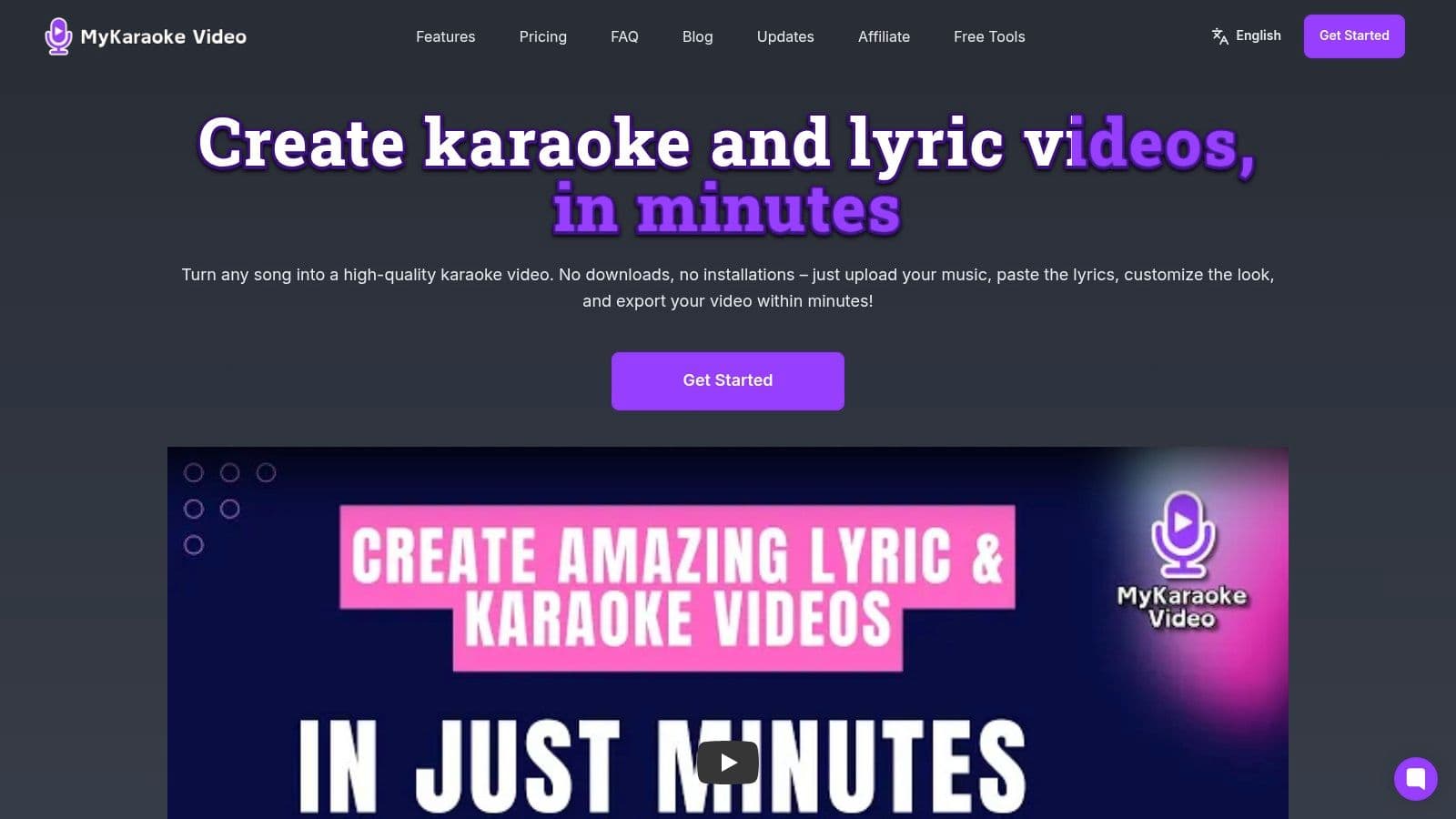
MyKaraoke Video establishes itself as a powerful and indispensable tool for a specific yet crucial niche within the content creation landscape: high-quality karaoke and lyric videos. It masterfully replaces complex, multi-software workflows with a streamlined, entirely browser-based solution. This platform is designed for creators who need professional-grade, synchronized lyric videos without the steep learning curve or technical overhead of traditional video editing software, making it one of the best content creation tools available for this purpose.
The platform’s core strength lies in its intelligent automation and deep customization, allowing anyone from a YouTube karaoke channel operator to a marketing team to produce polished content in minutes. Its "1-Click" makers are a significant differentiator, instantly generating a fully synced project from just an audio file and text, which users can then fine-tune to perfection.
Why It's Our Featured Choice
MyKaraoke Video excels by delivering a professional feature set within an accessible, user-friendly interface. The AI-powered automatic sync is a game-changer, drastically reducing the tedious manual work of timing lyrics to music. While it performs optimally with isolated vocal tracks, the powerful manual sync editor provides the granular control needed for complex arrangements. Features like duet-mode styling, background video support, and transparent background exports provide a level of creative freedom typically reserved for more expensive, desktop-based applications.
The platform's commitment to speed is also evident in its parallel video chunk rendering, which ensures lightning-fast 1080p MP4 exports, a critical advantage for creators on tight deadlines.
"I have a big karaoke channel on YouTube with 150K subscribers and this software made my editing work a lot easier and faster, it’s amazing!"
Marcelo Penco, Karaoke Instrumental
Key Features & Use Cases
- AI-Powered Automation: The AI vocal remover and automatic lyric sync are ideal for quickly converting any song. Use Case: A musician can produce a lyric video for a new single in under an hour, ready for promotion on YouTube and social media.
- Extensive Customization: Control everything from Google Fonts and colors to background images or videos. Use Case: An event organizer can create branded karaoke videos for a corporate party that perfectly match the company's visual identity.
- Browser-First Operation: No downloads or installations required. This allows creators to work from any computer with an internet connection, offering unmatched flexibility.
- Tiered & Accessible Pricing: A robust free plan allows users to test the core functionality, with affordable paid tiers for serious creators and businesses needing watermark-free, high-volume output. For insights into leveraging such videos effectively, you can explore MyKaraoke Video's guide to a video content marketing strategy.
| Feature | Best For |
|---|---|
| 1-Click Karaoke Maker | Rapidly turning instrumental tracks into ready-to-sing karaoke videos. |
| 1-Click Lyric Video Maker | Musicians and brands creating engaging, word-focused social media content. |
| Duet Mode | Creating sing-along videos for songs with two distinct vocal parts. |
| Transparent Backgrounds | Overlaying animated lyrics onto other video footage in post-production. |
Pros:
- Truly browser-based; no software installation needed.
- AI-powered sync and 1-Click makers save significant editing time.
- Extensive visual customization ensures on-brand results.
- Fast 1080p MP4 exports with parallel rendering.
- Affordable pricing structure with a functional free tier.
Cons:
- The free plan includes a watermark and has credit limitations.
- Automatic sync is most accurate with isolated vocal/instrumental tracks.
- Users are responsible for securing commercial rights to the music used.
Website: https://www.mykaraoke.video
2. Adobe Creative Cloud
Adobe Creative Cloud is the undisputed heavyweight champion in the world of professional creative software. It’s not just a single tool but a comprehensive suite of over 20 interconnected desktop and mobile applications, making it one of the most powerful and versatile content creation tools available. This integrated ecosystem is its key differentiator; you can seamlessly move a video project from Premiere Pro to After Effects for motion graphics, then to Audition for audio sweetening, all while using assets managed in shared cloud libraries.
The recent integration of Firefly, Adobe's generative AI, adds another powerful layer, allowing for AI-driven image generation and video editing enhancements directly within established workflows. While the subscription cost is high and the learning curve for apps like After Effects can be steep, no other platform offers this level of professional-grade power and cross-app synergy.
Key Features & Analysis
- Integrated Suite: Access to industry-standard apps like Photoshop, Premiere Pro, Illustrator, and After Effects. The true power lies in the seamless handoff between them using Dynamic Link, which saves immense rendering time.
- Firefly Generative AI: AI features are now embedded across the suite, offering capabilities like Generative Fill in Photoshop and text-to-color grading in Premiere Pro, accelerating complex tasks.
- Cloud Ecosystem: Includes cloud storage, Adobe Fonts, and Shared Libraries, which are essential for maintaining brand consistency and collaborating with teams.
Pros and Cons
| Pros | Cons |
|---|---|
| Industry-Standard Power: The go-to toolkit for professional creators. | High Subscription Cost: Can be prohibitive for new creators. |
| Seamless Integration: Unmatched workflow efficiency across apps. | Steep Learning Curve: Mastering individual apps requires time. |
| Extensive Resources: Vast community, tutorials, and plugin support. | Resource Intensive: Requires a powerful computer for best performance. |
Best For: Professional content creators, creative agencies, and dedicated solo creators who require an all-in-one, enterprise-grade solution for producing high-end video, audio, and graphic content.
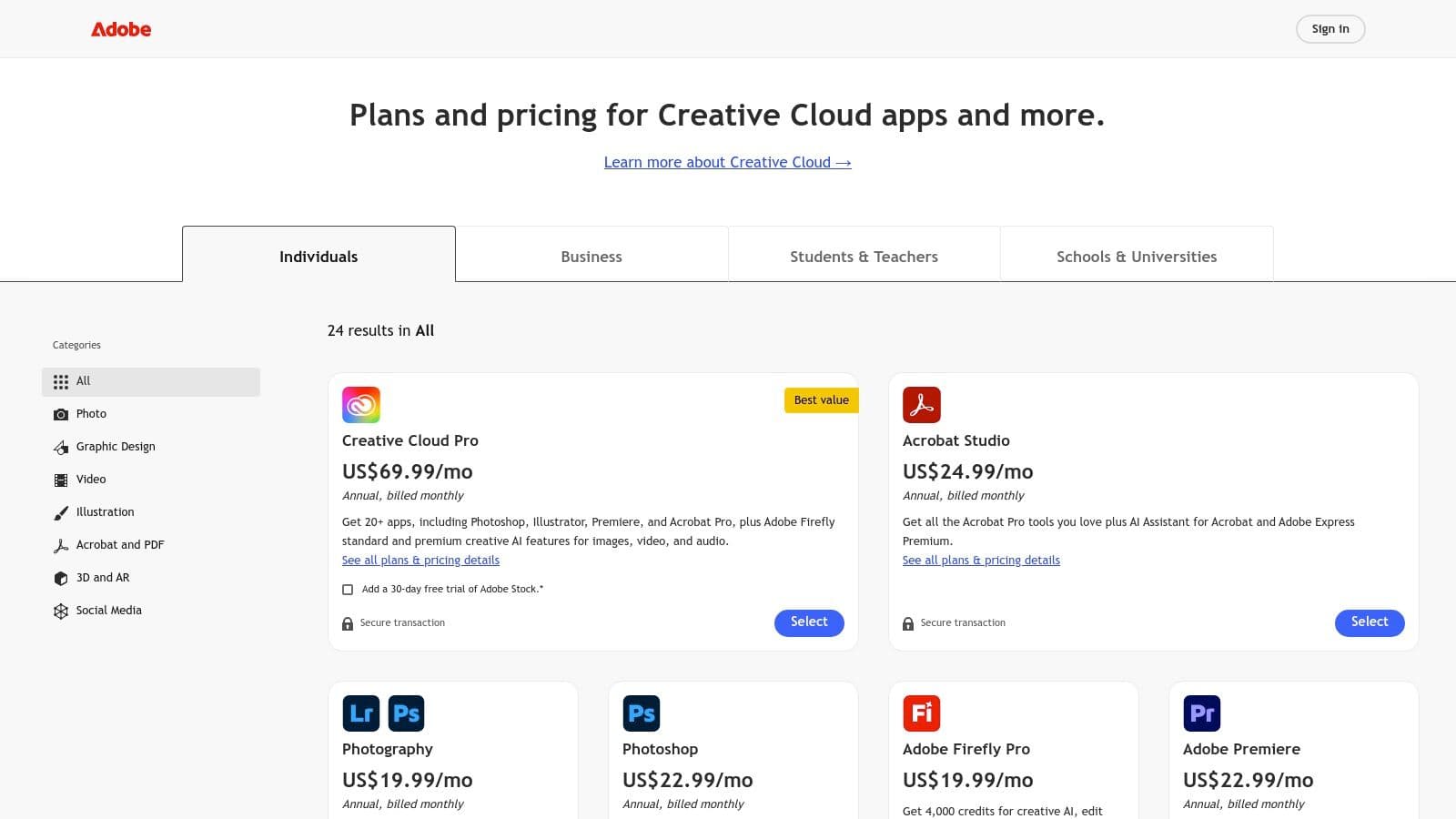
Pricing: The "All Apps" plan, which includes the full suite, is priced at $59.99/month for individuals, with pricing available for students, teachers, teams, and enterprises.
Website: https://www.adobe.com/creativecloud/plans.html
3. Canva
Canva has revolutionized the design landscape, transforming from a simple graphic design tool into a comprehensive, browser-based creative suite. It is the go-to platform for solo creators, marketers, and small teams who need to produce high-quality visuals quickly, without the steep learning curve of professional software. Its core strength lies in its template-driven workflow, allowing users to create everything from social media posts and presentations to basic videos and marketing materials with incredible speed and ease.
While it doesn't replace a dedicated video editor for complex projects, Canva serves as an essential companion tool for creating polished assets like YouTube thumbnails or social media cutscenes. The introduction of its Magic Studio AI tools further streamlines the process, making it one of the most accessible and efficient content creation tools for day-to-day design needs. For those looking to improve their channel's visual appeal, you can learn more about creating effective YouTube thumbnails in this best practices guide.
Key Features & Analysis
- Vast Template & Asset Library: Gain access to millions of templates, stock photos, videos, and graphic elements, which dramatically speeds up the design process for any project.
- Magic Studio AI: A suite of AI-powered features for generating images, writing copy, creating presentations, and even basic video editing, all prompted by simple text commands.
- Brand Kit & Collaboration: Centralize brand colors, fonts, and logos to maintain consistency across all designs. Real-time collaboration features make it ideal for teamwork.
Pros and Cons
| Pros | Cons |
|---|---|
| Extremely Accessible: Intuitive drag-and-drop interface for non-designers. | Limited Advanced Control: Lacks the fine-tuned video/audio control of professional NLEs. |
| Fast, Browser-Based Workflow: No software to install; easy collaboration. | Pricing Plan Changes: Team pricing has evolved; check current plan details carefully. |
| All-in-One for Social Media: Perfect for creating a cohesive brand look. | Can Look "Generic": Over-reliance on popular templates can reduce uniqueness. |
Best For: Solo creators, social media managers, and small business teams who need a fast, easy-to-use platform for producing daily social graphics, presentations, and simple promotional videos.
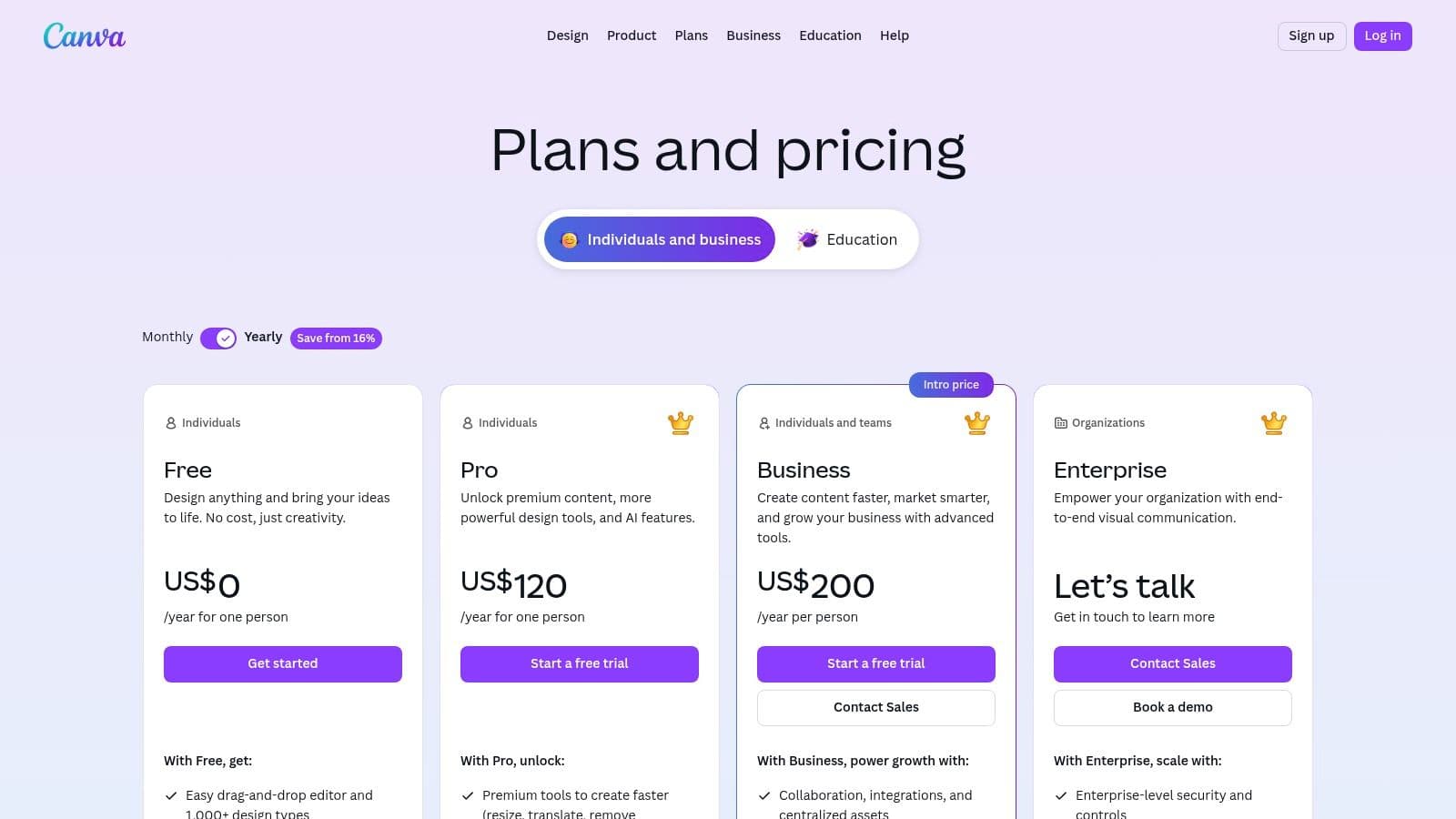
Pricing: Offers a robust free plan. Canva Pro is $14.99/month for one person, with custom pricing for Canva for Teams.
Website: https://www.canva.com/pricing/
4. Descript
Descript revolutionizes audio and video editing by treating media like a text document. Instead of manipulating complex timelines, you edit a transcribed script, and the corresponding audio or video is cut, copied, or rearranged automatically. This text-based workflow makes it one of the most intuitive and fastest content creation tools for anyone working with spoken-word content, such as podcasters, interviewers, and course creators.
The platform's standout feature is its suite of powerful AI tools designed to clean up and enhance recordings. With a single click, you can remove filler words like "um" and "uh," enhance vocal quality with Studio Sound, and even fix mistakes using an AI-cloned voice with Overdub. This combination of a unique editing paradigm and smart AI features dramatically lowers the barrier to producing professional-sounding content.
Key Features & Analysis
- Text-Based Editing: The core of Descript's appeal. Editing video or audio by simply editing text is incredibly fast for creating rough cuts and trimming conversations.
- AI Audio Enhancement: Features like Studio Sound can make a low-quality recording sound like it was captured in a professional studio. The "Remove Filler Words" function saves hours of manual cleanup.
- Overdub & Voice Cloning: Correct audio mistakes by typing the correct words. The AI generates the audio in your own voice, a game-changer for quick fixes without re-recording.
- Repurposing Tools: Easily select text highlights from a long recording to instantly generate short video or audio clips, complete with animated captions for social media.
Pros and Cons
| Pros | Cons |
|---|---|
| Drastically Speeds Up Editing: Perfect for trimming interviews and podcasts. | Limited Advanced Effects: Not a replacement for a full-featured NLE like Premiere Pro. |
| Excellent for Repurposing Content: Quickly create social clips from long recordings. | AI Credit Limits: Advanced features have usage quotas tied to subscription tiers. |
| Powerful AI Cleanup Tools: Studio Sound and filler word removal are top-tier. | Learning Curve for New Paradigm: The text-based workflow can take some getting used to. |
Best For: Podcasters, YouTubers, interviewers, and marketers who need to quickly edit spoken-word content and repurpose long-form recordings into engaging social media clips.
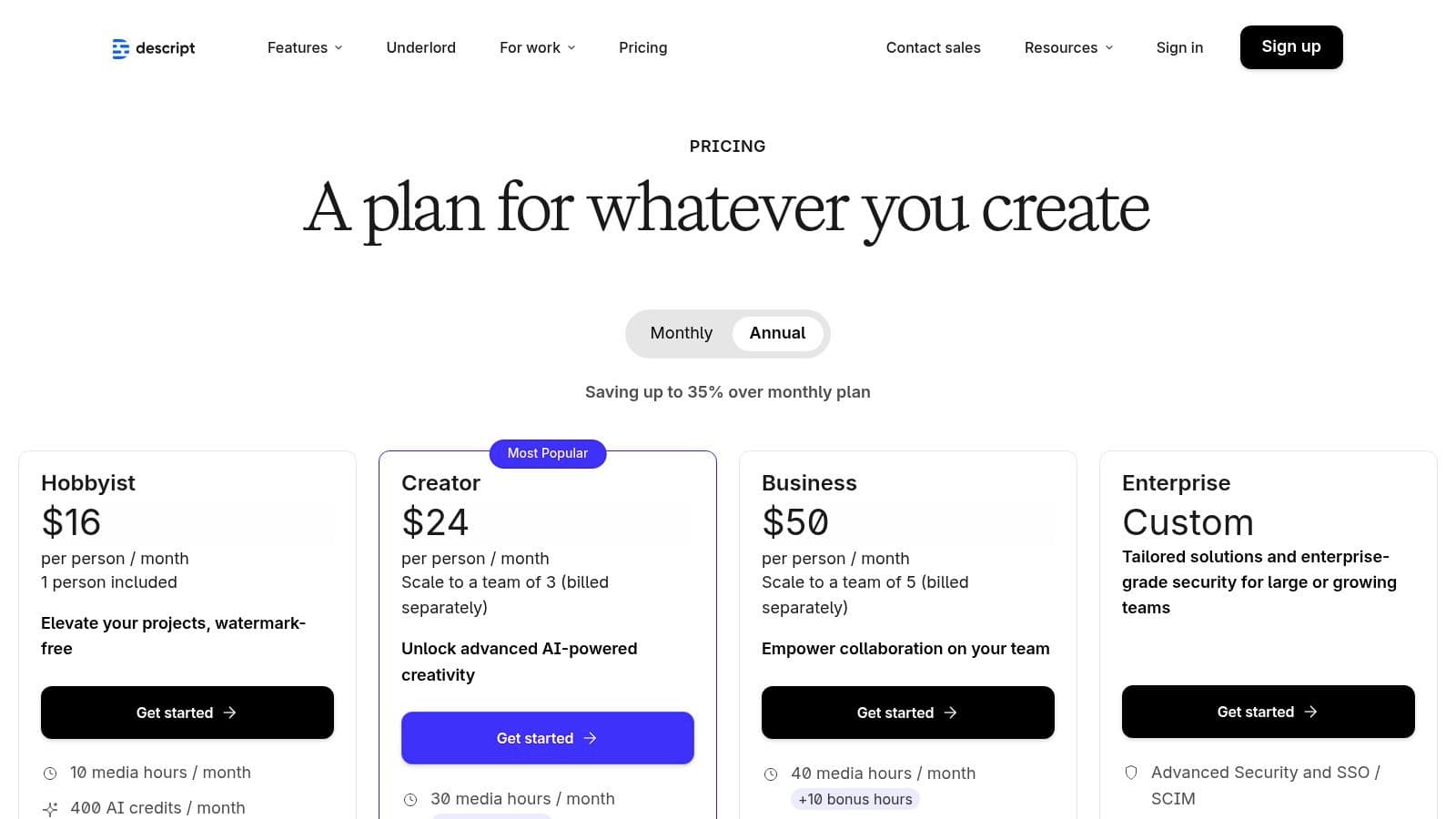
Pricing: Offers a free plan with limited features. Paid plans start at $12/month for the Creator tier, with a Pro tier at $24/month and custom Enterprise pricing.
Website: https://www.descript.com/pricing
5. Blackmagic Design – DaVinci Resolve
DaVinci Resolve has become a powerhouse in the post-production world, particularly for creators who prioritize cinematic color grading. Originally an elite color correction tool, it has evolved into a comprehensive, all-in-one application that integrates professional editing, advanced visual effects (Fusion), and studio-grade audio mixing (Fairlight) into a single workflow. This consolidation is its primary strength, eliminating the need to round-trip projects between different specialized apps.
Unlike most professional editors that rely on a subscription model, DaVinci Resolve offers an incredibly robust free version that includes more features than many paid competitors. This makes it one of the most accessible yet professional content creation tools available. For a deeper analysis of how its features stack up against other leading platforms, it is worth consulting an expert video editing software comparison. The node-based workflow for both color and VFX provides unparalleled control for those willing to learn it.
Key Features & Analysis
- All-In-One Workflow: Seamlessly switch between dedicated "pages" for editing, color grading, VFX (Fusion), and audio post-production (Fairlight) within the same project file, enhancing speed and efficiency.
- Industry-Leading Color Grading: Its color correction and grading tools are legendary, offering node-based control and an advanced HDR toolset that is considered the industry standard in Hollywood.
- Powerful Free Version: The free version is not a trial; it includes most of the core functionality, including 4K editing, making professional-grade tools accessible to everyone.
Pros and Cons
| Pros | Cons |
|---|---|
| Extremely Capable Free Version: Unlocks professional features without a subscription. | Steep Learning Curve: Fusion and Fairlight can be complex for newcomers. |
| Superior Color Grading: Unmatched precision and control for color work. | Smaller Plugin Ecosystem: Fewer third-party plugins compared to Adobe Premiere Pro. |
| Optimized Performance: Known for its excellent performance, especially on supported hardware. | Resource Intensive: Requires a powerful GPU for a smooth experience. |
Best For: Independent filmmakers, colorists, and YouTubers who want professional, Hollywood-level color grading and an integrated post-production workflow without the recurring cost of a subscription.
Pricing: The core version is completely free. The DaVinci Resolve Studio version, which adds advanced AI features, more effects, and higher resolutions, is available for a one-time purchase of $295.
Website: https://www.blackmagicdesign.com/products/davinciresolve
6. Final Cut Pro
For content creators deeply embedded in the Apple ecosystem, Final Cut Pro offers a potent and highly optimized video editing experience. As Apple’s flagship non-linear editor, it’s renowned for its exceptional performance, particularly on Apple silicon, and its innovative Magnetic Timeline that streamlines the editing process. This trackless timeline automatically closes gaps and avoids clip collisions, allowing for a much faster and more fluid workflow compared to traditional track-based editors.
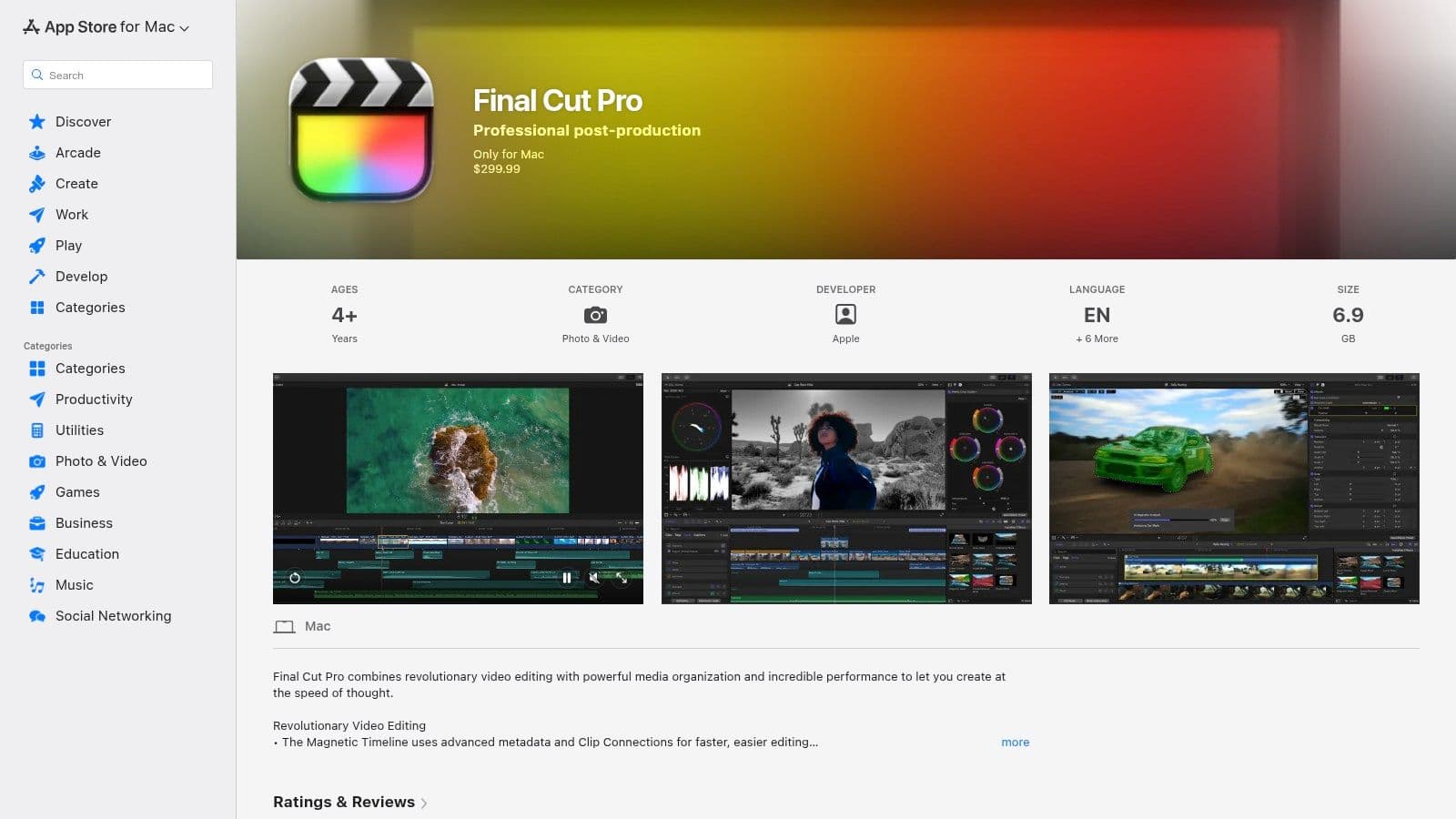
Unlike the subscription models dominating the software landscape, Final Cut Pro is a one-time purchase, making it a cost-effective long-term investment. Its tight integration with macOS and other Apple hardware and software like Motion and Compressor creates a cohesive and reliable environment. It stands out as one of the best content creation tools for Mac users who prioritize speed, a clean interface, and freedom from monthly fees.
Key Features & Analysis
- Magnetic Timeline 2: This innovative, trackless timeline simplifies editing by automatically managing clip placement and eliminating gaps, which significantly accelerates the assembly process.
- Optimized Performance: Engineered specifically for macOS and Apple silicon, delivering incredibly fast rendering speeds and smooth playback of high-resolution footage, including 4K and 8K.
- Built-in AI Tools: Features like Object Tracker, Cinematic Mode editing, and automatic voice isolation provide powerful, intelligent capabilities without needing third-party plugins for common tasks.
- Advanced Color Grading: Professional-grade color wheels, color curves, and support for high-dynamic-range (HDR) video give creators precise control over the look and feel of their content.
Pros and Cons
| Pros | Cons |
|---|---|
| Exceptional Performance on Macs: Unmatched speed and reliability on Apple hardware. | macOS Only: Not a viable option for Windows or cross-platform users. |
| One-Time Purchase: A single payment provides lifetime access and updates. | Limited Collaboration: Lacks the built-in cloud collaboration of competitors. |
| Intuitive Interface: The Magnetic Timeline is often easier for newcomers to grasp. | Smaller Plugin Ecosystem: While robust, it's not as vast as Adobe's. |
Best For: Solo content creators, YouTubers, and small production teams who work exclusively on Mac computers and prefer a one-time software purchase over a recurring subscription.
Pricing: Available as a one-time purchase of $299.99 from the Mac App Store.
Website: https://apps.apple.com/us/app/final-cut-pro/id424389933
7. Envato Elements
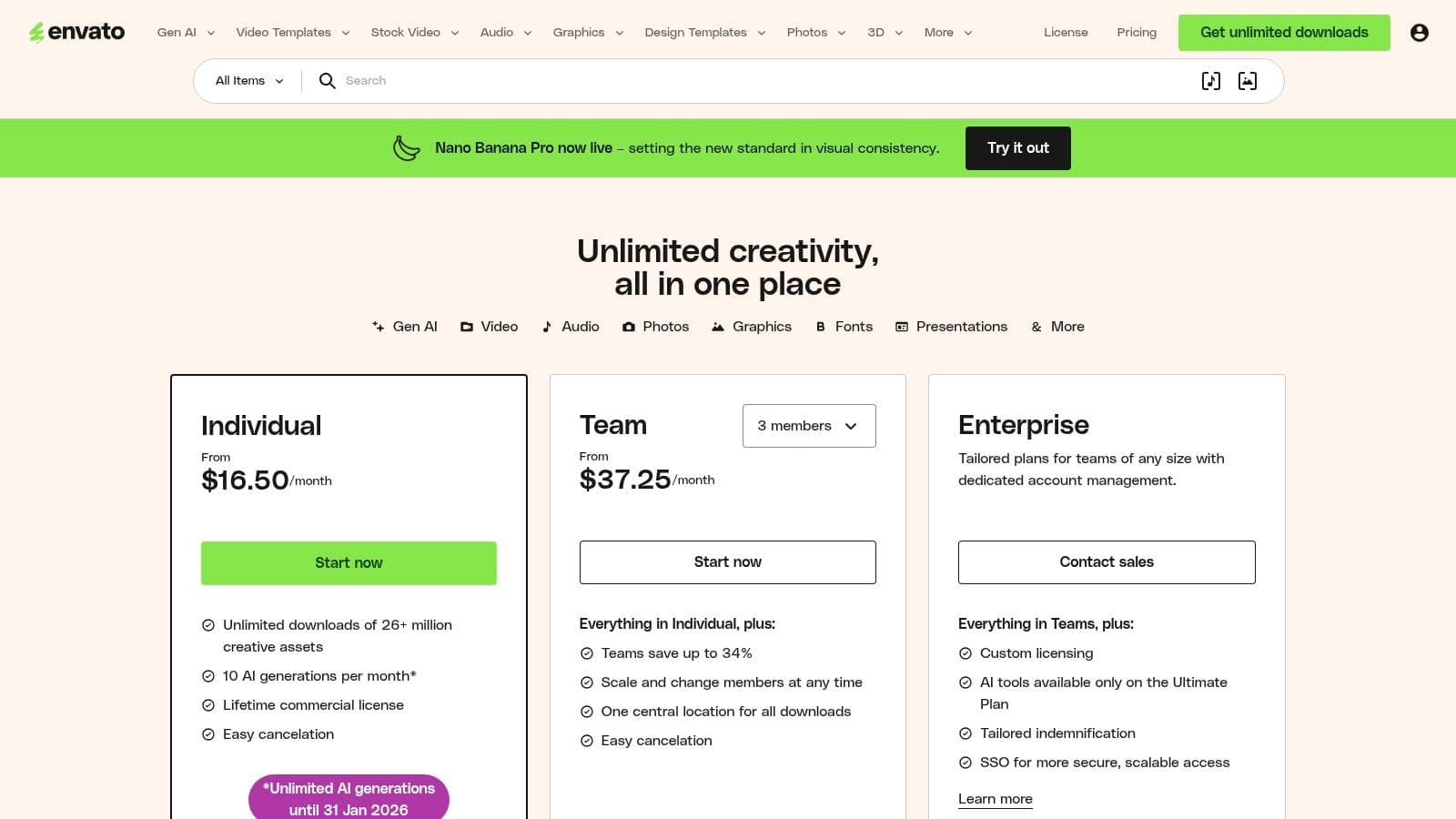
For content creators who need a constant supply of fresh assets, Envato Elements is an indispensable resource. It’s a subscription-based service offering unlimited downloads from a colossal library of over 26 million creative assets. Instead of purchasing items individually, a single subscription provides access to video templates, stock footage, royalty-free music, sound effects, graphics, fonts, and more, making it one of the most cost-effective content creation tools for high-volume producers.
Its primary advantage is efficiency. A creator can quickly find a professional-looking intro template for Premiere Pro, grab a suitable background track, and download some B-roll footage, all from one place and covered by a single commercial license. This streamlined access to ready-made assets drastically cuts down on production time, allowing creators to focus more on the core narrative of their content rather than building every element from scratch.
Key Features & Analysis
- Massive Asset Library: With over 26 million assets, the platform covers nearly every creative need, from video templates and stock footage to presentation themes and 3D objects.
- Unlimited Downloads: The all-you-can-eat model is perfect for agencies and creators who constantly experiment and produce new content, eliminating per-asset cost anxiety.
- Simple Commercial Licensing: Every asset downloaded is covered by a broad commercial license for the specific project you register it for, simplifying legal clearances for client work and monetized channels.
Pros and Cons
| Pros | Cons |
|---|---|
| Exceptional Value: Unbeatable cost-per-asset if you download frequently. | Variable Quality: Requires curation to find the best assets. |
| Major Time-Saver: Ready-made templates accelerate production schedules. | Project-Based License: Must re-license assets for new projects. |
| Huge Variety: Assets available for all major creative software. | Generic Feel: Popular assets can be overused by other creators. |
Best For: YouTubers, freelance video editors, and marketing teams who need a large, diverse library of templates and stock assets to produce content quickly and affordably.
Pricing: Individual plans start at $16.50/month, with plans available for teams and enterprises that offer tailored licensing and collaboration features.
Website: https://elements.envato.com/pricing
8. Motion Array
For video creators who need to produce high-quality content quickly, Motion Array is an indispensable resource. It’s an all-in-one subscription marketplace that provides unlimited downloads of professional video assets, including templates for Premiere Pro, After Effects, and DaVinci Resolve, as well as stock footage, royalty-free music, sound effects, and plugins. This "all-you-can-eat" model is its primary strength, allowing editors to experiment and iterate without worrying about per-asset costs.
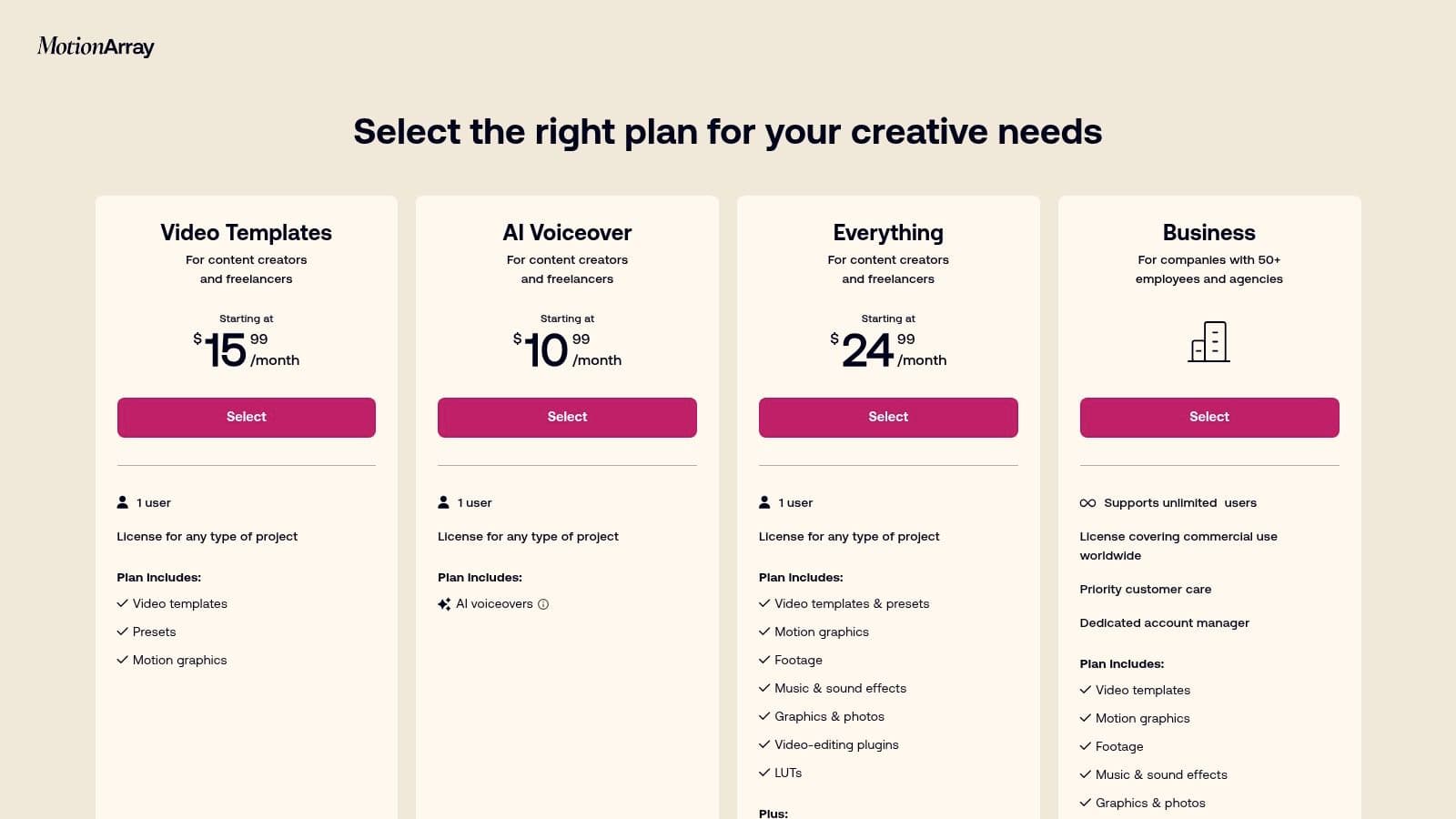
Unlike stock sites that focus on individual clips, Motion Array positions itself as a production accelerator. Instead of building a complex motion graphic from scratch, you can download a polished template and customize it in minutes. This makes it one of the most efficient content creation tools for YouTubers, social media managers, and small video agencies who need to maintain a consistent and professional output on tight deadlines.
Key Features & Analysis
- Unlimited Downloads: A single subscription provides access to the entire library of templates, plugins, music, SFX, and stock video, which is a massive value proposition.
- Broad NLE Support: Templates are available for industry-standard software like Premiere Pro, After Effects, and DaVinci Resolve, catering to a wide range of video editors.
- Collaboration Tools: Features like Review allow creators to share video drafts with clients or team members for time-stamped feedback, streamlining the approval process.
Pros and Cons
| Pros | Cons |
|---|---|
| Excellent Value: The subscription model is highly cost-effective for prolific creators. | Subscription Required: No option for single-item purchases. |
| Massive Time-Saver: Ready-to-use templates dramatically speed up production. | Curation Needed: The vast library requires time to find the best assets. |
| Comprehensive Library: Covers nearly every asset type a video editor needs. | Asset Overlap: Some templates can feel generic or similar in style. |
Best For: Solo video creators, YouTubers, and small marketing teams who need a constant supply of high-quality templates and assets to accelerate their video production workflow without breaking the bank.
Pricing: Annual plans start at $19.99/month, offering access to the full library. Team and enterprise plans are also available for collaborative workflows.
Website: https://motionarray.com/pricing
9. Artlist
Artlist has emerged as a go-to platform for creators seeking high-quality, royalty-free assets without the licensing headaches. It's a subscription service offering a vast library of music, sound effects (SFX), stock footage, and video templates. Its main differentiator is its simple, universal license; once you download a track with an active subscription, you can use it in your projects forever, even after your subscription ends.
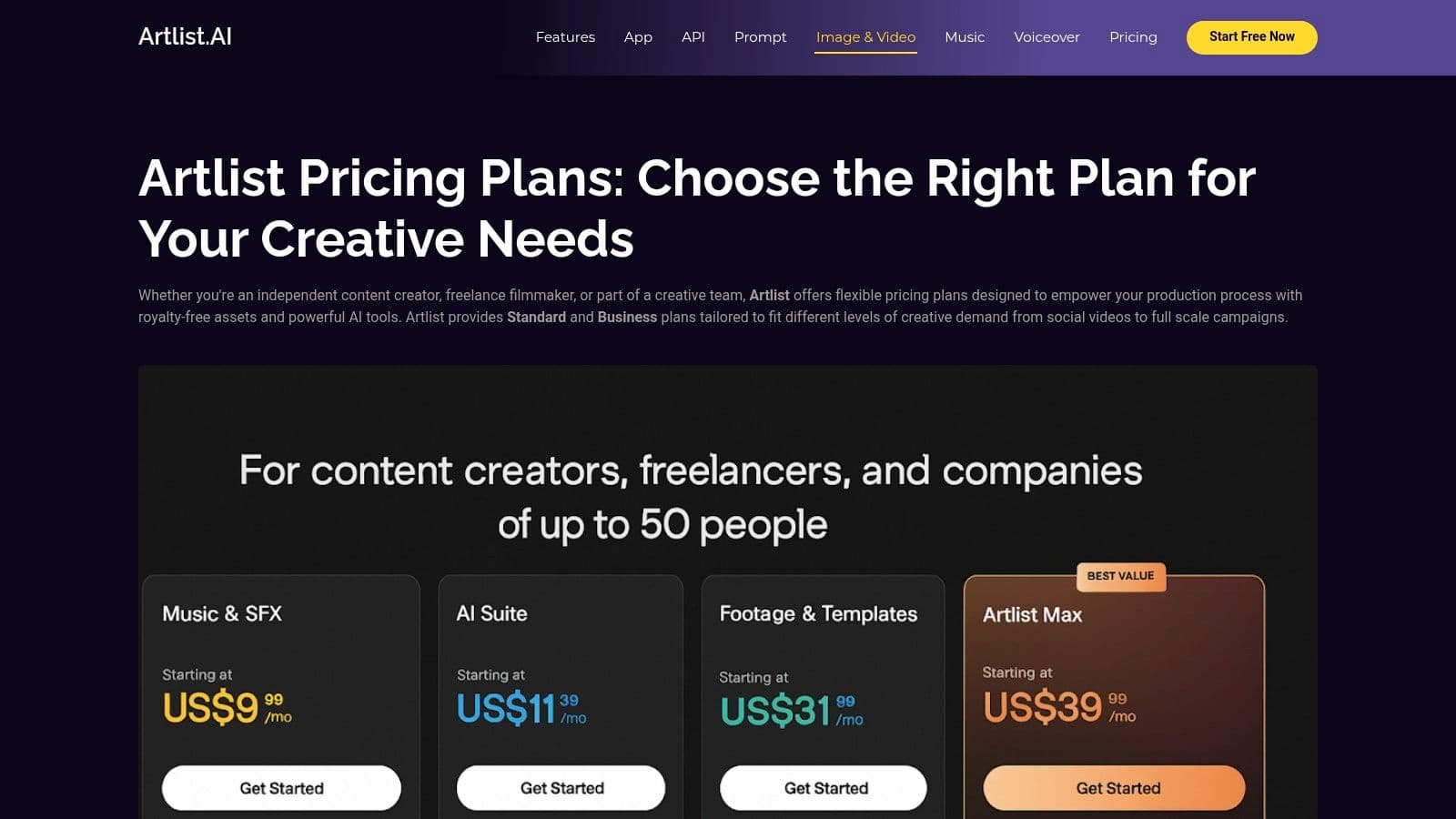
This straightforward approach to licensing makes Artlist one of the most creator-friendly content creation tools for securing audio and video assets. The platform recently expanded its offerings to include AI tools like an AI voiceover generator, further broadening its utility. While the pricing structure can seem a bit complex at first glance, the value it provides for social media creators and professional filmmakers alike is undeniable.
Key Features & Analysis
- Universal Lifetime License: The standout feature is the license. Any asset downloaded during an active subscription is licensed for use in perpetuity for the projects it's used in.
- Curated Libraries: Unlike some overwhelming stock sites, Artlist focuses on curating high-quality music and SFX, making it easier to find the perfect track without endless searching.
- All-in-One Bundles: The "Max" plans bundle music, SFX, footage, templates, and plugins, offering a comprehensive creative toolkit for video producers. Selecting the right music for editing videos is a critical step in production, and Artlist simplifies the process.
Pros and Cons
| Pros | Cons |
|---|---|
| Simple, Lifetime Licensing: Eliminates future copyright concerns. | Complex Plan Matrix: Choosing the right tier can be confusing. |
| High-Quality, Curated Catalog: Focuses on quality over sheer quantity. | Niche Genres May Be Limited: Finding very specific styles can take time. |
| Comprehensive Asset Library: Offers more than just music and SFX. | No Single-Asset Purchases: Requires a subscription-based commitment. |
Best For: YouTube creators, freelance videographers, and social media managers who need a reliable and steady source of high-quality, licensed music and footage without complex legal restrictions.
Pricing: Music & SFX plans start at $9.99/month (billed annually) for social use. Bundled "Max" plans that include all assets start at $29.99/month (billed annually).
Website: https://artlist.io/pricing/
10. Epidemic Sound
Finding high-quality, royalty-free music that won't trigger copyright strikes is a major hurdle for video creators, and Epidemic Sound solves this problem elegantly. It offers a massive, curated library of music and sound effects under a simple subscription model, making it one of the most essential content creation tools for YouTubers, podcasters, and filmmakers. Its key differentiator is the direct licensing model and channel-linking feature, which clears your content for use on major platforms like YouTube, Facebook, and TikTok, virtually eliminating the risk of demonetization or content takedowns.
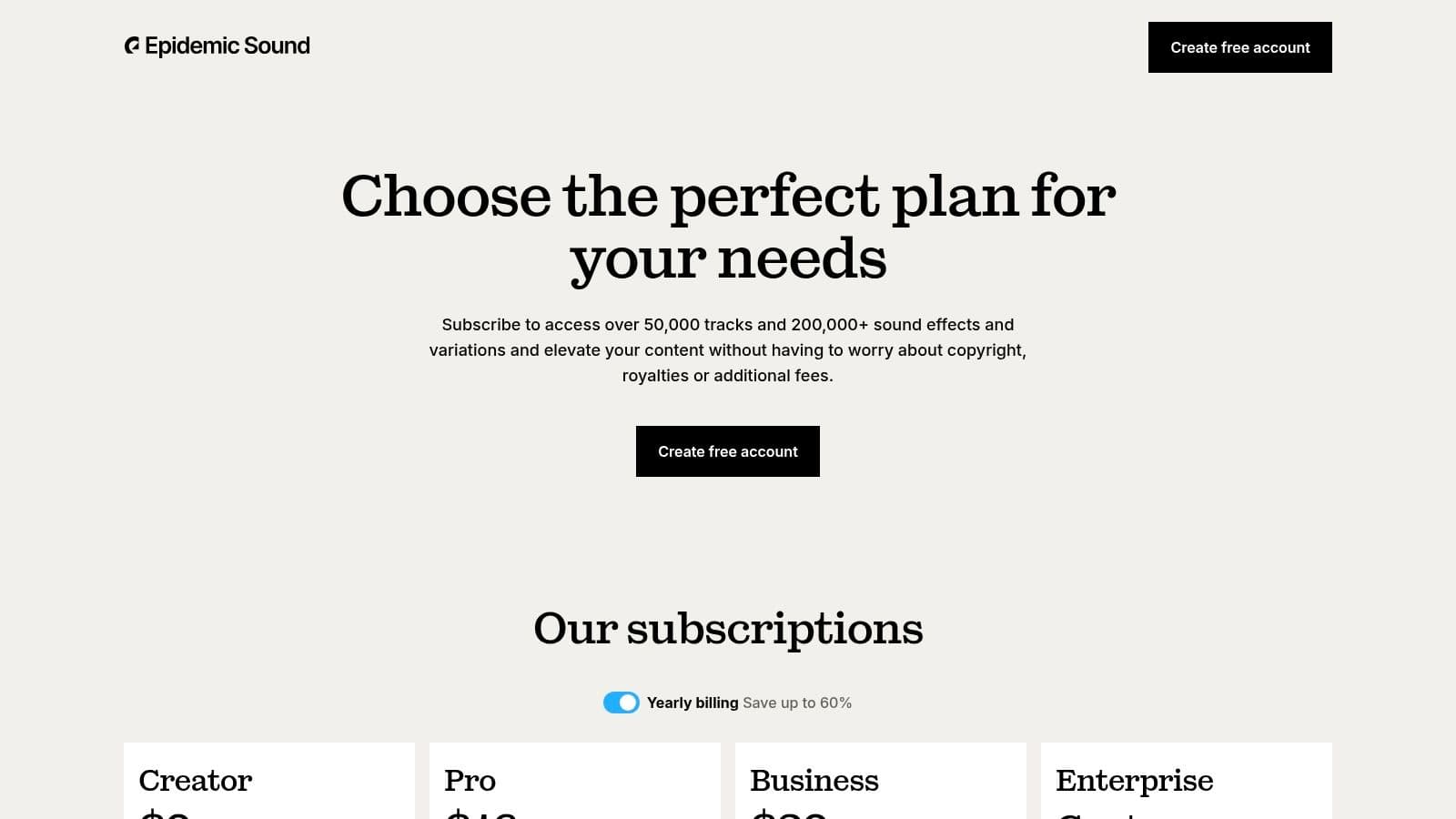
The platform is designed for discovery, with powerful search filters, curated playlists, and "similar track" recommendations that make finding the perfect mood quick and intuitive. While the catalog has a distinct, modern feel that might not fit every niche, its reliability and ease of use provide immense peace of mind for creators focused on producing consistent, high-quality content without legal headaches.
Key Features & Analysis
- Vast, Curated Library: Access over 50,000 music tracks and 200,000 sound effects, with new additions weekly. The quality is consistently high, suitable for commercial projects.
- Direct Licensing & Channel Clearing: Link your social channels directly to your account to automatically clear any videos using their music, preventing copyright claims. All licenses cover worldwide use in perpetuity for content published during an active subscription.
- Powerful Discovery Tools: Features like "Find Similar" and expertly curated playlists based on mood, genre, and use case streamline the search process, saving valuable production time.
Pros and Cons
| Pros | Cons |
|---|---|
| Hassle-Free Licensing: Simple, all-inclusive license avoids copyright strikes. | Subscription Dependent: You lose the right to use music in new projects if you cancel. |
| High-Quality, Diverse Catalog: Excellent production value across many genres. | Catalog Has a "Sound": May not suit creators looking for very obscure or classical genres. |
| Excellent Search & Discovery: Easy to find the perfect track or SFX quickly. | Pricing Terms Can Change: Always verify current renewal and licensing terms. |
Best For: YouTubers, podcasters, social media managers, and freelance video editors who need a reliable and extensive source of royalty-free music and SFX without complex licensing negotiations.
Pricing: The Personal plan for creators starts at $9.99/month. A Commercial plan for freelancers and businesses is $19.99/month, with custom Enterprise plans available.
Website: https://www.epidemicsound.com/our-plans/
11. B&H Photo Video – Creator Solutions
While not a software tool itself, B&H Photo Video is an indispensable resource for any serious creator. It is a massive US-based retailer that functions as a one-stop shop for the physical hardware that powers content creation, from high-end cameras and professional lighting to microphones and audio interfaces. Their curated "Creator Solutions" section simplifies the process of finding the right gear by packaging products for specific needs, such as vlogging, podcasting, or streaming. This focus makes it one of the most practical content creation tools for building or upgrading a studio.
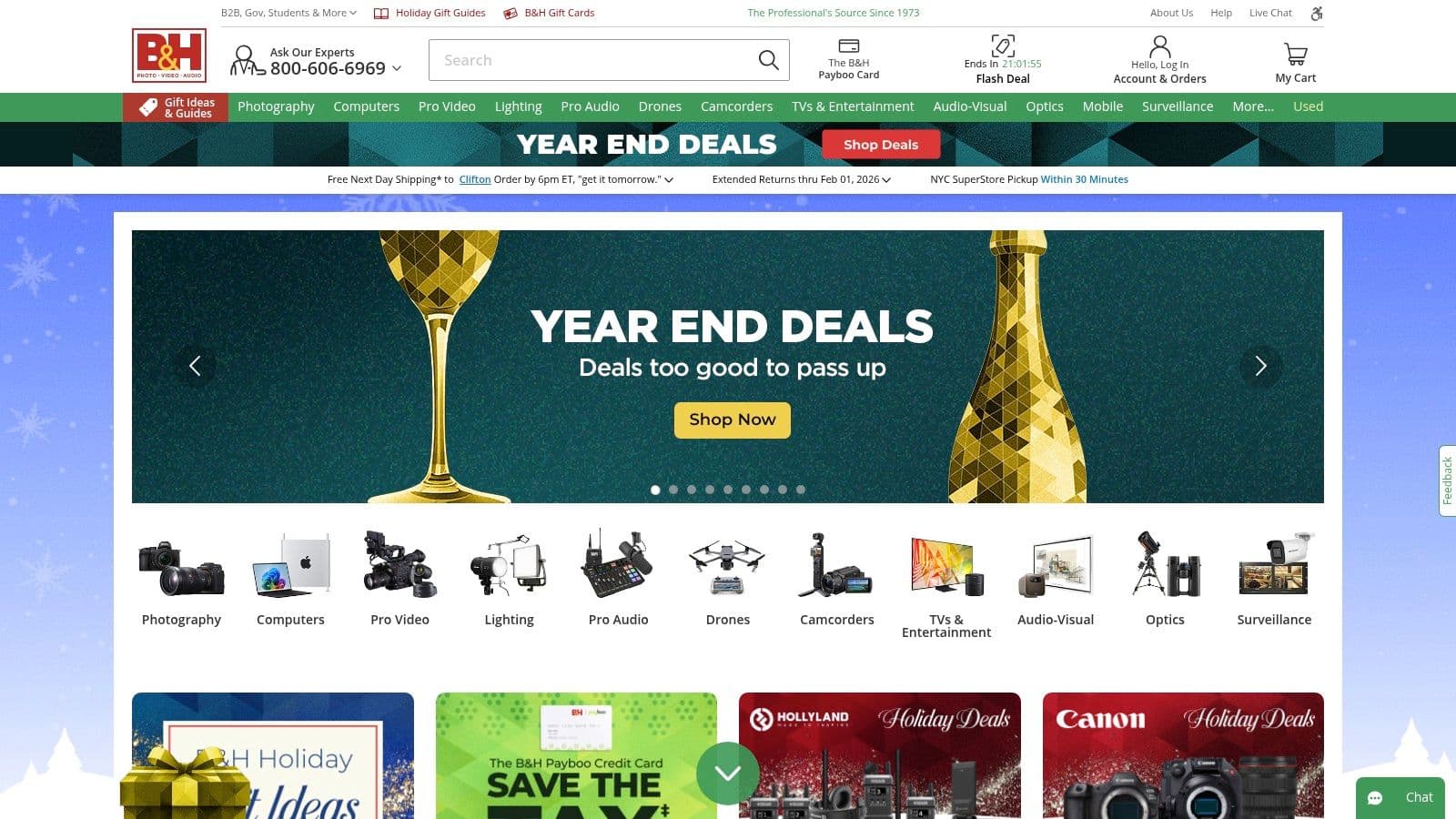
What sets B&H apart is its combination of an enormous inventory with deep educational content. The site features extensive buying guides, expert articles, and video tutorials that help creators make informed purchasing decisions. This educational layer, combined with knowledgeable support staff and its status as an authorized dealer for professional brands, transforms a simple retailer into a foundational partner for content producers.
Key Features & Analysis
- Curated Creator Guides: B&H simplifies the gear selection process with dedicated sections and buying guides for YouTubers, podcasters, streamers, and mobile creators.
- Authorized Pro Dealer: As an authorized dealer for top-tier brands like Sony, Canon, Blackmagic Design, and Shure, creators are assured they are buying genuine products with full warranties.
- Education and Support: The B&H Explora blog and YouTube channel provide a wealth of free educational content, reviews, and tutorials, backed by experienced sales and support staff.
- Vast Inventory: Offers an unparalleled selection of cameras, lenses, microphones, lighting, gimbals, capture cards, and even some creative software.
Pros and Cons
| Pros | Cons |
|---|---|
| Trusted One-Stop Shop: A reliable source for nearly all hardware needs. | Can Be Overwhelming: The sheer volume of choices can be daunting for beginners. |
| Excellent Educational Resources: Guides and content help demystify complex gear. | Price Fluctuation: Prices can vary and may not always be the lowest on every item. |
| Knowledgeable Staff: Access to expert advice via chat, phone, or in-store. | Primarily US-Focused: International shipping can be costly and complex. |
Best For: All levels of content creators, from beginners building their first kit to professionals upgrading their studio, who need a reliable source for high-quality hardware and educational resources.
Pricing: Varies by product. B&H offers a wide range of gear at all price points, along with financing options for larger purchases.
Website: https://www.bhphotovideo.com/
12. Sweetwater – Content Creators
While software is crucial, high-quality hardware is the foundation of professional-grade content. Sweetwater has long been a trusted retailer for musicians, and their curated "Content Creators" section extends that expertise to podcasters, streamers, and video producers. Rather than being just another electronics store, Sweetwater distinguishes itself with world-class, personalized support. They offer one of the most comprehensive platforms for sourcing the physical content creation tools needed to build a professional studio setup, from microphones and audio interfaces to lighting and cameras.
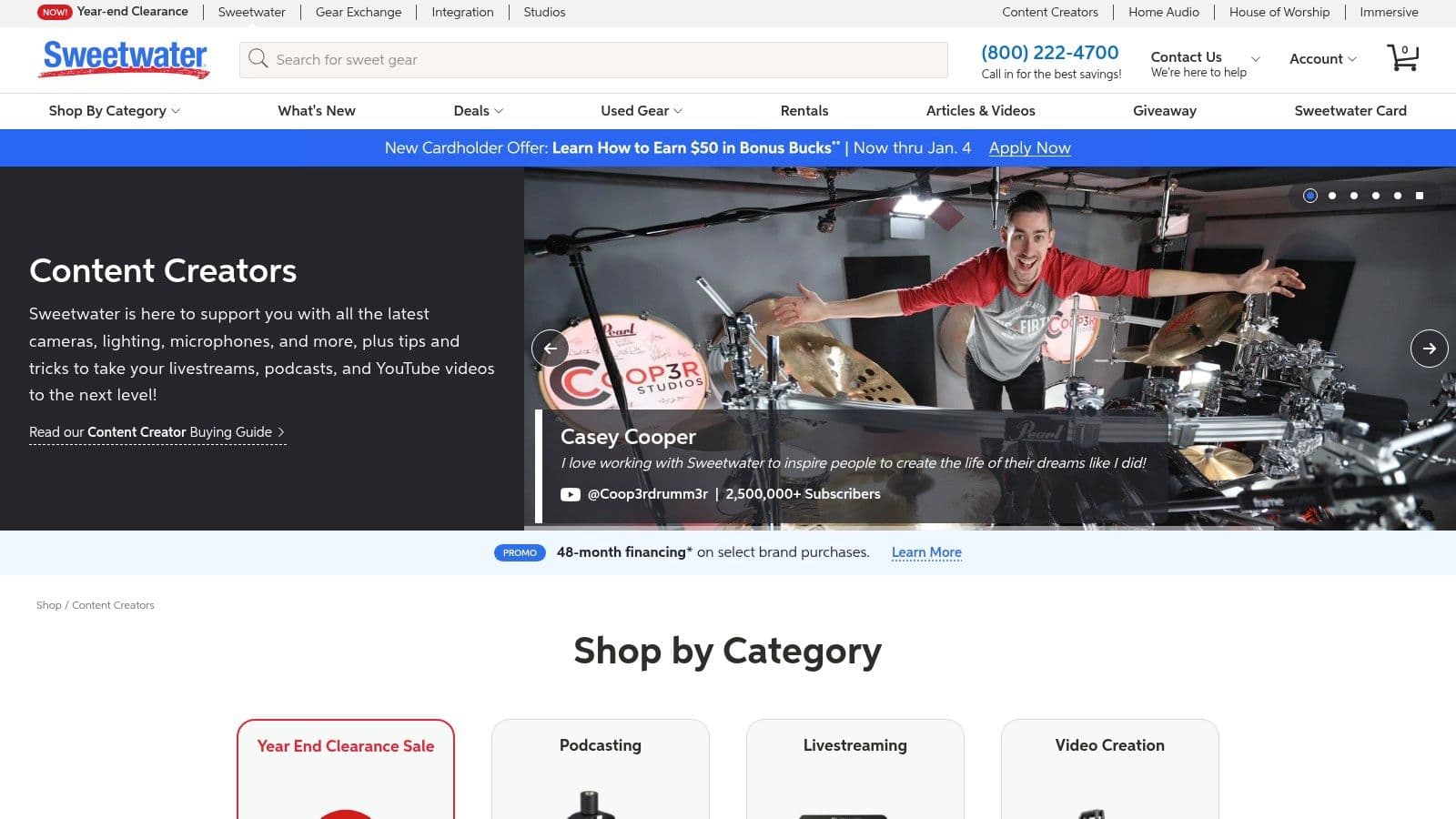
The key differentiator is access to their team of "Sales Engineers." These are highly trained gear experts who provide free, one-on-one consultations to help you select the exact equipment for your specific needs and budget. This guidance is invaluable for creators navigating the technical complexities of audio and video hardware, ensuring you invest in the right gear the first time. Their robust post-purchase support and financing options further solidify their position as a premier resource.
Key Features & Analysis
- Expert Consultation: Free access to trained Sales Engineers who provide personalized recommendations for microphones, audio interfaces, and entire studio builds.
- Curated Creator Sections: Dedicated shopping guides and bundles specifically for podcasting, live streaming, and video production make finding the right gear straightforward.
- Comprehensive Audio Selection: An industry-leading inventory of audio equipment, including microphones, mixers, headphones, and acoustic treatment.
- Creator-Focused Bundles: Offers pre-packaged kits that include everything a new podcaster or streamer needs to get started, often at a competitive price.
Pros and Cons
| Pros | Cons |
|---|---|
| Unmatched Customer Support: Personalized expert advice is invaluable. | Limited Video Gear: Selection is smaller than camera-first retailers. |
| Excellent for Audio Gear: The go-to source for professional audio. | Focus is US-Centric: International shipping can be costly or slow. |
| Competitive Bundles/Financing: Makes high-end gear more accessible. | Niche Items May Be Special Order: Some specialized gear isn't stocked. |
Best For: Podcasters, streamers, and video creators who need expert guidance in selecting high-quality audio and video hardware to build or upgrade their production setup.
Pricing: Varies by product. Sweetwater offers competitive retail pricing, frequent sales, and flexible financing options on most purchases.
Website: https://www.sweetwater.com/shop/content-creators
Top 12 Content Creation Tools Comparison
| Tool | Core features | UX / Quality ★ | Price / Value 💰 | Target Audience 👥 | Unique Selling Points ✨ |
|---|---|---|---|---|---|
| MyKaraoke Video 🏆 | Browser-based AI karaoke & lyric maker — auto lyrics sync, precision sync editor, real-time preview, 1080p MP4 exports | ★★★★★ | 💰 Free / $7.99/mo Standard / $14.99/mo Premium (credits & priority support) | 👥 Karaoke channels, musicians, social creators, event organizers | ✨ 1‑Click makers, duet mode, transparent/bg video exports, no installs |
| Adobe Creative Cloud | 20+ pro apps (Premiere, After Effects, Audition) + Firefly AI & cloud workflows | ★★★★★ | 💰 High‑cost subscription (individual / team / enterprise) | 👥 Professional editors, studios, agencies | ✨ Industry‑standard suite with deep cross‑app integration |
| Canva | Browser design suite with templates, simple video, brand kits & Magic Studio AI | ★★★★☆ | 💰 Freemium + team/subscription plans | 👥 Solo creators, marketers, small teams | ✨ Massive template/asset library and fast social publishing |
| Descript | Text‑based audio/video editing, overdub voice cloning, auto‑captions, Studio Sound | ★★★★☆ | 💰 Tiered subscription (AI credit limits) | 👥 Podcasters, content repurposers, creators | ✨ Text‑first editing + overdub and quick repurpose tools |
| Blackmagic DaVinci Resolve | All‑in‑one NLE: edit, Fusion VFX, Fairlight audio, advanced color & AI tools | ★★★★★ | 💰 Free core version; Studio one‑time upgrade | 👥 Filmmakers, colorists, pro editors | ✨ Industry‑leading color grading + powerful free tier |
| Final Cut Pro | macOS NLE with magnetic timeline, fast Apple silicon performance & AI tools | ★★★★★ | 💰 One‑time purchase (macOS only) | 👥 Mac-based pros and creators | ✨ Optimized for Apple hardware; speedy timeline workflows |
| Envato Elements | Unlimited downloadable assets: templates, music, footage, fonts under license | ★★★★☆ | 💰 Subscription for unlimited downloads | 👥 Editors needing frequent assets & templates | ✨ Large asset library with commercial licensing |
| Motion Array | Unlimited templates, plugins, stock, review tools & team licensing | ★★★★☆ | 💰 Subscription (individual & team plans) | 👥 Editors using NLE templates and teams | ✨ NLE-ready templates + collaboration/review tools |
| Artlist | Music, SFX, footage and AI tools with creator‑friendly licensing tiers | ★★★★☆ | 💰 Subscription (Social / Pro / Max bundles) | 👥 Creators & brands needing cleared audio | ✨ Clear lifetime license for published projects |
| Epidemic Sound | Extensive music & SFX library, channel‑linking and claims support | ★★★★☆ | 💰 Subscription (creator / pro / enterprise) | 👥 YouTubers, podcasters, brands | ✨ Channel‑linking to reduce platform copyright issues |
| B&H Photo Video – Creator Solutions | Retailer for cameras, audio, lighting; curated guides, events, authorized software | ★★★★☆ | 💰 Retail pricing; financing & shipping options | 👥 Creators buying hardware & software | ✨ Wide inventory + expert sales/support and education |
| Sweetwater – Content Creators | Audio‑focused retailer with curated bundles, sales engineers & post‑purchase support | ★★★★☆ | 💰 Retail pricing; bundles, financing & support | 👥 Audio creators, podcasters, livestreamers | ✨ Hands‑on phone support and tailored audio gear guidance |
Building Your Ultimate Content Creation Workflow
Navigating the vast landscape of digital tools can feel overwhelming, but as we've explored, the goal isn't to master every single platform. The true power lies in strategically assembling a personalized toolkit that aligns with your unique creative goals, budget, and workflow. The best content creation tools are not necessarily the most expensive or complex ones; they are the ones that empower you to produce high-quality content efficiently and consistently.
From the comprehensive video editing power of DaVinci Resolve and Final Cut Pro to the all-in-one design simplicity of Canva, each tool serves a distinct purpose. You might find that a powerful NLE (non-linear editor) is your central hub, while specialized applications handle specific, time-consuming tasks. This "hub-and-spoke" model is the secret to a streamlined production process.
Key Takeaways: From Tools to a Cohesive System
Your journey from a creator with an idea to a publisher with an audience is built on the efficiency of your workflow. Consider these core principles as you build your own:
- Identify Your Core vs. Complementary Tools: Don't expect one tool to do everything perfectly. Your core tool might be Adobe Creative Cloud for its interoperability, but a subscription to Artlist for music and Envato Elements for templates are the complementary assets that save you countless hours.
- Specialization is Efficiency: A dedicated tool often outperforms a general one for specific tasks. Instead of wrestling with complex text animations in a video editor, a specialized tool like MyKaraoke Video can generate professional-grade lyric and karaoke videos in a fraction of the time, freeing you to focus on the broader creative vision.
- Budget for Scalability: Many of the best content creation tools offer free tiers or trials. Start there. As your channel grows and your needs evolve, you can strategically invest in premium features or more advanced software without overcommitting upfront. A free tool like DaVinci Resolve can carry you far, allowing you to allocate budget toward assets from Motion Array or audio gear from Sweetwater.
Actionable Next Steps: How to Choose Your Perfect Toolkit
Feeling inspired but unsure where to start? Follow this simple framework to make confident decisions and avoid analysis paralysis.
- Map Your Current Workflow: Write down every step you take to create a piece of content, from brainstorming to publishing. Identify the biggest bottlenecks and time sinks. Is it finding music? Creating graphics? Editing audio?
- Match Tools to Pain Points: Refer back to the tools in this guide. If audio editing is your weak spot, Descript could be a game-changer. If you spend hours on social media graphics, Canva is your solution. Target your biggest problems first.
- Test and Integrate: Commit to trying one or two new tools for your next project. Pay attention not just to the features, but to how well they fit into your existing process. A great tool that disrupts your flow is not the right tool for you.
Ultimately, building your ideal content creation stack is an iterative process. The tools you start with may not be the ones you use a year from now. The key is to remain curious, embrace solutions that solve real problems, and continuously refine your workflow. By doing so, you transform your creative process from a series of disjointed tasks into a powerful, integrated system that consistently brings your best ideas to life.
Ready to conquer one of the most engaging content formats out there? If you create music, lyric videos, or karaoke tracks, stop struggling with tedious text animation and give your workflow a massive upgrade. Discover how MyKaraoke Video can help you produce stunning, perfectly synchronized videos in minutes by visiting MyKaraoke Video today.