Welcome to the new era of music and video production. Forget the old gatekeepers and massive studio budgets; today's world is all about accessible tools and visual-first platforms. A great song is crucial, but a killer video is what gets you noticed.
Think of it this way: your music is the product, but the video is the eye-catching packaging that makes someone stop and listen.
The New Age of Music and Video Production
The entire game of music and video production has been turned on its head. It wasn't long ago that making a decent music video meant you needed a huge budget, a director, and a full crew. Now, the creative power is firmly in the hands of the artist, thanks to the endless demand for visual content on platforms like YouTube and TikTok.
This isn't just about new gadgets or software. It's a fundamental change in how people experience music. A song on its own is one thing, but pairing it with a visual story creates something people can truly connect with. For artists trying to break through the noise, that visual element isn't just a "nice to have"—it's everything.
The Power of Visuals in Music
With millions of tracks vying for attention, a video is your secret weapon. It gives your music a face, a narrative, and an emotional depth that audio alone just can't match. For independent artists, this is a massive opportunity.
- Forge a Real Connection: Videos are your chance to show your personality and build a loyal fanbase that’s invested in you, not just your song.
- Get Discovered: YouTube is the world's second-largest search engine. A well-made video can put your music in front of a global audience actively searching for their next favorite artist.
- Spark Shareability: Let's be honest, people share cool videos. A creative, funny, or stunning video is way more likely to go viral on social media than an audio file.
The biggest shift? Accessibility. Tasks that once demanded a team of specialists and a truckload of expensive gear can now be done by one person on a laptop with the right tools. This has completely leveled the playing field.
The table below paints a clear picture of how dramatically things have changed, moving from an exclusive studio-controlled model to an open, creator-driven world.
The Evolution of Music Video Production
| Aspect | Traditional Era (Pre-2010) | Modern Creator Era (Today) |
|---|---|---|
| Cost | Extremely high ($500,000+ not uncommon) | Low to moderate (DIY is nearly free) |
| Tools | Specialized hardware, film cameras, expensive editing suites | Laptops, DSLRs, smartphones, browser-based software |
| Distribution | Controlled by labels and TV networks (e.g., MTV) | Open platforms like YouTube, TikTok, Instagram |
| Team Size | Large production crews required | Often a one-person job or a small team |
| Accessibility | Limited to signed artists with major label backing | Open to anyone with a song and a creative idea |
This shift isn't just about creative freedom; it's a massive economic one.
The Economic Transformation of Production
We've moved from a world where a single music video could cost anywhere from $500,000 to $1 million to one where powerful, browser-based tools have slashed those costs by an incredible 80-90%. This democratization is making professional-quality results accessible to anyone, fueling a market projected to grow by a massive USD 1,202.1 billion by 2029. You can read more about this explosive growth in recent industry analyses.
Emerging technologies are pushing the creative envelope even further. For a mind-blowing look at what's possible, check out this ultimate guide to cinematic AI video generation and see how AI is completely rewriting the rules of visual storytelling. This evolution is a core theme in the latest https://www.mykaraoke.video/blog/entertainment-industry-trends.
In this guide, we'll walk you through the entire process—from prepping your audio files to getting your final video out into the world—so you can master the skills needed to succeed in this exciting new age of music production.
Laying the Foundation with Pre-Production
Before you even think about visuals, your entire video project hinges on getting the pre-production right. It’s a lot like building a house—you wouldn’t just start nailing boards together without a solid foundation and a detailed blueprint. In our world, the audio track is your foundation, and the lyrics are the blueprint.
Nailing these two elements from the get-go is non-negotiable. Seriously. It's the single best thing you can do to avoid massive headaches and hours of painful rework later on. If you rush this part, you're setting yourself up for failure. A weak foundation will bring down everything you build on top of it.
Polishing Your Audio First
Everything starts with the audio file. It doesn't matter how incredible your visuals are if the track itself sounds muddy or amateurish. Your goal is to have a clean, balanced, and powerful audio experience that can serve as the rock-solid base for the whole production.
This really boils down to two key steps:
- Mixing: This is where you artfully blend all the individual tracks—drums, bass, guitars, vocals, everything—into one cohesive whole. It’s all about adjusting levels, panning, and effects to make sure every element has its own space to shine.
- Mastering: After the mix is locked in, mastering is the final layer of polish. This is what makes your song sound consistently great everywhere, from beefy studio speakers to cheap earbuds. It optimizes the overall loudness, dynamic range, and tonal balance.
Skipping the mastering step is a classic rookie mistake. An unmastered track just won't have the same punch or volume as commercially released songs, making it feel weak and unprofessional when someone hears it in a playlist.
A well-mastered audio track is your quality control checkpoint. It ensures your music has the impact and clarity to stand out on crowded platforms like Spotify and YouTube, where you only get one chance to make a first impression.
Preparing the Lyric Blueprint
Once your audio is finalized, the next step seems simple but is absolutely critical: preparing your lyrics. This might feel like a tiny detail, but it’s the architectural plan for your entire lyric or karaoke video. A clean, accurate text file makes the sync process infinitely faster and more precise.
For the best results, just follow these simple rules for your lyric file:
- Plain Text is Perfect: Save your lyrics as a simple .txt file. This sidesteps any weird formatting issues you might get from programs like Microsoft Word or Google Docs.
- One Line, One Thought: Each line in your text file should be exactly how you want that line to appear on screen. This gives you total control over the visual pacing.
- Check for Accuracy: Proofread everything. One little typo can disrupt the whole video and force you to make frustrating fixes down the line.
This prep work only takes a few minutes, but the payoff is enormous. When you're using a tool like MyKaraoke Video—which leverages AI to handle the synchronization automatically—a high-quality audio track and a clean text file are the only two ingredients you need to get the ball rolling.
Think of these pre-production assets—your mastered audio and formatted lyrics—as your raw materials. A good contractor wouldn't show up with warped lumber and a smudged blueprint, right? In the same way, you shouldn't start a video project with a muddy mix or a messy lyric sheet. Taking the time to perfect these foundational elements ensures the rest of your music and video production workflow will be smooth, efficient, and ultimately, successful.
How to Synchronize Lyrics with AI
With your polished audio and clean lyric sheet ready to go, we've arrived at the part where everything comes together: synchronizing the words to the music. In the world of music and video production, this has traditionally been one of the most agonizing and time-consuming jobs when making a lyric or karaoke video.
Think of it like this: you're a conductor with a stopwatch, frantically trying to tap out the exact start and end of every single syllable in a song. It’s tedious work, incredibly prone to human error, and demands hours of meticulous clicking and nudging inside a video editor. For a standard three-minute song, you could easily burn an entire afternoon on this task alone.
The Old Way Versus The AI Way
The traditional method is a true test of patience. It means sitting in a complex video editing suite, dropping a text layer onto a timeline, listening to a tiny piece of the song, and then trimming that layer to match the vocal. Now, repeat that process a few hundred more times. This doesn't just drain your creative energy; it puts up a huge technical wall for artists who aren't seasoned video editors.
This is where AI-powered tools completely flip the script. Instead of all that manual labor, you just give the system the two key ingredients: your final audio track and your prepared lyric text. The AI takes it from there.
AI lyric synchronization is like having a team of expert editors working at lightning speed. It scans the audio waveform, pinpoints the vocal patterns, and matches them to your text file to generate precise, syllable-level timestamps—all in a matter of minutes, not hours.
What was once the biggest bottleneck in lyric video creation is now automated. A task that used to eat up a whole day can now be done in less time than it takes to listen to your song a couple of times through.
The diagram below shows just how simple this three-step foundation is, beginning with your prepared audio and lyrics.
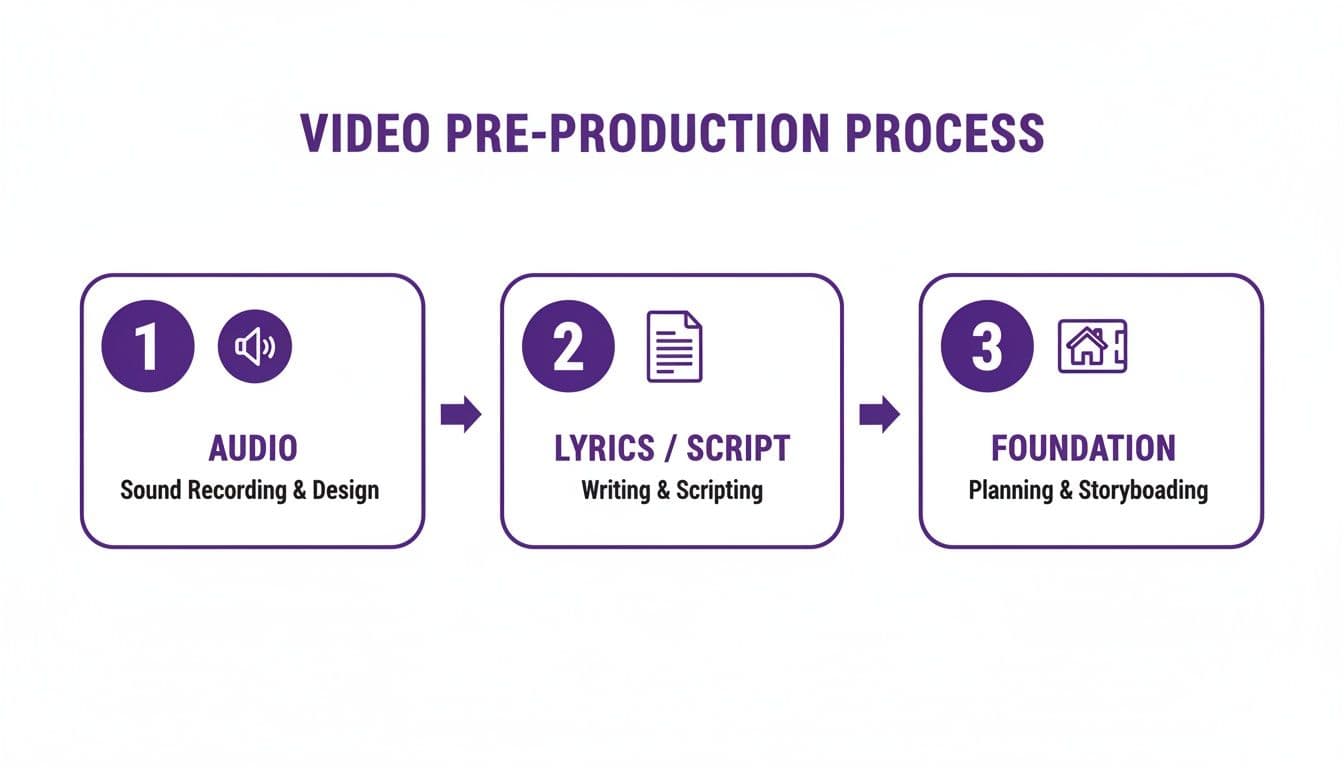
As you can see, a solid audio track and a clean lyric file give the AI a strong foundation to build upon, making the whole process smooth and efficient.
How AI Achieves Perfect Timing
So, how does it actually work? Modern AI models are trained on massive datasets of audio paired with corresponding text. This training allows them to recognize phonetic sounds and match them to written words with remarkable accuracy.
Here’s a quick look at what’s happening under the hood:
- Audio Analysis: First, the AI scans your audio track, creating a detailed map of its sonic landscape. It pays close attention to exactly when vocals start and stop.
- Text Recognition: At the same time, it breaks your lyric file down into individual lines, words, and even syllables.
- Intelligent Alignment: This is the magic step. The system lines up the phonetic sounds it "heard" in the audio with the words from your text, assigning a start and end time to every single element.
- Automatic Line Breaks: Smart algorithms also figure out the best places to break lines, making sure the text on screen flows naturally and is easy for your audience to read.
This first pass from the AI gets you 95% of the way to a perfectly synced video, almost instantly. That last 5% is where you step in to add your creative flair. If you're curious to learn more about the technology behind this, check out our detailed guide on how an AI lyric video generator works.
Fine-Tuning with an Intuitive Editor
Let's be real—no AI is perfect, and great art always needs a human touch. That’s why tools like MyKaraoke Video are built to combine powerful automation with a hands-on sync editor. After the AI does its initial heavy lifting, you get an easy-to-use interface to make any final adjustments.
This visual editor lets you see the audio waveform and simply drag the timing of words or syllables to get them just right. The fine-tuning process becomes fast and, dare I say, fun.
Maybe you want a word to appear a split-second early for dramatic effect, or you need to merge two short lines into one for better flow. With a visual editor, these tweaks are a breeze:
- Drag and Drop: Easily shift a word's timing by dragging its block along the audio waveform.
- Adjust Duration: Stretch or shrink a syllable’s duration to perfectly match the singer’s delivery.
- Merge or Split Lines: Combine or separate text blocks with a single click to control the pacing on screen.
This setup gives you the best of both worlds: the incredible speed of AI automation plus the final creative control that only a human can provide. For those working on projects that require absolute precision, like matching an animated character's mouth movements, learning more about lip sync AI can open up even more possibilities for perfect alignment.
Designing a Visually Stunning Video
Okay, your lyrics and audio are perfectly locked in sync. The technical heavy lifting is behind you. Now we get to the fun part—giving your video its visual identity. This stage of music and video production is where you take that synced track and shape it into a polished, shareable work of art that truly captures your song's unique vibe.
Think of yourself as the creative director here. Your mission is to find the right backdrop and typography to amplify the song's emotional tone. A heartfelt ballad might call for soft, flowing fonts and muted colors. On the other hand, a high-energy dance track could come alive with bold, blocky text and vibrant, flashing backgrounds.
Every single visual choice you make adds to the viewer's experience. The goal is to create something that's both beautiful to look at and completely effortless to read, making sure your lyrics are always the star of the show. And thanks to modern tools, this creative step is more accessible than ever, with more and more artists directing their own visuals.
Choosing Your Core Visual Elements
The entire mood of your video rests on three key pillars: the background, the font, and the color palette. Getting these right is crucial, because they all have to work together.
- Backgrounds: You've got two main options here: a static image or a dynamic video loop. A high-quality photo can set a strong, consistent tone, while a subtle video loop adds a touch of movement and life without being distracting. The secret is to pick a background that isn't too "busy"—otherwise, the lyrics can get lost.
- Fonts (Typography): The font you choose says a lot. Serif fonts (like Times New Roman) tend to feel classic or even formal. Sans-serif fonts (like Arial or Helvetica) come across as clean and modern. Script fonts can look elegant, but be careful—they’re often harder to read quickly.
- Color Palette: Your colors need to create a high-contrast environment so the words pop. Dark text on a light background or light text on a dark one is a classic, foolproof combination. If you need some inspiration, tools like Adobe Color are fantastic for finding complementary color schemes that just work.
Visual design for a lyric video is a balancing act. You want visuals compelling enough to hold a viewer's interest, but subtle enough that they don't overshadow the music and lyrics. The visuals should serve the song, not compete with it.
Best Practices for Readability and Impact
A gorgeous video is worthless if nobody can read the words. Readability has to be your number one priority. This is where a tool like MyKaraoke Video really shines, giving you a real-time preview so you can see exactly how your design choices look as you make them.
This access to powerful tools has fueled a massive boom in independent creation. The music video production niche was valued at an incredible USD 5.2 billion in 2023 and is projected to nearly double by 2032. In fact, one recent report found that 10% of music videos are now self-directed by artists themselves—a huge testament to how accessible production has become. You can dive into the full global music video production market report for more details.
To make sure your video is part of this successful wave, stick to these key principles:
- Prioritize High Contrast: This is the golden rule. White text on a black background is the most readable combination on the planet, but any light-on-dark or dark-on-light pairing will do the trick. Just avoid placing text over a background with similar colors.
- Keep Animations Simple: Text animations can add a professional touch, but don't go overboard. A simple fade-in or a clean slide-on effect is often far more effective than complex movements that just distract the viewer.
- Maintain Consistency: Once you’ve landed on your font, colors, and background style, stick with them. A consistent design language makes the entire video feel more intentional and professionally produced.
When you thoughtfully combine these elements, you can design a lyric video that not only looks fantastic but also deepens your audience's connection to your music. You're not just making a video; you're creating an immersive audio-visual experience.
Exporting and Distributing Your Final Video
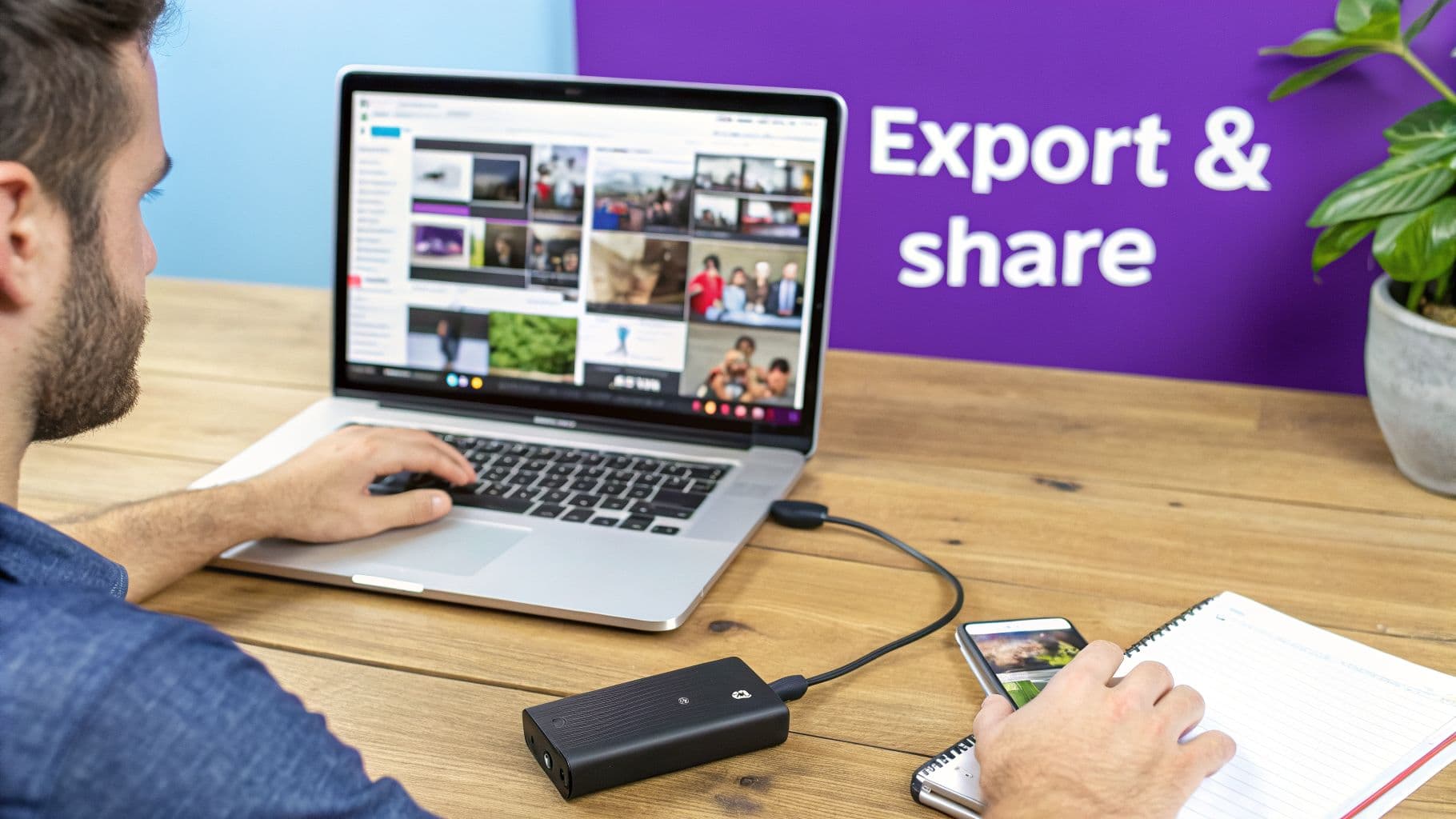
Alright, your video is finally done. The audio is dialed in, the lyrics hit every cue, and the visuals perfectly match the vibe of your song. Now comes the moment of truth: getting it out into the world. This last step in the music and video production process, exporting and distributing, is what separates a file sitting on your hard drive from a video that connects with an actual audience.
Think of it like this: you just baked the perfect cake. Exporting is like choosing the right box to put it in, and distribution is getting it to the party. Both are essential if you want anyone to enjoy your creation.
Nailing Your Export Settings
Before you can upload your video, you have to "render" or "export" it from your editing software into a single, playable file. The settings you pick here have a huge impact on your video’s quality and whether it will play correctly on different platforms. It might sound technical, but you only need to get a handle on a few key options.
- Format: MP4 (H.264): This is the undisputed king of video formats. MP4 files give you an excellent balance between high quality and a reasonable file size, making them the perfect choice for YouTube, Instagram, and TikTok. Honestly, it's the right call for almost any online use.
- Resolution: 1080p: This translates to a video that is 1920 pixels wide by 1080 pixels tall. It’s the gold standard for online content, delivering a sharp, high-definition picture without creating a massive file that takes forever to upload.
- Bitrate: You can think of bitrate as the amount of data packed into each second of video. A higher bitrate equals better quality, but also a bigger file. For a 1080p video on YouTube, aiming for a bitrate between 8-12 Mbps (megabits per second) is a great sweet spot.
- Aspect Ratio: This is simply the shape of your video. To look your best everywhere, you'll need to export different versions. The two most important ratios are 16:9, the standard horizontal widescreen for YouTube, and 9:16, the vertical format that dominates TikTok, Instagram Reels, and YouTube Shorts.
Choosing the right export settings isn't just about ticking boxes; it's about respecting your audience. A properly formatted video looks professional and plays smoothly, making sure all your hard work is seen exactly as you intended.
Building Your Distribution Strategy
With your shiny new video files ready to go, it’s time to share them. But just dumping your video online and hoping for the best is a recipe for getting lost in the noise. You need a smart distribution strategy, and that starts with optimizing your video's metadata—its title, description, and tags.
This step is your ticket to a massive potential audience. Streaming platforms reached 818 million global users in 2024, driving 69% of recorded music revenues at a staggering US$20.4 billion. The growth is mind-boggling: what took 2,729 days to achieve one billion streams in 2015 is projected to take just 197 days by 2025, according to the 2025 IMS Business Report. This shows just how powerful video-enhanced music has become.
To give your video the best shot at finding its audience, focus on these three elements:
- Write an SEO-Friendly Title: Your title needs to be both interesting and easy to find. Always include the artist name, song title, and a keyword like "Official Lyric Video" or "Karaoke Version." A great example is: "The Wandering Bards - 'City Lights' (Official Lyric Video)".
- Craft a Compelling Description: The first couple of lines are prime real estate. Use them to briefly describe the song and, most importantly, include links to your social media and streaming profiles on Spotify or Apple Music. You can also paste the full lyrics further down in the description.
- Use Strategic Tags: Tags are clues that help the platform's algorithm understand your video. Be sure to include your artist name, the song title, your genre ("indie pop," "synthwave"), the mood ("uplifting," "chill"), and even some related artists.
Getting these final steps right ensures your video doesn't just go online—it performs. If you're ready to dig deeper into getting your video noticed, be sure to check out our detailed guide on how to effectively promote a music video.
Common Questions About Music and Video Production
Diving into the world of music and video production can feel overwhelming, especially with technology moving so fast. Let's cut through the noise and get straight to the practical answers for the questions I hear most often. This should help you solve problems and get back to what you do best—creating.
What Gear Do I Actually Need to Get Started?
Honestly, you can forget about needing a million-dollar studio. The truth is, you can get professional results with a surprisingly minimalist setup, particularly when you're making lyric or karaoke videos.
For your audio, the goal is simply a clean, clear recording. A decent USB microphone, a free Digital Audio Workstation (DAW) like Audacity or GarageBand, and a quiet room to record in will take you incredibly far. That simple combination is really the foundation for any professional-sounding track.
When it comes to the video side of things—especially for lyric-heavy projects—your software choices are far more important than your hardware. Instead of shelling out for expensive editing suites that require a beast of a computer, modern browser-based tools can do all the heavy lifting. All you really need is your final audio file, your lyrics typed up in a text doc, and a computer with an internet connection. That lean approach is more than enough to produce polished 1080p videos without breaking the bank.
How Does AI Simplify Lyric Video Creation?
AI completely changes the game by automating the single most tedious part of making a lyric video: syncing the words to the music. In the past, this was a painstaking, manual process. An editor would have to sit there, listen to the track over and over, and nudge each word or syllable into the perfect spot on a complex video timeline. It could take hours.
Now, modern AI tools flip that script. You just feed it the audio file and the lyric text, and the AI analyzes both to generate precise timing in a matter of minutes. It's not just about saving time, either; it achieves a level of accuracy that's incredibly difficult, if not impossible, to match by hand.
Think of it this way: the AI handles the mind-numbing technical work for you. This frees you up from being a timeline technician and lets you focus your energy on what really matters—the creative side. You get to spend your time perfecting the fonts, colors, and backgrounds that bring your artistic vision to life.
This is a massive win for anyone in music and video production. Whether you're an artist on a tight budget or a content creator churning out videos at scale, it removes a huge technical hurdle and makes the whole process faster and more accessible for everyone.
What Are the Best Platforms to Share My Music Videos?
The smartest strategy is to think of it as building a content ecosystem, not just picking one platform. You don't want to put all your eggs in one basket. Instead, use different platforms for what they do best, and have them all work together.
- YouTube: This is still the king for your main, full-length music and lyric videos. Its search engine is fantastic for helping new fans discover you, and the monetization options give you a clear path to earning revenue from your work.
- TikTok & Instagram Reels: These are your hype machines. Use them for short, punchy, vertical clips that serve as teasers for your full video. A killer 15-second snippet can drive a ton of traffic back to your YouTube channel.
- Facebook: This is where you connect with your community and existing fans. Sharing your video in relevant groups or on your artist page is a great way to spark direct conversation and engagement with your audience.
The secret to making this multi-platform approach work is optimization. You absolutely have to format your video for each site. That means a 16:9 horizontal video for YouTube and a 9:16 vertical version for TikTok and Reels. It seems like a small step, but it makes a huge difference in how viewers experience your content and will seriously boost your engagement.
How Can I Measure the Success of My Videos?
To really know if your video is hitting the mark, you need to look at two kinds of data: the numbers and the feedback. The numbers tell you what's happening, and the feedback from your audience tells you why.
First, let's talk about the hard numbers. These quantitative metrics are vital because they send signals to the platform algorithms, telling them that your content is engaging and that they should show it to more people.
Key Quantitative Metrics to Track:
- View Count: The total number of times your video has been played.
- Watch Time: The total number of minutes people have collectively spent watching your video. This is a big one.
- Audience Retention: The average percentage of your video that viewers watch. A high retention rate is a powerful signal of quality.
- Click-Through Rate (CTR): The percentage of people who see your video's thumbnail and actually click to watch it.
- Engagement Rate: A measure of the likes, comments, and shares you get relative to your total views.
But don't stop at the numbers. It's just as important to dive into the qualitative feedback. Read the comments sections. What are people saying? Are they connecting with the lyrics? Do they love the visual style? For musicians, one of the ultimate success metrics is whether the video is driving people to listen to your song on platforms like Spotify or Apple Music. Looking at this complete picture is how you'll learn, refine your strategy, and make even better videos next time.
Ready to stop wrestling with complicated software and start creating stunning lyric videos in minutes? MyKaraoke Video uses powerful AI to automatically sync your lyrics, giving you a full suite of creative tools to design visuals that perfectly match your music. Get started today and see how easy music and video production can be by visiting https://www.mykaraoke.video.
