Ready to turn your passion for music into a captivating karaoke experience? Whether you're a professional Karaoke Jockey (KJ) managing a packed venue, a content creator building a popular YouTube channel, or just looking to host unforgettable parties at home, choosing the right tool is critical. The market for karaoke software is vast, with options ranging from simple streaming apps to complex hosting suites and innovative AI-powered video creators. This guide cuts through the noise to help you find the karaoke software best suited for your specific needs.
We'll explore the top 12 platforms, analyzing not just their features but their real-world applications. We cover everything from AI-driven lyric syncing that saves hours of editing to robust singer rotation management for professional gigs. Forget generic lists; this is a practical resource designed to help you find the perfect software that aligns with your goals, technical skills, and budget.
Each entry includes a detailed breakdown of its core functionality, pricing structure, unique strengths, and potential limitations. You will find screenshots for a visual preview and direct links to get started immediately. Our comprehensive analysis is designed to move beyond marketing claims, providing you with the insights needed to make an informed decision for your next event or creative project. Let's dive in and identify the ideal solution to power your karaoke setup.
1. MyKaraoke Video
MyKaraoke Video emerges as a frontrunner in our search for the karaoke software best, offering a powerful, browser-based solution for creating professional-grade karaoke and lyric videos. It sidesteps the need for complex, downloadable software by leveraging sophisticated AI directly in your web browser. This platform revolutionizes the content creation workflow by automating two of the most time-consuming tasks: vocal removal and lyric synchronization. Users simply upload an audio file, paste their lyrics, and let the AI handle the heavy lifting, delivering perfectly timed lyric videos in minutes, not hours.
The platform’s strength lies in its blend of powerful automation and deep customization. Its 1-Click Karaoke and Lyric Video Makers are ideal for rapid production, while the intuitive sync editor allows for granular, word-by-word timing adjustments. This makes it an invaluable tool for both beginners and seasoned video creators.
Beyond simply playing tracks, many users and KJs are also interested in creating their own content. To dive deeper into the process, you can explore guides on how to create engaging lyric videos.
Key Features & Benefits
- AI-Powered Automation: The core technology automatically separates vocals from instrumentals and syncs lyrics with remarkable accuracy, drastically reducing manual editing time.
- Comprehensive Customization: Users have full control over the visual aesthetic, with options to adjust fonts, colors, backgrounds, and even set up split-screen Duet Mode vocals.
- High-Quality, Fast Exports: Videos are rendered and exported as 1080p MP4 files at lightning speed, ensuring a professional final product without long wait times.
- Web-Based Accessibility: Being fully browser-based means no downloads or installations are necessary. You can create videos from any modern computer with an internet connection, making it highly flexible.
Pricing and Access
MyKaraoke Video operates on a flexible freemium model. The free tier is quite robust, allowing users to test core functionalities. Paid plans unlock premium features like watermark removal, increased AI credits for processing more tracks, and priority customer support. This tiered structure makes the platform accessible to hobbyists while providing the necessary power for commercial creators managing YouTube channels or producing content for events.
Visit the website: https://www.mykaraoke.video
2. KaraFun
KaraFun is a household name in the karaoke world, offering one of the most accessible and polished all-in-one platforms available. It excels by providing a seamless, consistent experience across a vast range of devices, from dedicated Windows and Mac apps to mobile clients for iOS/Android and even smart TV applications. This makes it a strong contender for the title of best karaoke software for users who value simplicity and multi-platform support.
The platform’s core strength is its massive, legally licensed streaming catalog, which is continuously updated with hundreds of new tracks monthly. This removes the hassle of sourcing and managing individual song files. For home users, the offline sync feature (up to 1,000 songs) is a standout, ensuring your party continues even with an unstable internet connection.
Core Features and Use Cases
KaraFun’s feature set is robust yet user-friendly, catering to both casual singers and professional KJs.
- Best Use Case: Ideal for home karaoke enthusiasts seeking a massive, ready-to-go song library and for small-to-medium venues needing a reliable, commercially licensed solution.
- Dual-Screen Display: Easily extend the lyrics to a second monitor or TV, keeping the primary control interface separate for the host.
- Remote Control: A brilliant feature where singers can browse the catalog and add songs to the queue directly from their smartphones via a simple QR code scan, minimizing host interruptions.
- Offline Mode: Premium users can save up to 1,000 favorite tracks for offline playback. The Pro plan unlocks the entire catalog of over 59,000 songs for offline use, a critical feature for professional reliability.
Pricing and Plans
KaraFun offers a clear pricing structure that separates personal and professional use.
- Premium Plan: A weekly pass is available for $5.99, while the monthly subscription is $9.99. This is perfect for home parties and personal practice.
- Pro Plan: Priced at $49 per month, this plan includes a commercial license for public performance, full offline access, customizable branding, and advanced management features.
Website: https://www.karafun.com/subscribe.html
3. PCDJ (DEX 3 and LYRX)
PCDJ is a long-standing name in the professional DJ and KJ community, offering robust software designed for live performance environments. Unlike simpler streaming services, PCDJ provides two powerful applications: DEX 3, a full-featured multimedia mixing software for DJs who also host karaoke, and LYRX, a dedicated karaoke show hosting program. This focus on professional control makes it some of the best karaoke software for seasoned hosts who need granular management over their events.
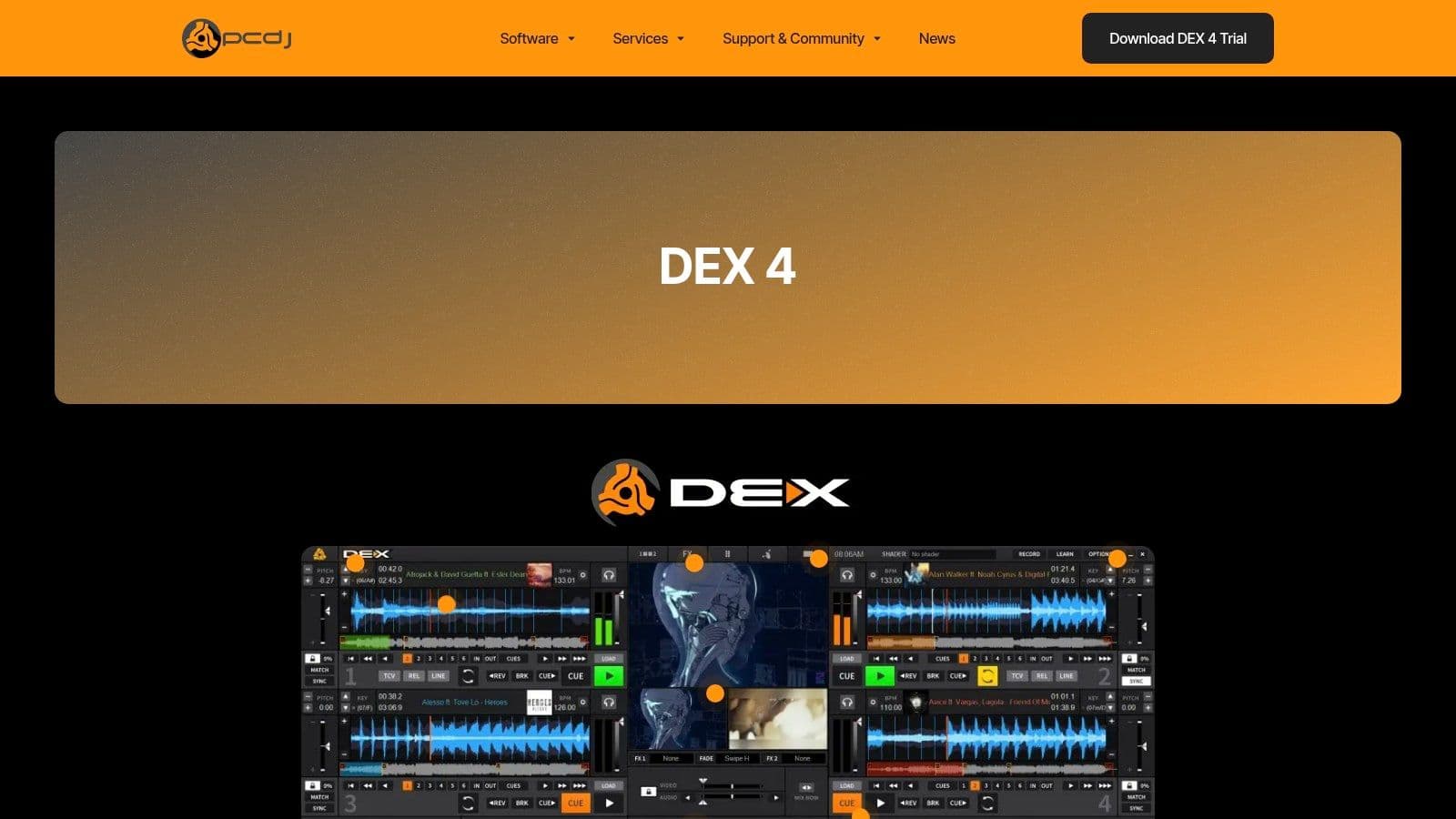
The platform's main advantage is its deep integration with professional workflows. It supports both local media files (MP3+G, Zipped MP3+G, MP4) and a built-in subscription to the Party Tyme Karaoke catalog. This hybrid approach gives KJs the flexibility to use their own curated collections while also having access to a constantly updated, commercially licensed library of over 20,000 hits.
Core Features and Use Cases
PCDJ's software is built for reliability and comprehensive show management, making it a staple for working KJs.
- Best Use Case: Professional KJs and entertainment venues that require precise control over singer rotation, music playback, and songbook management.
- Singer Rotation and History: LYRX excels with its advanced singer queue, allowing hosts to manage rotation, track singer history, and even add singers to the queue via the KSR (Karaoke Singer Request) web app.
- Offline Access: The integrated Party Tyme subscription allows for downloading the entire catalog for offline use, guaranteeing a smooth show regardless of internet connectivity.
- Hardware and File Support: Extensive support for professional DJ controllers and a wide range of audio/video file types provide maximum flexibility for any setup.
Pricing and Plans
PCDJ uses a one-time purchase model for its software, with an optional subscription for the karaoke music catalog.
- LYRX: A one-time purchase of $39.95 provides a lifetime license for the dedicated karaoke software.
- DEX 3: The full DJ/VJ/Karaoke software costs $149 for a one-time purchase.
- Party Tyme Subscription: Access to the streaming and offline catalog is available for $49.99 per month.
Website: https://pcdj.com/dj-software/dex-3/
4. Power Karaoke (Siglos Karaoke Professional)
Power Karaoke's Siglos Karaoke Professional is a comprehensive, Windows-based software suite designed for the serious KJ. It moves beyond simple playback, offering a powerful control center for managing live karaoke shows with professional-grade features. This focus on event management makes it a top choice for professionals who need granular control over singer rotation, song requests, and venue display settings.
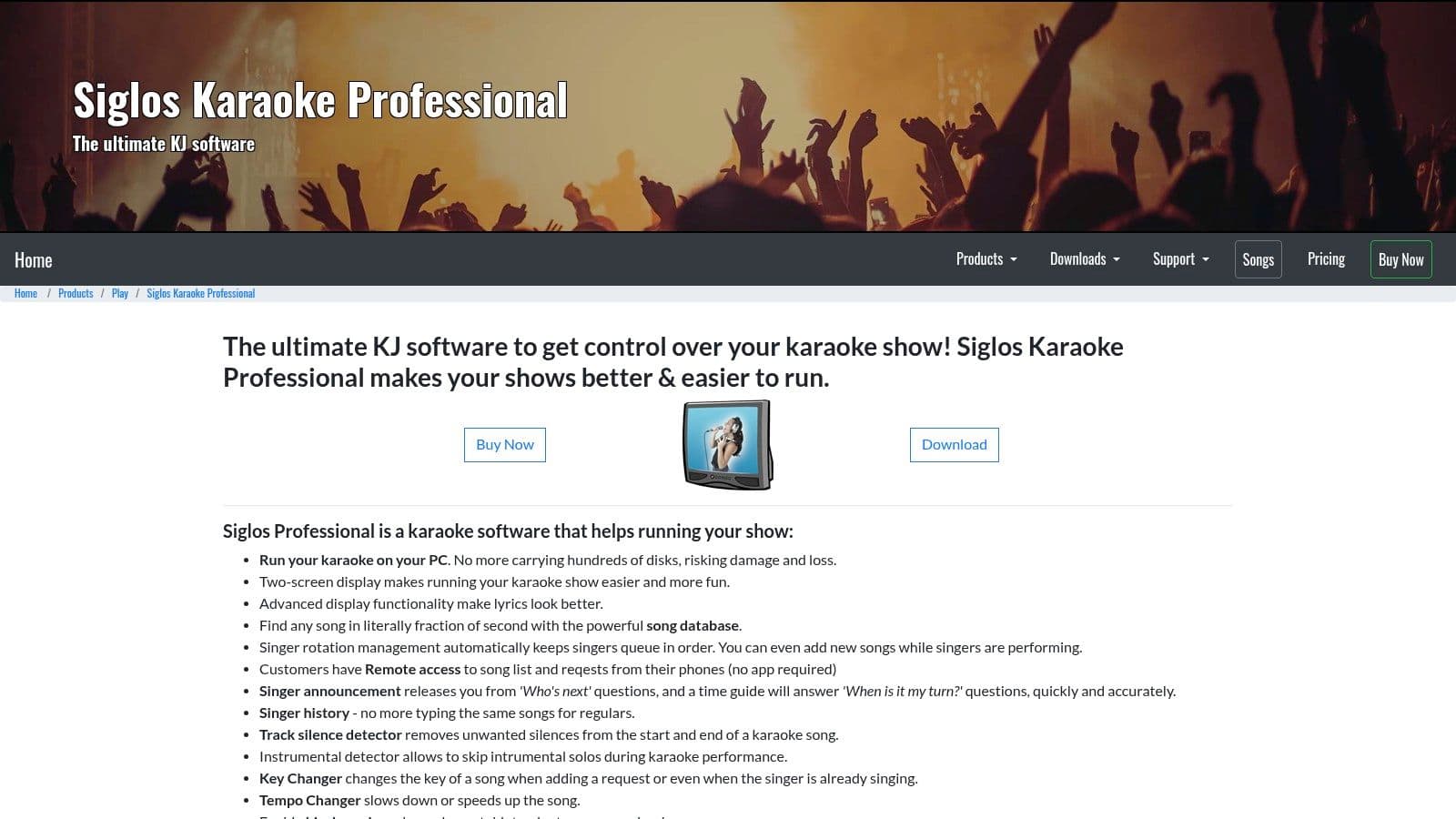
Unlike streaming-first platforms, Siglos is built to handle local media libraries, supporting formats like CD+G, MP3+G, and various video files. Its integration with services like Party Tyme and the ability to play YouTube tracks give it catalog flexibility, though its core strength lies in managing the files you already own. The software also complements its playback capabilities with tools for creating, burning, and converting karaoke tracks. For users who need to create custom songs, an online vocal remover for free can be a useful first step in the process.
Core Features and Use Cases
Siglos is packed with features tailored for running a seamless karaoke night.
- Best Use Case: Professional KJs managing live events in bars, clubs, and private parties who need robust singer queue management and file-based playback.
- Singer and Rotation Management: Automatically manages the singer queue with customizable rotation settings and displays upcoming singers on the second screen.
- Kiosk and Remote Requests: A web-based system allows singers to browse the songbook and make requests from their own phones, which feed directly into the KJ's queue.
- Multi-Format Support: Plays virtually any karaoke file format, including zipped MP3+G, and offers built-in support for the Party Tyme Karaoke streaming subscription.
Pricing and Plans
Power Karaoke uses a one-time purchase model with optional updates, which can be cost-effective long-term.
- Siglos Karaoke Professional: Available for a one-time fee of $99. This license includes one year of free updates and technical support.
- Updates: After the first year, users can purchase an additional year of updates for $29, but the software continues to work without the update subscription.
Website: https://www.powerkaraoke.com/src/prod_siglos-karaoke-professional.php
5. kJams
kJams is a powerful karaoke hosting solution that will feel immediately familiar to long-time Mac users, offering an iTunes-like interface for managing vast song libraries. While it excels on macOS, it also provides a capable Windows version, making it a versatile choice for KJs who appreciate robust, local file management over streaming-only services. It stands out as one of the best karaoke software options for those who want to rip, manage, and customize their own CD+G collections.
The platform is designed for hosts who need granular control. From its powerful library that allows for easy pitch and tempo adjustments to its support for ripping physical CD+G discs, kJams is built for the serious hobbyist or professional KJ. The ecosystem is further enhanced by an optional mobile app that allows singers to search the songbook and make requests directly from their phones.
Core Features and Use Cases
kJams is packed with features tailored for running a seamless karaoke show from a local music library.
- Best Use Case: Perfect for professional KJs and serious home enthusiasts on macOS who want to manage a large, personally-owned library of karaoke files (CD+G, MP3+G, etc.).
- iTunes-Style Management: Organize, tag, and create playlists for thousands of songs with an intuitive interface that mirrors classic iTunes.
- CD+G Ripping: A core feature that allows users to digitize their physical karaoke disc collections directly within the software.
- Singer Management: Includes a singer rotation queue, history tracking, and a "Tonight" playlist to manage the flow of performers throughout an event. The companion mobile 'Cue' app modernizes requests.
Pricing and Plans
kJams uses a "try-before-you-buy" model, allowing users to test all features in a limited-use demo.
- Lite: A one-time purchase of $40, ideal for home users with basic playback and management needs.
- Pro: A one-time purchase of $100, unlocking professional features like the singer rotation, remote request server, and advanced library tools.
- Producer/Burner Plug-ins: Optional add-ons are available for an additional cost for users who need to create or burn their own custom karaoke discs.
Website: https://karaoke.kjams.com/purchase/
6. Kanto Karaoke
Kanto Karaoke is a versatile, all-in-one karaoke player that focuses on flexibility and local file management for Windows and Mac users. Unlike subscription-based services, Kanto operates on a software license model, making it a strong choice for users who prefer to own and manage their own library of MP3+CDG, MP4, or MIDI files. It blends performance features with recording capabilities, positioning itself as a solid piece of karaoke software for home users and aspiring KJs.
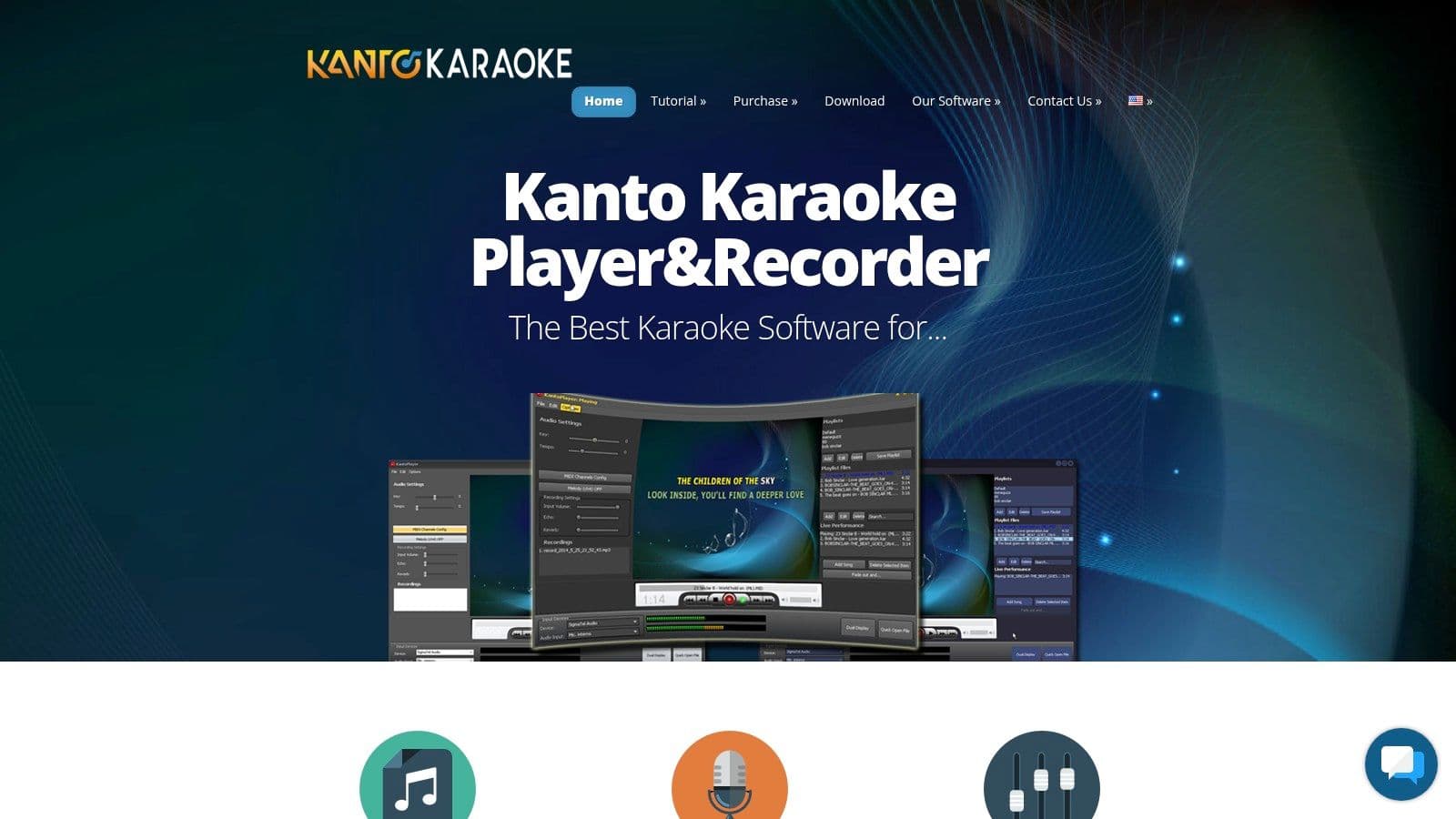
The platform stands out by empowering users to build and control their own song collections without relying on an internet connection. Its interface is straightforward, designed for quick setup and easy operation during a live event. Features like singer rotation and history tracking make it easy to manage a party queue, while the ability to record performances and convert MIDI files adds extra value for musicians.
Core Features and Use Cases
Kanto Karaoke offers a practical feature set that covers the essentials for running a smooth karaoke show from a laptop.
- Best Use Case: Excellent for home users, hobbyist KJs, and small venues who have an existing library of karaoke files and need a reliable offline player with live management tools.
- Singer Rotation and History: A dedicated "Singers' List" allows you to queue up performers and track their song history, ensuring fair rotation and easy song recalls.
- Multi-Format Support: Plays virtually any karaoke file type, including MP3+G, KFN, MP4, AVI, and MIDI, providing maximum compatibility with your existing tracks.
- Recording and Conversion: Users can record their voice over the music, save it as an MP3, and even convert MIDI files into MP3 format, a useful tool for practice and creating custom tracks.
Pricing and Plans
Kanto Karaoke uses a one-time purchase model for a 3-year license, with discounts for optional renewals.
- Standard Version: Priced at $45, this plan offers all core playback and playlist management features for personal use.
- Professional Version: For $69.95, this plan adds features essential for public performance, including singer management, background music, and advanced options.
Website: https://www.kantokaraoke.com/
7. VirtualDJ
While primarily known as a powerhouse in the professional DJ world, VirtualDJ offers robust karaoke functionality that makes it a surprisingly strong contender. It's not a dedicated karaoke platform like others on this list; instead, it integrates karaoke as a feature within a comprehensive audio-visual mixing suite. This makes it the best karaoke software for professional DJs who want to add karaoke to their services without needing a separate application.
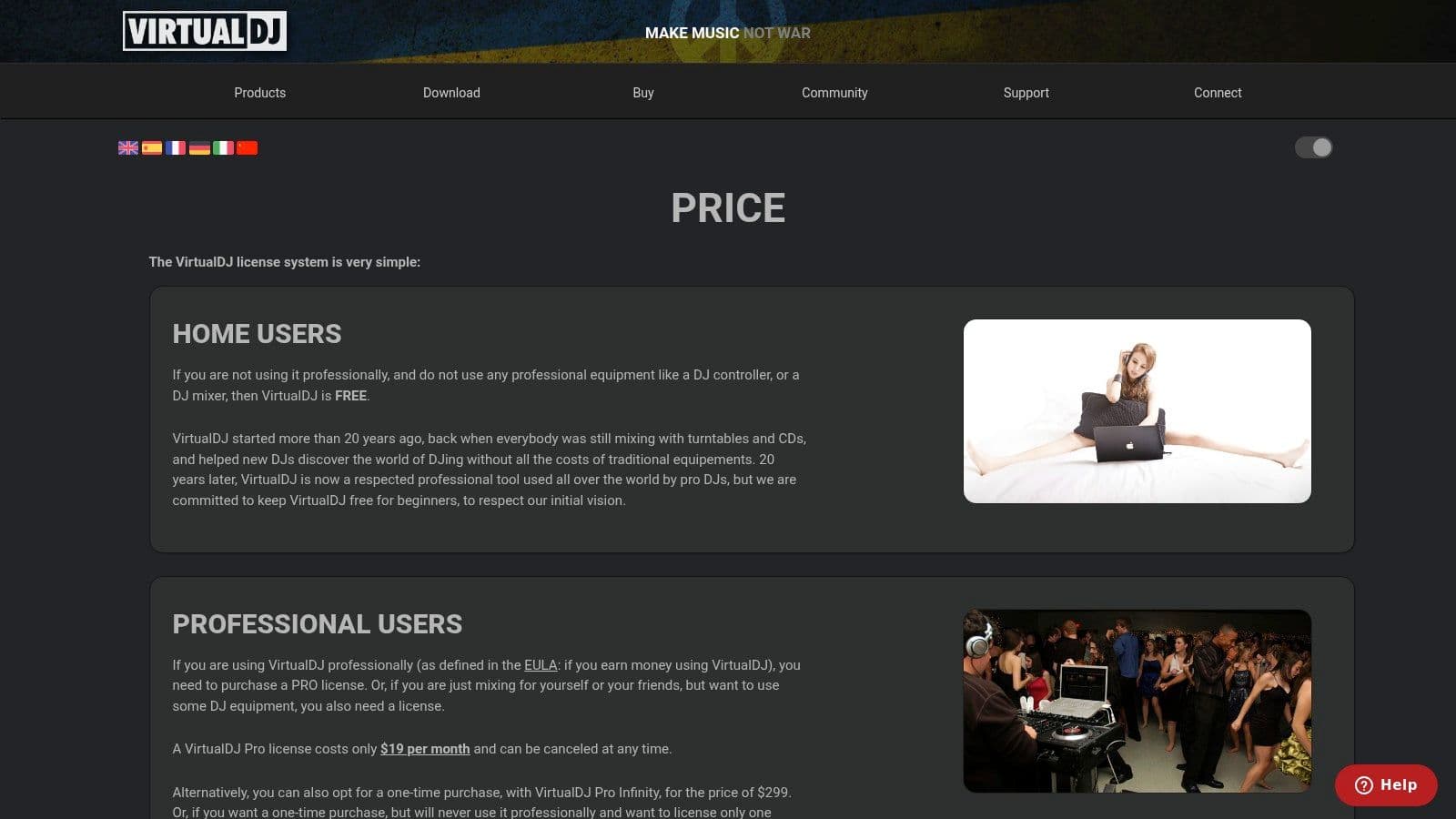
VirtualDJ stands out by treating karaoke files (like MP3+G or video karaoke) as just another track type, allowing seamless mixing between music, music videos, and karaoke. DJs can apply professional audio effects, manage complex playlists, and send a clean lyrics-only video feed to a secondary screen while keeping their full control interface on their laptop. It also supports an optional online streaming catalog for an instant song library.
Core Features and Use Cases
VirtualDJ’s feature set is designed for professional live performance environments, which extends to its karaoke capabilities.
- Best Use Case: Perfect for mobile DJs, wedding entertainers, and venues that need to seamlessly switch between DJing, VJing (video mixing), and hosting karaoke nights.
- Extensive Hardware Support: Its biggest advantage is its plug-and-play compatibility with a vast range of DJ controllers, mixers, and audio interfaces.
- Integrated Video Engine: Easily manage karaoke video output to external screens, projectors, or TVs, complete with custom branding and video effects.
- Optional Catalog: Subscribe to the Party Tyme Karaoke catalog directly within the software for instant access to thousands of popular karaoke hits. You can also explore how to record your voice with VirtualDJ for more creative options.
Pricing and Plans
VirtualDJ offers a uniquely flexible pricing model to suit different needs.
- Free License: Completely free for non-commercial home use without a professional controller, perfect for practice.
- Pro Subscription: A $19/month subscription unlocks all features and support for all professional hardware.
- Pro Lifetime License: A one-time payment of $299 grants a lifetime license for all professional features.
- Karaoke Catalog: The Party Tyme streaming subscription is an additional $9.99 per month.
Website: https://www.virtualdj.com/products/virtualdj/price.html
8. Singa
Singa positions itself as the "Netflix of karaoke," offering a sleek, modern streaming service for both home users and commercial venues. Its strength lies in its polished, user-friendly interface that works seamlessly across web browsers, mobile apps (iOS/Android), and smart TVs like Apple TV and Android TV. This makes it a top-tier choice for those who prioritize a premium user experience and broad device compatibility.
The platform boasts a massive, fully licensed catalog that is updated daily, ensuring access to both timeless classics and the latest chart-toppers. For commercial venues, Singa provides a comprehensive business solution with robust tools for managing queues, rooms, and even digital signage, solidifying its place as a contender for the best karaoke software for modern bars and entertainment spaces.
Core Features and Use Cases
Singa's features are designed to simplify the karaoke experience, whether at home or in a professional setting.
- Best Use Case: Perfect for home users wanting a stylish, easy-to-use app and for commercial venues like bars and family entertainment centers needing a modern, all-in-one digital karaoke system.
- Device-Agnostic Access: Sing anywhere using the app on your phone, tablet, computer, or smart TV, providing ultimate flexibility for any party setup.
- Singa Business: The commercial tier offers advanced features, including a mobile songbook for patrons, a KJ queue management app, background music integration, and on-screen advertising capabilities.
- Curated Songlists: The platform provides hundreds of curated playlists for any mood or occasion, making it easy to discover new songs and get the party started quickly.
Pricing and Plans
Singa separates its offerings clearly between personal and professional use, with transparent pricing for consumers.
- Singa Premium: Designed for private home use, plans start at $9.99 per month, with options for a 2-day pass ($5.90) or a full year.
- Singa Business: Tailored for public venues, this plan includes a commercial license. Pricing is customized based on venue size and needs; business owners must request a quote for specific details.
Website: https://singa.com/us/business/pricing/
9. Smule
Smule shifts the focus from traditional group karaoke hosting to a social, collaborative singing experience. It’s less of a tool for running a party and more of a global platform for individuals to record, share, and perform duets with friends or even celebrities. This community-driven approach makes it one of the best karaoke software options for singers who enjoy practice, performance, and social engagement directly from their personal devices.
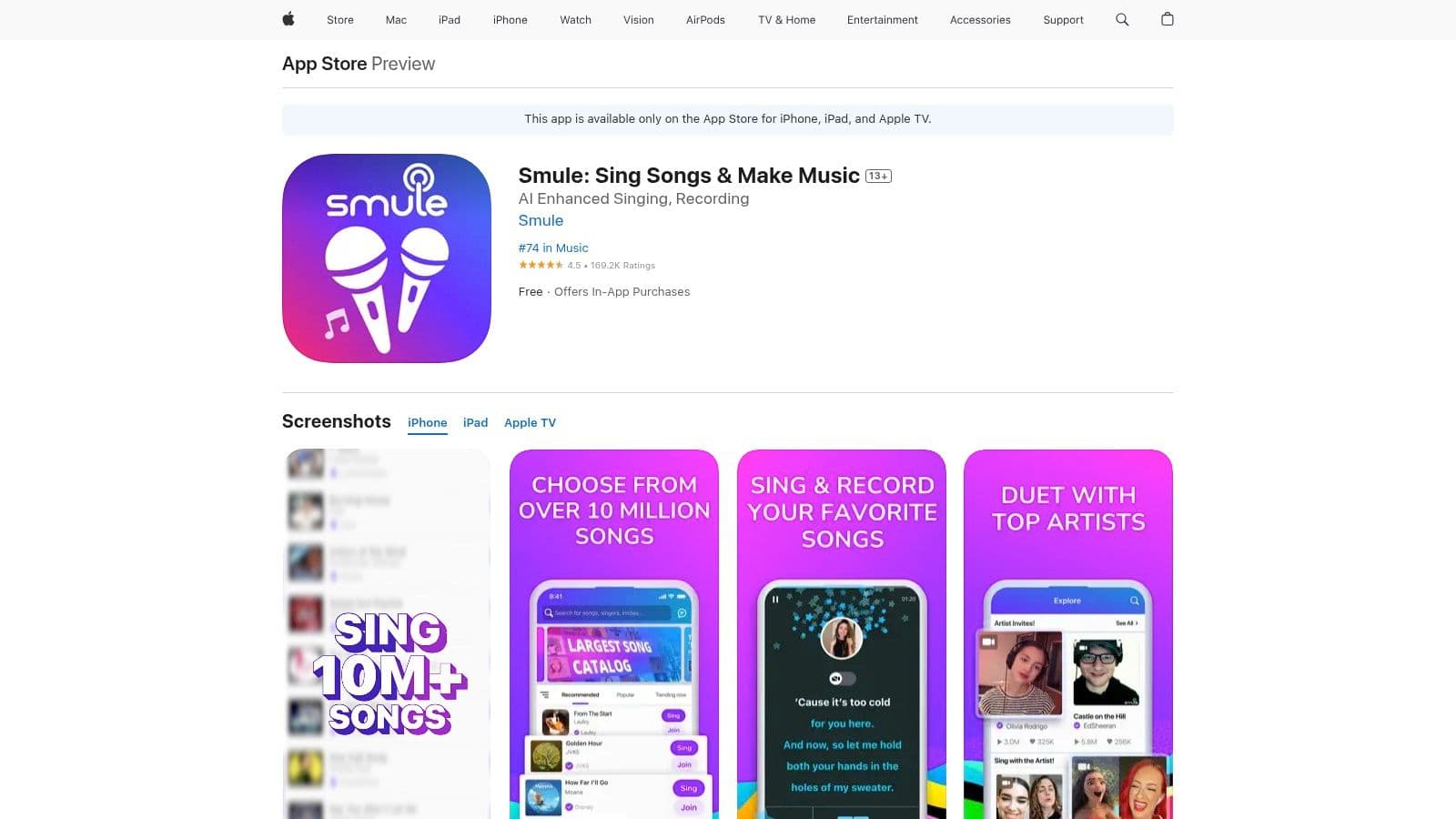
The platform's massive strength lies in its active user base and its vast ecosystem of songs and user-generated duets. Smule gamifies the singing experience, encouraging users to connect, collaborate on performances, and share their creations. With integrated vocal effects and video filters, it provides all the tools needed to produce polished solo or group recordings without external hardware.
Core Features and Use Cases
Smule is built for the individual creator and social singer, not for commercial or venue use.
- Best Use Case: Perfect for individuals looking to practice singing, record high-quality vocal performances, and collaborate on duets with a worldwide community of users.
- Duets and Group Performances: Sing side-by-side with friends in real-time or asynchronously with recordings from other community members, including major artists.
- Vocal Effects and Editing: Apply studio-quality audio effects and video filters to polish your performances before sharing them.
- Massive Song Ecosystem: Gain access to millions of songs, with new tracks added daily, ensuring you can always find something new to sing.
Pricing and Plans
Smule operates on a freemium model with a VIP subscription unlocking its full potential. Pricing can vary slightly depending on whether you subscribe via their website or through mobile app stores.
- Free Version: Allows users to sing along with a limited number of free songs and join duets started by VIP members.
- VIP Subscription: Typically around $7.99 per month or $39.99 per year, this plan unlocks the entire song catalog, removes ads, and allows you to create and host your own collaborations.
Website: https://apps.apple.com/us/app/smule-sing-record-karaoke/id509993510
10. UltraStar Play
UltraStar Play is a free, open-source karaoke game that turns singing into a competitive, scored experience. Inspired by the classic SingStar games, it stands out by gamifying vocal performance with real-time pitch detection, offering a dynamic alternative to traditional follow-the-lyrics software. It’s an excellent choice for users who enjoy a challenge and want complete control over their song library on Windows, Mac, or Linux.
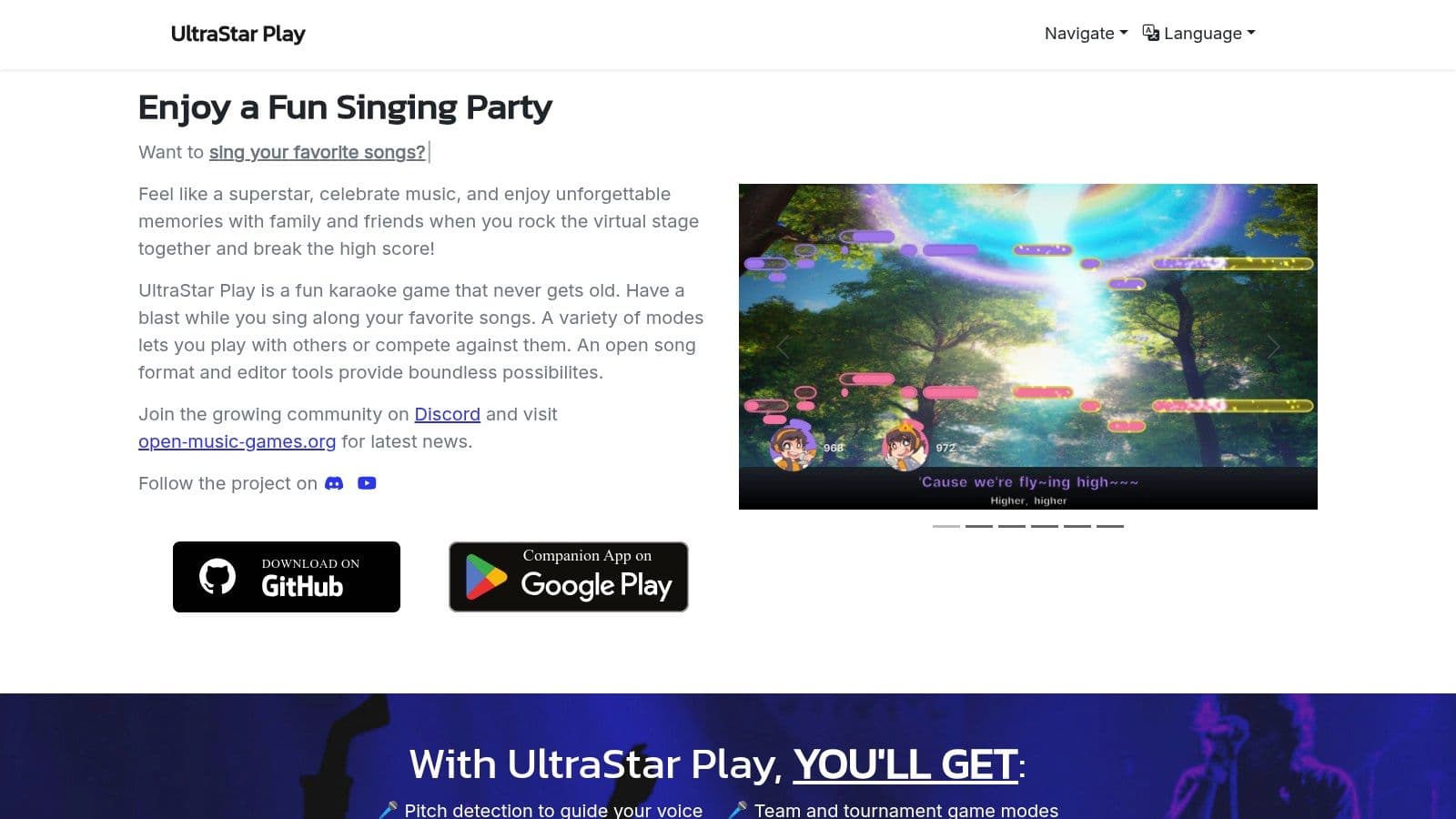
The platform's strength lies in its community-driven nature and customizability. Users must source or create their own song files in the supported format, which includes a text file with lyrics and timing, plus the audio and video. While this requires more initial setup than a streaming service, it offers limitless song potential and makes UltraStar Play one of the most flexible and engaging free karaoke software options available.
Core Features and Use Cases
UltraStar Play is built for fun, competitive singing parties and for users who enjoy tinkering with their software setup.
- Best Use Case: Ideal for home parties where friendly competition is welcome and for tech-savvy users who want to build and manage a completely custom karaoke library for free.
- Pitch Detection & Scoring: The software analyzes your pitch in real-time and scores you based on accuracy, adding a fun, game-like layer to the experience.
- Companion App: Use your smartphone as a wireless microphone by downloading the companion app, eliminating the need for extra USB mics for every singer.
- Party & Multiplayer Modes: Supports various party modes for local competition and even features an online multiplayer beta to sing with friends remotely.
Pricing and Plans
As open-source software, UltraStar Play's greatest advantage is its price.
- Free: The software is completely free to download and use. There are no subscriptions, fees, or hidden costs. Users are responsible for legally sourcing their own song files.
Website: https://ultrastar-play.com/en
11. Karaoke 5 (K5)
Karaoke 5, often known as K5, is a robust and versatile software suite originating from Europe that caters to both amateur singers and professional KJs. It distinguishes itself by offering powerful song management and creation tools, making it a strong choice for users who want to build and customize their own karaoke libraries rather than rely solely on streaming services. Its support for a wide array of file formats gives it immense flexibility.
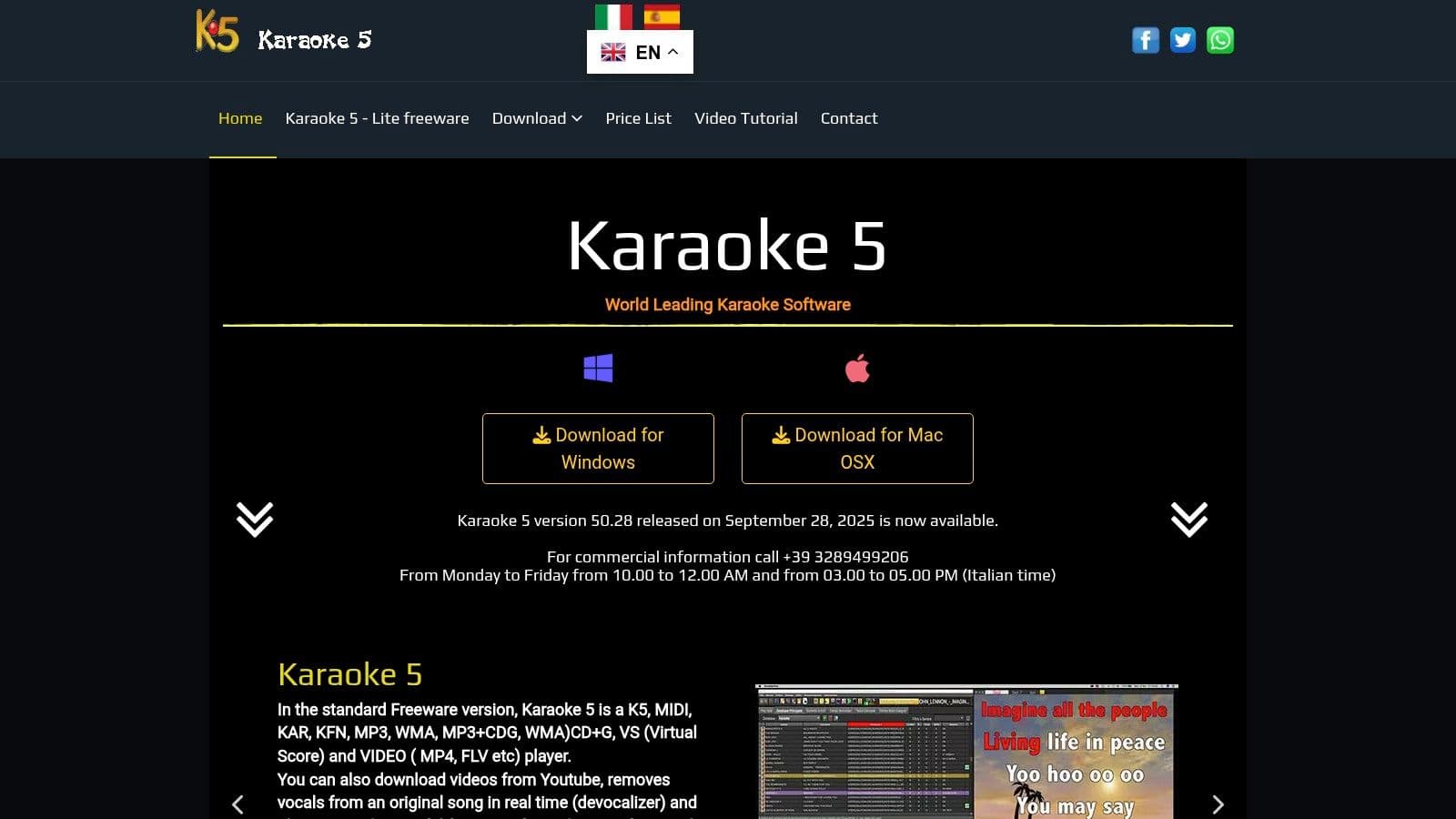
The platform is particularly appealing because of its free "Lite" version, which provides a solid entry point for newcomers. For more serious users, the paid versions unlock a suite of professional features, including tools for synchronizing lyrics, managing playlists, and even removing vocals from standard audio tracks, positioning K5 as one of the best karaoke software options for hands-on hosts.
Core Features and Use Cases
Karaoke 5 is built for control and customization, making it ideal for those who manage their own media files.
- Best Use Case: Perfect for KJs and home users with existing collections of CDG, MP3+G, or video karaoke files who need powerful organizational and playback tools.
- Format Versatility: Supports a huge range of formats, including K5, MIDI, KAR, KFN, MP3, WMA, MP3+CDG, WMA+CDG, WAV, and various video files.
- Lyrics Synchronization: Includes a "Synchro Editor" for creating and fine-tuning the timing of lyrics for custom karaoke tracks.
- Dual-Screen Display: The Professional version supports a dual-screen "TV" mode, essential for separating the control panel from the public-facing lyrics display.
- Built-in Devocalizer: A tool designed to strip vocals from standard music tracks to create instant karaoke versions, though quality can vary by song.
Pricing and Plans
K5 uses a one-time purchase model for its licenses, which is a great value for long-term users.
- Freeware Version: A free Lite player is available for basic playback and management.
- Home Version: Priced at €49.00 (approx. $53 USD), this version adds features like advanced playlist management and the devocalizer.
- Professional Version: Priced at €99.00 (approx. $107 USD), this license unlocks all features, including dual-screen support, advanced mixing controls, and jingle management for professional events.
Website: https://www.karaoke5.com/index.php
12. Party Tyme Karaoke
Party Tyme Karaoke is a major player in the karaoke content space, providing one of the largest commercially licensed catalogs available. It uniquely serves two distinct markets: home users seeking a simple streaming experience on their smart TVs and mobile devices, and professional KJs who need a reliable, high-quality song source integrated directly into their hosting software. This dual approach makes it a versatile choice for nearly any karaoke setup.
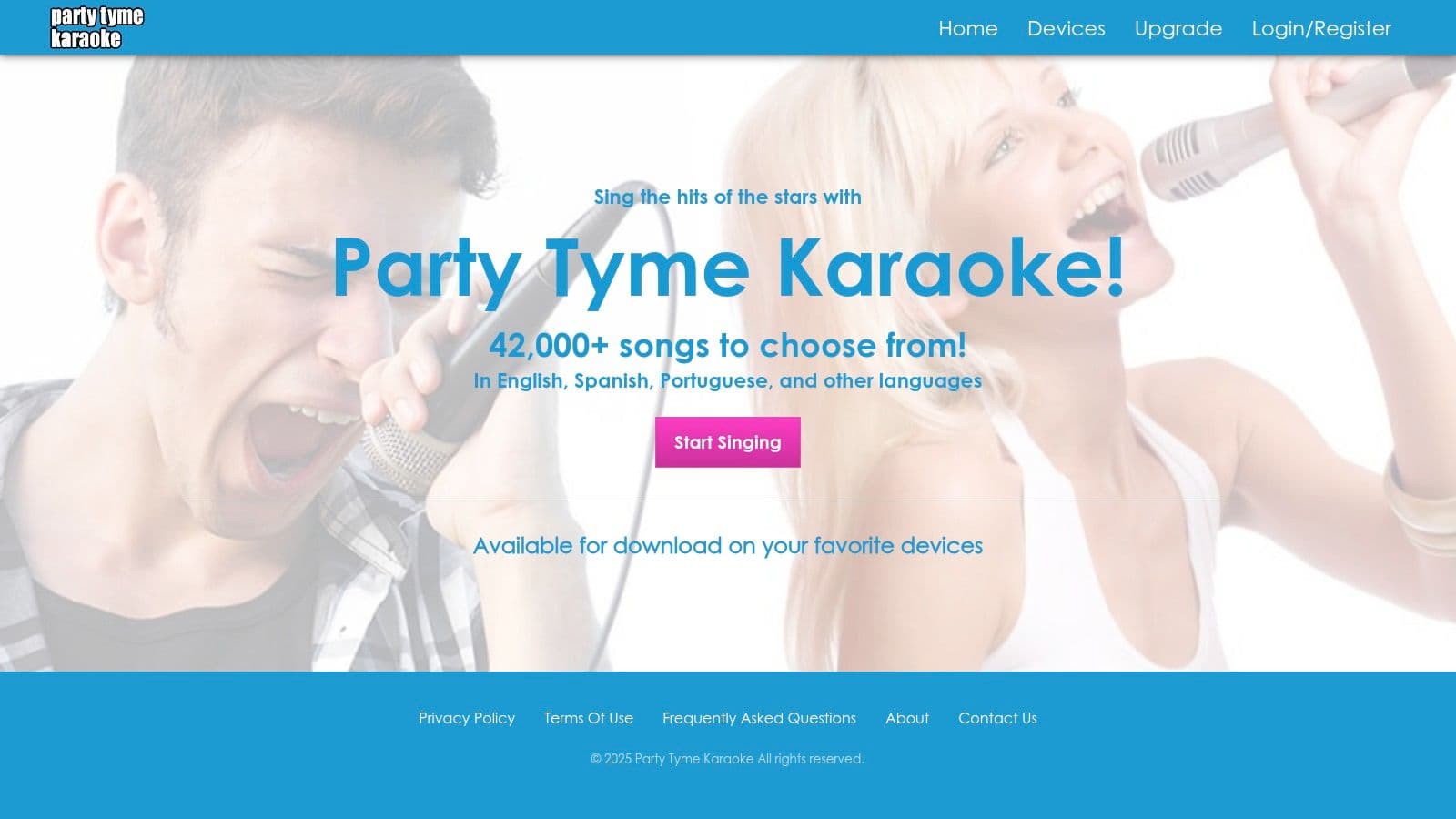
The platform's primary strength is its massive library of over 42,000 songs, which is constantly growing with new hits and classics. For professionals, its seamless integration with leading karaoke software like DEX 3 and LYRX is a significant advantage, allowing for features like offline playback. Home users can enjoy dedicated apps on platforms like Roku, Apple TV, and Fire TV, turning their living room into a karaoke stage with ease.
Core Features and Use Cases
Party Tyme Karaoke is built to scale from a casual family night to a packed commercial venue, making it one of the best karaoke software content providers.
- Best Use Case: Perfect for professional KJs who use compatible software (like DEX or LYRX) and need a vast, legal music library, and for home users who want a straightforward streaming app for their connected TV.
- Pro Software Integration: Offers native integration with popular KJ software, providing a stable stream and offline access for professional reliability. For a deeper dive into professional setups, you can learn more about how to host karaoke with these tools.
- Broad Device Support: Consumer apps are available for Roku, Apple TV, Fire TV, Android TV, and iOS/Android, ensuring accessibility for most home entertainment systems.
- High-Quality, Licensed Content: All tracks are fully licensed for both personal and commercial use (with the appropriate subscription), ensuring you are always legally compliant.
Pricing and Plans
Party Tyme separates its consumer and professional offerings, though specific consumer pricing is found within the apps.
- Consumer App: A free trial is available through the various smart TV and mobile apps. Subscriptions are managed directly within the app stores.
- Professional Subscription: Priced at $49.99 per month, this plan provides full catalog access within supported host software for commercial use. This fee is in addition to the cost of the host software itself.
Website: https://www.partytymestreaming.com/
Karaoke Software Feature Comparison of 12 Top Solutions
| Product | Core Features / Highlights | User Experience & Quality ★ | Value & Pricing 💰 | Target Audience 👥 | Unique Selling Points ✨ |
|---|---|---|---|---|---|
| 🏆 MyKaraoke Video | AI-powered lyrics sync, browser-based, 1080p MP4 | ★★★★★ Real-time previews, fast | 💰 Free tier + scalable paid plans | 👥 Karaoke creators, musicians, influencers | ✨ Duet Mode, no downloads needed |
| KaraFun | Large licensed catalog, multi-platform apps | ★★★★ Low friction, strong offline | 💰 Premium & Pro with commercial | 👥 Home users, venues, businesses | ✨ Dual-screen, phone remote control |
| PCDJ (DEX 3 & LYRX) | DJ/KJ features, singer rotation, Party Tyme subs | ★★★★ Stable, professional-grade | 💰 One-time + subscriptions | 👥 Pro KJs, karaoke hosts | ✨ Songbook integration, controller support |
| Power Karaoke (Siglos) | Pro KJ mode, kiosk & remote requests, multi-format | ★★★★ Deep show management | 💰 One-time + add-ons | 👥 Professional KJs, event hosts | ✨ YouTube integration, key/tempo control |
| kJams | Mac focus, library mgmt, CD+G support, mobile app | ★★★ Trial available, affordable | 💰 Try-before-buy, Lite tier | 👥 Mac users, hobbyists | ✨ Companion kiosk/request app |
| Kanto Karaoke | Multi-format player, singer rotation, 3-year license | ★★★ Simple UI, offline capable | 💰 Low upfront, time-limited | 👥 Casual users, small venues | ✨ Multi-format, MIDI to MP3 |
| VirtualDJ | DJ software with karaoke mode, controller support | ★★★★ Versatile, hardware-friendly | 💰 Free for home + subs/licenses | 👥 DJs, karaoke events | ✨ Extensive audio effects |
| Singa | Large licensed stream catalog, venue tools | ★★★★ Device-agnostic, frequent updates | 💰 Consumer & business tiers | 👥 Consumers, venues | ✨ Queue & room control tools |
| Smule | Social singing, recording, duet focus | ★★★★ Large active community | 💰 Subscription varies | 👥 Casual singers, social users | ✨ Duets, vocal effects |
| UltraStar Play | Open-source, pitch detection, party/game modes | ★★★ Customizable, free | 💰 Free | 👥 Gamers, DIY karaoke fans | ✨ Open song format, multiplayer |
| Karaoke 5 (K5) | Multi-format support, devocalizer, dual screen | ★★★ Updated regularly, EU support | 💰 Free Lite + paid versions | 👥 European users, creators | ✨ Lyrics creation & database tools |
| Party Tyme Karaoke | Large licensed catalog, multi-device, pro integration | ★★★★ Smooth pro & consumer usage | 💰 Subscription, pro add-ons | 👥 Home users, pro venues | ✨ Legal commercial catalog, offline mode |
Choosing Your Stage: Final Thoughts on the Best Karaoke Software
Navigating the vibrant and diverse world of karaoke software can feel like choosing the perfect song for your grand finale. As we've explored, the landscape is rich with options, each designed to cater to a specific type of performer, creator, or host. The key takeaway from our deep dive is this: the "karaoke software best" for you is not a one-size-fits-all solution. It's the platform that aligns perfectly with your specific goals, technical comfort level, and intended audience.
Your journey to finding the ideal software begins with a simple question: What is your primary objective? Answering this honestly will instantly narrow down the field from the dozen contenders we've analyzed. Are you a professional KJ managing a bustling Saturday night gig, or a content creator aiming to produce slick, engaging lyric videos for a global YouTube audience? The needs of these two users are worlds apart, and so are their ideal tools.
Recapping the Stage: Key Takeaways
To help you make a final decision, let's crystallize the most important insights from our review:
- Creation vs. Curation: The most significant divide in karaoke software is between creation tools and hosting platforms. Tools like MyKaraoke Video and Power Karaoke's Siglos are built for crafting custom karaoke tracks from scratch. In contrast, services like KaraFun, Singa, and Party Tyme Karaoke focus on providing a vast, pre-licensed library for instant playback. Your first decision is whether you want to build the stage or simply perform on it.
- Offline Reliability vs. Online Accessibility: For event professionals, offline functionality is non-negotiable. Software like PCDJ's DEX 3 and kJams ensures the show goes on, even with spotty venue Wi-Fi. Conversely, cloud-based platforms offer unparalleled convenience and access from anywhere, making them ideal for modern creators and casual users who value flexibility over robust event management features.
- The AI Revolution in Karaoke: The emergence of AI-powered features, particularly in tools like MyKaraoke Video, is a game-changer for content creators. Automated lyric-to-audio synchronization, vocal removal, and background generation drastically reduce production time. This allows creators to focus on artistic expression rather than getting bogged down in tedious technical editing, making it easier than ever to produce professional-grade content.
Making Your Final Choice: A Needs-Based Guide
Let’s translate these takeaways into actionable advice. Consider your primary use case to find your perfect match:
- For the Social Media Creator & YouTuber: Your priorities are speed, quality, and customization. You need to produce visually appealing content efficiently. MyKaraoke Video is purpose-built for this, offering AI-driven workflows that transform audio into polished lyric videos in minutes.
- For the Professional KJ & Event Host: You require stability, powerful library management, and features like singer rotation and key control. Your reputation depends on a flawless live performance. Look no further than industry-standard workhorses like PCDJ (DEX 3/LYRX) or Siglos Karaoke Professional.
- For the Home Enthusiast & Party Host: You want instant fun with minimal setup. A massive, licensed song catalog is your most important feature. Subscription services like KaraFun or Singa provide an "all-you-can-sing" experience that's perfect for casual gatherings.
- For the DJ Expanding into Karaoke: If you already have a DJ setup, integrating karaoke should be seamless. VirtualDJ offers a powerful, all-in-one solution that merges video mixing, DJing, and karaoke hosting into a single, familiar interface.
Once you've captured amazing performances with your chosen software, sharing them effectively is key. For creators aiming for wider reach on platforms like TikTok and YouTube Shorts, optimizing your content for multiple formats is crucial. To learn more about this strategy, consider this ultimate growth guide for creators looking to crosspost videos for a comprehensive look at maximizing your content's impact.
Ultimately, the best karaoke software empowers you to share your voice, whether that’s through a live performance, a meticulously crafted lyric video, or a fun-filled night with friends. It removes the technical barriers and lets the magic of the music shine through. Choose the tool that best fits your stage, grab the mic, and get ready for your spotlight moment.
Ready to stop spending hours on tedious editing and start creating stunning lyric videos in minutes? MyKaraoke Video leverages powerful AI to automate the entire process, from vocal removal to perfectly synced lyrics. Experience the future of karaoke content creation and try MyKaraoke Video today
