Creating Stunning Music Videos Just Got Easier
Want to create engaging music videos but overwhelmed by the options? This list presents the top 7 video editors for musicians in 2025, perfect for everyone from karaoke creators to seasoned professionals. Discover which video editor for musicians best suits your needs and budget, whether you're creating lyric videos, promotional content, or live performance footage. These tools simplify video production, letting you focus on what matters most: your music. We'll cover MyKaraoke Video, Adobe Premiere Pro, Final Cut Pro, DaVinci Resolve, Filmora, Vegas Pro, and Avid Media Composer.
1. MyKaraoke Video
MyKaraoke Video is a browser-based video editor for musicians that simplifies the creation of high-quality karaoke and lyric videos. This innovative tool leverages AI-powered lyric syncing, eliminating the tedious process of manual timing adjustments. With MyKaraoke Video, musicians, content creators, and even karaoke channel managers like Marcelo Penco (who praises its efficiency) can produce professional-looking videos in minutes. Simply upload your music, paste the lyrics, and customize the visuals using the intuitive editor with real-time previews. This platform offers a powerful alternative to complex video editing software, streamlining the workflow for creating engaging karaoke content. From font and color selection to background customization, MyKaraoke Video provides extensive control over the final product.
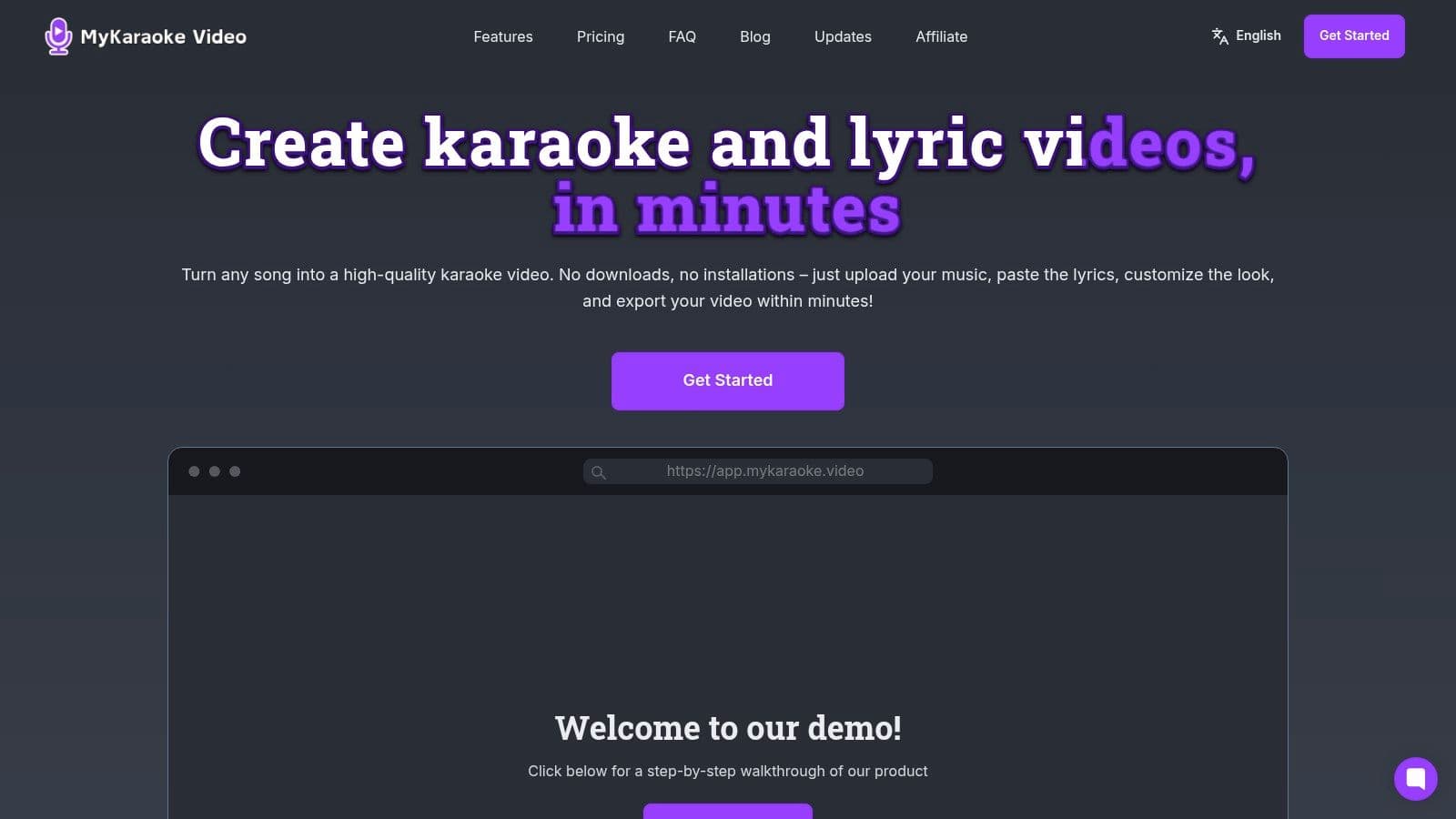
For musicians looking to engage their audience with lyric videos, MyKaraoke Video offers a user-friendly solution. Imagine easily creating a visually appealing lyric video for your latest single, ready to share across social media platforms and YouTube. Content creators and social media influencers can also leverage this tool to produce captivating karaoke content, boosting engagement and attracting new followers. Event organizers can create custom karaoke experiences for their attendees, while small businesses can utilize lyric videos for marketing and promotional purposes. Learn more about MyKaraoke Video and explore its features in detail. The 1-Click Karaoke Maker and Lyric Video Maker options further simplify the process, allowing even beginners to create impressive videos. Exporting your finished product is just as easy, with fast rendering in high-resolution 1080p MP4 format.
MyKaraoke Video offers flexible pricing to cater to various needs. A free tier allows users to experiment with the platform's basic features, while the Standard plan ($5/mo) and Premium plan ($10/mo) unlock advanced customization options, increased video export limits, and watermark removal. The biggest advantage of this video editor for musicians is its accessibility; being 100% online eliminates the need for downloads or installations, making it accessible on any device with a web browser.
Pros:
- 100% online—no downloads or installations needed
- AI-powered automatic lyrics syncing dramatically reduces editing time
- Extensive customization options with real-time previews
- Fast export in high-quality 1080p MP4 format
- Flexible pricing plans from free to premium for all user levels
Cons:
- The free plan has limited video exports and basic features
- Advanced customization options and watermark removal require a paid upgrade
Website: https://www.mykaraoke.video
MyKaraoke Video deserves a spot on this list because it effectively addresses the specific needs of musicians and content creators seeking a streamlined solution for karaoke and lyric video production. Its combination of AI-powered automation, extensive customization, and affordable pricing makes it a valuable tool for anyone looking to create engaging video content.
2. Adobe Premiere Pro
Adobe Premiere Pro is a leading video editor for musicians looking to produce high-quality music videos, lyric videos, live performance recordings, and other music-related video content. Its comprehensive feature set caters specifically to the needs of audio-focused creators, offering powerful audio editing tools alongside professional-grade video editing capabilities. Whether you're a karaoke channel creator meticulously syncing audio and video, a musician crafting a visually stunning music video, or an event organizer editing a multi-angle concert recording, Premiere Pro provides the tools to achieve professional results. Its deep integration with other Adobe Creative Cloud apps like After Effects and Audition further expands its creative potential, allowing for seamless workflows and advanced post-production effects.
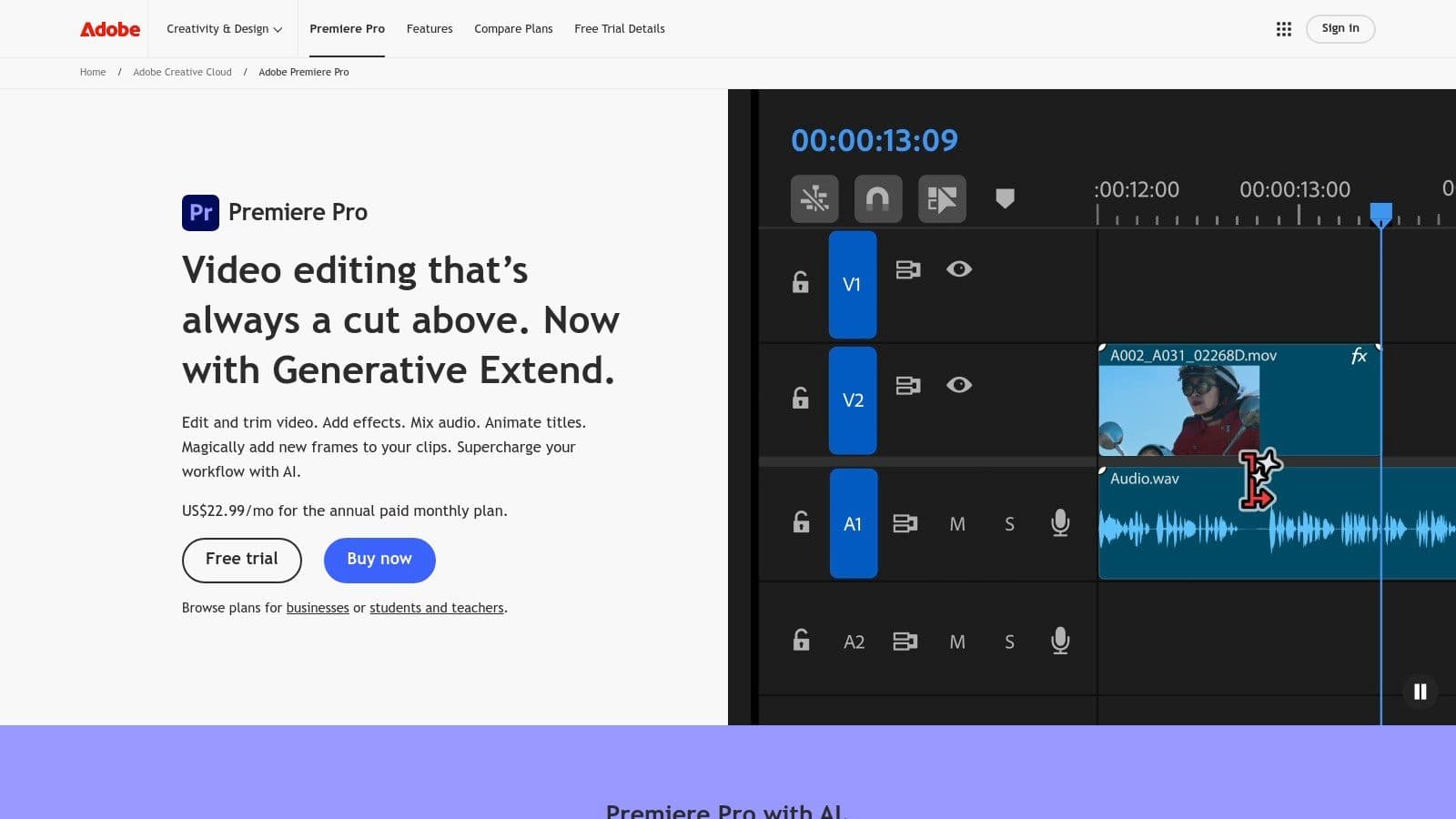
Premiere Pro's robust audio tools go beyond basic volume adjustments. Frequency-based audio controls allow for precise mixing and mastering within the video editing environment. Its seamless integration with Adobe Audition, a dedicated digital audio workstation (DAW), enables advanced audio editing tasks like noise reduction, equalization, and effects processing without ever leaving the Adobe ecosystem. For live performance footage, the auto-sync feature simplifies the process of synchronizing multi-angle recordings, saving valuable editing time. Features like multi-camera editing further enhance the workflow for concert footage and other multi-camera productions. Musicians can also leverage the Lumetri Color panel for professional color grading, giving their videos a polished and visually appealing look. You can Learn more about Adobe Premiere Pro and its features.
While Premiere Pro offers unparalleled capabilities, it's important to consider the pros and cons. As an industry-standard, it benefits from extensive training resources, making it easier to learn the software through online tutorials and courses. However, it has a steeper learning curve compared to more beginner-friendly video editors. The subscription-based pricing model of Adobe Creative Cloud can also be a significant expense for independent musicians. Furthermore, Premiere Pro's resource-intensive nature requires a relatively powerful computer with sufficient RAM, processing power, and graphics capabilities for smooth performance, particularly when working with high-resolution footage.
Features:
- Multi-camera editing
- Advanced audio tools with frequency-based controls
- Seamless integration with Adobe Audition
- Auto-sync for multi-angle footage
- Lumetri Color panel for professional color grading
Pros:
- Industry-standard with extensive training resources
- Powerful audio editing capabilities
- Seamless integration with other Adobe products
- Regular updates with new features
Cons:
- Subscription-based pricing
- Steep learning curve for beginners
- Requires powerful hardware
Website: https://www.adobe.com/products/premiere.html
Premiere Pro's place on this list is solidified by its professional-grade tools, specifically designed to meet the high demands of audio-focused video editing. While it may not be the most budget-friendly or beginner-friendly option, its powerful capabilities and integration with the Adobe Creative Cloud suite make it a valuable tool for serious musicians, karaoke creators, and content creators seeking to elevate their video production.
3. Final Cut Pro
Final Cut Pro is Apple's flagship video editing software, and a strong contender for musicians seeking a powerful yet streamlined platform to create high-quality video content. Whether you're crafting a music video, editing a live performance, producing promotional material, or even creating engaging social media snippets, Final Cut Pro offers a compelling set of tools specifically beneficial for musical projects. It allows musicians to seamlessly integrate their audio workflows, polish their visuals, and ultimately share their music with the world in a visually captivating way. This video editor for musicians distinguishes itself with a smooth, performance-driven workflow that makes it a joy to use, especially for those already immersed in the Apple ecosystem.
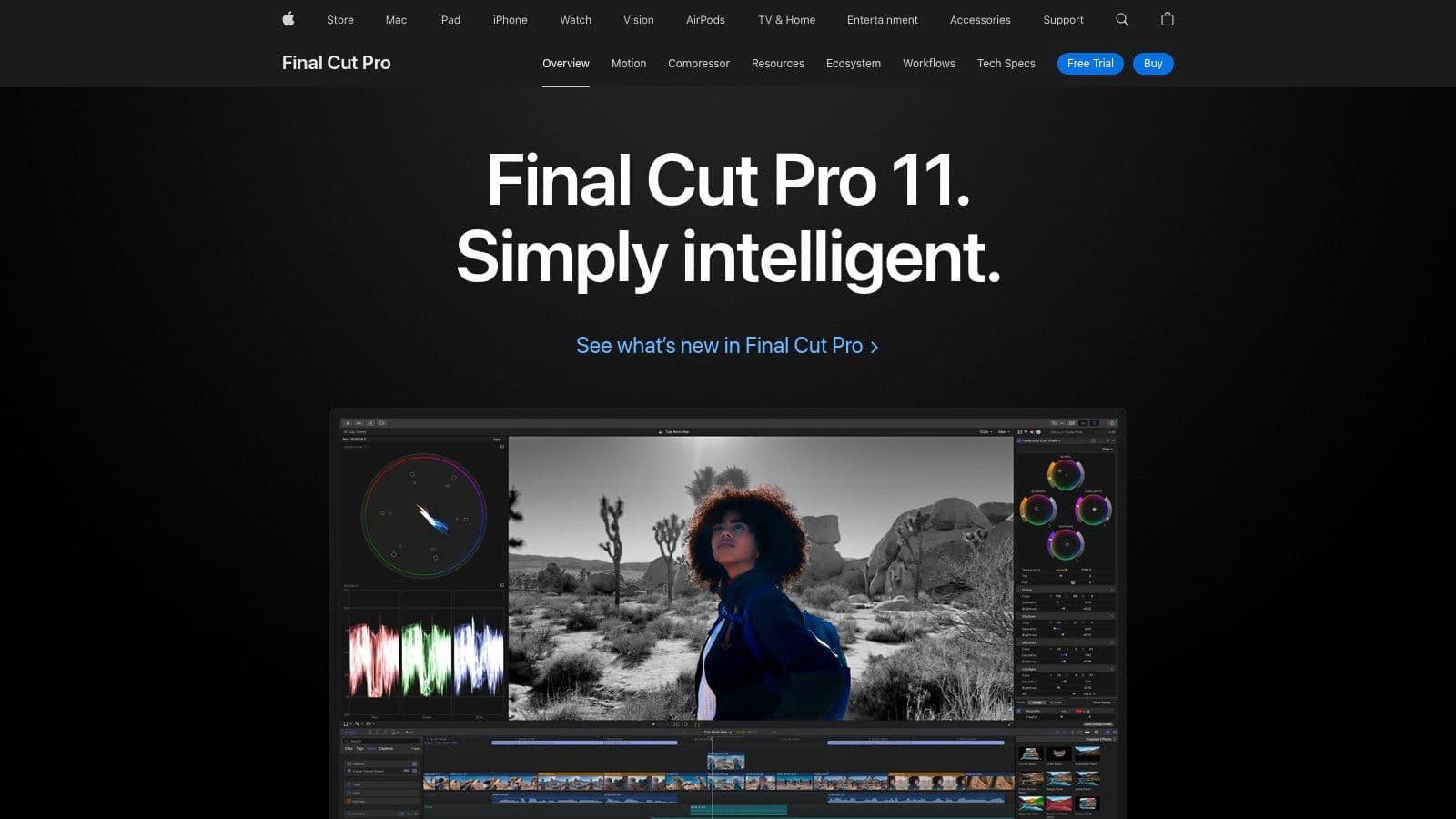
The magnetic timeline, a signature feature of Final Cut Pro, eliminates track-based editing for a more fluid and intuitive editing experience. This is especially useful for musicians dealing with multiple audio and video tracks, allowing for effortless arrangement and synchronization. For musicians who frequently film live performances, the multicam editing feature is a game-changer. It automatically synchronizes audio and video from multiple camera angles, simplifying the process of creating dynamic live performance videos. Integration with Logic Pro, Apple's professional digital audio workstation (DAW), provides a seamless workflow for musicians working with both audio and video. This integration allows for comprehensive audio control and facilitates easy transfer of projects between the two applications. Beyond these core features, Final Cut Pro also boasts motion graphics templates and effects perfect for creating engaging music visualizers, adding another layer of creativity to your musical projects. Advanced color grading tools with HDR support ensure your videos look polished and professional. If you want a deeper dive into the platform's capabilities, you can learn more about Final Cut Pro.
For karaoke channel creators, Final Cut Pro allows for precise synchronization of lyrics with the music video, creating a seamless and engaging karaoke experience. Musicians and lyric video creators will appreciate the streamlined workflow for combining music tracks, visuals, and text overlays. Content creators and social media influencers can leverage the software's powerful editing tools to produce eye-catching music-related content. Event organizers and entertainment professionals can easily edit and share high-quality recordings of live performances. Even small businesses and marketing teams can utilize Final Cut Pro to create compelling video advertisements featuring original music.
Features:
- Magnetic Timeline for fluid, trackless editing
- Multicam editing for concert footage with automatic audio sync
- Integration with Logic Pro for comprehensive audio control
- Motion graphics templates and effects for music visualizers
- Advanced color grading with HDR support
Pros:
- Optimized for Mac performance with hardware acceleration
- One-time purchase of $299.99, rather than a subscription
- Intuitive interface that's generally considered easier to learn than some competitors like Premiere Pro
- Excellent audio editing capabilities specifically beneficial for musicians
Cons:
- Only available for macOS users, excluding Windows and Linux users.
- Less common in professional studios compared to Adobe Premiere Pro, which could limit collaboration opportunities.
- Limited third-party plugin support compared to some alternatives, potentially restricting access to specialized tools.
Website: https://www.apple.com/final-cut-pro/
Final Cut Pro earns its spot on this list because it offers a compelling blend of performance, intuitive design, and features tailored specifically for musicians. While macOS exclusivity is a limitation, its tight integration with the Apple ecosystem and one-time purchase price make it a very attractive video editor for musicians who value a streamlined and powerful workflow.
4. DaVinci Resolve
DaVinci Resolve stands out as a top-tier video editor for musicians, offering a comprehensive suite of tools for crafting professional music videos. Unlike other video editing software that often requires multiple applications for audio mixing, color correction, and visual effects, DaVinci Resolve brings everything under one roof. This all-in-one approach streamlines the workflow, allowing musicians to focus on their creative vision without juggling between different programs. The free version is remarkably robust, providing virtually everything needed to create high-quality music videos, making it an invaluable tool for artists on any budget. Its powerful features cater specifically to the needs of musicians, from precise audio editing to cinematic color grading.
For karaoke channel creators, the Fairlight audio page in DaVinci Resolve offers DAW-like functionality, allowing for precise control over vocal tracks, background music, and sound effects. Musicians and lyric video creators will appreciate the software's ability to seamlessly synchronize visuals with audio, creating captivating videos that enhance the musical experience. Content creators and social media influencers can leverage DaVinci Resolve's advanced color grading tools to establish a distinct visual style, making their music-related content stand out. Event organizers and entertainment professionals can use the software to produce high-quality recordings of live performances, while small businesses and marketing teams can create compelling music-driven promotional videos.
DaVinci Resolve's Fairlight audio page is a game-changer for musicians. This dedicated audio workspace provides a familiar DAW-like environment with advanced tools for mixing, mastering, and sound design. Musicians can fine-tune their audio tracks with precision, ensuring that their music sounds its best. Beyond basic audio editing, Fairlight offers features like equalization, compression, reverb, and noise reduction, giving musicians complete control over their sonic landscape. This level of audio control is particularly crucial for creating professional-sounding music videos.
Furthermore, DaVinci Resolve's industry-leading color grading tools empower musicians to achieve cinematic visuals. The node-based effects system offers unparalleled flexibility for creative visual manipulations, allowing artists to develop unique visual styles that complement their music. This feature is invaluable for establishing a specific mood or atmosphere in a music video. Whether you want a vibrant, high-energy look or a more subdued, melancholic feel, DaVinci Resolve provides the tools to bring your vision to life. The Fusion page adds another layer of creative possibilities, enabling users to incorporate motion graphics and visual effects to enhance their music videos further.
Features:
- Fairlight audio page with DAW-like functionality for precise audio editing
- Industry-leading color grading tools for cinematic music videos
- Fusion page for motion graphics and visual effects
- Comprehensive free version with professional-grade tools
- Collaborative workflow options for team projects
Pros:
- Robust free version that outperforms many paid competitors
- Professional audio tools specifically designed for sound work
- Powerful color grading exceeding most other editing software
- All-in-one solution eliminating the need for multiple applications
Cons:
- Steeper learning curve due to the comprehensive feature set
- Higher system requirements, especially for complex projects
- Can be overwhelming for simple editing tasks
Website: https://www.blackmagicdesign.com/products/davinciresolve/
While DaVinci Resolve's extensive features can present a steeper learning curve compared to simpler video editors, the investment is worthwhile for musicians seeking professional-grade results. The free version provides exceptional value, offering a powerful set of tools that rivals many paid alternatives. For those who require advanced features like noise reduction, collaborative workflows, and stereoscopic 3D tools, the Studio version is available for a one-time purchase. While system requirements can be demanding, especially for complex projects, the results speak for themselves. DaVinci Resolve empowers musicians to create visually stunning and sonically rich music videos that elevate their artistic expression. If you’re a musician serious about creating high-quality video content, DaVinci Resolve is a video editor worth mastering.
5. Filmora: A User-Friendly Video Editor for Musicians
Wondershare Filmora is a popular choice for musicians seeking a video editor that balances ease of use with powerful features. Whether you're a karaoke channel creator looking to add lyrics to your videos, a musician creating a music video, or a social media influencer producing engaging content, Filmora offers a streamlined workflow designed to bring your musical vision to life. Its intuitive interface makes it accessible even for beginners, while its robust feature set ensures your final product looks professional. Filmora shines as a video editor for musicians specifically because of its music-centric features like beat detection, audio ducking, and a rich library of music-oriented effects. This makes it a great option for creating everything from dynamic performance videos to engaging lyric videos and promotional material.
One of Filmora's standout features is its audio beat detection. This allows you to automatically synchronize video cuts to the rhythm of your music, creating dynamic and visually engaging edits that flow perfectly with the song. The auto synchronization tool further enhances this by intelligently matching visuals to audio beats, minimizing manual adjustments. For lyric videos, this is a game-changer, making the process of syncing lyrics to music remarkably simple. Beyond beat detection, Filmora also offers audio ducking, a vital tool for musicians. This feature automatically lowers the volume of background music when vocals or other prominent audio elements are present, ensuring a balanced and professional sound mix.
Filmora boasts an extensive library of music-oriented effects, transitions, and title templates. This makes it easy to add visual flair to your videos, enhancing the mood and style of your music. Whether you're looking for subtle transitions, energetic effects, or stylized titles, Filmora has a wealth of options to choose from. Keyframing allows for further customization of motion graphics, enabling you to create unique visual elements that perfectly complement your music.
Pros:
- Beginner-friendly: The intuitive interface and shallow learning curve make it easy to get started, even with no prior video editing experience.
- Affordable: Filmora offers competitive pricing plans, making it a more accessible option than many professional-grade video editing suites.
- Music-specific Features: Beat detection, auto synchronization, and audio ducking are invaluable for music-related video projects.
- Rich Content Library: A wide variety of effects, transitions, and templates cater specifically to music video creation.
Cons:
- Limited Advanced Audio Editing: While sufficient for basic audio mixing, Filmora may not offer the same depth of audio editing capabilities as dedicated audio workstations.
- Some High-End Features Missing: For highly complex projects requiring advanced features like motion tracking or 3D compositing, you may find Filmora’s capabilities limited.
- Watermark on Free Version: The free version of Filmora adds a watermark to exported videos.
Website: https://filmora.wondershare.com/
Filmora earns its place on this list by providing a user-friendly yet powerful platform specifically tailored for musicians. Its combination of intuitive editing tools, music-focused features, and an extensive library of effects and templates makes it an ideal solution for a broad range of music-related video projects, from simple lyric videos to more elaborate promotional content. While professional video editors might need more advanced tools, Filmora provides an excellent starting point for musicians who want to create visually appealing videos without a steep learning curve.
6. Vegas Pro: A Powerful Video Editor for Musicians
VEGAS Pro earns its spot on this list as a top-tier video editor for musicians due to its robust audio handling capabilities and intuitive interface. While other video editors might offer basic audio tools, VEGAS Pro provides a deep suite of features that cater specifically to the needs of music creators. Whether you're a karaoke channel creator meticulously syncing lyrics, a musician crafting a compelling music video, or an event organizer editing concert footage, VEGAS Pro offers the precision and control you need. Its focus on audio makes it an ideal choice for anyone working heavily with music in their video projects.
For musicians, precise control over audio is paramount. VEGAS Pro excels in this area with advanced audio editing tools, including envelope tools for granular control over volume, panning, and effects automation. Directly within the timeline, you can fine-tune every aspect of your sound without needing to jump between different windows, streamlining your workflow. This is especially useful for tasks like mixing vocals, mastering music tracks, or adding sound effects with pinpoint accuracy. The comprehensive audio effects suite, including EQ, compression, and reverb, allows you to polish your audio to professional standards. Its audio capabilities even rival those of dedicated audio workstations (DAWs), a testament to its focus on sound.
A standout feature for live performance videos is the automated multicam editing with audio-based synchronization. Imagine seamlessly switching between different camera angles of a concert recording, all perfectly synced to the music. VEGAS Pro makes this complex task surprisingly easy. For more elaborate projects like music videos, nested timelines help organize complex arrangements and keep your project manageable. This is a boon for content creators and social media influencers who need to create engaging videos with multiple layers of audio and video.
While VEGAS Pro shines in its audio capabilities and user-friendly interface, it's worth noting a few potential drawbacks. While it offers flexible pricing options, including both subscription and perpetual licenses (a rarity these days), it's less common in professional video editing environments compared to industry giants like Adobe Premiere Pro or Final Cut Pro. This could mean fewer readily available tutorials or collaborative opportunities with other professionals using those platforms. Also, the plugin ecosystem is smaller than some alternatives, potentially limiting certain specialized effects. Finally, while generally stable, VEGAS Pro might encounter stability issues with exceedingly complex projects containing a large number of tracks and effects.
Key Features for Musicians:
- Advanced audio editing with envelope tools
- Automated multicam editing with audio-based synchronization
- Nested timelines
- Comprehensive audio effects (EQ, compression, reverb)
- Direct timeline sound editing
Pros:
- Superior audio handling
- Intuitive interface
- Flexible pricing (subscription and perpetual license)
- Strong ties to the music production community
Cons:
- Less common in professional environments
- Fewer third-party plugins
- Potential stability issues with complex projects
Website: https://www.vegascreativesoftware.com/us/vegas-pro/
Implementation Tip: When starting with VEGAS Pro, explore the dedicated audio editing features and experiment with the envelope tools. These tools provide unparalleled control over your sound and are a key differentiator for musicians using this video editor. You can find numerous tutorials online demonstrating how to use these powerful features.
7. Avid Media Composer
Avid Media Composer is the industry-standard video editor for musicians involved in high-end music video production, particularly those working with large teams and complex projects. While other video editors for musicians might offer more user-friendly interfaces or lower price points, Avid Media Composer stands out with its unparalleled integration with professional audio workflows and robust media management capabilities, making it ideal for demanding productions. Its focus on frame-accurate editing and synchronization features makes it a powerful tool for creating visually stunning and sonically perfect music videos.
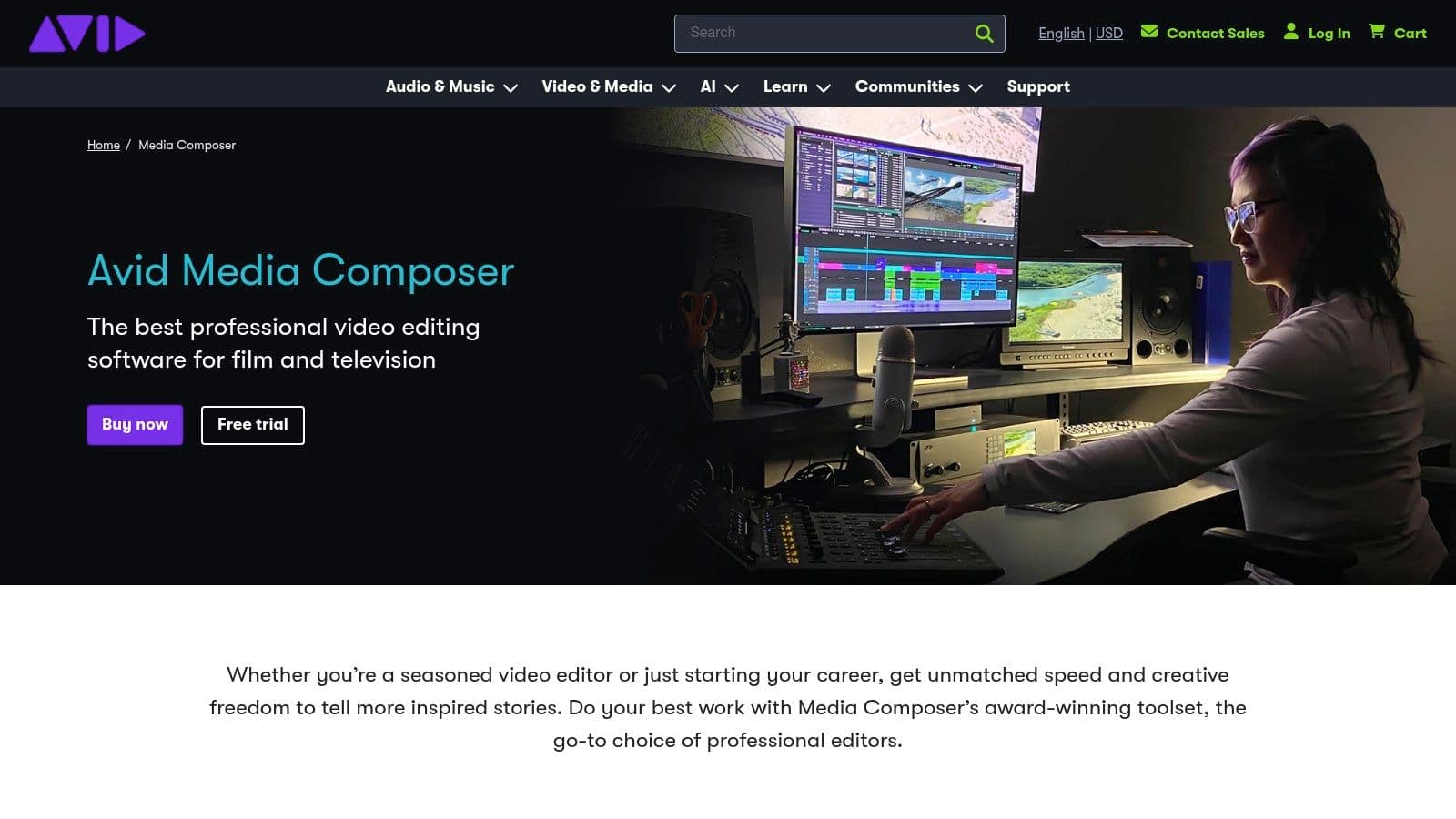
For musicians collaborating with professional audio engineers using Avid Pro Tools, Media Composer offers seamless integration, allowing for precise synchronization between video and audio. This is crucial for music videos, where the visual elements need to perfectly align with the music. Features like ScriptSync, which aligns performance footage with audio tracks, further streamline the editing process. Advanced media management tools handle large music video projects with ease, keeping your footage organized and accessible, even for complex productions involving multicamera concert footage. This is a huge advantage for event organizers and entertainment professionals who need a video editor for musicians capable of handling large volumes of footage.
Practical Applications:
- Karaoke channel creators: While potentially overkill for simple lyric videos, Media Composer excels at creating professional-quality karaoke videos with perfectly synchronized lyrics and high-resolution visuals.
- Musicians and lyric video creators: For artists aiming for a polished and professional look, Media Composer provides the tools to create visually engaging music videos and lyric videos with pinpoint accuracy.
- Content creators and social media influencers: While other options might be more budget-friendly, influencers with larger budgets and seeking top-tier production quality will appreciate Media Composer’s advanced features.
- Event organizers and entertainment professionals: Its robust media management capabilities make it perfect for managing and editing footage from live concerts and music festivals.
- Small businesses and marketing teams: For businesses creating high-end music-focused marketing campaigns, Media Composer offers the professional tools needed for a polished and impactful result.
Pricing and Technical Requirements:
Avid Media Composer offers various subscription plans, starting from around $23.99/month for individuals. Pricing scales up depending on the features and support required. It's worth noting that Media Composer is resource-intensive and requires a powerful computer system with a fast processor, ample RAM, and a dedicated graphics card for optimal performance. System requirements can be found on the Avid website.
Comparison with Similar Tools:
Compared to other video editors for musicians like Adobe Premiere Pro or Final Cut Pro, Media Composer offers a steeper learning curve and a higher price point. However, its superior media management capabilities, rock-solid stability, and deep integration with Pro Tools make it the preferred choice for high-end professional music video production. For those prioritizing stability and complex workflows over a more intuitive interface, Media Composer is the clear winner.
Implementation/Setup Tips:
- Invest time in learning the interface and workflow, as it is more complex than other video editors. Avid offers extensive documentation and tutorials.
- Ensure your hardware meets the recommended specifications for smooth performance.
- Take advantage of the free trial to familiarize yourself with the software before committing to a subscription.
Pros:
- Industry standard for professional music video productions
- Most stable platform for long-form and complex projects
- Unmatched media management for large productions
- Deep integration with professional audio workflows
Cons:
- Steepest learning curve among major editing platforms
- Higher cost compared to most alternatives
- Interface feels dated compared to newer competitors
- Requires powerful hardware for optimal performance
Website: https://www.avid.com/media-composer
Top 7 Video Editors for Musicians: Feature Comparison
| Tool | Core Features (✨) | User Experience (★) | Value & Pricing (💰) | Target Audience (👥) |
|---|---|---|---|---|
| 🏆 MyKaraoke Video | Browser-based, AI-sync, real-time preview, 1080p export | Intuitive, fast & customizable ★★★ | Flexible plans: Free, $5/mo, $10/mo 💰 | Karaoke managers, musicians, creators 👥 |
| Adobe Premiere Pro | Advanced editing, multi-cam, color grading ✨ | Professional; robust tools, steep learning ★★★ | Subscription model; higher cost 💰 | Pros, filmmakers, musicians 👥 |
| Final Cut Pro | Mac-optimized, magnetic timeline, multicam editing ✨ | Streamlined for Mac; easy to learn ★★★ | One-time purchase; cost-effective for Mac users 💰 | Apple users, professionals 👥 |
| DaVinci Resolve | All-in-one editing, superior color grading, Fairlight audio ✨ | Comprehensive, but steeper learning curve ★★★ | Free version available; professional-grade 💰 | Editors, professionals, musicians 👥 |
| Filmora | Beat detection, audio sync, extensive effects library ✨ | Beginner-friendly and accessible ★★★ | Affordable with free trial (watermark on exports) 💰 | Beginners, casual creators, musicians 👥 |
| Vegas Pro | Advanced audio tools, multicam editing, flexible timeline ✨ | Balanced interface; intuitive for pros ★★★ | Flexible pricing: subscription or perpetual license 💰 | Music producers, semi-professionals 👥 |
| Avid Media Composer | Pro Tools integration, media management, frame-accurate editing ✨ | Professional-grade; highest learning curve ★★★ | Premium pricing; high-end production focus 💰 | Film/TV pros, high-end music video producers 👥 |
Ready to Create Your Next Music Masterpiece?
From crafting engaging karaoke videos to producing professional music videos and everything in between, the right video editing software is crucial for any musician. We've explored seven powerful tools—MyKaraoke Video, Adobe Premiere Pro, Final Cut Pro, DaVinci Resolve, Filmora, Vegas Pro, and Avid Media Composer—each offering unique features and catering to various skill levels and budgets. Remember, the best video editor for musicians depends on your specific needs. While Premiere Pro and Final Cut Pro offer robust professional-grade features, DaVinci Resolve provides powerful color grading capabilities, and Filmora and Vegas Pro are excellent mid-range choices. Avid Media Composer remains an industry standard for collaborative projects, while MyKaraoke Video shines in its specialized niche.
When choosing your software, consider factors like your technical expertise, budget, desired features (like audio mixing capabilities, advanced effects, and collaborative tools), and the overall scope of your projects. Want to create stunning visuals to accompany your music? Check out this fantastic music video maker resource from Gemoo for inspiration and additional tools. Implementing these tools effectively requires a willingness to learn and experiment. Take the time to explore tutorials, practice with different techniques, and develop your own unique style.
With the right tools and dedication, you can transform your musical vision into captivating visual experiences. Ready to easily create high-quality karaoke videos specifically tailored for musicians? MyKaraoke Video offers intuitive features perfect for crafting engaging sing-along experiences and sharing your passion for music with the world. Start your free trial today and elevate your music to new heights!
