You’ve probably done some version of this already. You record a clip, open an editor, trim a few seconds, add text, export, upload, then realize the framing is wrong for Reels, the captions are hard to read, and the first seconds don’t give anyone a reason to stop scrolling.
That’s where most social video workflows break. Not in creativity, but in process.
If you want to learn how to make videos for social media, you need a repeatable system that works when you’re publishing every week, not just when inspiration hits. That matters even more for music creators. Most advice online assumes you’re filming a talking head, a product demo, or a lifestyle montage. It rarely helps if your content depends on timing lyrics to a beat, designing readable on-screen text, or repackaging one song into multiple short clips.
The practical workflow is simple. Plan for the platform before you shoot. Build the first seconds first. Keep production light. Edit for retention, not decoration. Then repurpose aggressively. That’s how channels grow without turning every post into an all-day project.
Why Video Dominates Social Media in 2026
A lot of creators still treat video like an extra. Write the post first, maybe cut a clip later, hope the platform does the rest. That approach usually stalls because social platforms now give most of their oxygen to native video formats.
The bigger shift is business behavior. In 2026, 91% of businesses actively use video marketing, and 69% of video marketers prioritize social media videos. The payoff is concrete too. 93% report good ROI, 88% report lead generation boosts, and 84% report direct traffic increases according to Sprout Social’s video marketing statistics. Video isn’t a side tactic anymore. It’s the format teams use when they need attention, clicks, and conversion paths that progress.
That’s why creators feel pressure. You’re not just competing with other people in your niche. You’re competing with brands, publishers, educators, musicians, local businesses, and media teams that all learned the same lesson. Static posts still have a place, but video gets more real estate in the feed and more chances to hold attention.
For music creators, the gap is even wider. A song snippet, lyric moment, chorus hook, or performance cut has a built-in advantage over generic content because it can deliver emotion fast. But only if the format is built for the feed. If you need a useful baseline before tightening your own process, these best practices for video marketing are worth reviewing alongside your channel data.
One practical mistake I see often is chasing trends before understanding platform behavior. A better place to start is with platform mechanics, especially short-form discovery systems like TikTok. If your content depends on getting shown to non-followers, learn the recommendation logic first through this breakdown of the TikTok algorithm explained.
Practical rule: Stop asking whether video is worth the effort. Ask what kind of video your audience will finish, share, and remember.
The Pre-Production Blueprint for Viral Potential
A social video usually succeeds or fails before the camera turns on.
I see the same pattern with new creators and small teams. They record first, sort it out later, and end up with too much footage, a weak opening, and no clear version for the platform that matters most. Music creators run into an extra problem. A great song clip can still underperform if nobody decided whether the post is supposed to hook new listeners, push streams, or make the chorus memorable through on-screen lyrics.
Pre-production fixes that. It sets the job of the video, the format, the first platform, and the shots you need. If you want a practical reference for how production teams map those steps, StudioBinder’s guide to video pre-production is a useful benchmark.
Start with one job for the video
Every post needs one primary outcome.
For social, that usually falls into three buckets:
- Reach: Get attention from people who do not know you yet.
- Retention: Give viewers a reason to stay, replay, or save.
- Action: Push one next step, such as a stream, follow, ticket click, or comment.
This matters even more for lyric and karaoke-style content. A lyric clip built for reach should center the strongest line and make it readable at a glance. A lyric clip built for action can afford more context, such as the song title, release date, or a clear CTA. Trying to force both goals into one short video usually weakens both.
Pick the primary platform before you write
Creators who say they will make one video and post it everywhere usually create a watered-down first draft.
Start with the feed that gets the first version. Then write for that feed’s viewing habits and screen behavior.
| Platform | Typical Length | Aspect Ratio | Best Use Case |
|---|---|---|---|
| Instagram Reels | 60 to 90 seconds | 9:16 | Discovery, hooks, lyric clips, artist storytelling |
| TikTok | Short-form clips | 9:16 | Fast reactions, music snippets, personality-led posts |
| YouTube Shorts | 50 to 60 seconds | 9:16 | Repeatable series, searchable music moments, short explainers |
| Facebook video | Under 60 seconds for short-form interaction, longer for some live formats | 1:1 or 9:16 | Community reach, reposted clips, local promotion |
| LinkedIn video | Short-form clips | 9:16 or 1:1 | Process content, creative business updates, professional audience building |
The trade-off is simple. A TikTok-first idea can survive rougher visuals if the moment feels native. A Shorts-first idea usually needs tighter phrasing and cleaner structure. If you publish Shorts often, Satura AI’s YouTube Shorts Script Generator is a practical way to rough out hooks and pacing before filming.
Build a brief that saves editing time
A usable brief is short. Mine usually fits in a notes app screen.
It should answer these questions before anyone records:
- Who is this for right now? New listeners, current fans, event buyers, collaborators, or casual scrollers.
- What is the one payoff? A lyric punch, a beat drop, a behind-the-scenes reveal, a lesson, or an offer.
- What format fits that payoff? Performance clip, lyric video, karaoke-style text video, talking head, montage, screen capture, or hybrid.
- What has to appear on screen? Lyrics, captions, title card, artist name, release date, CTA, brand mark.
- What source material do we need? Camera footage, cover art, waveform, B-roll, live footage, or screen recordings.
- What can we cut later? A teaser, alternate hook, square crop, Story version, or caption-led repost.
That last point saves a lot of time. A single lyric-video session can produce a full Reel, a shorter chorus cut for TikTok, and a text-only teaser for Stories if you plan those outputs before export.
If you cannot describe the video in one sentence before filming, the edit usually turns into cleanup instead of strategy.
Crafting Your Story and Filming with Confidence
Most creators don’t need better gear. They need a cleaner way to shape attention.
The easiest fix is scripting the opening before anything else. If the first seconds are weak, the rest of the video rarely gets a chance. For social, I like simple frameworks that are easy to speak and easy to edit.
Use a script structure that fits short-form
For educational or promotional clips, one reliable format is Hook, Problem, Solution, Action.
A few examples:
- Hook with a result or tension.
- Name the problem quickly.
- Show the fix.
- End with one next step.
For music content, use a different rhythm. Open with the strongest audio moment, then give the viewer visual context. That might be a lyric line, a chorus entry, a punchy subtitle, or the exact moment the beat drops.
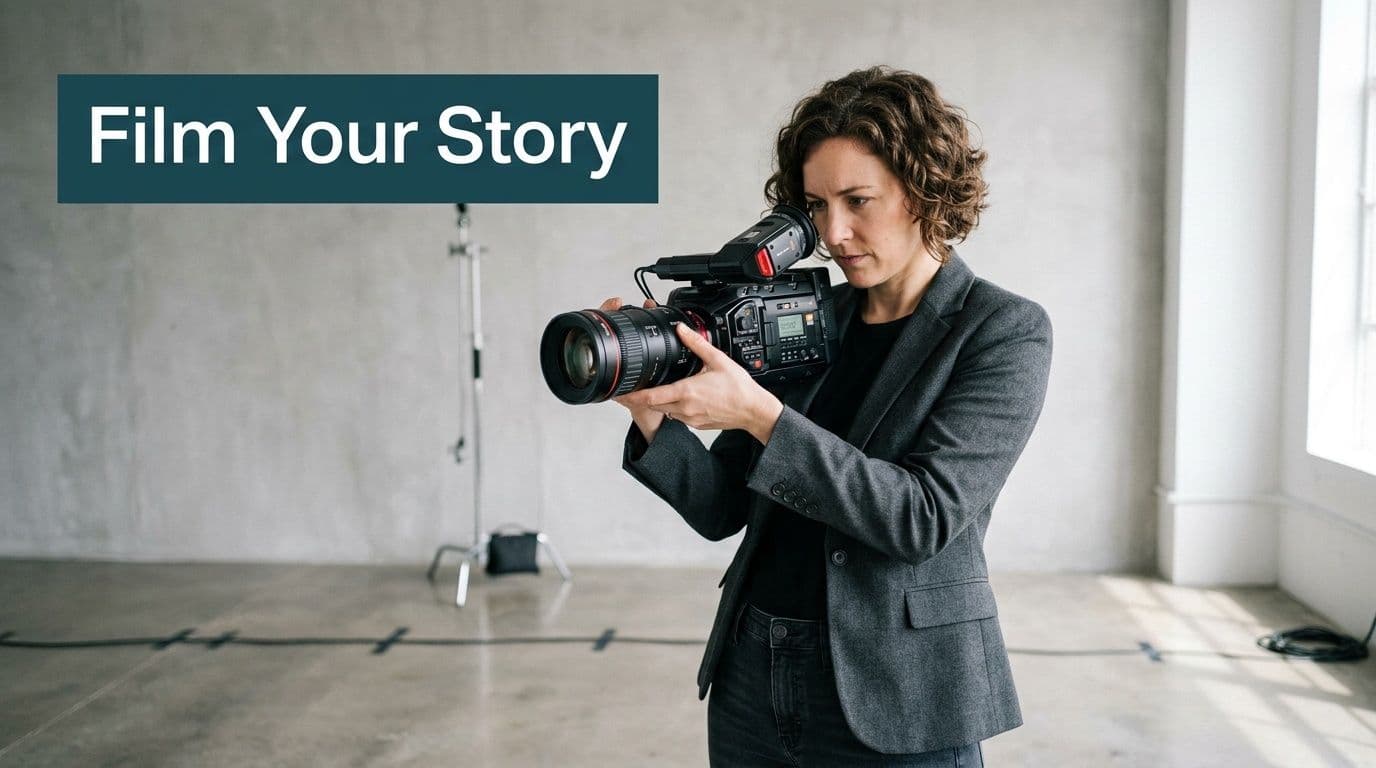
If you’re filming yourself, script in beats, not paragraphs. Short spoken lines are easier to deliver naturally and easier to cut without awkward jumps.
Storyboard the key moments
You don’t need a polished storyboard. A notes app checklist works fine. For a social clip, I usually map only the moments that matter:
- Opening frame: What appears before the viewer scrolls away?
- Visual change: When does the composition shift?
- Proof moment: What makes the content believable?
- Closing frame: What does the viewer do next?
This matters even more if your video mixes performance footage, screenshots, lyric overlays, or B-roll. Without a rough sequence, people collect random footage and try to “find the story” in editing. That takes longer and usually produces flat pacing.
Get the three production basics right
Social audiences forgive a lot. They don’t forgive confusion.
Focus on these basics:
- Audio first: If you’re speaking, record in a quiet room. Even a phone mic sounds better in a controlled space than an expensive mic in a noisy one.
- Light the face or subject clearly: Window light still beats bad overhead lighting. Turn toward the window, not away from it.
- Stabilize the frame: Lean the phone against something, use a basic tripod, or lock your elbows against your body. Stable is better than cinematic wobble.
Clear audio beats expensive visuals. Viewers will tolerate a simple frame longer than they’ll tolerate muddy sound.
One more practical note for music creators. If you’re filming performance-based content, record extra cutaways. Hands on keys, fader movements, lyric notebook shots, waveform screens, crowd reactions, stage prep. Those inserts save edits later and help you cover transitions without overusing jump cuts.
Create Engaging Lyric Videos in Minutes
Music creators run into a different production problem than most social guides acknowledge. The content isn’t just visual. It’s timed. If the lyrics lag, hit early, or feel crowded on screen, the whole clip loses impact.
That’s why generic social video advice falls short here. It teaches framing, hooks, and editing, but it rarely addresses audio-driven visuals. That’s a serious gap when music content makes up 40% of TikTok’s top videos, and industry analysis cited in Twirl’s article also reports that AI-synced lyric clips can increase engagement by 25% and viewer retention by 35% on Instagram. You can review that angle in Twirl’s piece on music-focused creator workflows and lyric syncing.
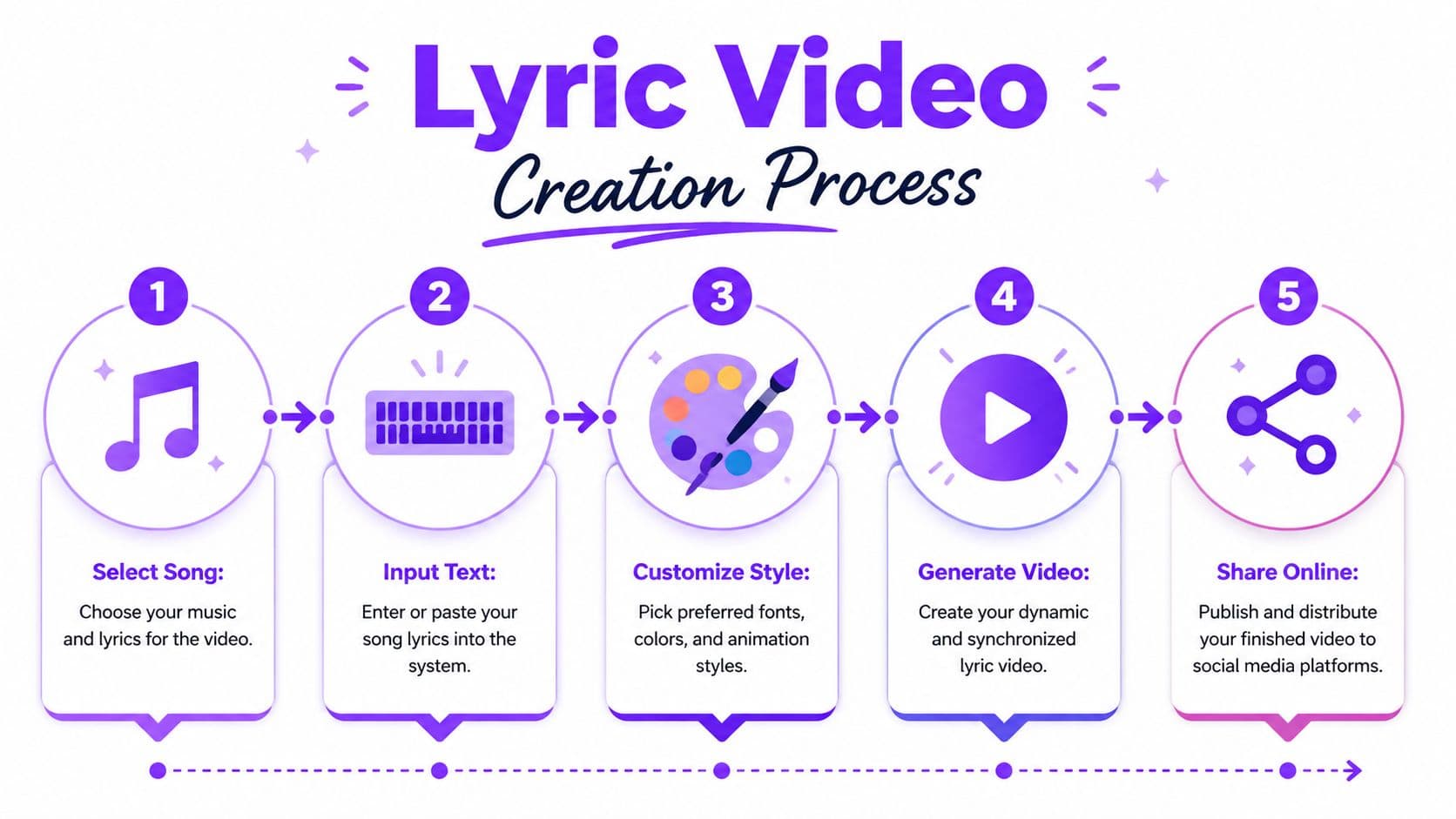
A browser-based tool like MyKaraoke Video fits this workflow because it handles the part that usually eats time. You upload the song, paste the lyrics, let the AI create the initial sync, then fine-tune the timing in the editor. For creators who want a starting point before choosing a tool, this guide to a free lyric video maker workflow gives a useful reference.
What makes lyric videos work on social
Lyric videos do well when they function as content, not just packaging.
That means:
- The text is readable on a phone.
- The timing feels musical, not mechanical.
- The visual style supports the song instead of fighting it.
- The clip starts with a line people want to hear again.
A bad lyric video often fails for simple reasons. Too much text on one screen. Fonts that look stylish on desktop and unreadable on mobile. Backgrounds with too much detail. Timing that lands a beat late. Those aren’t design problems. They’re retention problems.
Here’s the embedded walkthrough if you want to see the format in action:
Customize for the feed, not for your editing timeline
A lyric video that works on YouTube won’t automatically work on Reels or TikTok. Social versions need larger text, simpler backgrounds, tighter framing, and less patience from the viewer.
When adapting lyric videos for short-form, I’d prioritize:
- Opening line choice: Start with the strongest lyric, not the beginning of the song by default.
- Font weight: Thin type disappears on phones.
- Contrast: Text should stay readable even when the viewer is outdoors.
- Canvas format: Build vertical first if short-form social is the priority.
- Motion restraint: Small motion helps. Too much motion makes lyrics harder to follow.
A lyric video for social should feel like a live piece of content, not a shrunken version of a desktop music video.
Post-Production Magic and Smart Optimization
A social video usually wins or loses in the edit. I see this all the time with music creators. The song is strong, the footage is usable, and then the final cut drifts because nobody made hard decisions.
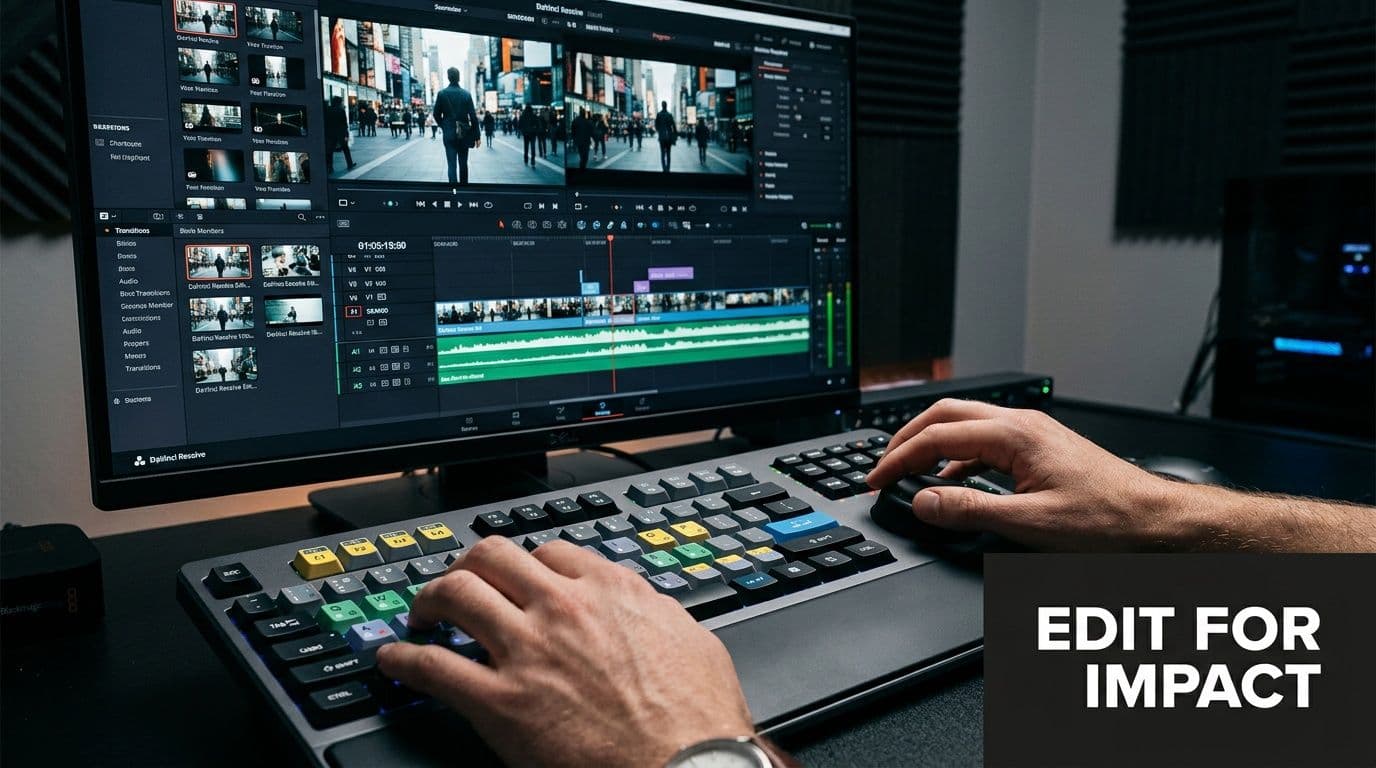
Editing for social starts with triage. Remove the pause before the first lyric lands. Remove the extra reaction shot. Remove the decorative transition that adds half a second and no meaning. For lyric and karaoke content, every frame has to support one job. Keep the viewer oriented in the song and give them a reason to stay for the next line.
Pace the edit for retention
Good pacing is less about speed than control. A talking clip can hold longer shots if the point is sharp. A lyric video often needs tighter visual timing because the audience is reading, listening, and deciding whether to sing along, all at once.
The strongest social edits tend to share a few habits:
- They start with immediate context through motion, text, or a recognizable lyric.
- They change visuals before attention drops, not on a fixed timer.
- They use a small set of transitions and repeat them consistently.
- They cut out before the idea or chorus replay starts to feel spent.
For music clips, I usually edit against the beat first, then check whether the words still read cleanly. Beat-perfect timing can look polished and still fail if the lyric changes too fast to process on a phone.
Add captions, lyrics, and visual cues that survive mobile
Captions do more than cover muted playback. They tell the eye where to go.
For spoken content, use burned-in captions that stay clear over any background. For lyric videos, treat the text as the main event. Increase size, simplify placement, and protect contrast. If a line matters, give it visual priority with weight, color, or timing. Do not ask viewers to hunt for it.
A few editing habits prevent expensive rework later:
- Trim before styling: Fix timing and structure before animating text or adding effects.
- Use one text system: Keep font, weight, color, and placement consistent across the series.
- Choose one CTA: Ask for one action, whether that is a follow, comment, save, or stream.
- Export clean masters: Platform-safe exports usually mean MP4, H.264, 1080p, and a frame rate that matches your source footage. Adobe’s social video export settings guide is a solid reference if you want a quick settings check.
If you need lightweight tools for trimming, captioning, or format changes, this list of free online video editors is a practical place to compare options.
Short-form promo cuts also benefit from variation. One version can push the hook lyric. Another can highlight the chorus drop or a punchier visual phrase. For creators testing paid distribution, the ShortGenius AI ad generator is useful for producing multiple ad-style variants without rebuilding every cut from scratch.
Review like a social manager, not like an editor
Desktop playback hides problems. Phone playback exposes them fast.
Before publishing, watch once with sound off, once with sound on, and once without touching the screen. That last pass matters because it shows whether the opening earns attention without your help. For lyric videos, check one more thing. The word changes should still feel readable if the viewer joins halfway through the clip.
The usual problems show up quickly:
- The first second is visually flat.
- The lyric text is too small or too low.
- The caption style fights the background.
- The CTA arrives after attention has already dropped.
- The ending hangs on a logo or fade that adds no value.
Strong post-production is disciplined. It respects the feed, the phone screen, and the way music viewers behave. If the edit is clear, readable, and tightly timed, the rest of the workflow gets easier.
Publishing and Promoting Your Video for Maximum Reach
A finished video is raw material until distribution turns it into a system. At this point, creators either build momentum or waste a good asset with a single post and no follow-up.
The strongest publishing workflows treat one core video as a content source, not a one-time event. That matters because one long-form asset can become a lot more. According to Digital Applied, a single long-form piece can be repurposed into 15 to 25 derivative assets, including 3 to 5 short-form video clips, and teams using AI-powered repurposing pipelines can do that in under an hour instead of 8 to 12 hours manually. That framework is outlined in their guide to an AI content repurposing pipeline.
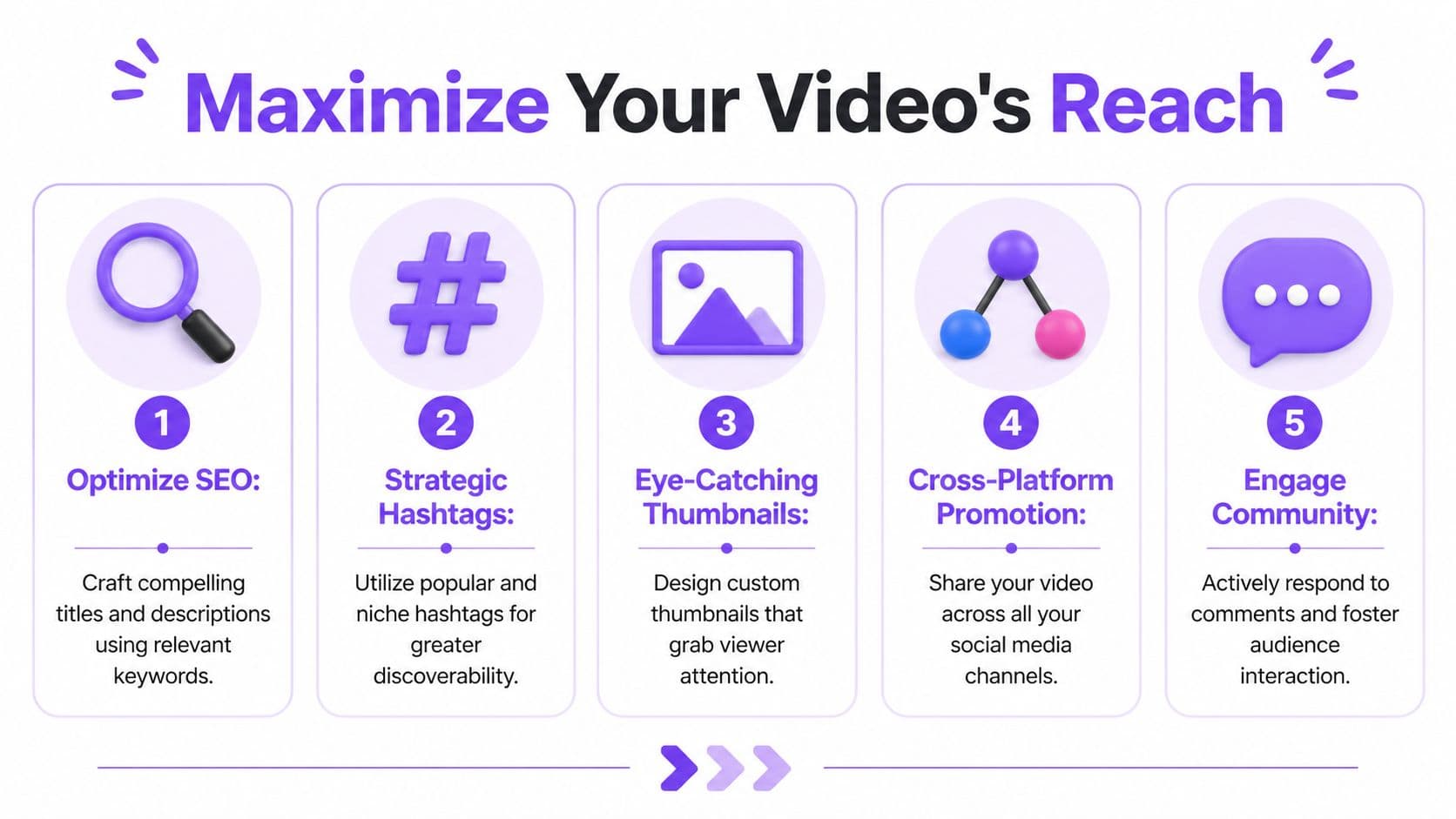
Repurpose by angle, not just by crop
A weak repurposing strategy takes the same video, changes the aspect ratio, and posts it everywhere. A stronger one changes the angle.
If you start with one song, performance, tutorial, or announcement, pull different cuts from it:
- Hook clip: the strongest first line or visual moment
- Context clip: what the song means or how it was made
- Reaction clip: audience response, duet prompt, or comment reply
- Utility clip: lyric breakdown, singing tip, or production detail
That approach lets each platform get a version that feels native instead of copied.
Use a simple distribution rhythm
You don’t need a huge campaign calendar. You need consistency and sequence.
A practical rhythm looks like this:
- Publish the main video on the primary platform.
- Adapt follow-up cuts for other platforms instead of reposting the same file blindly.
- Support the post with static assets like quote graphics, lyric screenshots, or carousel summaries.
- Respond early to comments because that interaction often shapes the post’s second wave of reach.
- Review analytics quickly and save the winning hook, caption angle, or visual style for reuse.
If you need help generating creative variations for paid or promotional edits, tools like the ShortGenius AI ad generator can speed up concept iteration without rebuilding every version manually.
The creators who publish consistently aren’t always making more content. They’re extracting more value from the content they already made.
Read the right metrics
Don’t overcomplicate this. For social video, I care most about whether people stop, stay, and act.
Look at:
- Initial hold: Did the opening earn attention?
- Completion behavior: Did people stay through the main point?
- Engagement quality: Are comments, saves, shares, or replies telling you the content connected?
- Action rate: Did the post create the next step you wanted?
Those signals tell you more than vanity comparisons between unrelated posts. A lyric clip and a talking-head explainer won’t behave the same way, so don’t judge them by identical standards.
If you build your process around one core workflow, the whole thing gets lighter. Plan with platform intent. Film only what the edit needs. Keep the message tight. Repurpose by angle. Then repeat.
If your content depends on lyrics, music timing, or karaoke-style visuals, MyKaraoke Video gives you a faster way to turn songs into social-ready videos without heavy desktop editing. Upload your track, add lyrics, adjust the style, export, and use the result across Reels, Shorts, TikTok, or YouTube as part of a repeatable content workflow.
