
You've probably done this already. You found a song that would work perfectly for karaoke night, a cover rehearsal, a lyric video, or a short-form post. Then you searched for a vocal remover, uploaded the track, and got something close but not clean enough to publish.
That gap matters.
Removing vocals isn't the finish line. It's the first production step. If your real goal is a shareable karaoke video, a practice track, or a polished music track for content, you need to think beyond “can I mute the singer?” and ask “can I turn this into something people will want to hear and watch?”
Why Modern Vocal Removers Changed the Workflow
You have a song, a deadline, and a clear use case. You need a clean backing version fast enough to keep building the karaoke video, not spend the evening fighting EQ cuts and phase tricks inside a DAW.
That is the key shift.
A few years ago, removing vocals from a finished mix usually meant compromise. Center-channel cancellation could work on simple stereo masters, but it often pulled snare, bass, and other centered elements down with it. Manual repair gave more control, but it could easily eat up hours, as Antares explains in its overview of AI vocal removal.
Current AI tools changed the practical decision-making. Instead of committing to a long edit up front, creators can test a track in minutes, hear the bleed and artifacts immediately, and decide whether it is good enough for rehearsal, casual karaoke, or a publishable video. A fast free vocal remover for karaoke prep is useful here because it helps you make that call before you start lyric timing, background design, and export settings.
The biggest improvement is not perfect separation. It is speed to a reliable yes-or-no.
Older removal methods broke down fast on dense pop mixes, wide vocal reverbs, and layered harmonies. AI separation still leaves artifacts on difficult songs, but it handles overlapping frequencies far better than classic center removal. That makes it useful as the first production step in a full karaoke workflow, not just a one-off audio trick.
In practice, different creators use these tools for different reasons:
- Karaoke video editors need a singable backing track they can pair with synced lyrics.
- Musicians and teachers use split tracks to rehearse parts and control music with stems.
- Lyric video creators need cleaner music beds before they start visual timing.
- Short-form editors separate vocals and music to build alternate cuts for reels, clips, and teasers.
A simple rule holds up well. Judge vocal removal by the finished result it enables. If the track supports a strong karaoke video, a usable rehearsal file, or a clean content edit, it did its job.
Analysts at Market.us estimate the AI vocal remover market at USD 180.0 million in 2024 in the Market.us AI vocal remover market report, with projected growth through 2034. That lines up with what editors already see in day-to-day work. Vocal removal is now standard production utility software, especially for creators who need to move from raw song file to polished video without building a full remix from scratch.
For karaoke, that changes the workflow more than the audio theory. The vocal remover gets you to a workable backing track sooner. The main quality jump comes after that, when you clean rough spots, sync lyrics carefully, and package everything into a video people will want to share.
Choosing Your Vocal Removal Method
Not every song needs the same approach. If you only want a quick backing track for practice, one-click AI usually gets you there. If you're chasing a cleaner vocal-free track for public release, you may need a more surgical workflow.
The important distinction is this: a basic vocal remover and a full stem separation workflow are not the same thing. Standard vocal removal can leave vocal bleed, phase artifacts, and missing backing instruments, while cleaner results for higher-end use cases often come from stem separation or full multitrack-style workflows, as discussed in this professional guidance on karaoke-quality output.
The three main methods
AI separation
This approach is a good starting point. You upload the track, the model separates vocals from the non-vocal elements, and you listen for artifacts.
AI is usually the fastest route from song file to usable karaoke base. It also gives you the clearest “go or no-go” decision quickly. If the result is good enough, move on. If not, switch strategies instead of over-editing a bad split.
Phase inversion
This is the old-school center-cancel method. It works best when the lead vocal sits dead center and the left-right information around it is reasonably balanced.
It can still help on certain tracks, especially older, simpler stereo mixes. But it often takes other centered material with it. Snare, bass, kick, and important synth layers can thin out fast.
EQ editing
This is the manual option for people who want control. Instead of trying to null the vocal completely, you reduce the most obvious vocal ranges and tame the remaining presence.
EQ won't completely separate a vocal from a full mix. What it can do is make a difficult track more singable. For karaoke prep, that can be enough.
Vocal Removal Method Comparison
| Method | Best For | Speed | Quality | Effort |
|---|---|---|---|---|
| AI separation | Fast karaoke prep, lyric videos, quick stems | Fast | Usually the strongest starting point | Low |
| Phase inversion | Older stereo mixes, experiments, rescue attempts | Medium | Unpredictable | Medium |
| EQ editing | Fine-tuning a difficult track, reducing leftover vocal presence | Slow | Limited but controllable | High |
When stem separation is the better choice
If you need a polished result, think beyond “remove singer.” You may need separate stems for drums, bass, and harmonic layers so you can rebuild the backing track more intentionally. If you want a practical explanation of how producers control music with stems, that workflow is worth understanding before you commit to a simple vocal remover.
A browser-based option is often enough for first-pass work. If you want to test that route, an online free vocal remover is the quickest way to learn whether your song is a good candidate.
Some tracks don't fail because the tool is weak. They fail because the original mix gives the tool almost nothing clean to separate.
A simple decision rule
Use AI first when speed matters.
Use phase inversion when you're working on a stereo mix that seems center-heavy and you want to experiment.
Use EQ when the vocal is mostly gone but still pokes through in a few ranges.
Choose stem separation when you need something closer to production-ready than “good enough for rehearsal.”
The AI Vocal Remover Workflow in Minutes
You have a song picked, a karaoke night or upload deadline is close, and the question is simple. Can this track become a usable karaoke video fast, or will it eat an hour before you realize the separation is bad?
For quick-turn projects, AI is the fastest screening step I know. It gets you from a finished song file to a rough backing track in minutes, and, just as vital, it tells you whether the song is worth building into a full karaoke video at all.

Start with the source file, not the tool
Bad input wastes time. A clean master or high-quality export gives AI the best chance to separate the lead vocal without tearing up the snare, bass, or backing harmonies.
Use this order:
- Upload the cleanest version of the song. Skip YouTube rips, old transcodes, and files that already sound smeared.
- Run separation on the untouched mix. Pre-processing too early can make artifacts harder to judge.
- Solo-check both results. Listen to the music track, then the vocal stem. The vocal stem often reveals problems you will miss if you only hear the backing.
- Jump to the chorus and densest section. Verses can sound fine while the chorus falls apart.
- Make a fast keep-or-reject call. If the base track is weak, start over with another source or another method.
A practical option for that first pass is Vocuno vocal extractor, especially if you want a quick read on whether a song will separate cleanly before you spend time editing lyrics or building visuals.
What to listen for
The goal here is not perfection. The goal is a backing track that survives the full karaoke workflow without distracting flaws.
Check for:
- Words still audible under the music, especially on long held notes
- Thin drums or a weakened center image
- Watery reverb tails after vocal phrases
- Messy choruses where stacked vocals and wide synths confuse the model
Minor residue is usually acceptable for casual karaoke, lyric videos, or rehearsal tracks. Heavy artifacts are a bad sign if you plan to publish the result, sing over it live, or turn it into a polished karaoke video people will replay.
Here's a visual walkthrough of that kind of browser-based process:
Why this workflow works
Speed is only part of the benefit. The bigger advantage is that AI separation helps you qualify the song early.
If the backing track passes a quick audio check, you can move straight into lyric timing, screen text, background visuals, and export. If it fails, you find out before you build the rest of the karaoke video around a weak track. That is the efficient workflow. Vocal removal is the first gate, not the final deliverable.
Manual Vocal Removal for Advanced Control
Sometimes AI gets you close but not all the way there. That's when manual work helps. Not because it's faster, but because it lets you decide exactly what trade-offs to make.
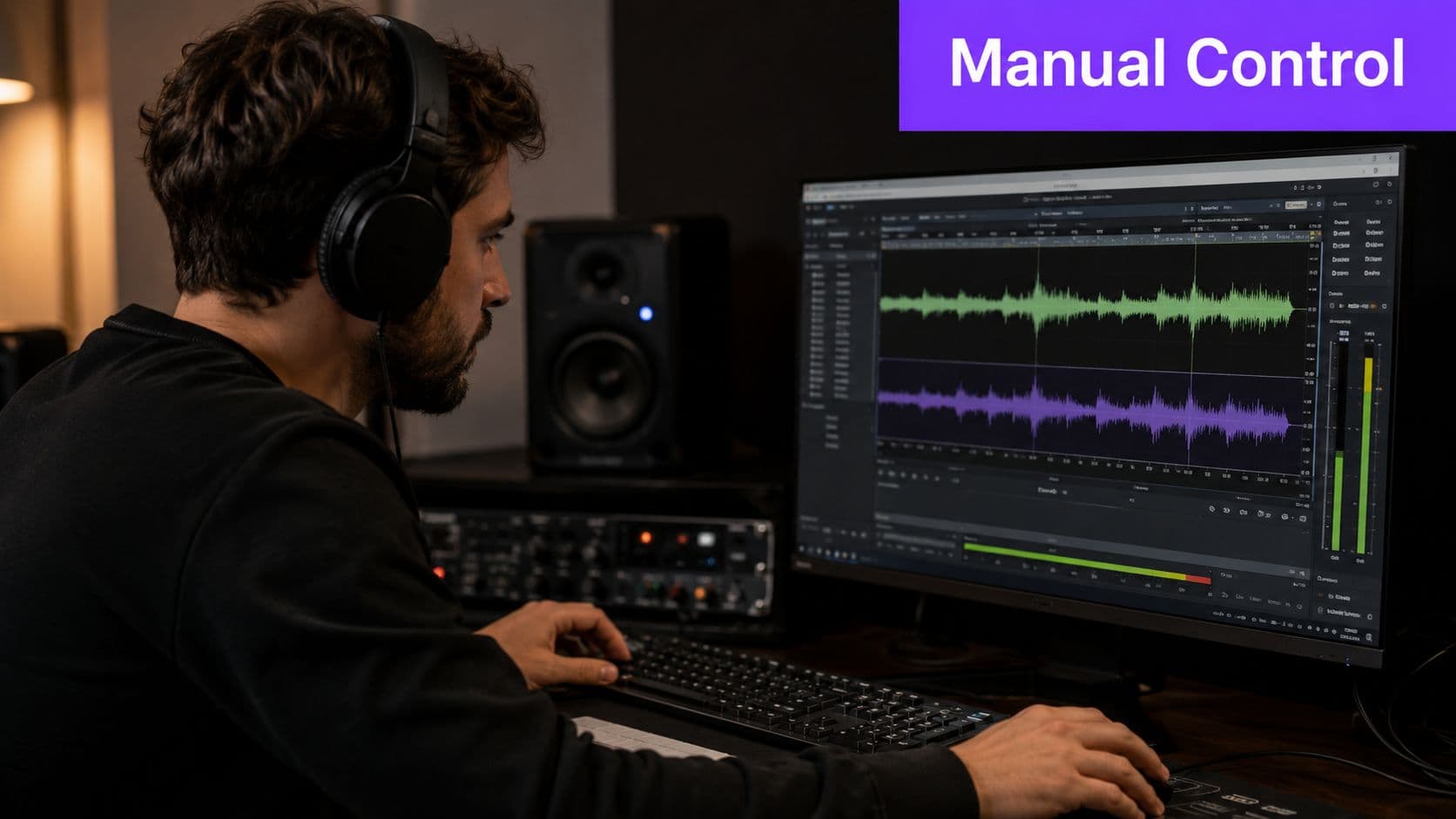
Phase inversion in real use
Phase inversion works by cancelling information that appears equally in both stereo channels. Since many lead vocals sit in the center, flipping one channel and summing can reduce the singer.
When it works, it's quick. When it fails, it takes half the mix with it.
Use it when:
- The vocal is strongly centered and the arrangement is relatively conventional
- The track is stereo, not mono or near-mono
- You can accept losses in centered drums, bass, or lead instruments
Avoid it when the mix is live, roomy, heavily widened, or already fragile.
If the chorus gets thin after center cancellation, that's not a small artifact. It's the method telling you the mix structure doesn't suit it.
EQ as a cleanup tool
EQ is better viewed as a follow-up method than a true removal method. You use it to reduce what separation left behind.
A practical manual chain looks like this:
- Pull harsh mids carefully where the leftover lyric intelligibility sits
- Tame presence ranges only as much as needed to make the backing singable
- Check cymbals and snare after every move because aggressive cuts can make the music feel dull fast
- Automate sections if needed because a verse and chorus often need different treatment
If you're batch-processing video deliverables and need command-line help for handling audio streams around your edit workflow, RenderIO's FFmpeg audio guide is useful context, even though it serves a different purpose than actual stem separation.
When manual beats one-click
Manual methods win on edge cases. They're useful when the AI split is almost acceptable but has one repeating flaw, like a stubborn center vocal smear or a resonant phrase that keeps showing up.
They also help when you need a karaoke track that feels natural rather than clinically stripped. Sometimes a little vocal shadow is less distracting than the damage caused by aggressive removal. Good editors know when to stop.
From Instrumental Track to Finished Karaoke Video
Getting the singer out is only step one. A finished karaoke video needs music that holds up through the full song, lyrics that land on time, and visuals that don't distract from the performance.
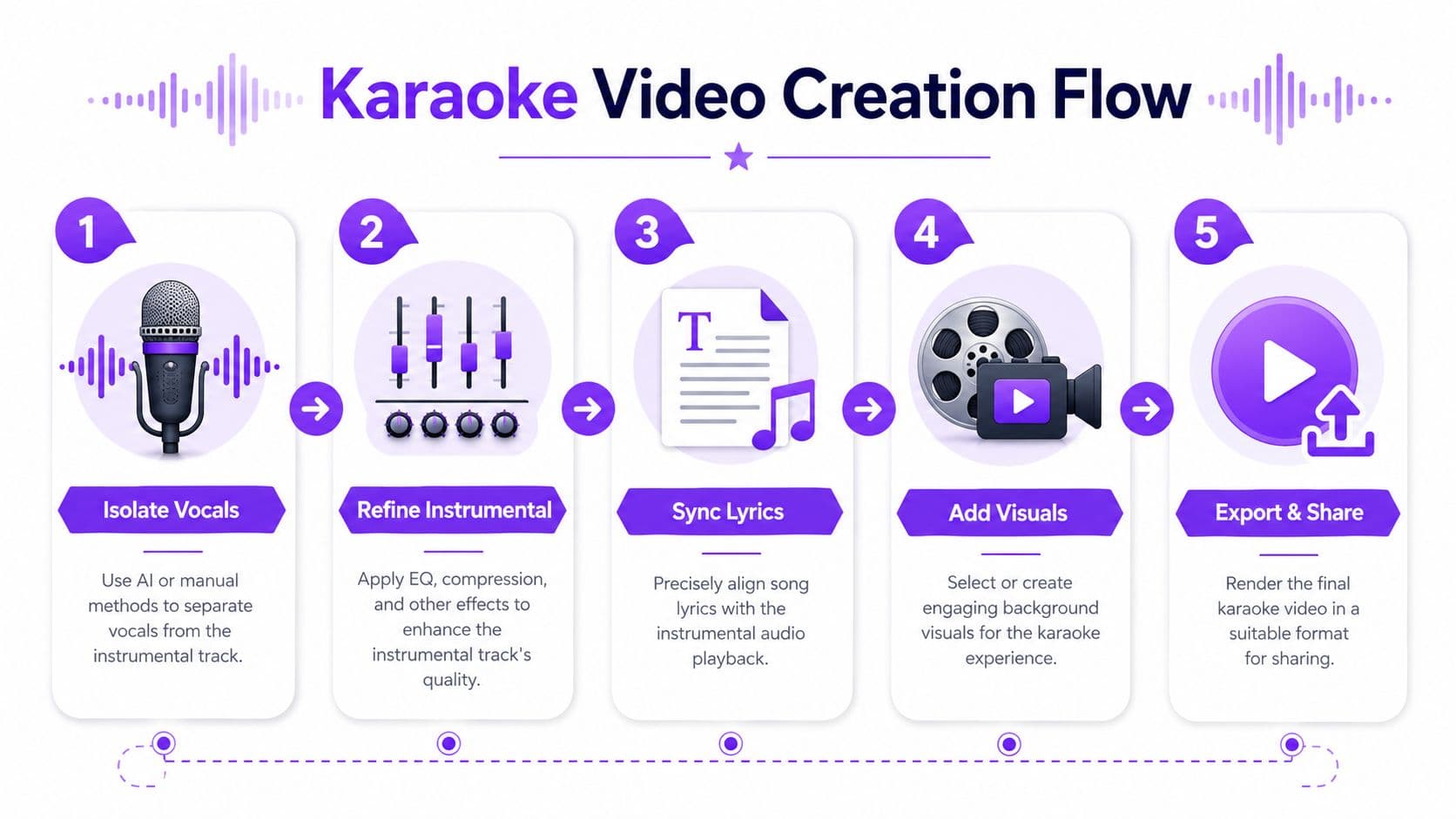
Clean the audio before you touch the visuals
The workflow that most consistently improves results is to start with WAV or FLAC when possible, run AI separation first, then apply targeted cleanup such as de-echo or de-reverb if residual vocal artifacts remain, while compressed MP3 files and dense arrangements with vocals heavily blended into the center image remain common failure points, according to this technical guide to vocal removal workflow.
That sequence matters because cleanup should solve leftover problems, not replace the separation stage.
Use a short post-pass on the non-vocal track:
- De-reverb lightly if vocal ambience still hangs around phrase endings
- De-echo selectively if consonants smear into the backing
- Check low-end stability because some separation passes soften kick and bass impact
- Compare against the original mix at matched loudness so you don't mistake “different” for “better”
Build the karaoke layer
Once the audio feels stable, the core karaoke work begins. Many creators often lose time at this stage. They handle separation in one tool, lyric timing in another, background visuals somewhere else, then export through a fourth app.
That's why integrated workflows matter more than standalone utilities.
A useful next step is learning how creators use a vocal removal app inside a fuller karaoke workflow, because the audio split only becomes valuable when it feeds lyric sync and video output without creating more manual cleanup.
What makes a karaoke video feel finished
Three things separate a rough upload from a polished one:
Lyric timing
The lyrics need to feel anchored to the phrasing, not roughly aligned by line. Tight word timing matters most on fast songs and pickups before the downbeat.
Visual restraint
A busy animated background can make even good lyric timing feel amateur. Keep contrast high, motion controlled, and text readable on mobile.
Audio honesty
Don't over-process the backing just to erase every trace of the vocal. A slightly imperfect backing track with solid punch usually plays better than a hollow, over-cleaned track.
The best karaoke video isn't the one with the most aggressive vocal removal. It's the one people can sing to without noticing the editing.
Troubleshooting Common Vocal Removal Problems
Most failures come from one of two things. Either the source mix was difficult, or the processing went too far. Over-processing can strip transients, cymbals, and reverb tails from the track, and aggressive settings on sparse or live recordings can create unnatural artifacts, as noted in this academic discussion of separation pitfalls.

Problem and fix
You still hear ghost vocals
The cause is usually reverb, delay, or harmonics that the model treated as part of the backing.
Try this:
- Process the music with light de-reverb
- Check only the loudest sections first
- Reduce expectations on heavily produced pop choruses, where wide vocal effects are hardest to remove cleanly
The instrumental sounds thin or phasey
This often happens after center cancellation or over-aggressive cleanup.
Fix it by:
- Rolling back the strongest processing step
- Comparing different separation outputs, if your tool gives options
- Choosing the version with fuller drums, even if it leaves slightly more vocal residue
The snare or lead synth disappeared too
That usually means the remover took too much center information with the vocal.
Your best move is to stop chasing a perfect null. Use a less aggressive pass and accept a little bleed if the groove returns.
Live or acoustic tracks sound unnatural
These mixes often break simple assumptions about centered vocals and clean stereo balance.
Use shorter review passes, listen section by section, and avoid stacking multiple repair tools unless each one solves a specific problem. If the original recording also has hiss or room noise, this guide on removing background noise from audio is relevant because leftover ambience can make vocal artifacts seem worse than they are.
The safest rule
When a result starts sounding brittle, you've probably crossed the line. Back up one step. Karaoke tracks need to feel stable and singable more than technically “empty.”
If you want one browser-based workflow that starts with vocal removal and continues into lyric sync, visual customization, and video export, MyKaraoke Video is built for that full path from song file to finished karaoke or lyric video.
