For a long time, finding great karaoke software for Macs felt like a wild goose chase. You've got this incredibly powerful, intuitive creative machine, yet the options for making high-quality karaoke videos were surprisingly thin on the ground. It was a frustrating gap. But that’s finally starting to change, thanks to a new wave of browser-based tools that run beautifully on macOS.
Why Your Mac Is the Perfect Karaoke Creation Studio
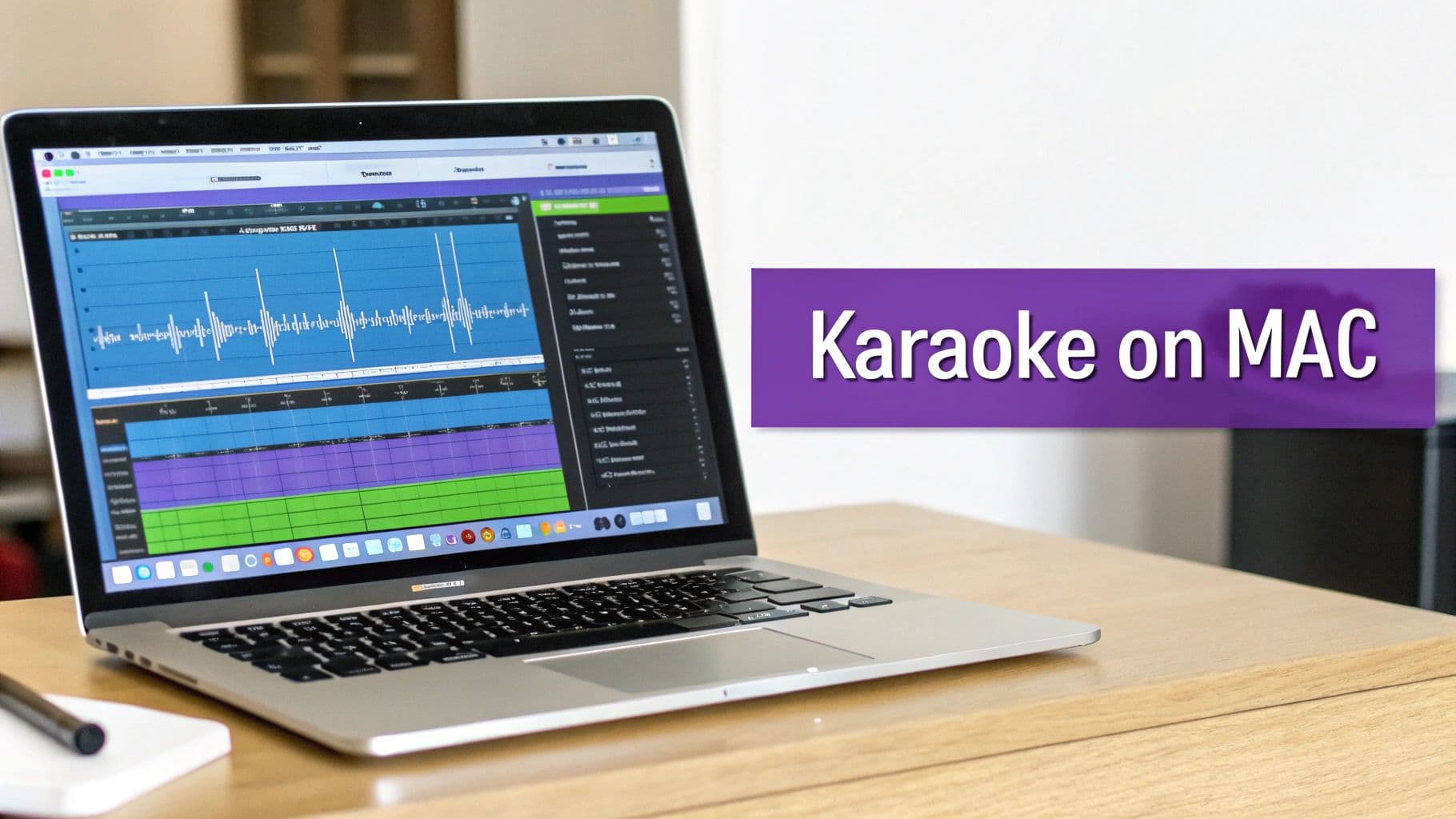
If you’ve ever tried to make a karaoke video from scratch, you know the pain. Manually syncing lyrics to the music, syllable by syllable, is a soul-crushing task that can burn hours on a single song. This problem has always been worse for Mac users, who were stuck with clunky, outdated downloadable apps that felt like relics from another era. Worse, a new macOS update could break them completely, leaving you high and dry.
This is where your Mac, paired with modern software, really comes into its own. Macs are built from the ground up for creative work. They have stable operating systems and handle media effortlessly. With the right tool, that machine sitting on your desk transforms into a karaoke production powerhouse.
The Shift to Browser-Based Simplicity
The real game-changer for Mac users has been the move to powerful, browser-based karaoke software. Instead of dealing with downloads, installations, and constant updates, these tools just work—right in Chrome, Safari, or Firefox. This simple but brilliant approach completely sidesteps all the classic compatibility headaches.
A tool like MyKaraoke Video is a perfect example. It was designed to work anywhere, on any machine. It doesn't care if you're on a MacBook Air, a beefy iMac, or a Mac Pro. If you can open a web browser, you can create a professional-looking karaoke video.
This opens up a ton of possibilities for people like:
- YouTube Creators who need to churn out a steady stream of high-quality, branded content.
- Musicians and Artists looking to create compelling lyric videos to get their new music out there.
- Event Professionals who have to whip up custom tracks for weddings, parties, and corporate gigs on short notice.
The real challenge was never just finding software that would run on a Mac. It was about finding software that actually respects your time. The best modern tools automate the most tedious parts of the process, like lyric syncing, so you can focus on being creative.
Unlocking Your Creative Potential
At the end of the day, you want a workflow that feels natural and inspiring, not like you're fighting the technology. Old, clunky software makes you wrestle with it every step of the way. Modern solutions, on the other hand, work with you.
By stepping away from the old downloadable app model and embracing browser-based platforms, Mac users can finally leave those old frustrations behind. The right software doesn't just make a task easier; it fundamentally changes what you can create. To see what I mean, you can learn more about what makes for good karaoke software in our detailed guide. It'll help you pick the perfect tool to bring your vision to life.
Native Mac Apps Versus Browser-Based Karaoke Tools
When you start hunting for karaoke software for your Mac, you'll quickly run into two main camps: native Mac apps and modern browser-based tools. The path you choose here really shapes your entire workflow, how much creative freedom you have, and whether you'll be pulling your hair out over compatibility issues down the road.
Think of it this way: a native Mac app is like a specialized kitchen gadget you buy once. You download it, install it right on your Mac, and it lives in your Applications folder. It promises to work offline, which sounds great on paper. The problem? Many of these apps feel like they were designed a decade ago, with clunky interfaces that become a constant source of anxiety with every new macOS update.
A browser-based tool, on the other hand, is like a modern meal-kit subscription service. You don't install a thing. You just log in from your browser anywhere you have an internet connection. Platforms like MyKaraoke Video are always up-to-date, using powerful cloud servers to do the heavy lifting so your Mac doesn't have to.
The Pitfalls of Old-School Native Apps
For years, the story was the same for Mac users: a frustrating lack of reliable, well-maintained native karaoke software. These downloadable apps tend to come with a whole host of problems that can stop your creative flow dead in its tracks.
- Compatibility Nightmares: A new macOS version drops, and suddenly your trusty app breaks. Now you're stuck, waiting for a developer to release a patch... if they ever do. For anyone serious about making content, that kind of unreliability is a deal-breaker.
- Resource Hogs: These apps can be serious memory hogs, eating up your Mac's RAM and CPU. This often leads to sluggish performance and slow video rendering, even on a powerful machine.
- Stale Features: Unlike web platforms that are constantly evolving, native apps can go years without any meaningful new features, leaving you with a toolset that feels dated and restrictive.
The real issue with many native apps is that you have to work around their limitations. Modern browser-based software flips that on its head—it adapts to you with constant updates and cloud-powered features that old-school apps just can't compete with.
The Advantages of Modern Browser-Based Tools
The move toward browser-based karaoke software for Macs has pretty much solved these long-standing frustrations. This approach gives you a much smoother, more powerful experience, especially if you're a content creator who can't afford to waste time on technical glitches.
This isn't just a niche trend. The global karaoke applications market hit a massive USD 5.6 billion in 2023 and is expected to climb by 11.00% every year through 2030. A huge driver of this growth is tech-savvy users, particularly in North America (which holds 38% of the market), who just expect things to work seamlessly. You can dig into more of these stats in this karaoke applications market growth report. Browser-based tools are perfectly built for this world, helping creators pump out content for platforms like YouTube, where karaoke videos rack up billions of views.
Comparing Native Mac Apps and Browser-Based Tools
So, what does this all look like in a head-to-head comparison? The differences become pretty stark when you lay them out side-by-side.
| Feature | Native Mac Apps (e.g., kJams) | Browser-Based Tools (e.g., MyKaraoke Video) |
|---|---|---|
| Installation | Requires a download and manual installation, taking up space on your hard drive. | None. You just open your browser and go. |
| Updates | You have to manually download and install updates, assuming they're even available. | Completely automatic. You’re always using the latest, greatest version. |
| Performance | Relies entirely on your Mac's local resources, which can cause slowdowns. | Uses powerful cloud servers for heavy processing, keeping your Mac fast and responsive. |
| Accessibility | Tied to the one computer you installed it on. | Log in and access your projects from any Mac, anywhere with an internet connection. |
| Features | The feature set is often frozen in time, slow to get new tools. | Constantly updated with the latest tech, like AI-powered syncing and advanced effects. |
Ultimately, picking the right kind of software is the foundation for everything you'll do. While a native app might seem tempting for its offline capabilities, the reality is that the practical benefits of a modern browser-based platform—from performance and accessibility to always having the newest features—make it the clear winner for most Mac users today.
What to Look for in Modern Mac Karaoke Software
Picking the right karaoke software for your Mac isn't just about finding something that works. It's about finding a tool that genuinely saves you time and helps you create something you're proud of. The real difference between a basic app and a professional-grade tool comes down to a few key features. These are the game-changers that turn hours of tedious clicking into just a few minutes of creative fun.
First and foremost is AI-powered lyrics syncing. If you've ever tried to make a karaoke video manually, you know the pain. Timing every single word to the music is, by far, the most soul-crushing part of the process. Modern software completely flips the script by using AI to listen to the audio and automatically snap the lyrics into place. What used to take hours now takes a single click.
That automation is a massive leap forward, but let's be real—AI isn't perfect. That’s why the second non-negotiable feature is a great visual sync editor.
Fine-Tuning with a Visual Sync Editor
Think of the AI sync as an incredibly fast assistant who gets the first draft done for you. It nails about 95% of the work in seconds, but that last 5% is where your creative touch makes all the difference. A good visual sync editor lays the audio waveform out right next to your lyrics, letting you make tiny, precise adjustments with a simple drag-and-drop.
This is where the magic happens. You can nudge a word just a fraction of a second to match a singer's unique delivery or tweak the timing of a whole line for dramatic effect. It’s this combination of AI speed and human precision that creates a truly professional-looking video. If you work with timed text a lot, it’s worth exploring what makes for the best subtitle editor software, as many of the same principles apply.
The goal of great software is to give you both speed and control. It handles the robotic work so you can focus on the artistic details that make your content stand out.
Customization and Branding Your Content
A fantastic karaoke video is more than just accurate lyrics—it’s a whole vibe. The best karaoke software for Macs gives you deep customization options so you can develop a signature style for your channel, events, or personal projects.
And I don't just mean picking a font. You should be looking for tools that give you total control over:
- Typography: The ability to choose any font, size, color, and even add text shadows to make your lyrics pop and stay true to your brand.
- Backgrounds: You need options! Whether it’s a static image, a cool animated background, or even your own video clips, the background sets the mood.
- Color Palettes: Easy-to-use color pickers for text, highlights, and backgrounds are a must for keeping your brand visuals consistent across all your videos.
This flowchart breaks down the two main paths Mac users can take when choosing their software.
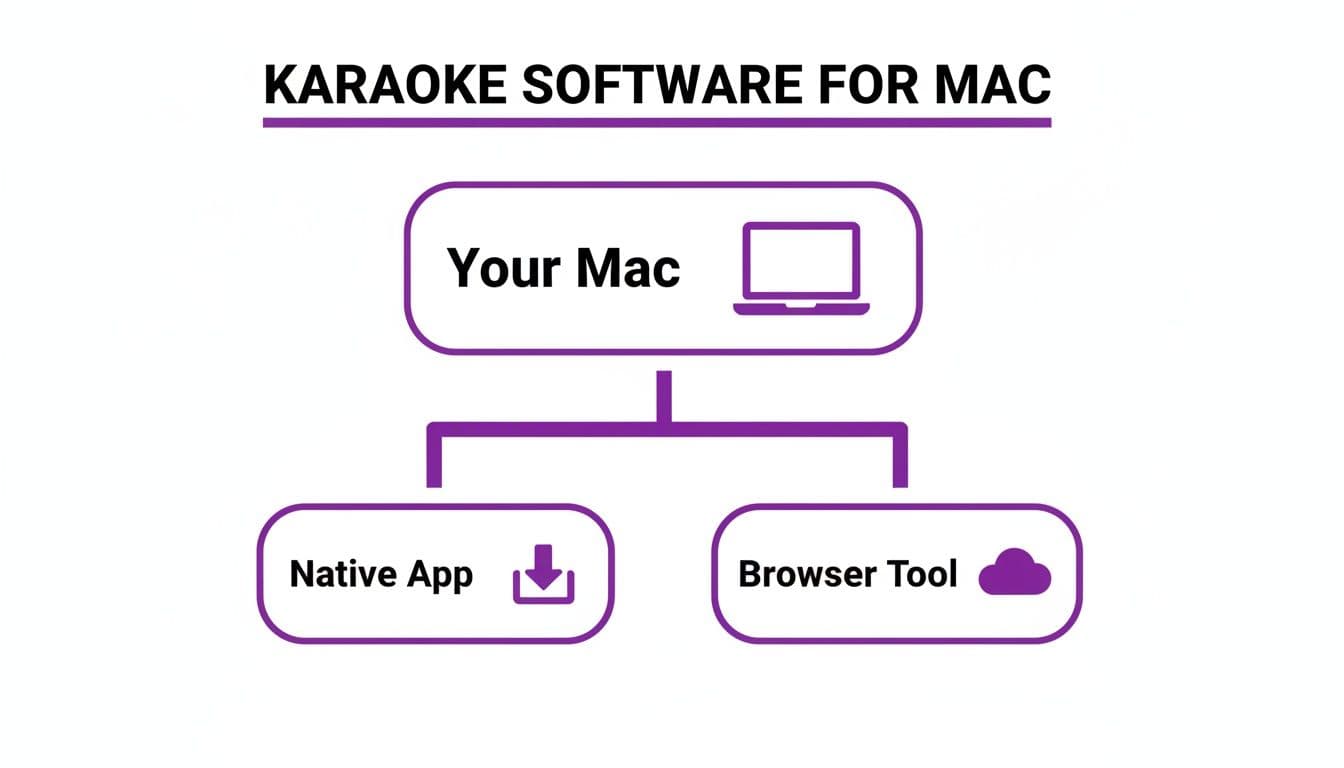
As the diagram shows, you can either download a native app or jump straight into a browser-based tool. The key takeaway is that powerful, cloud-based features are now accessible without any installation.
Solid Library Management and High-Quality Exports
Finally, don't forget about the behind-the-scenes stuff. A smooth workflow depends on good library management. The ability to organize your projects, save custom style templates for later, and easily find your audio and lyric files will save you a ton of headaches, especially if you're making a lot of videos.
Just as important is what comes out at the end. The gold standard is a crisp, high-definition 1080p MP4 export. This ensures your videos look sharp and professional everywhere, from a giant TV at a karaoke party to a tiny phone screen on Instagram. Anything less just won't do your work justice.
Making a Pro-Level Karaoke Video on Your Mac
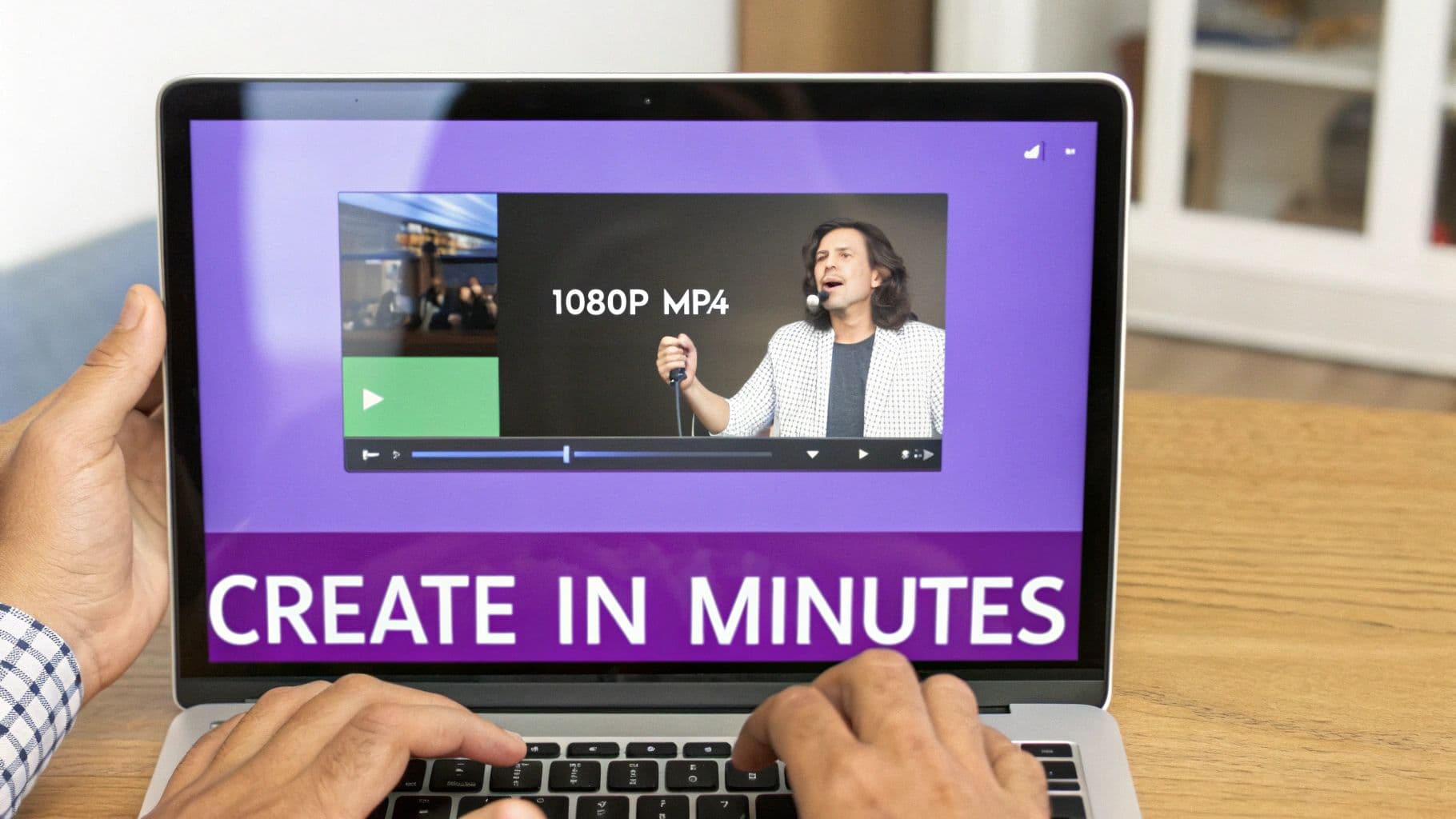
Ready to see how it all comes together? We’re going to walk through the entire process, from a bare audio file to a polished, ready-to-share karaoke video. You’ll be surprised at just how fast you can get professional results right from your Mac.
Step 1: Upload Your Audio File
First things first, you need to get your song into the editor. Thankfully, modern browser-based karaoke software for Macs makes this incredibly simple.
Just drag and drop your instrumental or full audio track directly from your Mac's desktop or a folder. Most tools are built to handle the usual suspects without a problem:
- MP3: The go-to format for most people. It keeps file sizes manageable without sacrificing too much quality.
- WAV: If you're working with a high-fidelity studio recording, this uncompressed format preserves every detail.
Once your file is uploaded, the software immediately gets to work, analyzing the audio and displaying its waveform on a timeline. This visual map is what you'll use to sync up your lyrics. If you're starting from scratch and need the instrumental track itself, you might want to look into how to record internal audio on your Mac.
Step 2: Add Your Lyrics
With the music loaded, it’s time for the words. You don't need any special skills here—just find the lyrics and paste them into the text editor.
The software is smart enough to take that block of text and automatically break it down line by line. This sets the stage for the most important step: syncing.
Step 3: Sync Your Lyrics with AI (and a Human Touch)
This is where the real magic happens. In the past, timing lyrics was a tedious, painstaking process. Now, AI can do the heavy lifting for you.
A single click on the AI Auto-Sync button tells the software to listen to the song and intelligently align each line of text with the vocals. It’s impressively accurate and gets you about 95% of the way there in a matter of seconds. For that last 5%, you can jump into the sync editor. It’s a simple visual interface where you can nudge words or entire lines along the waveform to nail the timing perfectly.
The real power here is the blend of AI speed and manual precision. Let the machine handle the grunt work, which frees you up to focus on the creative finesse that makes a video feel truly professional.
Step 4: Customize Your Video's Style
With the timing locked in, it's time for the fun part: making the video look good. This is your chance to give your video a unique personality, whether it's for a branded YouTube channel or just to match the vibe of the song.
Good karaoke software gives you a ton of creative control over the visuals. You can usually tweak:
- Fonts and Colors: Pick a font that fits the mood and use color palettes to customize the text, highlights, and even shadows.
- Backgrounds: Ditch the boring black screen. Add a static image, a cool video loop, or upload your own custom footage.
- Animations: Adjust how the lyrics appear on screen and how the current word is highlighted.
All the while, a real-time preview shows you exactly how your changes look. This lets you experiment without consequence until you land on a design you love.
Step 5: Export Your Final Video
Once you're happy with how everything looks and sounds, the last step is to export it. The best platforms handle the rendering in the cloud, which is a huge plus. It means you can close your browser and get back to other things while their powerful servers do all the hard work.
You’ll get an email when it’s ready. Just download the final 1080p MP4 file, and you’re good to go. It's a universal format that’s perfect for uploading to YouTube, sharing on social media, or playing at your next karaoke night.
Picking the Right Karaoke Software for Your Project
I’m often asked, “What’s the best karaoke software for a Mac?” The honest answer? There isn't one. The "best" tool is the one that actually helps you get your specific job done.
What works for a musician launching their latest single is going to be completely different from what a professional KJ needs for a packed Saturday night. To cut through the noise, let's connect the features to the people who use them.
For YouTube Karaoke Channel Creators
Running a YouTube karaoke channel is a volume game. It's all about consistency, efficiency, and professional quality. Your software isn't just a tool; it's your production partner, and the last thing you need is something that slows you down.
You need a workflow built for creating content in batches and maintaining a solid brand identity. Look for these game-changers:
- Style Templates: Imagine setting up your unique look—fonts, colors, backgrounds—just once. A template feature lets you save that style and apply it to every new video instantly, ensuring your channel looks polished and recognizable.
- AI Auto-Syncing: Manually timing lyrics for dozens of videos a week is a soul-crushing time sink. An AI that handles the initial sync with a single click is non-negotiable. This frees you up to focus on what really matters: planning your next video and growing your audience.
- High-Quality 1080p Exports: Let's be real, YouTube's algorithm favors crisp, high-definition content. Your software must be able to export clean 1080p MP4 files, otherwise your videos will look amateurish and get buried.
For Musicians and Artists
As an artist, a lyric video is no longer an afterthought—it's often the first encounter someone has with your music. It's a promotional powerhouse. Your software needs to be an extension of your creative vision, helping you craft a video that feels like your song.
This is all about artistic control and making a powerful first impression. You’ll want:
- Deep Customization: Forget cookie-cutter templates. You need total command over typography and backgrounds to match your album art or artist persona. The ability to upload your own images or video clips is crucial for making the visual experience truly yours.
- Precise Sync Editing: AI gets you 90% of the way there, but a great manual sync editor lets you nail the final 10%. This is where the magic happens—perfectly timing a lyric to a singer's breath, holding a word for dramatic effect, or matching the rhythm of a unique vocal performance.
- Quick Turnaround: When inspiration for a new track hits, you need to move fast. A good browser-based tool can take you from a raw audio file to a finished, shareable lyric video in just a few minutes.
For Professional KJs and Event Organizers
If you’re a KJ, your world is live and unforgiving. There are no do-overs. Your gear has to be bulletproof, fast, and absolutely stable, especially when the bar’s Wi-Fi inevitably cuts out.
Reliability is the name of the game here. Whether it's a native app or a powerful web-based tool, it has to deliver under pressure. Here’s what matters:
- Offline Access: The ability to download your entire song library and run the show without an internet connection isn't a feature; it's a lifeline.
- Fast Library Management: When a singer requests a song, you need to find it, queue it, and play it in seconds. A clunky, slow interface can completely derail the energy of a room.
- Key and Tempo Controls: Being able to instantly adjust a song’s key or speed to fit a singer's voice is what separates the pros from the amateurs. It’s a must-have for any serious KJ rig.
For Social Media Influencers
Creating content for TikTok, Instagram Reels, or YouTube Shorts is a different beast entirely. It’s all about speed, impact, and creating something that can go viral in a heartbeat. You need to churn out short, catchy, attention-grabbing clips.
This trend is a huge part of the global karaoke market, which is projected to hit $5.7 billion by 2025. The old, clunky hardware is being replaced by nimble, software-driven systems. This shift has saved creators an average of 5 hours per video edit and fueled a massive 300% post-pandemic surge in lyric videos on social media.
For influencers, whose viral clips can easily top 1 million views, a tool like MyKaraoke Video is a perfect fit. Its browser-based AI syncing and quick 1080p MP4 output are built for speed. With the stability of macOS powering an estimated 40% of pro karaoke channels in North America, this kind of software fills a huge need. You can dive deeper into these karaoke market statistics to see just how big this space has become.
Got Questions About Mac Karaoke Software? We've Got Answers.
As you start digging into karaoke software for your Mac, you're bound to have some questions. It’s totally normal. Let's wrap up by tackling some of the most common things people ask. The idea here is to clear up any confusion so you can get started with confidence.
Do I Need a Super Powerful Mac to Run This Stuff?
This is where modern, browser-based tools really shine. In the old days, downloadable software could be a real resource hog, making your Mac's fans spin up and slowing everything to a crawl. But today's online platforms do things differently.
They handle all the heavy lifting—like rendering video or running AI analysis—on their own powerful servers, not on your computer. That means you can create slick, professional-quality 1080p karaoke videos on just about any Mac, even a lightweight MacBook Air, without a single hiccup.
All you really need is a decent internet connection and a modern browser like Safari or Chrome. It completely levels the playing field, so you no longer need a pricey, top-of-the-line machine just to make great content.
Can I Just Grab Songs from Spotify or Apple Music?
This is a big one, and it gets into copyright territory. The short answer is a hard no. You absolutely cannot use music from services like Spotify or Apple Music in videos you plan to post publicly on sites like YouTube.
Their licenses are strictly for your own personal listening. Using their tracks in your videos is a breach of their terms of service and can get you into hot water.
A Quick Word on Copyright: To legally create and share karaoke videos, you have to own the rights to the audio. This means using instrumental tracks you've legally purchased, finding royalty-free music, or creating your own songs. Always make sure you have the proper permissions to avoid copyright strikes that could get your channel taken down.
Is Browser-Based Karaoke Software Actually Secure?
It's smart to think about security, and any reputable online tool takes this stuff very seriously. The professional-grade services are built from the ground up to protect your data.
They use secure HTTPS connections (that little lock icon in your browser's address bar) to encrypt everything that travels between your Mac and their servers. This keeps your audio files, lyrics, and account details safe and sound.
On top of that, your projects are stored in your own private, password-protected account. Unlike some sketchy free tools that might have questionable data policies, trusted subscription services build their business on being trustworthy. A clear, easy-to-find privacy policy is always a great sign.
What Happens if the AI Lyrics Sync Isn't Perfect?
AI sync is a game-changer, but let's be real—music is full of human expression, and no algorithm is perfect. The best karaoke software for Macs gets this and gives you a "best of both worlds" solution.
The AI does the grunt work, getting about 95% of the timing right in a matter of seconds. That's a huge chunk of tedious manual labor gone, right there.
For that last 5% where you need a human touch, the software gives you a powerful manual editor. It's usually a simple timeline where you can see the audio waveform and just drag words or phrases into the perfect spot. This gives you the speed of AI automation with the final, precise control of a human creator. You're still the one calling the final shots.
Ready to ditch the clunky software and start making amazing karaoke videos in minutes? MyKaraoke Video brings everything you need—from AI-powered syncing to total creative freedom—right into your browser. Try MyKaraoke Video today and see how easy it can be!