You’ve probably run into this exact problem. The song feels right in every way, but the chorus sits just high enough to make you tense up, or the low phrase in the verse drops out of your comfortable range. The arrangement isn’t wrong. The key is.
That’s where transposition stops being theory and becomes a working musician’s tool. If you know how to transpose songs, you can make a track fit the singer instead of forcing the singer to fight the track. That matters whether you’re prepping a live set, cutting a cover, building a karaoke catalog, or making lyric videos for singers who all need different keys.
The useful way to think about transposition is simple. You’re not changing the song’s identity. You’re moving the whole structure so the melody, harmony, and feel stay intact while the performance becomes easier to deliver. The trick is knowing when to do it by ear, when to calculate it, when to use chord-based shortcuts, and when software solves the problem faster than manual work.
Understanding the Language of Transposition
A song usually gets transposed for one reason. The original key doesn’t fit the person performing it.
If the melody is only a little too high, a small key change can make the difference between straining and singing freely. If playing the song presents challenges, the same idea applies. You shift the song into a key that works better for the hands, the fretboard, or the arrangement.
The 12-note system that makes transposition possible
Western music gives you a fixed framework for this. Music transposition operates on a standardized system of 12 semitones within the Western chromatic scale, which lets you move a song with mathematical precision, up or down, while keeping it recognizable, as explained in ToneGym’s overview of transposition.
On a piano, that’s easy to see. Move from one key to the very next key, white or black, and you’ve moved one semitone. Move two of those steps and you’ve moved a whole tone.
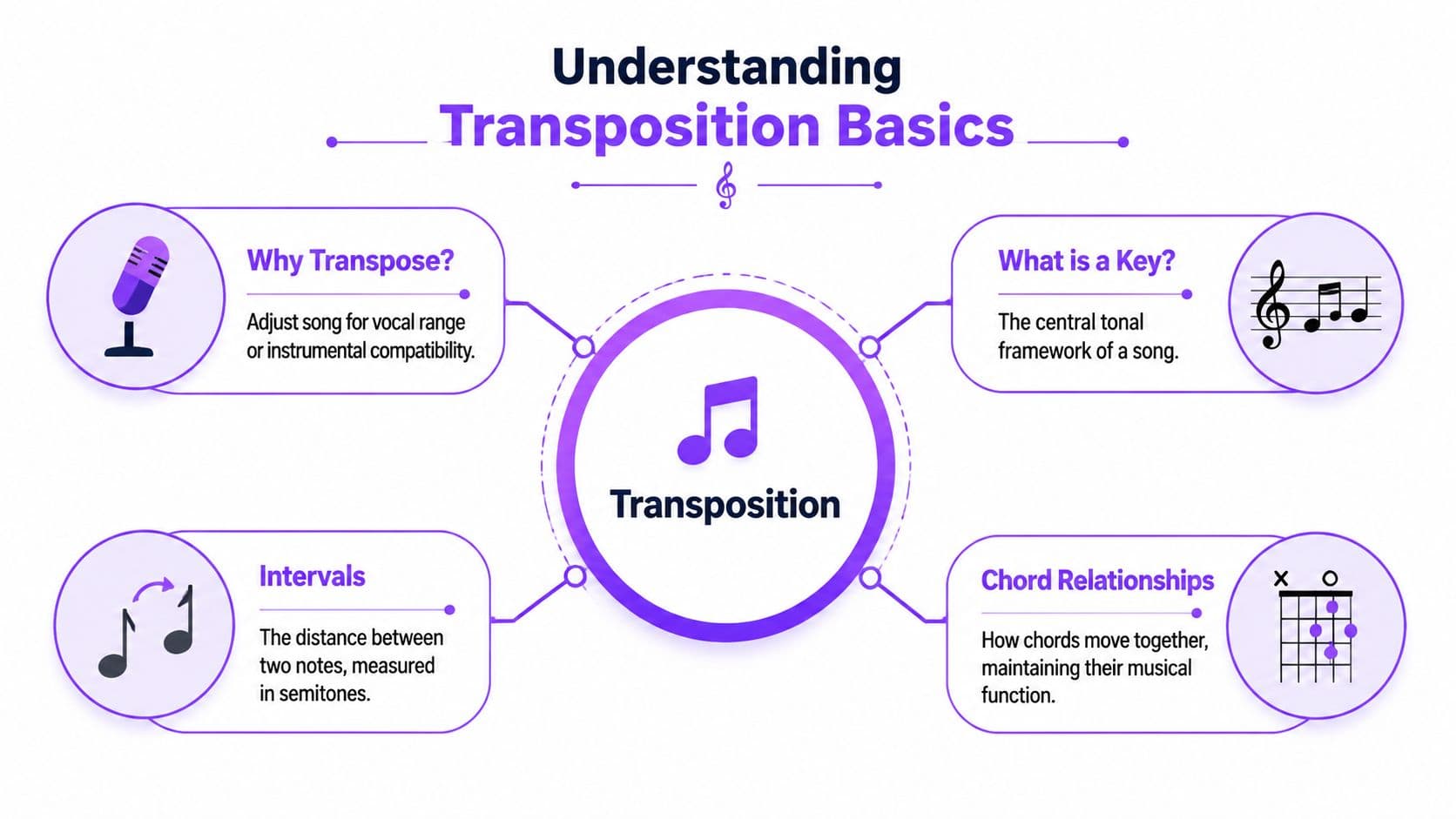
That’s the language behind every practical transposition decision:
- Semitone means the smallest pitch shift in this system.
- Interval means the distance between one note and another.
- Key means the tonal center that organizes the melody and chords.
Why intervals matter more than note names
Beginners often think transposition means renaming a few chords. It doesn’t. It means preserving relationships.
If a melody rises by a certain interval in the original key, it has to rise by that same interval in the new key. If the chord progression creates tension and release in one key, it should create that same pattern after the move. That’s why good transposition sounds natural. The map changes location, but the roads stay in the same shape.
Practical rule: Don’t think “What note do I replace this with?” Think “How far am I moving everything?”
This is also why transposition isn’t guesswork. Once you know the distance from the original key to the new one, you apply that same distance across the whole song.
A simple way to visualize it
Use the keyboard, even if you don’t play piano. It’s the clearest visual tool.
- Find the original root note of the key.
- Find the target root note where you want the song to land.
- Count the semitones between them.
- Move every note and chord by that same amount.
If you can do that, you already understand the core of how to transpose songs. Everything else in this article is just choosing the right method for the situation.
Matching a Song to Your Vocal Range
Most transposition problems start in the body, not in theory. You can feel when a song sits wrong. The high notes tighten your throat, the low notes lose tone, and you start changing the melody just to survive the arrangement.
That’s your cue to stop pushing and start measuring.

Find your comfortable range, not your extreme range
The note you can hit once isn’t the note you should build a performance around. What matters is your comfortable range, meaning the lowest and highest notes you can sing with stable pitch, steady tone, and no panic.
Start with a keyboard app, piano, or pitch reference and work slowly:
- Go downward first until the tone starts to thin out or lose support.
- Go upward next until the top note feels like real work instead of a clean phrase.
- Write down both limits so you’re working from something concrete.
- Test them in full phrases because isolated notes can be misleading.
A singer may technically reach beyond those limits, but that doesn’t mean the song will feel good there. Performance range is narrower than bragging-rights range.
Compare your range to the song’s melody
Now find the melody’s lowest and highest notes. If you read notation, that’s straightforward. If you don’t, sing along with the recording and identify the notes by ear or with a keyboard.
Once you compare your range with the song’s range, the needed direction becomes obvious. If the top of the song is too high, the key needs to come down. If the bottom is too low, the key may need to come up.
According to guidance on vocal transposition from 30 Day Singer’s discussion of changing song keys, singers frequently need adjustments of 1 to 5 whole steps, or 2 to 10 semitones, to fit a song to their range. The same source notes that male-to-female covers often need an upward shift of 5 or more semitones, while female-to-male covers often need a corresponding downward move.
If the highest note is barely possible in rehearsal, it usually won’t be reliable on stage or on take four.
Make the key choice before you open software
Many people waste time by starting pitch-shifting first and deciding second.
A better workflow is:
- Identify the problem note in the song.
- Measure how far it sits outside your comfortable range.
- Apply that same shift to the entire song.
- Test the new key with the chorus and the lowest verse phrase.
If you want a browser-based walkthrough for that process, this guide on changing the key of a song is a useful companion for applying the key change after you’ve chosen the target range.
The biggest mistake here is choosing a key that fixes only the top or only the bottom. A workable key has to solve both ends of the melody. The right answer is usually the key where the chorus opens up and the verse still keeps its weight.
Manual Transposition for Guitar and Piano
If you play guitar or piano, manual transposition is worth learning even if software handles your audio. It makes rehearsals faster, helps you communicate with other musicians, and lets you adjust songs on the spot without waiting on a rendered file.
For working players, there are two practical paths. One is conceptual. The other is mechanical.

Use scale degrees instead of memorizing every key separately
The cleanest manual method is the numbers method. Instead of thinking “G, C, D,” you think “I, IV, V.” Once you know the harmonic function, you can drop that pattern into any key.
Take a simple progression in G major:
| Original key | Chords | Number view |
|---|---|---|
| G major | G - C - D | I - IV - V |
Now move it to C major:
| New key | Equivalent chords |
|---|---|
| C major | C - F - G |
Nothing about the progression’s role changes. Only the note names do.
This lines up with the interval method used in written transposition. Nkoda’s explanation of transposing music describes the process as calculating the interval from the original root to the target root, then applying that same shift to every note. Their example notes that moving from D to E means shifting everything up by 2 half-steps.
For chord players, numbers are just the fast shorthand version of that same logic.
Guitarists can solve a lot with a capo
The capo is the fastest real-world transposition tool on guitar because it changes pitch without forcing you to relearn every chord shape in the moment.
If you normally play a song with open G-shape chords and a singer needs the song higher, you can place the capo higher on the neck and keep the same shapes. Your hands still think “G, C, D,” but the sounding key changes.
That’s useful in rehearsal because it preserves:
- Familiar fingerings so your playing stays relaxed
- Open-string resonance that often sounds better than new closed-position shapes
- Speed when a singer asks for a quick adjustment
The trade-off is that a capo changes your physical layout. A key that sounds right might still feel cramped at a high capo position, especially if the arrangement depends on certain voicings.
Piano players have a different challenge
Piano doesn’t give you a capo shortcut. It gives you total visibility.
That’s an advantage if you know your intervals and scale structure. It’s a disadvantage if you only memorized a song in one fingering pattern. On piano, the best habit is to learn progressions by function, not by muscle memory alone.
Here’s a useful reference before you practice the move in real songs:
The players who transpose well aren’t always the fastest readers. They’re usually the ones who understand what each chord is doing.
If you’re arranging for both guitar and piano, choose the new key with both instruments in mind. A singer may love the new key, but if the guitar part turns ugly and the piano voicings lose their character, the arrangement still needs work.
Using Software to Transpose Any Song
Once you move from live playing to finished audio, the workflow changes. You’re no longer just renaming chords or shifting finger patterns. You’re altering a recorded file, which means the software matters as much as the theory.
People often split into two camps: DAW users who build everything inside a production session, and content creators who need fast key changes for karaoke, lyric videos, or alternate-singable versions.
DAW workflow versus dedicated transposition workflow
In a DAW like Logic Pro, Ableton Live, or another multitrack editor, you can pitch-shift audio directly. That gives you control, but it also gives you more decisions. You need to choose the algorithm, check whether the timing stays natural, listen for artifacts, and often repeat the process for each export version.
That’s fine in a production session where you’re already editing stems, vocals, and arrangement details. It’s slower when your main job is delivering singable versions in multiple keys.
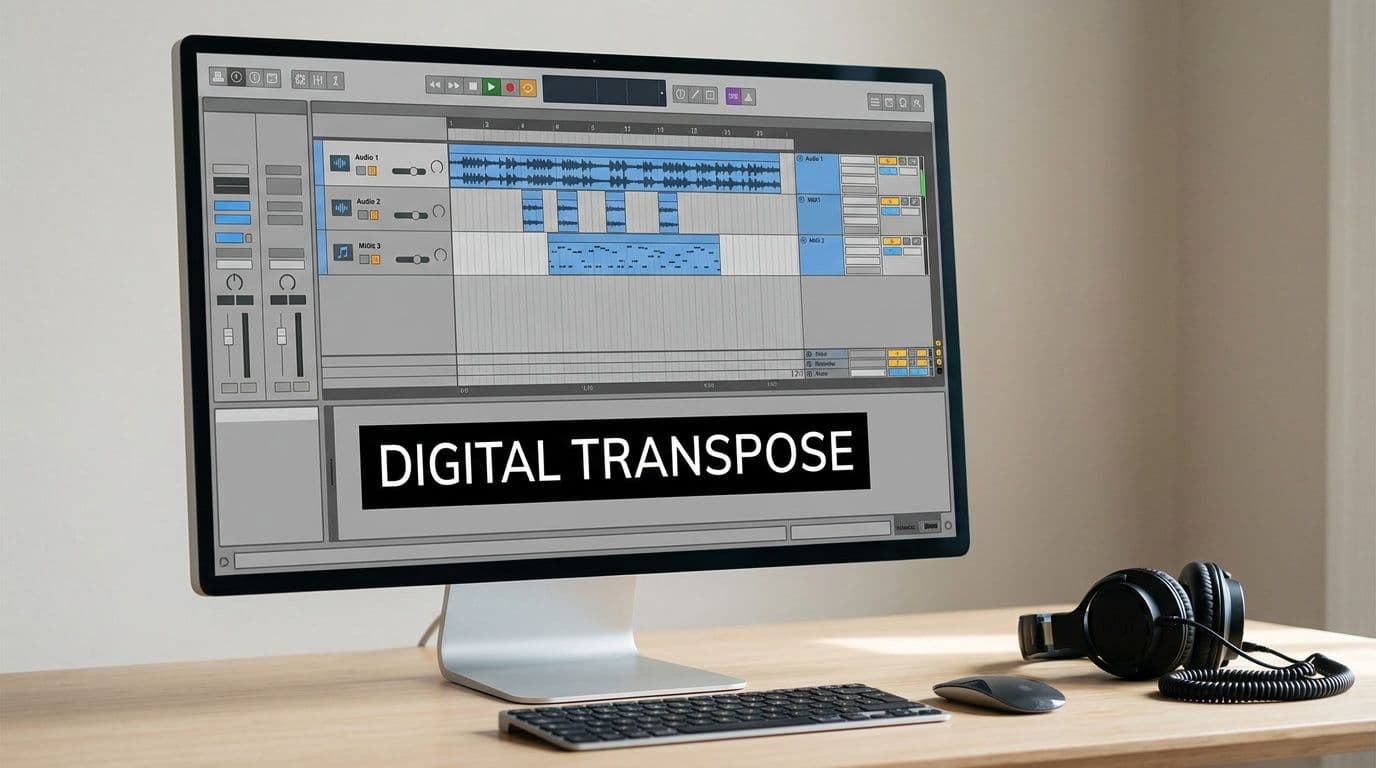
A recurring problem in transposition advice is that it talks about key changes as if every song only needs one final version. Bax Shop’s write-up on transposing music highlights a real gap here: guides rarely deal with real-time or batch transposition workflows, even though karaoke creators often spend a lot of time making multiple key versions for different singers.
That’s why dedicated tools exist. If your job is less “produce a record” and more “generate usable key variants quickly,” a browser tool can be the better fit. One example is the pitch shifter tool from MyKaraoke Video, which lets you upload audio and move the key up or down while keeping the tempo in place.
Choose the workflow based on the job
Use a DAW when:
- You need deep editing control over the full arrangement
- You’re working with stems and want to treat elements differently
- You’re already mixing and the song lives inside that session
Use a dedicated transposition tool when:
- You need alternate keys quickly for singers or clients
- You’re making karaoke or lyric content rather than full productions
- You want less technical overhead between upload and export
If you’re comparing audio-first tools for vocal extraction and arrangement prep before transposition, this Vocuno and Moises comparison is useful because it frames the differences in workflow, not just feature lists.
What works well in practice
The best software workflow is the one that reduces repeated decisions. If you already know the target key from your vocal check, the software should be doing execution, not forcing you back into experimentation.
For high-volume creators, naming matters too. Label files by original key and transposed key. Keep one master folder, one exports folder, and one lyric-video-ready folder. That doesn’t sound musical, but it saves frustration fast when singers ask for three nearby options and you need to find the right version without guessing.
Common Transposition Mistakes and How to Avoid Them
A lot of guides treat transposition like a free upgrade. Change the key, keep everything else, move on. In real production work, that’s only partly true.
The music theory side may stay clean. The audio side doesn’t always cooperate.
Large pitch shifts can sound processed
When you transpose a recorded track, you’re asking software to rebuild pitch information that’s already baked into the audio. Sometimes that works smoothly. Sometimes you start hearing the seams.
An important blind spot in many guides is audio quality. Orphiq’s discussion of song transposition notes that the more extreme the shift in pitch, the worse the audio quality gets, while also pointing out that most guides don’t explain the artifacts or the genre-specific limitations clearly enough.
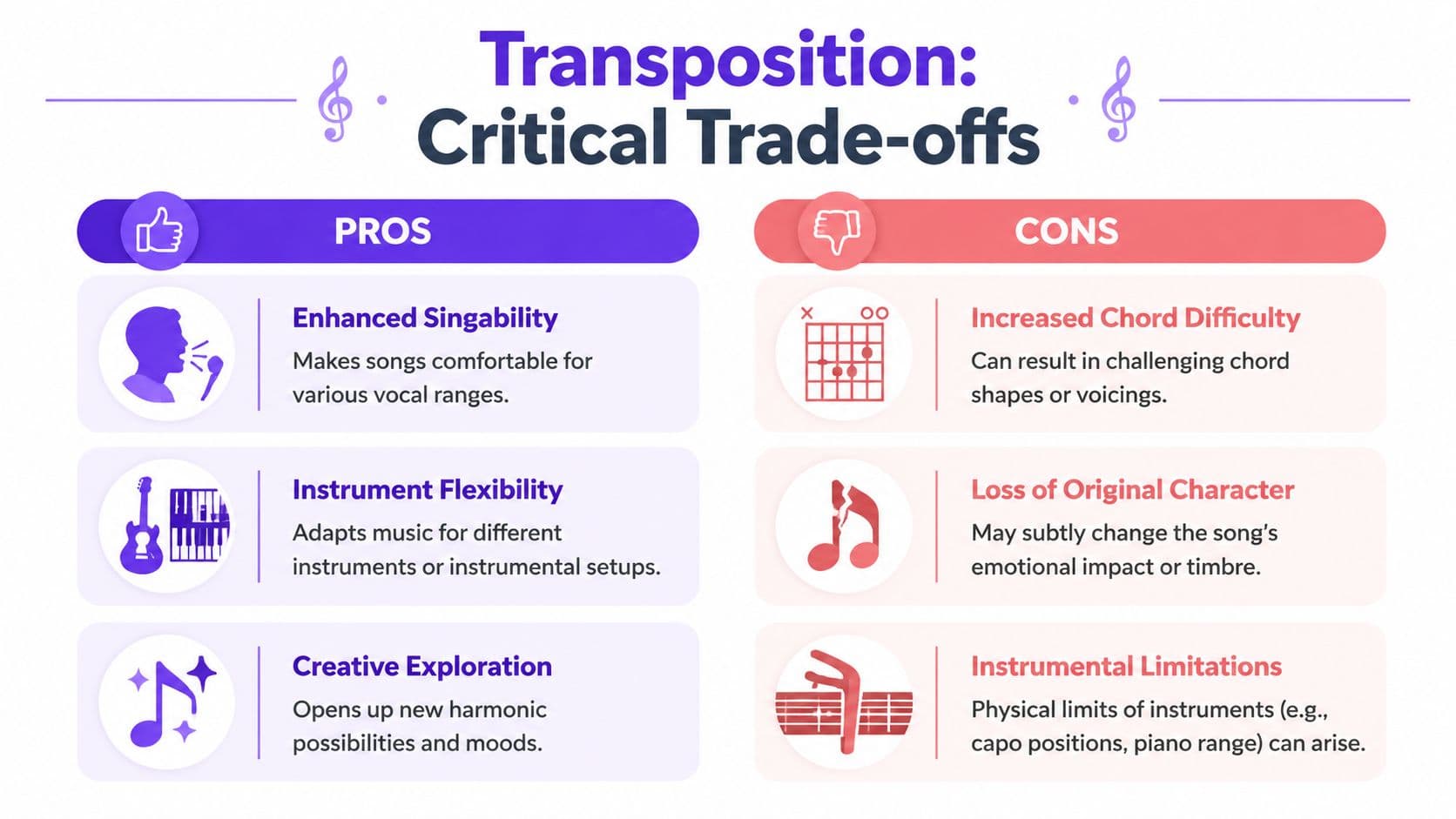
In practice, those artifacts often show up as:
- Smearing in sustained pads, reverbs, and background textures
- Graininess in exposed vocals or acoustic instruments
- Low-end weirdness when bass-heavy material gets shifted too far
- Unnatural transients on drums, percussion, or hard consonants
You don’t need to memorize a rulebook here. You need to listen critically. If the track starts sounding detached from itself, the shift is probably asking too much of the algorithm.
A transposed track can be technically correct and still feel wrong.
Some genres tolerate transposition better than others
Acoustic material often survives moderate transposition gracefully because the arrangement has more natural spacing and fewer heavily processed layers. Dense electronic production can react more sharply because the sound design is part of the identity. Shift the pitch enough and the kick, synth texture, or vocal effect may stop feeling like the same record.
That doesn’t mean electronic music can’t be transposed. It means you need to judge the result by ear, not by theory. A mathematically valid key change may still damage the character that made the track worth using.
The common mistakes musicians make
Here are the errors that come up most often in sessions and content production:
- Fixing only the highest note. The chorus improves, but the verse sinks too low and loses energy.
- Ignoring arrangement feel. A singer likes the new key, but the accompaniment gets clumsy or thin.
- Trusting software previews too quickly. Headphone tests can hide problems that show up on speakers.
- Using transposition when re-recording would be smarter. If the shift changes the production too much, a fresh musical backing may be the cleaner answer.
If you’re producing lyric or karaoke content for public release, quality control doesn’t stop with pitch. Visual deliverables matter too, and creators handling branded outputs sometimes also need utility resources like Direct AI for watermark solutions when they’re packaging final assets for distribution.
The working habit that prevents most mistakes is simple. Test the new key on the loudest chorus, the quietest verse line, and the densest part of the arrangement. If all three survive, you’re usually in safe territory.
Your Quick Reference Transposition Chart
Once you know the target key, you shouldn’t have to recalculate every chord from scratch. A quick chart solves that.
The easiest way to use a chart is to think in functions first. Find the song’s original key, identify the chord’s role in that key, then read the equivalent chord in the destination key. If you’re unsure what key you’re starting from, a key and BPM finder can help you identify the song before you transpose it.
Chord Transposition Chart
| Key | I | ii | iii | IV | V | vi | vii° |
|---|---|---|---|---|---|---|---|
| C | C | Dm | Em | F | G | Am | Bdim |
| C# / Db | C# | D#m | Fm | F# | G# | A#m | Cdim |
| D | D | Em | F#m | G | A | Bm | C#dim |
| D# / Eb | D# | Fm | Gm | G# | A# | Cm | Ddim |
| E | E | F#m | G#m | A | B | C#m | D#dim |
| F | F | Gm | Am | A# | C | Dm | Edim |
| F# / Gb | F# | G#m | A#m | B | C# | D#m | Fdim |
| G | G | Am | Bm | C | D | Em | F#dim |
| G# / Ab | G# | A#m | Cm | C# | D# | Fm | Gdim |
| A | A | Bm | C#m | D | E | F#m | G#dim |
| A# / Bb | A# | Cm | Dm | D# | F | Gm | Adim |
| B | B | C#m | D#m | E | F# | G#m | A#dim |
How to use the chart fast
A quick example makes the chart easier to trust.
Say your song is in G major and the progression is G, Em, C, D. In roman numerals, that’s I, vi, IV, V. If the singer needs the song in E major, use the E row and keep the same functions. The progression becomes E, C#m, A, B.
That approach works because the harmonic job of each chord stays the same.
What this chart is good for and what it isn’t
This chart is excellent for:
- Acoustic sets
- Band rehearsals
- Quick reharmonizing checks
- Karaoke prep when chords and melody both need to move together
It’s less useful when the arrangement depends on special voicings, altered harmony, modal writing, or non-diatonic movement. In those cases, use the chart as a starting point, then check every unusual chord by ear or at the keyboard.
Learn to see both languages at once: note names for communication, numbers for flexibility.
That’s the shortcut in how to transpose songs. Theory tells you why it works. Manual methods let you do it on an instrument. Software handles the finished audio. Your job is to choose the method that gets the singer into the right key with the fewest compromises.
If you’re building karaoke or lyric videos and need to create singable versions of songs in different keys, MyKaraoke Video gives you a browser-based way to handle the pitch shift and video workflow in one place. It’s a practical option when the goal isn’t just to transpose a song, but to deliver a finished performance-ready track that fits the singer.