Changing a song's key is simply about shifting all the notes and chords up or down to a new pitch center. You can do this with digital audio workstations (DAWs) like GarageBand, use a quick online pitch-shifter, or even transpose the chords manually if you're a musician. It’s all about making the song work for a specific voice or instrument.
Why Change a Song's Key?

Have you ever tried to belt out a song you love, only to find yourself straining for the high notes or getting lost in the muddy low ones? That’s the most common reason anyone learns to change a song's key. At the end of the day, it’s all about making the music fit the singer so the performance feels powerful, not like a struggle.
This isn’t just for professional musicians, either. It’s for the karaoke hero trying to nail that power ballad or the local band adapting a cover for their lead vocalist. The original key was written for the original artist, and their vocal range might be miles away from yours.
Fitting the Music to the Voice
Every voice is a unique instrument with its own comfortable range. A lot of popular music, especially in the worship and pop genres, is written by male tenors—think Chris Tomlin or Phil Wickham—who naturally sing quite high. If you don't have that same tenor range, trying to match them note-for-note can be frustrating and just plain exhausting on your voice.
The goal is to find where the power of the song lies and set the key so that those powerful notes can be sung more effectively by more people, more of the time.
Changing the key isn’t just a technical fix. It’s a creative move that can have a huge artistic impact on how the song feels.
Creative and Emotional Impact
Shifting a song’s key can completely change its vibe. Dropping the key can give it a warmer, more intimate, or even somber tone, which might be exactly what you need for an acoustic version of an upbeat pop hit. Imagine taking a bright, energetic anthem, pitching it down a few steps, and suddenly it’s a heartfelt ballad.
On the flip side, raising the key can add a real sense of excitement and energy. Bands do this all the time in live shows to give the final chorus an extra kick. A slightly higher key makes the song feel more urgent and climactic, pushing the singer to deliver a truly dynamic performance.
Beyond the feel, there are some very real, practical benefits:
- Vocal Health: Singing in a key that fits your voice prevents strain and potential damage. This means you can perform better, for longer.
- Performance Quality: When a singer isn't fighting the notes, they can focus on what really matters: emotional delivery, dynamics, and connecting with the audience.
- Instrumental Feasibility: Sometimes a key change is just about making the song easier to play. A complex piano piece in C# major becomes much friendlier on a guitar when moved to the key of G major.
Learning to transpose is a fundamental skill for any musician or creator. Whether you're making a quick adjustment for karaoke night, producing a lyric video with a tool like MyKaraoke Video, or arranging music for your band, it opens up a world of creative freedom.
So, you need to change a song's key. Before you touch a single note or chord, you have to figure out where you're going. The most critical part of this whole process is finding the right key for your singer—one that makes them sound incredible, not like they're fighting the song. Forget complex music theory for a moment; this is all about listening.
What we're looking for is the singer's tessitura. That's just a fancy word for the sweet spot in their vocal range where their voice is at its best—strong, full, and totally effortless. Push them outside of that zone, and things start to fall apart.
Finding That Vocal Sweet Spot
First, have your singer just go for it in the original key. As they sing, listen carefully. Where does their voice get tight or shaky? Are they straining for those big notes in the chorus? Or does their voice get thin and breathy on the low parts of the verse? Those are your red flags.
Jot down the specific lyrics where you hear the struggle. A free piano app on your phone is your best friend here. While they sing, find those problem notes on the little keyboard. This will tell you exactly what you're dealing with.
Imagine you're trying to get Queen's "Somebody to Love" ready for a female alto. Freddie Mercury was a force of nature, hitting notes that most people can only dream of. Your singer might be doing great until she gets to a line like "I get no relief" and that high Ab4 just isn't happening. That's your first clue.
Nailing Down the Break Points
Every singer has points where their voice naturally "breaks" or shifts between registers, like moving from their powerful chest voice into their lighter head voice. Forcing a high-stakes note right on that break point is a recipe for disaster. The perfect key will plant the song's most important notes squarely in their strongest register, well away from those tricky transition spots.
Once you’ve identified the highest note they’re straining on, the next question is simple: how far down does it need to go to sound good?
- Small Tweaks: Sometimes, dropping the key by just two semitones (one whole step) is all it takes. It can be a night-and-day difference.
- Big Jumps: If you're adapting a song for a completely different voice type—say, a bass singing a song written for a tenor—you might need a more significant drop of four or five semitones.
The goal isn't just to make the notes singable. It's to place the song's emotional high points right in the singer's power zone. That's what turns a performance from a struggle into something that gives you chills.
Back to our Queen example. If that Ab4 is the big problem, try dropping the entire song three semitones. The original Eb minor becomes C minor, and that killer note is now a much more comfortable F4. Suddenly, the singer can deliver that line with power instead of panic.
A Quick Note on Modern Music
While finding the right key is everything for a great vocal performance, it's interesting to see how key changes within songs have changed over the years. A deep dive into over 1,100 Billboard Hot 100 #1 hits from 1958-2022 showed a wild trend. Those classic, dramatic key changes used to be in 23% of hits to crank up the energy, but now they've practically disappeared from pop music.
With the rise of hip-hop, where the lyrical flow often takes center stage over melodic gymnastics, the classic key change just isn't as common. This is a great piece of context, especially since 67% of global consumers watch music videos on platforms like YouTube every month. For anyone creating karaoke tracks or lyric videos with tools like MyKaraoke Video, knowing how to transpose a song is essential for making those older, classic hits work for today's singers. You can dig into more of that musical evolution and its data over on YouTube.
It really is a game of trial and error. You listen, you identify the problem spots, and you nudge the key up or down until it just clicks. When you find it, the song will feel like it was written just for your singer.
Using Online Tools for Quick Key Changes
Sometimes you just need to change a song's key right now. You don't have time to fire up a complicated audio program or manually transpose every chord. This is where online tools shine. For anyone making karaoke tracks, social media videos, or just needing a quick adjustment for a practice session, these browser-based platforms are a lifesaver.
The process couldn't be simpler. You typically just upload your audio file, and you’re met with a clean interface—usually a slider or a simple dropdown. From there, you just tell it how many semitones you want to go up or down. Done.
The Power of Instant Feedback
One of the best things about using an online pitch shifter is getting to hear your changes in real-time. As you nudge the key up or down, you can instantly preview the result. This feedback loop is fantastic for finding that sweet spot for a singer’s voice without a lot of guesswork.
Forget the old way of exporting a file, waiting for it to render, and then listening back. You can hear exactly what a “+2 semitones” shift does to the high notes or how a “-3 semitones” adjustment affects the overall feel of the track, all on the fly. It saves an incredible amount of time.
A huge plus here is accessibility. Because these tools run right in your web browser, you can change a song's key from literally anywhere—your desktop, your laptop, or even your phone while you're out and about.
The core idea is a simple loop: listen to the vocalist, figure out where they're most comfortable, and then lock in that key.
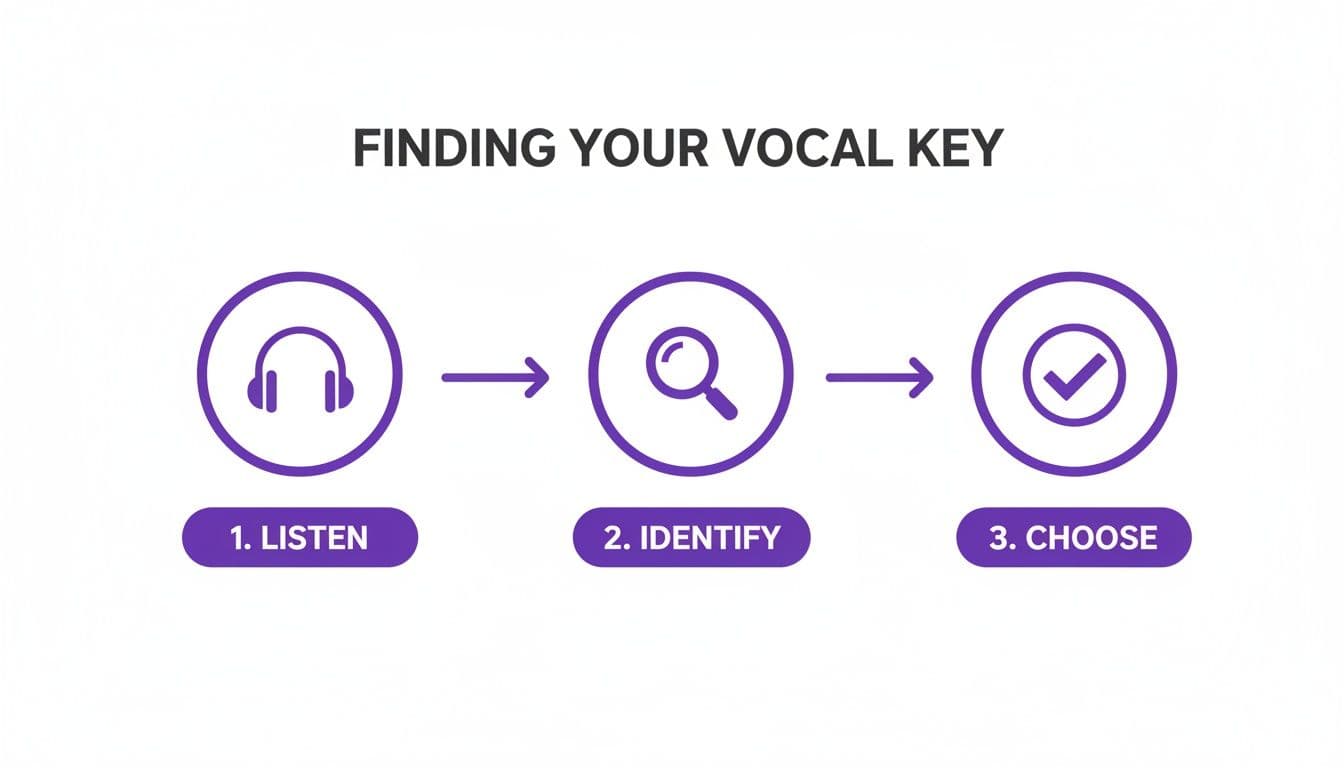
This really brings home how finding the right key is all about listening, identifying what works, and making a confident choice.
More Than Just a Pitch Shifter
The best online platforms have evolved far beyond just changing a song’s key. Many are now all-in-one production suites, built from the ground up for creators—especially those making karaoke videos or lyric videos.
Here are a few features that are often bundled together:
- Vocal Removal: Most good tools now have AI-powered vocal removers that let you strip the lead vocal out, leaving you with a clean instrumental track.
- Automatic Lyric Syncing: Some of the more advanced platforms can detect and sync lyrics to the music automatically. Change the key, and the lyrics stay perfectly timed.
- Video Creation Tools: You can often add custom backgrounds, tweak fonts, and export a finished video right from the browser, skipping the need for a separate video editor entirely.
This integrated workflow is what makes these online tools so incredibly efficient. You can literally go from a standard MP3 file to a fully customized, re-keyed karaoke video in just a few minutes. If you're a creator who needs to move fast, this is a massive win. You can see just how simple it can be with a free online karaoke maker that ties all these steps together.
Comparing Methods for Changing a Song's Key
Deciding which transposition method to use depends on your specific needs—are you prioritizing speed, pristine audio quality, or something in between? This table breaks down the most common approaches.
| Method | Best For | Speed | Audio Quality | Technical Skill Required |
|---|---|---|---|---|
| Online Tools | Karaoke, social media, quick practice tracks | Fastest | Good to Excellent | None |
| DAW Pitch Shifting | Professional demos, covers, remixes | Fast | Excellent | Basic to Intermediate |
| Manual Transposition | Live performance, professional recording | Slowest | Highest (Re-recorded) | Advanced |
Ultimately, the best method is the one that fits your project's timeline, budget, and quality requirements. For most everyday tasks, online tools offer an unbeatable combination of speed and simplicity.
So, When Should You Use an Online Tool?
While a professional Digital Audio Workstation (DAW) like Logic Pro or Ableton Live will always give you the most fine-grained control, online tools are the clear winner for speed and convenience. They are perfect for projects where the main goal is to get a song into the right key quickly and without any fuss.
Think about these real-world situations:
- Karaoke Night Prep: You need to make a dozen custom-keyed backing tracks for different singers before a party and don't want to spend your entire afternoon doing it.
- Social Media Covers: You're putting together a 60-second cover for TikTok or Instagram and need to turn it around fast.
- Last-Minute Rehearsals: A singer realizes a song is just out of their range and needs a practice track in a new key, like, yesterday.
For these kinds of jobs, the slight trade-off in audio precision is easily worth the massive boost in speed and ease of use. And honestly, the quality you get from modern online tools is more than good enough for these purposes, giving you clean, artifact-free audio for most reasonable key changes.
Getting High-Quality Results with a DAW
When you absolutely need a pristine, professional-grade key change, it's time to fire up a Digital Audio Workstation (DAW). While quick online tools are great for convenience, a DAW like Audacity, GarageBand, or Ableton Live gives you the surgical control you need when audio quality is everything. This is how the pros change a song’s key without sacrificing an ounce of clarity.
The biggest hurdle in digital transposition is avoiding artifacts—those nasty digital distortions that instantly make a track sound cheap or unnatural. We’ve all heard the dreaded "chipmunk effect," where pitching a vocal up makes it sound thin and squeaky. Go the other way, and you can end up with a muddy, robotic mess full of weird echoes.
Luckily, modern DAWs are packed with sophisticated pitch-shifting algorithms built to solve this exact problem. These clever tools analyze the audio's formants (the unique resonant frequencies that define a voice or instrument's character) and work hard to preserve them, which is the secret to a natural-sounding transposition.
Choosing the Right Algorithm is Half the Battle
The key to a clean key change in a DAW isn’t just about plugging in a number; it’s about choosing the right tool for the job. Most DAWs give you several pitch-shifting modes, and each one is optimized for a different kind of audio.
- Monophonic: This is your go-to for isolated, single-note sources like a solo vocal track or a lead guitar line. It’s designed to track one melodic line at a time, keeping all the subtle details intact.
- Polyphonic: When you’re working with a fully mixed song—chords, harmonies, drums, the whole shebang—this is the mode you want. It’s built to untangle complex audio without turning it into a garbled mess.
- Rhythmic/Percussive: Got a drum loop or a beat-heavy track? This setting focuses on preserving the timing and the sharp attack of percussive hits, ensuring your rhythm section doesn't lose its punch.
After you drag your track into the DAW, find the pitch-shifting function. It might be called "Transpose," "Pitch Shift," or be tucked away in an "Effects" menu. The real trick is to experiment. For a full song, a polyphonic algorithm is your best bet 99% of the time, but it’s always worth trying the others to see what sounds best for your specific track. You can dive deeper into these tools in our guide to the best music production software for beginners.
Pro Tip: Always, always work on a copy of your audio file. This non-destructive approach means your original, untouched track is safe and sound if you want to start over.
A Quick Workflow for Flawless Transposition
Once you’ve picked an algorithm, the process itself is pretty simple, but it demands a good ear. You’ll need to tell the DAW how far to shift the key, which is measured in semitones (or half-steps).
Want to go from C to D? That’s two half-steps up, so you’d enter "+2". Need to drop from C down to A? That’s three half-steps down, or "-3".
After applying the change, it's time for some critical listening. A/B test the new version against the original. Listen specifically for any strange phasing sounds, robotic tones in the vocals, or a loss of impact in the drums. If anything sounds off, don't hesitate to undo it and try a different algorithm or maybe a slightly smaller key change.
This level of precision connects to a classic production trick. Back in the day, key changes were dramatic, built-in moments meant to elevate a song. In fact, a study found that between 1958 and 1990, a staggering 23% of Billboard Hot 100 number-one hits used a key change to build emotional power. A perfect example is Michael Jackson's "Man in the Mirror," which famously jumps from G major to G# major at the 2:52 mark to give the final chorus an incredible lift. This technique became less common as hip-hop (a genre not as focused on melodic key) rose in popularity, and DAWs made it easy to just transpose an entire track after the fact. You can read more about the history of the key change on Tedium.co.
For anyone creating karaoke tracks or lyric videos, knowing how to use a DAW for high-quality adjustments is a game-changer. It gives you the power to perfectly tailor any song to any singer, ensuring your final track sounds as powerful and clean as the day it was recorded.
Transposing Chords and Melodies by Hand
Pitch-shifting an audio file is one thing, but that won't help you if you're the one who actually has to play the song. For guitarists, pianists, and anyone in a band, knowing how to manually transpose the chords and melody is a must-have skill. It’s the key to real musical flexibility, allowing you to play any song, in any key, for any singer.
It might seem daunting at first, but the whole process boils down to one simple idea: intervals. You're just moving every single note—and every single chord—up or down by the exact same distance. Once you get the hang of that, you can adapt on the fly, whether you're in a practice room or on stage.
First, Figure Out the Interval
Before you can change a single chord, you need to know how far you're moving. In Western music, that distance is measured in semitones.
Think of a semitone as the smallest step you can take. On a piano, it’s the distance from one key to the very next one, including the black keys. On a guitar, it's just one fret.
Let's say your singer finds a song in G major too low and asks to move it up to A major. To find your interval, you simply count the semitones on the way up:
- G to G# is 1 semitone.
- G# to A is 1 semitone.
That gives you a total distance of +2 semitones (or a whole step). This is your magic number. Now, you just have to apply that same "+2 semitones" shift to everything in the song.
Putting It Into Practice
Let’s try this with one of the most common chord progressions in pop music: C - G - Am - F. We've decided we need to move the song up two semitones, shifting the key from C major to D major.
Here’s how we apply our +2 semitones rule to each chord in the progression:
- C moves up two semitones to become D (C → C# → D).
- G moves up two semitones to become A (G → G# → A).
- Am moves up two semitones to become Bm (A → A# → B). The minor quality of the chord stays the same.
- F moves up two semitones to become G (F → F# → G).
And just like that, our original C - G - Am - F progression has become D - A - Bm - G. The same logic applies to every note in the melody, too. If the original melody had a high E, that note now becomes an F#. It's a systematic process that, once learned, works every time.
Transposing by hand isn't just about changing notes—it's about preserving the song's entire emotional and harmonic feel. The relationships between the chords stay exactly the same, which is why the song still feels right, just at a different pitch.
A Note on Sharps, Flats, and Chord Quality
The biggest trip-up for most musicians is keeping track of sharps (♯) and flats (♭) and making sure the chord quality (major, minor, diminished, etc.) stays correct.
The trick is to maintain the original pattern. If the third chord in the original progression was a minor chord, the third chord in your new, transposed progression must also be a minor chord.
As you get more comfortable, you can start using shortcuts. Many seasoned musicians use a transposition chart or a "number system" where each chord in a key gets a number (for example, in C major, C=I, F=IV, and G=V). Thinking in numbers lets you see the progression's DNA.
So instead of C-G-Am-F, you start thinking I-V-vi-IV. Now you can apply that pattern to any key you want.
In our new key of D major:
- The I chord is D.
- The V chord is A.
- The vi chord is Bm.
- The IV chord is G.
This is how experienced players transpose so quickly. They aren't counting semitones for every chord; they know the underlying structure. Learning this is a fundamental skill that truly opens up your ability to adapt in any musical situation.
Finalizing and Troubleshooting Your Transposed Track
You’ve done the heavy lifting and learned how to change the key of a song. But don't hit export just yet. This final quality check is what separates a professional-sounding track from a rushed, amateur edit. It’s all about catching the subtle artifacts and issues that can sneak in during the transposition process.
My first move is always to listen back on a few different systems. I'll start with a good pair of studio headphones to catch any tiny clicks or imperfections, then switch over to my main speakers. You'd be surprised what you miss on one device that becomes glaringly obvious on another. This helps you spot things like a bassline that sounds great on headphones but disappears entirely on speakers.
Solving Common Audio Problems
Even the most advanced software can introduce some quirks. The classic complaint is that vocals start to sound thin, "chipmunk-like," or robotic after being pitched up. If this happens, the first thing to try is a different pitch-shifting algorithm in your software. Most DAWs offer several options, and some are specifically designed to preserve the natural character of the human voice.
Pitching down can create its own set of problems, often resulting in a loss of clarity or punch that makes the whole track feel sluggish and dull.
Here are a few common issues and how to fix them:
- Muddy Low End: When you pitch a song down, the bass and kick drum can turn into a blurry mess. A simple EQ adjustment can work wonders here. Try making a small cut in the 150-250 Hz range to clean up that mud and bring back some definition.
- Washed-Out Instruments: Guitars, pianos, and synths can sometimes get a strange, phasey sound after a significant pitch change. If the track just sounds weird, your best bet might be to dial back the key change, even by just one semitone.
- Unwanted Noise: Pitching audio can sometimes amplify background hiss or hum that you never even noticed in the original recording. Knowing how to remove background noise from audio is a crucial skill for getting that final, polished sound.
The goal is to make the key change feel completely invisible. If the listener can instantly tell the track has been digitally altered, it shatters the illusion. A great transposition sounds like the song was always in that key.
Special Checks for Karaoke and Lyric Videos
If you’re making content for a platform like MyKaraoke Video, you have one more critical step. While changing the key doesn't alter the song's timing, it can absolutely change its emotional impact and feel. You need to re-watch your entire video from start to finish.
Pay close attention to how the lyrics sync with the new key. A line that felt rushed in the original key might land perfectly now. Conversely, a lower, more relaxed key might make the lyrics appear on-screen too early, ruining the flow.
Even a tiny timing adjustment in your sync editor can make a world of difference. Getting this right ensures the visuals and the newly transposed audio work together seamlessly for the best possible karaoke experience.
Got Questions About Changing Song Keys?
Let's tackle some of the most common questions that come up when you're working on changing a song's key. Think of this as a quick reference guide to solve those little hitches you might run into.
How Far Can I Push the Pitch Before It Sounds Warped?
This is the million-dollar question, and the answer is usually "it depends." As a rule of thumb, shifting a song by 1 to 3 semitones (which are just half-steps on a piano) up or down will almost always sound great.
Once you start pushing it to 4 or 5 semitones, you're entering the danger zone. This is where you might start hearing strange audio artifacts—that dreaded "chipmunk" sound on the vocals or a muddy, unnatural tone on the instruments. The quality of your software really matters here. Professional tools like Logic Pro or Ableton Live have incredible algorithms that can handle bigger shifts gracefully, but it's always smart to trust your ears.
Will Changing the Key Mess Up the Song's Tempo?
Thankfully, no. Modern pitch-shifting software is smart enough to separate pitch from tempo. When you use a digital audio workstation (DAW) or a good online tool, you can change the key without affecting the speed of the song at all.
This is a huge leap forward from older analog methods, where speeding up a tape would make the pitch higher and slowing it down would make it lower. You couldn't have one without the other.
The ability to isolate pitch from tempo is what makes creating high-quality, modern karaoke tracks possible. It ensures the music feels right and the on-screen lyrics sync up perfectly, every single time.
Can I Actually Do This on My Phone?
Yes, you absolutely can! You don't need a full studio setup to change a song's key anymore.
There are tons of great mobile apps for both iOS and Android that have pitch-shifting features built right in. Even better, many of the best browser-based tools work perfectly on a mobile device. You can upload an audio file, pick a new key, and even generate a full karaoke video right from your phone or tablet—no app download required.
Ready to create perfectly keyed karaoke videos in minutes? With MyKaraoke Video, you can upload any track, change the key, and automatically sync lyrics without downloading a thing. Try it now at https://www.mykaraoke.video.