Everyone wants to jump straight to the fun stuff—picking out cool animation styles or testing video editing software. I get it. But trust me, the most effective explainer videos aren't born from fancy tools; they're built on a rock-solid strategy.
Without a plan, you're just making noise and hoping someone listens. A strategic approach ensures every single decision, from the script's tone to the final call to action, is pulling in the same direction to achieve a specific business goal.

Think of this initial planning stage as the foundation of your house. Get it right, and everything else stands strong. Get it wrong, and it doesn't matter how great the paint job is—the whole thing will be wobbly. This is where you make sure your video doesn't just look good, but actually works.
What's the One Thing You Want This Video to Do?
Every great explainer video has one—and only one—primary job. If you try to do too much, you’ll just dilute the message and leave viewers confused.
So, what’s your single most important objective? Are you trying to cut down on customer support tickets? Push up your landing page conversion rate? Or maybe just get new users comfortable with a complex feature?
Nailing this down gives you incredible focus.
- To Reduce Support Tickets? Your video needs to be a crystal-clear tutorial that walks users through common sticking points before they even think to ask.
- To Boost Conversions? The script should zero in on the customer's main problem and frame your product as the only logical solution.
- To Onboard New Users? This video becomes a friendly welcome mat, showing off key features and guiding them to that first "aha!" moment with your product.
A video without a goal is just an expensive hobby. A video with a single, sharp goal is a powerful business tool that drives action and delivers a real return.
Who Are You Actually Talking To?
Once you know your "why," you have to figure out your "who." A video for a seasoned software developer is going to feel completely different from one made for a small business owner who’s allergic to jargon. This is why you need a detailed viewer persona.
Get inside their head. What are their biggest frustrations? What keeps them up at night? What language do they use when talking to their colleagues? Answering these questions lets you craft a message that doesn't just explain, but truly connects. This deep understanding is the cornerstone of https://www.mykaraoke.video/blog/content-marketing-for-small-businesses and massive corporations alike.
How Will You Know if it Worked?
"Success" is just a vague idea until you can measure it. Before you even think about storyboarding, you need to decide which Key Performance Indicators (KPIs) will tell you if the video hit the mark. This is what turns a creative project into a measurable business asset.
Here are a few common KPIs for explainer videos:
- View-Through Rate (VTR): What percentage of people watched your video all the way to the end? A high VTR is a great sign that your script and visuals are engaging.
- Conversion Rate: Of the people who watched, how many took the action you wanted them to (like signing up or buying something)?
- Click-Through Rate (CTR): Did viewers click on your call-to-action button or link?
- Reduction in Support Queries: If your goal was to educate, a noticeable drop in related support tickets is a huge win.
To give you a clearer picture, I've put together a quick checklist to guide your pre-production thinking.
Your Pre-Production Strategy Checklist
Before you write a single word of the script or open any software, work through these strategic elements. This table breaks down what you need to define to ensure your video is set up for success from the very beginning.
| Strategic Element | What You Need to Define | Real-World Example |
|---|---|---|
| Primary Goal | The single, most important action you want the viewer to take. | Increase free trial sign-ups on our pricing page by 15%. |
| Target Audience | A detailed persona of the ideal viewer, including their role, pain points, and technical skill level. | "Marketing Mia," a marketing manager at a mid-sized B2B company who struggles with tracking campaign ROI. |
| Core Message | The one key takeaway you want the viewer to remember. | "Our software simplifies campaign reporting, so you can prove your marketing's value in minutes." |
| Key Performance Indicators (KPIs) | The specific metrics you will use to measure the video's success. | Conversion Rate on the sign-up form, View-Through Rate above 50%, and Click-Through Rate on the CTA. |
| Call to Action (CTA) | The clear, direct instruction at the end of the video. | "Start Your Free 14-Day Trial Now" |
Completing this checklist forces you to think through the "why" behind your video, which makes all the subsequent "how" and "what" decisions infinitely easier and more effective.
There's a good reason explainer videos are so popular in marketing. In fact, 73% of video marketers say explainers are their most-used format, simply because they work so well for breaking down complex ideas. For the best results, aim to keep your video between 60 and 90 seconds—that’s the sweet spot for holding audience attention.
Write a Script That Connects and Converts
Alright, you've got your strategy locked in. Now comes the most critical part of your entire explainer video: the script. I've seen countless projects with dazzling visuals fall completely flat because the message was weak. Your script is the foundation, the very heart of the production. It’s what will turn a cool animation into a story that actually gets people to act.
So many people fall into the trap of writing a script that sounds like a dry user manual or a list of website features. But a killer explainer video isn't about what your product does; it's about telling a story your audience can see themselves in. This is where you translate features into real-world benefits and make an emotional connection.
Hook Viewers in the First Eight Seconds
Let's be real: you have almost no time to waste. You've got about eight seconds, maybe less, to convince someone to stick around. This is not the moment for a slow-burn logo reveal or a lengthy introduction. You need to hit them with a pain point they know all too well, right from the jump.
Start with a relatable problem or a question that makes them nod their head. Instead of a bland opening like, "Our software helps you manage projects," try leading with the frustration: "Tired of deadlines slipping through the cracks while your projects dissolve into chaos?" That second option immediately resonates because it speaks their language.
Hooking your audience isn't about flashy effects; it's about empathy. Show them you understand their struggle from the very first line, and they'll stick around to hear your solution.
That initial connection is everything. It instantly signals to the viewer, "Hey, this is for you. We get it." Once you've earned their attention, you can guide them through the rest of the story.
Use the Problem-Solution-Benefit Framework
The most effective explainer scripts I've ever worked on all follow a classic, powerful storytelling formula. It’s not complicated, but it works because it lines up perfectly with how we naturally process information and make decisions.
- The Problem: Kick things off by clearly describing the core issue your audience is wrestling with. Use the same words they would use. This builds immediate rapport and makes the problem feel both real and urgent.
- Your Solution: With the problem hanging in the air, introduce your product or service as the hero that saves the day. This is where you explain what you do, but always frame it as the direct answer to the problem you just laid out. Be quick and to the point.
- The Benefits: This is where the magic happens, and it's the part most people get wrong. Don't just list features. Show them how their life gets better. Instead of saying, "We have a collaborative dashboard," paint a picture: "Now your whole team sees project progress in real-time, so nothing ever gets missed again." You're selling a better future, not a piece of software.
Think of it this way: the problem creates tension, your solution offers relief, and the benefits deliver the emotional payoff.
Writing for the Ear, Not the Eye
This is a fundamental concept that can make or break your script: it's meant to be spoken, not read on a page. What looks perfectly fine in a document can sound incredibly clunky, formal, or robotic when a voice actor reads it.
To keep your script sounding natural and conversational, stick to these ground rules:
- Keep Sentences Short: They're just easier to digest. Long, winding sentences can make the narrator sound rushed and the message muddy.
- Read It All Out Loud: Seriously. As you write, say every single line. Does it flow? Does it sound like an actual human talking? If you find yourself stumbling over a phrase, that's a red flag. Rewrite it until it rolls off the tongue.
- Use Simple Language: Ditch the jargon and corporate-speak. Your goal is clarity, not to impress someone with big words. People will thank you for making a complex idea easy to understand. For a typical 90-second video, aim for a script between 180 and 240 words. Every single word has to earn its place.
Crafting a Compelling Call to Action
You’ve done all the hard work. You’ve hooked them, explained the problem, presented your brilliant solution, and painted a picture of the benefits. Don't fumble at the finish line. You have to tell the viewer exactly what to do next.
Vague instructions are the enemy. A weak call to action (CTA) like "Learn more on our website" puts all the work on the viewer. Be direct and action-focused.
- Instead of: "Visit our site."
- Try: "Start your free 14-day trial now."
- Instead of: "Get in touch."
- Try: "Schedule your free demo today."
Your CTA should feel like the obvious next step and be dead simple to follow. Make it clear, compelling, and singular. Just like your video should have one main goal, your CTA should push for one specific action. Giving people too many choices just leads to confusion and inaction.
Find the Right Style and Tools for Your Brand
Your script is the engine of your explainer video. Now, it's time to build the chassis—the visual style that will actually carry your message to the audience. Get this right, and you’ll amplify your story. Get it wrong, and you risk a total disconnect.
Choosing a style isn’t about jumping on the latest animation trend. It’s about finding a genuine match for your brand’s personality, the complexity of your message, and, of course, your budget. This decision directly impacts the tools you'll need, so let's walk through the most common options to figure out what makes sense for you.
Selecting Your Visual Approach
Every explainer video style has its own flavor and set of strengths. Understanding these nuances is the first step toward making a smart choice.
- 2D Animation: This is the classic, character-driven style that put explainer videos on the map. It’s perfect for storytelling, breaking down abstract concepts, and creating a friendly, approachable vibe that instantly puts viewers at ease.
- Motion Graphics: If your story is less about characters and more about data, processes, or big ideas, motion graphics are your best friend. This style uses animated text, shapes, and icons to create a sleek, modern, and professional look that commands attention.
- Whiteboard Animation: There's a reason this style is so popular for educational content. The format, where a hand appears to draw everything on a whiteboard, has a unique psychological pull. It mimics a classroom lesson, keeping viewers hooked as the visuals are built right before their eyes.
- Live-Action: Nothing builds trust like seeing a real person. Live-action is the way to go for product demos, customer testimonials, or any time you want to put a human face to your brand. It feels tangible and relatable, but be prepared—it often comes with a higher price tag for production.
The explainer video has come a long way. Back in the early 2000s, companies like Dropbox were pioneers, using simple 2D animations to demystify their tech. By 2010, these videos had become a must-have marketing tool proven to lift conversion rates, evolving to include the sophisticated effects and interactive elements viewers expect today.
Matching the Tool to Your Team and Timeline
Once you’ve landed on a style, the next big question is how you’re going to bring it to life. The software you pick should be less about flashy features and more about your team's actual skills, your deadline, and the level of quality you're aiming for.
You really have two paths here: user-friendly platforms designed for speed or professional-grade software built for complete control.
User-Friendly Platforms for Speed and Simplicity
Don't have a team of professional animators on standby? Need a video, like, yesterday? Then platforms like Vyond, Powtoon, or Animaker are going to be your best bet. These are browser-based tools with drag-and-drop interfaces, libraries of pre-made characters and assets, and tons of templates. They let you create something that looks sharp without a massive learning curve.
The trade-off? You sacrifice some customizability. But for busy marketing teams, the speed and ease of use are often a game-changer.
Professional Software for Ultimate Creative Control
If you need a completely custom, on-brand look, you'll have to step up to professional software. The Adobe Creative Cloud suite is the undisputed industry standard. You’ll be looking at Adobe After Effects for motion graphics and animation and Adobe Premiere Pro for piecing together live-action footage.
These tools give you limitless creative freedom, but they demand serious technical skill and a significant time investment to master. If you're just starting to explore this level of software, our guide on the best video editing software for beginners is a great place to get your bearings.
Choosing Your Explainer Video Software
Picking the right software is a critical decision that balances your team's skills against your project's ambitions. This table breaks down some of the top contenders to help you see where your needs fit.
| Tool Name | Best For | Key Features | Price Range |
|---|---|---|---|
| Vyond | Teams needing fast, template-driven animated videos. | Drag-and-drop editor, large asset library, customizable characters. | $$ (Subscription) |
| Powtoon | Marketers creating presentations and social media videos. | Templates for various use cases, simple interface, integrations. | $-$$ (Freemium) |
| Adobe After Effects | Professionals needing full creative control and custom animation. | Advanced compositing, visual effects, motion graphics tools. | $$$ (Subscription) |
| Adobe Premiere Pro | Editing high-quality live-action video projects. | Professional editing timeline, color grading, multi-cam editing. | $$$ (Subscription) |
Ultimately, the best tool is the one that empowers you to create a great video without getting in your way. Don't feel pressured to use complex software if a simpler platform gets the job done effectively.
My Two Cents: Your choice of tools should be based on a realistic look at your resources. A polished video made with a simple tool will always outperform a clunky, poorly made video created with complex software you don't really know how to use.
No matter which tool you choose, planning your visuals with a storyboard is a non-negotiable step. This chart shows why.
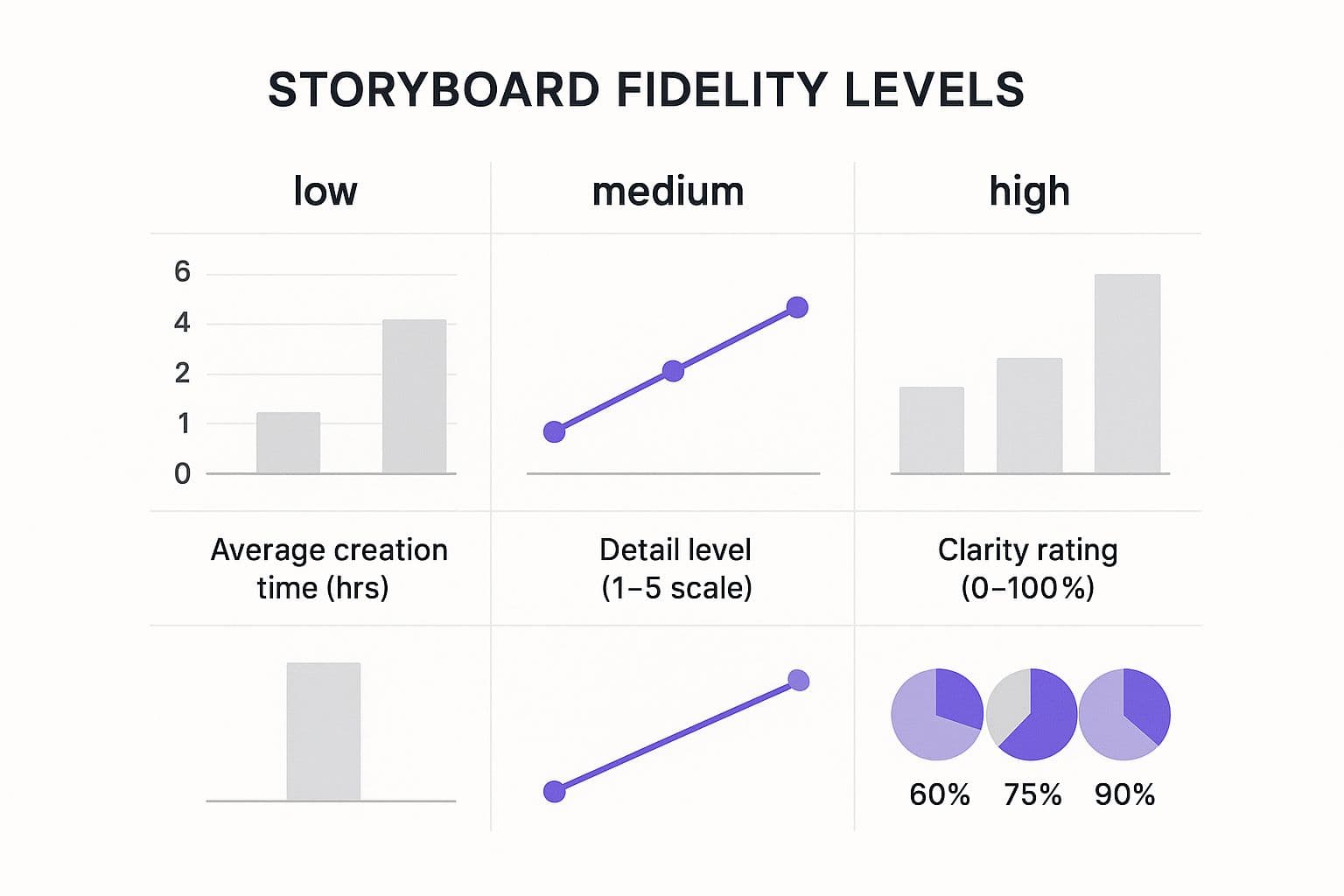
As you can see, investing a little more time upfront in a detailed storyboard saves you massive headaches down the road. It helps you catch problems before you ever open your animation software, ensuring the final video is exactly what you envisioned.
Bringing Your Video to Life in Production
Alright, you've got a solid script and a clear vision. The planning is done. Now comes the fun part—rolling up your sleeves and actually making the thing. This is where all that groundwork pays off as you start turning concepts and words into real, moving visuals. It’s the most hands-on stage, where your story finally starts to breathe.
But before you jump into your animation software, you need a blueprint. That blueprint is your storyboard. Think of it as a comic book version of your video, and it's absolutely critical for bridging the gap between what's on the page and what will end up on the screen.
This visual map gets everyone—from the animator to the marketing manager to the client—on the exact same page. It forces you to think through every transition, character action, and text overlay before you sink hours into animation or filming. Trust me, catching a flow issue in the storyboard phase is a ten-minute fix. Catching it after the animation is rendered? That could set you back days.
The Power of Storyboarding
Your storyboard doesn't have to be a masterpiece. Seriously, stick figures and rough sketches are usually all you need. The goal isn't artistic perfection; it's about clarity and alignment.
For each key scene, you'll want to map it directly to the corresponding lines in your script. Ask yourself:
- What's the main visual here? Is it a character looking frustrated? A specific UI element being highlighted? A chart coming to life?
- What text needs to be on screen? If you have a headline or a key stat, sketch it right into the frame.
- How do we get to the next scene? Is it a sharp cut? A smooth fade? A creative wipe?
A storyboard is your production insurance policy. It's the single best way to prevent costly misunderstandings and ensure the visual story you have in your head is the same one your team is building.
Why Crisp Audio Is Non-Negotiable
While the visuals get all the glory, bad audio is the quickest way to kill your video's credibility. It doesn't matter how slick your animation is—if the voiceover is muffled, tinny, or full of background noise, viewers will be gone in a flash. Clear, professional audio isn't just a nice-to-have; it's a must-have.
The voiceover sets the entire mood. The right narrator can make your brand sound authoritative and trustworthy or friendly and approachable. When you're picking a voice actor, listen for a tone that fits your brand's personality and a pace that doesn't feel rushed. It's always better to trim a few words from the script than to have a narrator who sounds like they're trying to speed-read.
Music is the other half of the audio equation. It should support the story, not distract from it. The right track guides your viewer's emotions.
- An upbeat, optimistic track works great when you're revealing your solution.
- A more subtle, thoughtful melody can help emphasize the customer's pain point.
- Always make sure the music dips in volume when the narrator is speaking, swelling only during transitions or visual-heavy moments.
Investing in good audio is one of the smartest moves you can make. If you want to go deeper on this, we've got a whole guide on how to enhance audio quality.
Assembling the Pieces in the Edit
Editing is where the magic really comes together. This is where you weave the voiceover, visuals, music, and sound effects into one seamless, polished video. The secret to a great edit is all about timing. Every visual needs to sync perfectly with the narration, popping up on screen the very moment it's mentioned.
Pay close attention to the pace. Too slow, and you'll bore your audience. Too fast, and they'll feel overwhelmed. Use smooth transitions to guide the viewer's eye and keep the story flowing logically from one point to the next. For anyone interested in how new tech is changing this space, this AI video editing guide has some great pointers on speeding up the process.
Finally, don't sweat the small stuff—embrace it. Adding subtle sound effects, like a little "swoosh" for a transition or a "click" sound when a button is pressed, can make your video feel so much more alive and engaging. It's these little professional touches that separate a good explainer video from a truly great one.
Get Your Video Out There for Maximum Impact
Let’s be honest: creating an amazing explainer video is only half the job. A video is only successful if the right people actually see it. Your work isn't done when you export that final file; now the real strategy begins. It's time to build a distribution plan that gets your video seen.
Think of your video as a versatile asset, not a one-off piece of content. It can—and should—work for you across your entire marketing world. Just posting it on YouTube and crossing your fingers is a sure path to disappointment. A smart, deliberate approach is what turns all that production effort into actual views and results.
Tailor Your Video for Each Platform
Every social media channel has its own vibe and its own rules of engagement. What works on YouTube will likely fall flat on Instagram. If you want to get real traction, you have to play by their rules and adapt your content.
- YouTube: This is the mothership, your video’s permanent home. A killer custom thumbnail is a must—it has to be scroll-stopping. Pack your title and description with keywords people are actually searching for.
- LinkedIn & Facebook: Here’s a staggering fact: up to 85% of videos on these platforms are watched on mute. This means burned-in subtitles aren't optional; they're essential. I'd also recommend editing a shorter, punchier cut (under a minute) to grab attention in a crowded feed.
- Instagram: For Reels and Stories, you need a vertical video (9:16 aspect ratio). No exceptions. Keep it short, make it visually interesting from the very first second, and use interactive stickers like polls or quizzes to boost engagement.
Your video's format should adapt to the platform, not the other way around. Customizing for each channel shows you understand the user's context and dramatically increases the likelihood of them stopping to watch.
Put Your Video Where It Matters Most
Social media is great for reach, but your own digital properties are where you can make a serious impact. Placing your video in these key spots can guide visitors and nudge them toward taking action.
Your website’s homepage, right "above the fold," is probably the most valuable real estate you have. It’s the perfect place to instantly show new visitors what you're all about. Product pages are another obvious win. A short video explaining a feature can do more to persuade a customer than paragraphs of text, often leading to a direct bump in conversions.
Don't forget about email. A well-placed video can work wonders in a welcome series for new subscribers or a nurture campaign to warm up leads that have gone quiet.
The demand for these kinds of videos is exploding for a reason. In 2023, the explainer video software market was already valued at around USD 1.2 billion and is expected to skyrocket to USD 6.7 billion by 2033. This trend makes it clear that mastering video distribution is no longer a "nice-to-have" skill. You can read more about the explainer video market growth to see just how critical this has become.
Arm Your Internal Teams
Finally, your video is more than just a marketing tool. It’s a powerful asset for your internal teams, too. Think bigger than just campaigns and social posts.
- Sales Team: Give your sales reps the video to send to prospects. It’s the perfect follow-up after a call or a quick primer before a full demo. It standardizes the message and saves them time.
- Support Team: Customer support can use the video to answer frequently asked questions. This can help resolve support tickets faster and make for a much happier customer.
By getting your video into the hands of your sales and support staff, you breathe new life into it long after the initial marketing push is over. This holistic thinking turns your explainer video from a single piece of content into a core business asset that delivers value everywhere.
Got Questions About Explainer Videos? Let's Clear Things Up.
Even the most well-thought-out plan can leave you with a few nagging questions. When it comes to making your first explainer video, there are a handful of "what ifs" and "how to's" that I see pop up time and time again.
Let's tackle these common hurdles right now. Getting these details sorted out from the get-go is often what separates a video that truly connects from one that just adds to the noise.
The Big One: How Long Should My Explainer Video Be?
If there's one question everyone asks, it's this. And the answer is almost always the same: shorter than you think. For most situations, you want to aim for that sweet spot between 60 and 90 seconds.
Why so specific? Because you're racing against the clock. You have a very small window to capture someone's attention, deliver your core message, and get them to act before they click away. Every second has to count.
Here’s a practical way to think about it:
- Under 60 Seconds: Think fast-paced and punchy. This length is perfect for social media ads or top-of-funnel content where you just need to spark curiosity.
- 60-90 Seconds: This is your go-to for a homepage or product page. It’s just enough time to lay out a relatable problem, position your product as the hero, and end with a clear call to action.
- Over 90 Seconds: Save the longer formats for an audience that’s already bought in. This is prime territory for in-depth tutorials or customer onboarding videos where people are actively seeking detailed information.
As a rule of thumb, a 90-second video script should be around 180 to 240 words. This keeps the voiceover pace feeling natural and unhurried, giving your visuals enough time to land with impact.
What Kind of Budget Are We Talking About?
This is the "how long is a piece of string?" question. Explainer video costs can range from a few hundred bucks for a DIY project all the way up to tens of thousands for a slick, agency-produced masterpiece. The right budget for you really depends on the style, complexity, and resources you have.
Here’s a breakdown of the typical routes you can take:
- The DIY Approach: Using tools like Vyond or Powtoon is the most cost-effective path. Your main investment is the software subscription and, of course, your own time.
- Hiring a Freelancer: This is a fantastic middle ground. You can find talented freelance animators or video editors who can give you a custom, professional look without the price tag of a full-blown agency.
- Partnering with an Agency: For a truly polished, hands-off experience, a video production agency is the way to go. They'll manage everything from the script to the sound design, but you're paying a premium for that expertise and service.
The key takeaway? Focus on creating the absolute best video you can within your means. A simple, well-executed video will always outperform a clunky, over-ambitious one.
How Do I Actually Know if My Video Is Working?
A great explainer video isn't measured in views alone—it's measured in results. You have to look past the vanity metrics and dig into the data that connects back to the business goal you set from the very beginning.
Start by diving into the analytics on your video hosting platform. There are a few key numbers to keep an eye on:
- View-Through Rate (VTR): This tells you what percentage of people watched your video all the way to the end. A high VTR is a great sign that your story is engaging.
- Audience Retention Chart: This is pure gold. It shows you the exact moment viewers start to drop off. If you see a huge dip at the 30-second mark, go back and look at what’s happening in your video right there.
- Click-Through Rate (CTR): Did people actually click the link in your call-to-action? This is the clearest measure of whether your video successfully persuaded them to take the next step.
Ultimately, you’ll know your video is a success if it moves the needle on the one primary goal you defined before you ever wrote a single word of the script.
Ready to turn your ideas into compelling lyric or karaoke videos? With MyKaraoke Video, you can create high-quality, perfectly synced videos in just minutes using our powerful AI-driven tools. Skip the complicated software and start creating today.
