Ever felt like you needed a full band on speed dial, ready to jam whenever inspiration strikes? That's exactly what backing track software gives you. Think of it as your personal, on-demand band, neatly packed into your computer. It’s the secret weapon that lets you create a huge, professional sound without needing a room full of musicians.
What Is Backing Track Software and Why It Matters

At its heart, backing track software is a tool for playing pre-recorded accompaniments. For a solo singer, it's the full band. For a karaoke host, it's an endless library of instrumental hits. And for a YouTube creator, it's the engine that powers polished lyric videos. It’s the digital foundation that fills out the sound behind your lead vocal or instrument.
This tech has come a long, long way. The early days were all about clunky MIDI files—basically digital sheet music that told your computer’s sound card what to play. It worked, but the results often sounded robotic and thin.
The Modern Evolution to a Creative Powerhouse
Today, things couldn't be more different. Modern backing track software is a full-blown creative suite. We're talking high-fidelity audio, slick setlist management, and even integrated video features. The shift to powerful, browser-based tools has been huge, getting rid of annoying installations and putting pro-level features in everyone's hands.
This easy access has kicked off some serious growth. The music production software market is on track to grow from $1.53 billion in 2025 to $1.63 billion in 2026. What’s really driving this boom? Everyday creators. Non-professional users now make up over 50% of the market, using these tools to make content for platforms like YouTube and TikTok.
Who Uses Backing Track Software and Why
This software isn't just for one type of person; its uses are incredibly varied, especially for anyone pairing music with visuals. If you're curious about the different flavors out there, our guide to the https://www.mykaraoke.video/blog/karaoke-software-best is a great place to start.
The table below breaks down who's using this tech and what they get out of it.
| User Type | Primary Goal | Essential Features |
|---|---|---|
| Solo Musicians | Practice, perform, and record with a full band sound. | Tempo/pitch control, looping, multi-track outputs. |
| Karaoke Creators | Produce high-quality lyric videos for platforms like YouTube. | Lyric syncing, visual customization, video export options. |
| Event Organizers | Run smooth karaoke nights, parties, or corporate events. | Playlist management, on-screen lyric display, user queues. |
| Content Marketers | Create engaging, branded lyric videos for promotions. | Custom branding, high-quality audio support, social media exports. |
From the solo guitarist working on new material to the marketer crafting a viral video, the right software makes all the difference. It’s a versatile part of any modern toolkit, and you can see how it fits into the bigger picture by checking out guides on the best tools for content creators.
Ultimately, this software closes the gap between a simple idea and a fully realized, professional-sounding final product.
What to Look for: A Backing Track Software Buyer’s Checklist
Picking the right backing track software is a lot like choosing the right instrument. The best one isn't just about flashy features; it's about finding the tool that feels right in your hands and lets you bring your musical ideas to life.
Let's break down the essential features you’ll want to look for. Think of this as your personal checklist to make sure you're getting software that truly works for you, whether you’re a singer looking for practice tracks or a gigging musician building a live set.
Tempo and Key Control: Your Personal Conductor
This is, without a doubt, the most important feature set. Imagine having a personal band that can instantly speed up or slow down on your command, or change the key of a song to perfectly match your voice. That’s what tempo and key control give you.
- Tempo Control: This lets you adjust the speed (BPM) of a track. It’s an absolute lifesaver for practice. You can slow down that lightning-fast guitar solo to learn it note-for-note or speed up a ballad to give it a bit more energy live.
- Key Control: Also known as pitch shifting, this is a vocalist's best friend. If a song is just a little too high or too low for your range, you can transpose it up or down in semitones. No more straining! It means you can sing any song comfortably and sound your absolute best. For a deeper dive, check out our guide on how to change the key of a song for any performance.
Good software should work for you, not make you work for it. Solid tempo and key controls put you in the driver's seat.
File Format Compatibility: Will It Play Your Music?
It sounds obvious, but you'd be surprised. The most powerful software in the world is useless if it can't open your audio files. Before you commit, make sure it supports the formats you actually use.
- MP3 and WAV: These are the basics. Pretty much every program will handle them. MP3s are small and convenient, while WAVs are uncompressed, offering top-tier audio quality.
- AIFF and FLAC: If you care about pristine audio, you'll likely run into these lossless formats. Support for them is usually a good sign that you're looking at a more professional-grade tool.
- MIDI: This one's a bit different. A MIDI file isn't an audio recording; it's a set of instructions—like sheet music for a computer. This makes them incredibly flexible. You can change instruments, edit individual notes, and re-orchestrate parts in a way you simply can't with a standard audio file.
Multi-Track Outputs and Mixing: Be Your Own Sound Engineer
This is where things get really interesting. Some backing tracks come as "multi-tracks," meaning each instrument (drums, bass, guitar, keys) is on its own separate audio channel. Software that supports this gives you a mini mixing board.
Think about the possibilities. Need to practice your bass part? Just mute the original bass track and play along with the rest of the band. Want the drums to hit harder during a live show? Just nudge the drum fader up. This kind of granular control is a total game-changer, letting you customize the track for any situation.
Loop and Cue Point Features: Your Ultimate Practice Tool
Repetition is the key to mastery. That’s where loops and cue points come in.
- Looping: This feature lets you highlight a specific section of a song—that tricky chorus, a complex riff, a difficult vocal run—and have it repeat over and over. It's the single most effective way to nail tough parts.
- Cue Points: These are like digital bookmarks you can drop anywhere in a song. Set a cue at the start of the verse, another for the chorus, and one for the bridge. Now you can instantly jump between sections without having to rewind or fast-forward. It makes rehearsal incredibly efficient, especially when you're structuring a setlist or just working on transitions.
From Practice Room to Prime Time: Real-World Workflows
Knowing what a piece of software can do is one thing, but seeing it in action is where the lightbulb really goes on. Let's step away from the feature lists and dive into how real people—from YouTube creators to gigging musicians—actually use backing track software every day.
You'll see how this single category of tool can be a karaoke production studio, a digital roadie, or a marketing powerhouse, all depending on who's behind the keyboard.
The Karaoke Channel Creator's Workflow
For a creator building a karaoke channel on YouTube, the name of the game is producing slick, perfectly synced videos that keep viewers coming back. Their process is all about precision and polish.
- Find the Music: It all starts with the instrumental. This might be a professionally licensed track, one they've commissioned, or even a song they've run through an AI stem splitter to strip out the original vocals.
- Get the Lyrics Right: Next, they grab the lyrics and load them into their software. They’ll spend time breaking everything down into clean, easy-to-read lines that match the song's phrasing.
- The Magic of Syncing: This is where the meticulous work happens. The creator painstakingly times every single word to the music. While tools like MyKaraoke Video use AI to handle the heavy lifting here, most creators will still do a final pass to tweak the timing for that pro-level feel.
- Brand It: With the timing locked in, it's time to make it look good. They’ll adjust fonts, colors, and backgrounds to fit their channel’s brand or the vibe of the song. This visual flair is their signature.
- Export and Go Live: Finally, they render the project as a high-quality video file—think a 1080p MP4—and upload it directly to their channel.
This isn't just a hobby for many; it's a booming business. The professional karaoke software market, a core component of the backing track software world, was valued at USD 352 million in 2024 and is projected to hit USD 475 million by 2032. Why the growth? It's largely fueled by creators on platforms like YouTube and TikTok, where pros made up a staggering 65% of the market share in 2025. You can dig into more data on this expanding market to see just how big this space has become.
The Live Musician's Workflow
A solo guitarist playing a three-hour set at a local pub has a completely different set of needs. For them, backing track software is their band in a box—and it has to be bulletproof.
Their day starts by loading all their tracks into the software and arranging them into a setlist for the gig. At soundcheck, they might use the multi-track mixing to dial things in for the room, maybe giving the bass a little bump or pulling back the synth pads to let their guitar shine.
For any live performer, reliability is non-negotiable. The software can't crash, glitch, or freeze mid-song. Their entire workflow is built around one thing: delivering a consistent, high-quality show for the audience, every single time.
When the show starts, they’ll probably have a footswitch rigged up to trigger the next track without ever missing a beat. If the crowd is really into it, they might even nudge the tempo up a few BPM on the fly to keep the energy high. Here, the software isn't just a playback device; it's part of the performance.
This simple diagram shows the core functions that all these different users rely on.
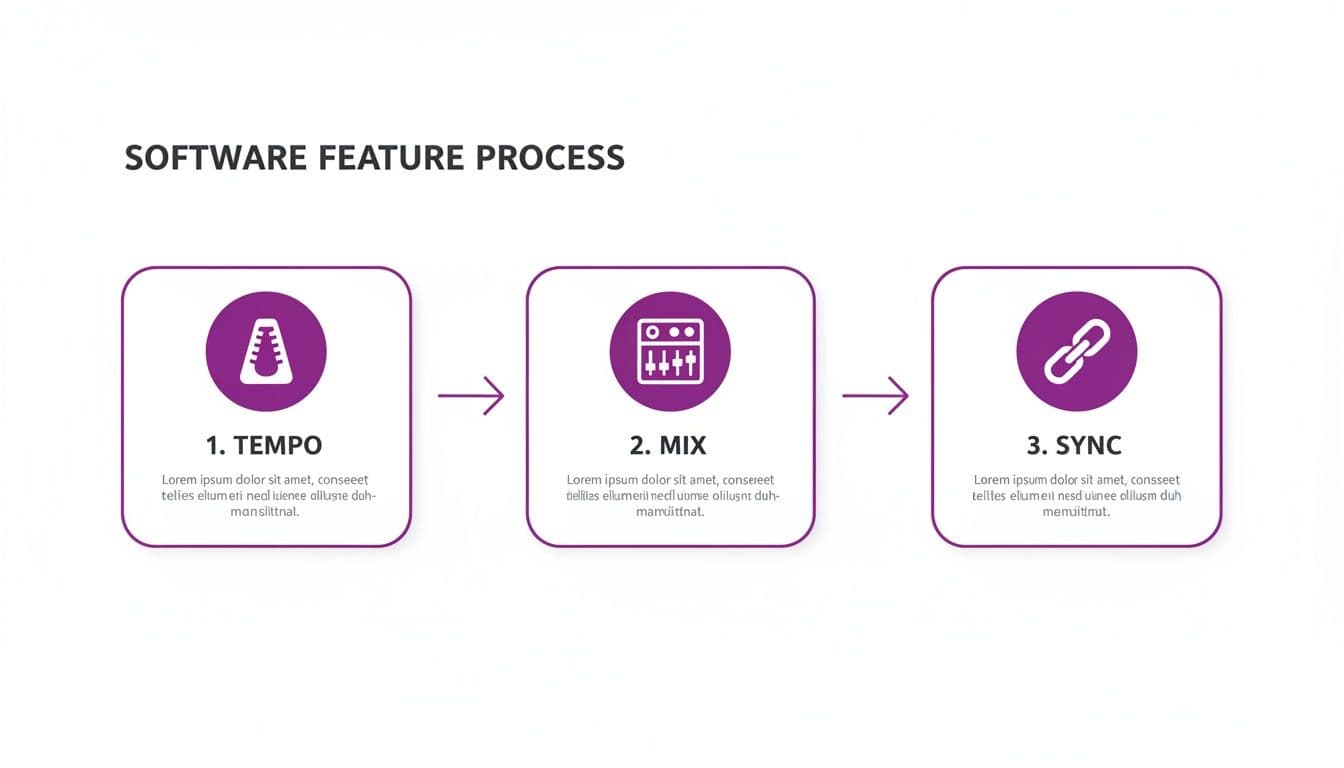
Whether you’re a musician, a creator, or a DJ, it all comes down to controlling the tempo, shaping the mix, and syncing everything together.
Workflows for Event Organizers and Marketers
Event organizers and marketers see backing track software through yet another lens: audience engagement. An organizer for a corporate holiday party might load up a playlist of karaoke classics and splash the company logo onto the video background for a fun, branded activity.
A marketer, on the other hand, could quickly create a lyric video for a new product jingle to share on social media. Their workflow is all about speed and creating something catchy and shareable that grabs attention in a crowded feed.
So, how do the feature priorities stack up across these different roles?
Comparing Essential Features Across Workflows
The importance of any given software feature really depends on what you're trying to accomplish. This table breaks down what matters most to each type of user.
| Feature | Musician (Live) | Karaoke Creator | Event Organizer |
|---|---|---|---|
| Setlist Management | Absolutely Critical | Not Important | Very Important |
| Lyric Sync Editor | Not Important | Absolutely Critical | Very Important |
| Multi-Track Mixing | Very Important | Important | Nice to Have |
| Visual Customization | Nice to Have | Very Important | Absolutely Critical |
| Tempo/Key Control | Very Important | Very Important | Important |
As you can see, the "best" software is completely subjective. A feature that’s a must-have for one person might be totally irrelevant to another. By understanding these real-world scenarios, you can get a much clearer picture of which tools will actually help you get your job done.
Making a Great Lyric Video Doesn't Have to Be a Headache
One of the coolest things you can do with a good backing track is create professional-looking lyric and karaoke videos. It's a huge world on platforms like YouTube, but getting into it used to be a real pain. To appreciate just how far we've come, it helps to understand the old, clunky way of doing things.
Not long ago, making even a basic lyric video meant you were juggling a bunch of different programs that didn't talk to each other. It was a fragmented, frustrating process that looked something like this.
- Audio Prep: First, you’d pull your backing track into an audio editor to clean it up and get it ready.
- Video Editing: Then, you'd import that audio file into a separate, complex video editor like Adobe Premiere Pro or Final Cut Pro.
- The Manual Syncing Grind: Here’s where the real nightmare began. You'd have to manually add a new text layer for every single line of lyrics. You’d type the line, drag it into place on the video timeline, and then painstakingly nudge it back and forth until it matched the vocal cue perfectly. Repeat that a hundred times.
This wasn't just slow; it was creativity-killing. A single song could easily eat up several hours of your day, requiring laser focus. One tiny timing mistake could send you back to re-adjusting a whole sequence of text layers.
A Smarter, All-in-One Approach
Thankfully, that’s all in the past. A new wave of software has completely changed the game by bringing all the tools you need into one place, usually right in your web browser. This integrated approach solves the biggest headaches of the old method.
The real breakthrough is putting everything under one roof. When you combine audio playback, lyric entry, and a video editor into a single workflow, you stop wasting time jumping between different apps. It saves a massive amount of time and mental energy.
Suddenly, the focus shifts from tedious technical work back to what you actually want to do: make a cool video. You can now spend your energy on the creative side of things instead of fighting with timelines.
How AI and Smart Editors Make It Easy
The magic ingredient in these new tools is AI-powered lyric synchronization. Forget timing every word by hand. Now, you just upload your audio and paste in your lyrics. The software listens to the track and automatically lines up the words with the music, and it's shockingly accurate.
This automated first pass gets you 95% of the way there in a matter of seconds. From there, you just use a simple, intuitive editor to make small adjustments and dial in the timing so every word lands exactly where it should.
This frees you up to concentrate on the visuals. You can finally have fun experimenting with:
- Fonts and Colors: Find the perfect typography to match the vibe of the song.
- Custom Backgrounds: Drop in your own images or videos to give your creation a unique look.
- Text Effects: Add simple animations or transitions to the lyrics to keep your audience hooked.
A task that once took an entire afternoon can now be done in minutes. This means you can produce more content, post more consistently, and grow your channel way faster. If you're curious to see this in action, our guide to using a modern lyric video creator online is the perfect place to start.
At the end of the day, this evolution in software has opened the door for anyone to produce high-quality lyric videos, no film school degree required.
The Future Is Cloud-Based and AI-Powered Tools
The days of being chained to a single computer with clunky, downloadable software are fading fast. The entire world of backing track software is moving to the cloud. It’s the difference between owning a tower of CDs and having a Spotify subscription—your projects, tools, and files are always there, ready to go on any device with an internet connection.
This simple shift gets rid of so many old headaches. Forget about installation wizards, compatibility issues, or remembering to download the latest update. It all just works, happening quietly in the background so you can focus on your music.
This isn’t just a niche trend; it’s a massive movement in the Software as a Service (SaaS) world. Projections show that worldwide software spending is expected to jump 14.7% in 2026 to over $1.4 trillion**, with the SaaS slice of that pie growing to a massive **$465.03 billion. For creators, this translates into game-changing features. Think auto-syncing that can cut your editing time by 75%—a huge win when lyric videos are driving 30% of music engagement online.
AI Is Your New Creative Assistant
Hand-in-hand with the cloud, artificial intelligence has stepped out of the lab and into our creative toolkits. It’s not a gimmick; AI is here to do the boring, repetitive work that used to bog us down, freeing us up to be, well, creative.
Let’s say you have an amazing song but no instrumental. A few years ago, you were stuck. Now, an AI-powered stem splitter can listen to the track, pull the vocals and instruments apart cleanly, and hand you a perfect backing track in moments. That’s a job that used to require a skilled audio engineer and a lot of time.
The same goes for the tedious task of syncing lyrics to music. What once took hours of manual nudging is now a nearly instant, automated process.
AI doesn't replace your creativity; it removes the technical barriers that get in the way of it. It’s like having a tireless assistant who handles all the prep work, so you can jump straight to directing the final performance.
A More Accessible and Intuitive Future
When you put cloud computing and AI together, you get tools that make high-quality audio and video creation possible for everyone. You no longer need a beast of a computer or years of training to get professional-sounding (and looking) results.
This combination is driving the next wave of creative software, built around a few key ideas:
- Intelligent Automation: Complicated jobs like vocal removal and lyric syncing are now simple, one-click actions.
- Browser-Based Power: The heavy lifting happens on powerful remote servers, so your own computer doesn’t get bogged down.
- Constant Improvement: Developers can push out new features and fixes instantly, with no downloads or updates required on your end.
Ultimately, this is where backing track software is headed—toward seamless, intuitive experiences built on AI-powered content creation. It's more than just a convenience; it’s about tearing down the old technical and financial walls and fundamentally changing who gets to be a creator.
Got Questions About Backing Track Software? We've Got Answers.
Jumping into the world of backing tracks can feel a bit like learning a new instrument. There are new terms, new tech, and a whole lot of questions. We get it. That's why we've put together answers to the most common things people ask, whether they're musicians, content creators, or event hosts.
Let's clear up the confusion so you can get back to what you love: making music.
Can I Legally Use Any Song for My Backing Tracks?
This is the big one, and the answer is a classic: it depends. The line between private practice and public performance is where copyright law kicks in, and it's a line you don't want to cross accidentally.
If you're just jamming along in your bedroom, you're fine. But the second you upload that karaoke video to YouTube, play a gig at a local bar, or use the track in a public stream, the rules change. You can't just grab a famous song and use it without getting the proper permissions first.
So, how do you stay on the right side of the law? You have a few solid options:
- Go with Public Domain Songs: These are songs where the copyright has expired. Think old folk songs or classical pieces. They're free for anyone to use, rearrange, and share.
- Get a License: This is the official route. To use a copyrighted song in a video, you'll often need what's called a synchronization license. Be warned, this can be a complex and expensive process.
- Use Royalty-Free Music: This is the go-to for many creators. You can find massive online libraries of instrumental tracks made specifically for this purpose. You usually pay a one-time fee or a subscription and get the rights to use the music in your projects.
- Make Your Own "Sound-Alike": You can create your own instrumental version that captures the vibe of the original. Just remember, while your musical arrangement is new, the original lyrics are still protected by copyright.
The golden rule is simple: if you plan to publish it, you must have the rights to it. Always double-check a song's copyright status before you post anything. It’ll save you from the headache of content strikes, legal trouble, or even losing your channel.
What's the Real Difference Between MIDI and MP3 Tracks?
This is a fantastic question. The easiest way to think about it is to compare a photograph to a recipe. One is a finished, unchangeable product, while the other is a set of instructions you can tweak however you like.
An MP3 is like the photograph. It’s a snapshot of sound—a fixed audio recording. You can do some basic editing, like nudging the tempo or pitch up or down, but if you push it too far, the quality starts to fall apart. The audio can get warped, grainy, or just plain weird.
A MIDI file is the recipe. It contains zero actual audio. Instead, it’s a list of instructions telling a piece of software what notes to play, for how long, and how loud. This is where the magic happens for customization.
With a MIDI file, you can:
- Crank the tempo up or slow it way down with absolutely no loss in audio quality.
- Swap out instruments on a whim—turn that piano part into an electric guitar or a string section.
- Jump in and edit individual notes, fix mistakes in a performance, or completely rewrite a part from scratch.
For simple playback where you just need to press play, an MP3 works great. But if you want total creative control, MIDI is the way to go.
How Do I Remove the Vocals from a Song?
Not too long ago, trying to remove vocals from a mixed song was a job for a seasoned audio engineer with a lot of expensive gear. Now? AI-powered "stem splitters" have put that power in everyone's hands, often with just a single click.
These tools work by analyzing a finished song and intelligently separating it into its core components, known as "stems." You can typically isolate the vocals, drums, bass, and other instruments into their own individual tracks.
The process couldn't be simpler. You upload your audio file to a website or a piece of software, the AI does its thing, and a few moments later you get a high-quality instrumental version. The results are usually fantastic, though not always 100% perfect. You might occasionally hear a faint vocal echo or "artifact" left behind. Still, for making practice tracks or fun karaoke videos, these tools are a game-changer.
Do I Need a Beast of a Computer to Run This Software?
This really depends on the path you take. If you go the traditional route with an installable Digital Audio Workstation (DAW), then yes, you might need a decent amount of processing power and RAM. Running lots of tracks and effects can be pretty demanding on a computer.
But there's a new school of thought: browser-based tools. This new wave of backing track software runs in the cloud. All the heavy lifting—the intense processing and rendering—happens on the company's powerful servers, not your laptop. This means you can create amazing content from just about any modern computer with a decent internet connection.
You no longer need to invest in a high-end machine just to make professional-sounding tracks or slick lyric videos. That said, if you're planning a complex live show where every millisecond counts and glitches are not an option, a more powerful, reliable computer is still a wise investment.
Ready to stop wrestling with complicated software and start creating stunning karaoke videos in minutes? MyKaraoke Video uses powerful AI to automate lyric syncing and provides an intuitive, browser-based editor to bring your vision to life.
