If you’ve ever tried to make a lyric video using traditional video editing software, you know the headache. Staring at a complex timeline, trying to manually keyframe every single word to match the audio—it’s a tedious, time-sucking process that can kill your creative momentum. Honestly, your time is better spent making music, not wrestling with software designed for filmmakers.
This is exactly where a browser-based lyric video creator online changes the game. It’s a tool built specifically for musicians, stripping away all the unnecessary complexity. Forget downloading bulky programs or watching hours of tutorials. You can create a high-quality, perfectly synced lyric video in just a few minutes, right from your web browser.
Ditching the Old-School Workflow
The real magic of these online tools is how they simplify the entire process. They’re designed around a musician’s needs, which means speed and ease of use are baked right in. You don’t need a powerful computer or any technical skills to get started.
Here’s why so many artists are making the switch:
- No Installation Needed: It all works in your browser. This saves precious hard drive space and means you’ll never have to worry about software compatibility issues again.
- Always Up-to-Date: You're automatically using the latest version with all the newest features, without ever having to think about manual updates.
- Work From Anywhere: Your projects live in the cloud. You can start a video on your studio computer and finish it on your laptop at a coffee shop.
Let’s quickly compare the two approaches.
Online Creator vs Traditional Software A Quick Comparison
It's clear that for the specific task of creating lyric videos, a dedicated online tool offers a much more direct and efficient path from idea to finished product.
| Feature | Online Lyric Video Creator | Traditional Editing Software |
|---|---|---|
| Learning Curve | Minimal, intuitive interface | Steep, requires technical knowledge |
| Speed | Minutes, with AI-powered sync | Hours or days of manual timing |
| Accessibility | Any computer with a browser | Requires powerful hardware and software installation |
| Cost | Often affordable subscriptions or free tiers | High upfront cost or expensive subscriptions |
| Primary Focus | Lyric and karaoke video creation | General-purpose video editing |
This isn't just about convenience; it's about reclaiming your time to focus on what you do best.
AI Is Your New Co-Producer
The explosion of accessible AI has completely reshaped content creation. We’re seeing a massive shift, with the global AI video generator market rocketing from $534.4 million** and projected to hit **$2,562.9 million by 2032. It's not just a trend; it's the new standard. In fact, nearly 57% of online ads now involve AI-generated video.
This technology is what powers the core of a modern online lyric video maker.
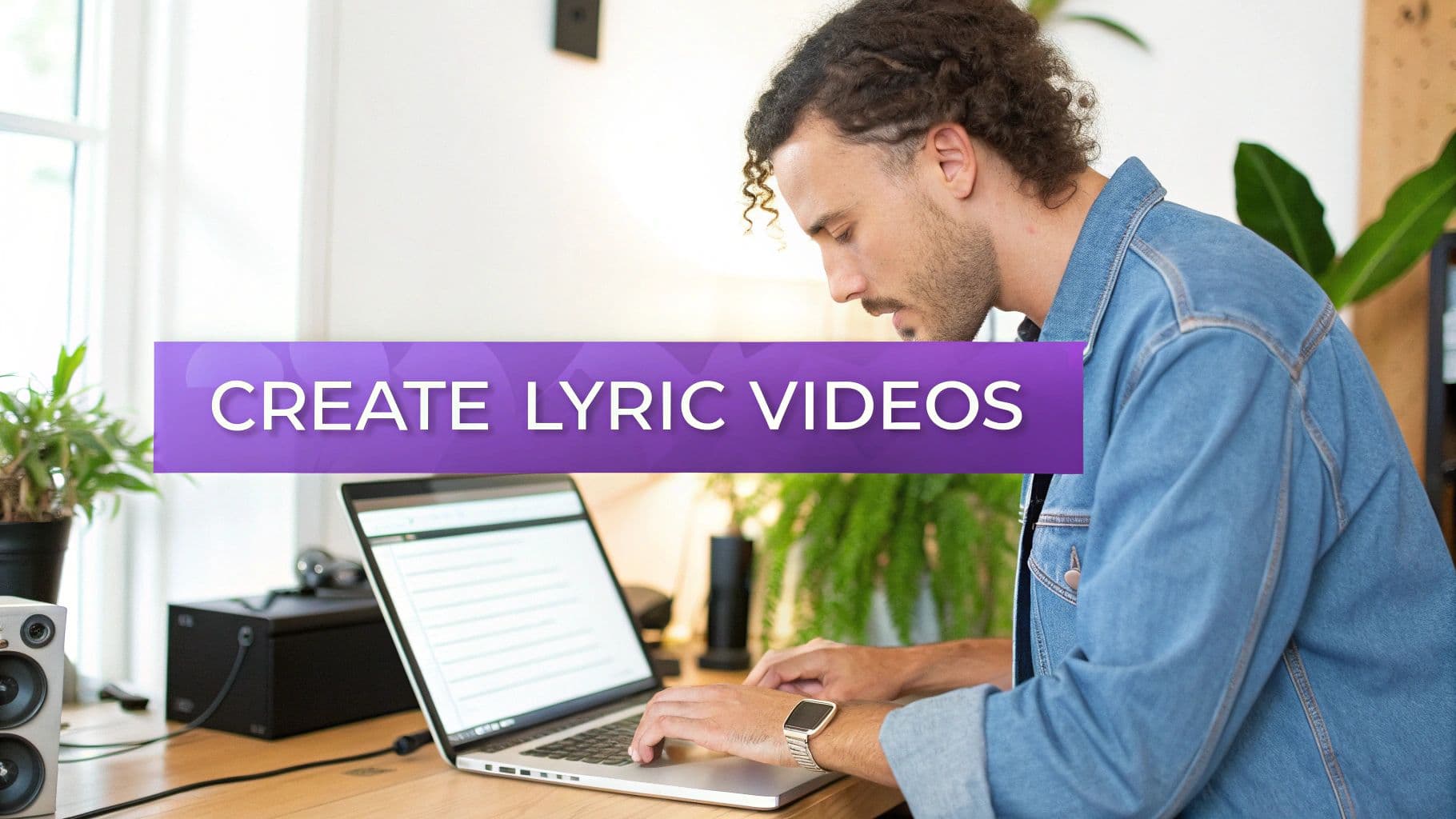
As you can see, the interface is clean and uncluttered. It puts the essential elements—your audio, your lyrics, and the visuals—front and center, making the entire workflow feel natural, even if you’ve never made a video before.
A Powerful Tool for Your Music Career
For any independent artist, a slick lyric video is a must-have for promoting a new single. It’s engaging content that encourages fans to spend more time with your music on YouTube and helps them connect with your songwriting on a deeper level. Of course, a great video is just one piece of the puzzle; you also have to master your craft, which includes skills like learning how to memorize song lyrics for those big live shows.
By taking the technical burden of video production off your shoulders, online creators free you up to focus on the music and the community you're building around it. This isn't just a time-saver—it's a real competitive edge.
Ultimately, these tools level the playing field, giving every artist the ability to produce professional-looking content without a professional budget. To see how lyric videos can anchor your next release, check out these music promotion strategies for a bigger picture.
Getting Your Ducks in a Row: Assets & Prep Work
The secret to a great lyric video? It starts before you even open up a lyric video creator online. Seriously. Taking just a few minutes to get your audio and lyrics organized is the best thing you can do to make the whole process smooth and painless. Think of it less as a chore and more as a strategy.
I’ve seen artists turn what could be a multi-hour headache into a quick, focused 20-minute session just by doing this prep work. They aren't scrambling to find the right file or fix typos on the fly. They're ready to go, and the result is a pro-level video without the stress.
Lock in Your Audio Quality
Let's be clear: your song is the main event. The audio quality is non-negotiable. You could have the most stunning visuals in the world, but if the audio is muddy or distorted, it immediately screams "amateur." Always, always start with the best quality audio file you can get your hands on.
Here’s the ideal hierarchy:
- WAV File: This is the undisputed champion. WAV files are uncompressed, meaning you get the full, rich sound of the original master recording with zero data loss. It’s pure audio fidelity.
- 320kbps MP3: Don't have a WAV? A high-bitrate MP3 is your next best bet. For most people, the quality is virtually indistinguishable from a WAV, making it a perfectly solid choice.
Whatever you do, don't rip the audio from a streaming service. Those files are heavily compressed and often contain weird digital artifacts that will be glaringly obvious in your final video. Start clean, and your music will sound the way it was meant to be heard.
The quality of your source audio directly impacts the final viewer experience. A high-fidelity track not only sounds better but also gives the AI sync engine more data to work with, leading to more accurate initial timing.
Prep Your Lyrics for a Perfect Sync
Next up: the words themselves. It might seem like a small detail, but how you format your lyrics file has a massive impact on how well the AI can sync everything up automatically. Your goal is to give the machine a clean, simple roadmap to follow.
Just open a basic text editor—Notepad on Windows or TextEdit on Mac works perfectly—and paste your lyrics in. Now, go through them and make sure each line break happens at a natural pause or the end of a musical phrase. This is also your last chance to catch any typos before they end up front and center in your video.
Taking the time to do this prevents the most common syncing headaches. If a single line of text is way too long, the AI might get confused about where the phrase actually ends. By breaking the lyrics into bite-sized, logical chunks, you’re basically spoon-feeding the sync tool, which will save you a ton of manual tweaking later. I'm not exaggerating when I say five minutes of formatting here can easily save you thirty minutes of tedious adjustments down the line.
Getting the Timing Just Right: AI Syncing and Manual Editing
Once your audio and lyrics are uploaded, you get to the magic part: the sync engine. This is where a good lyric video creator online really shines. Modern tools use AI to do the heavy lifting that used to take hours of tedious, frame-by-frame work. It's not just guessing—the AI actually analyzes your song's audio waveform, detects the vocals, and aligns them with the lines from your lyric file.
For most songs with clear vocals, the initial result is surprisingly good. It's not uncommon for the AI to get over 95% of the timing perfect on its very first try. This automatic pass gives you an incredible head start, letting you jump straight to the creative part instead of getting bogged down in the grunt work.
The whole idea is to simplify the preparation so the AI can do its job well.
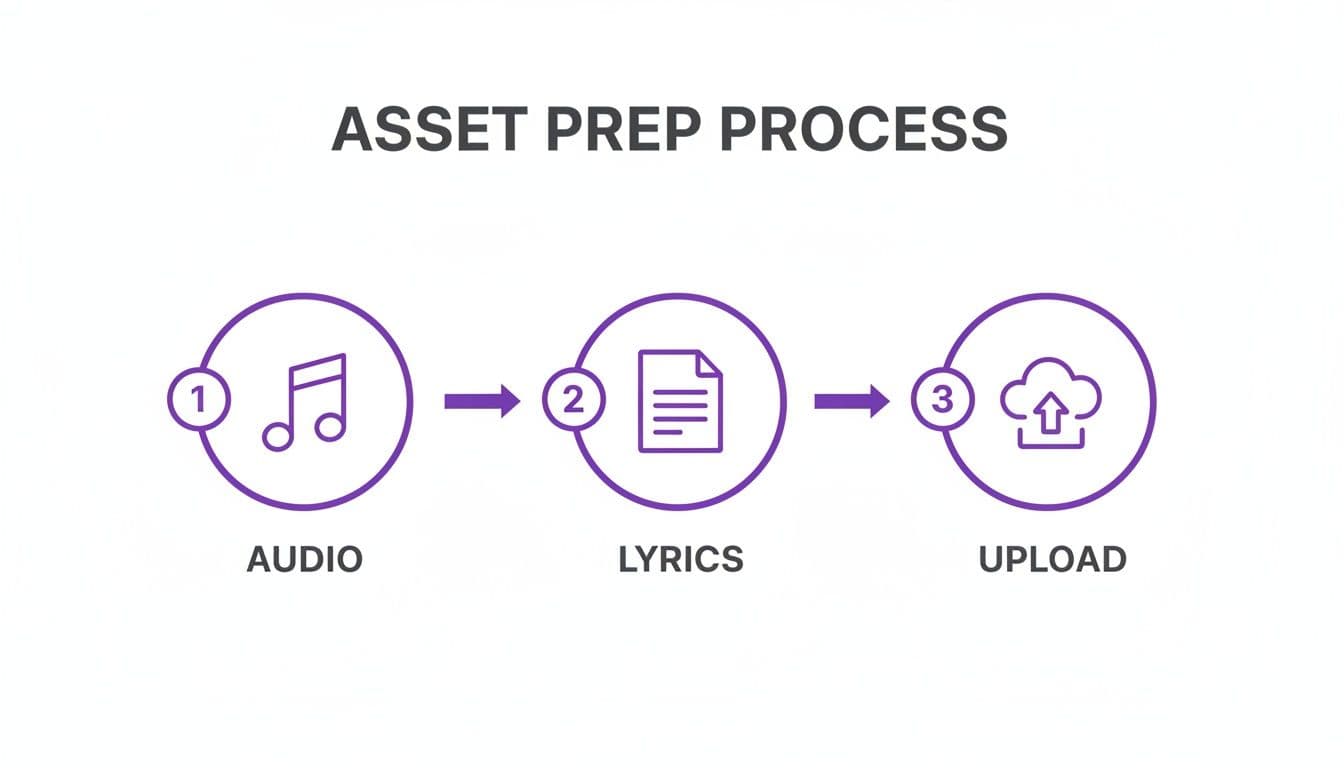
As you can see, it all comes down to three simple pillars: quality audio, clean lyrics, and a quick upload. If you nail these fundamentals, the technology has everything it needs to work wonders.
Fine-Tuning Your Sync in the Editor
As smart as AI has become, it's not a mind reader. That’s where you, the creator, come in to add that crucial human touch. A flexible sync editor is what separates a decent tool from a professional one, giving you the power to nudge, tweak, and perfect the timing.
Think of the AI's output as a solid first draft. Your job is to polish it by making micro-adjustments that truly match the artist's delivery. Maybe they hold a note a little longer than expected, or there's a dramatic pause between lines—these are the nuances that only a human ear can perfect.
Pro Tip: For a top-tier karaoke or sing-along video, set your lyrics to appear a split-second before the vocalist sings them. This little bit of lead time helps viewers anticipate the words, making the experience feel much more intuitive and professional.
Most sync editors give you a visual timeline showing your audio waveform and the lyric blocks side-by-side. This makes it incredibly easy to see exactly where a word starts and stops, so you can drag the edges of the lyric block to match it perfectly. Learning a few keyboard shortcuts for playing, pausing, and nudging timestamps can make this process fly by.
Why This Matters in a Booming Creator Market
Mastering these tools isn't just a fun skill—it’s a way to tap into a massive and growing market. The creator economy, already valued at $250 billion** in 2023, is projected to nearly double to **$480 billion by 2027. Tools that let you create high-quality content quickly are no longer a luxury; they're essential for anyone serious about building an audience.
Insider Tips for Perfect Timing
Getting a professional-level sync is more of an art than a science. It's not just about matching words to audio; it's about capturing the vibe of the song. Here are a few things I've learned over the years to really dial in the timing:
- Trust Your Ears, Not Just Your Eyes. The waveform is an amazing guide, but your ears are the final judge. Close your eyes and just listen. Does the timing feel right? Does it flow with the rhythm?
- Split Up Long Lines. If a vocalist delivers a long phrase with a natural pause in the middle, don't hesitate to break it into two separate lyric blocks in the editor. This gives you much more control over the pacing and makes the lyrics easier to follow.
- Handle Ad-Libs and Backing Vocals Creatively. Don't just throw background vocals in with the main lyrics. Try placing them in a different spot on the screen, using a smaller font, or putting them in italics to set them apart.
These little details are what elevate a video from looking automated to feeling like a polished, professional production. If you want to learn more about the technology that makes this all possible, we wrote a deep dive on the AI lyric video generator that drives our platform. When you combine the efficiency of AI with your own creative direction, you've got a recipe for content that truly connects.
Designing a Visually Captivating Lyric Video
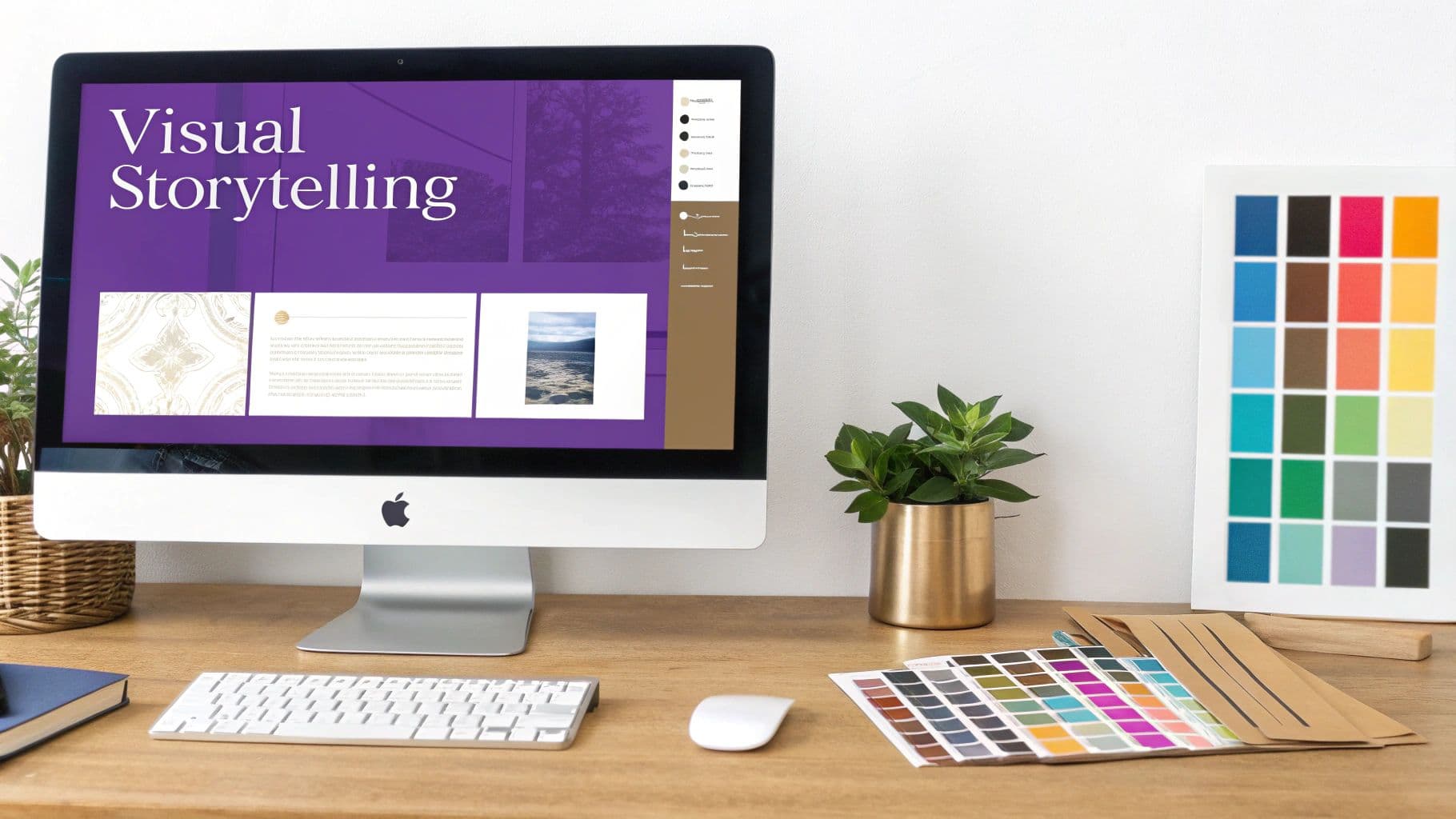
Now that you’ve got the timing nailed down, it’s time for the fun part: making your video look incredible. This is where you get to translate the song's vibe into visual art, infusing its personality into every single frame. The right aesthetic choices can take a song's emotional impact to a whole new level.
An online lyric video creator gives you the tools, but the vision is all yours. It’s about making smart, deliberate choices that serve the music, making the visuals feel like a natural extension of the sound.
Setting the Mood with Fonts and Colors
Don't underestimate the power of a good font. Your choice of typography is one of the most critical design decisions you'll make because it’s not just about what the words say, but how they feel. The font itself becomes another instrument in your visual orchestra.
- High-energy rock anthem? Go for a bold, sharp sans-serif like Montserrat or Bebas Neue to convey pure strength and impact.
- Emotional acoustic ballad? A classic serif like Garamond or even a clean, minimalist font like Lato can create a much more intimate and sincere feeling.
- Upbeat pop track? A rounded, friendly font can inject that playful, modern vibe you're looking for.
Color works in exactly the same way. A moody, dark palette is perfect for a somber track, while bright, saturated colors can match the high energy of a dance hit. The real magic happens when you create harmony between what the audience hears and what they see.
The best visual designs are intentional. They don't just look cool—they reinforce the story and emotion of the song, creating a more cohesive and memorable experience for the viewer.
Choosing Backgrounds That Complement the Music
Think of your background as the stage for your lyrics. It sets the scene, but it should never, ever steal the spotlight. The goal is to find visuals that enhance the song's mood without making the words hard to read. A busy, chaotic background will swallow even the boldest text.
When you're picking a background, think about these options:
- Subtle Video Loops: Abstract patterns, slow-moving clouds, or gentle water ripples are great for adding dynamic movement that isn’t overwhelming.
- High-Quality Still Images: A powerful landscape shot or a simple, textured image can work beautifully, especially if the song tells a strong story.
- Solid Colors or Gradients: Honestly, sometimes the simplest choice is the most effective. A clean background guarantees your lyrics are perfectly legible.
Here’s a pro tip: many creators add a semi-transparent dark overlay on top of their background video or image. This simple trick pushes the background into the distance just enough to make the lyrics pop, ensuring they remain the star of the show.
For even more professional polish, especially if you need to update existing visuals, you might consider a Lyric Change Video service to handle the heavy lifting.
Ultimately, every design choice—from the curve of a letter to the hue of the background—should serve the song. When you get it right, your video becomes more than just lyrics on a screen. It becomes a complete sensory experience that deepens a listener's connection to your music.
Finalizing Your Video: Exporting and Sharing for Social Media
You’ve put in the work and created a killer lyric video. But the job isn't done until it’s out in the world and grabbing people's attention. How you export and share your video can make or break its success, so let's walk through getting it right. The goal is simple: deliver a crisp, professional video that looks amazing on any screen without taking forever to load.
For most uses, especially for a platform like YouTube, the sweet spot is an MP4 file at 1080p resolution. I've found this gives you the best of both worlds—it’s high-quality enough to look sharp on a big monitor but compressed enough that the file size is manageable for uploading and streaming.
One Video Doesn't Fit All: Customizing for Each Platform
Years ago, you could get away with posting the same widescreen video everywhere. Not anymore. A video that looks great on YouTube will get awkwardly cropped or ignored entirely on vertical platforms like TikTok. To really connect with audiences, you have to play by the rules of each app.
- YouTube: Stick with the classic 16:9 widescreen format. This is YouTube's bread and butter. Your success here also hinges on discovery, so spend time on a catchy thumbnail and a title that’s easy to search. Think like a fan: what would they type to find your song?
- TikTok & Instagram Reels: It's all about vertical. You absolutely need to reformat your video to a 9:16 aspect ratio. These platforms are built for short, high-impact moments. I often recommend creating shorter clips that jump right to the chorus or a big instrumental drop to hook viewers instantly.
I see so many artists make the mistake of just uploading their horizontal YouTube video to Reels or TikTok. It's a missed opportunity. Taking a few extra minutes to create a proper vertical cut can make a massive difference in how many people see and engage with your music.
To make this even easier, here's a quick cheat sheet for the most common platforms.
Platform-Specific Video Optimization Settings
This table breaks down the ideal settings to ensure your lyric video looks native and performs well, wherever you post it.
| Platform | Recommended Aspect Ratio | Ideal Length | Key Optimization Tip |
|---|---|---|---|
| YouTube | 16:9 (Horizontal) | Full song | Focus on a strong title, description, and thumbnail for SEO. |
| Instagram Reels | 9:16 (Vertical) | 15-90 seconds | Use trending audio tags and highlight the catchiest part of the song. |
| TikTok | 9:16 (Vertical) | 15-60 seconds | Jump straight to the action; the first 3 seconds are critical. |
| YouTube Shorts | 9:16 (Vertical) | Up to 60 seconds | Loopable content works well here; keep it fast-paced. |
| Facebook Feed | 1:1 (Square) or 4:5 (Vertical) | 1-2 minutes | Add captions, as many users watch with the sound off. |
Following these guidelines helps your content feel like it belongs on each platform, which is a huge step toward getting the algorithm to favor it.
Turn Your Video Into a Growth Engine
Let's be clear: a great lyric video is a marketing tool. With video content being more important than ever for artists and marketers, every decision you make during export is a chance to grow your audience. Just look at YouTube Shorts—in early 2024, it was seeing engagement rates around 7.91%, which is huge.
By tailoring your exports, you're not just making a video; you're creating a strategic asset designed to get seen, shared, and sung along to. For a complete technical breakdown, check out our in-depth guide to social media video specs. Getting these final details right ensures your music makes the biggest possible impact.
Got Questions? Let's Talk Lyric Videos
Whenever I talk to artists and creators just getting started with lyric videos, the same few questions always pop up. It's totally normal. You're thinking about the legal stuff, how the tech actually works, and what it takes to get a professional result. Let's clear up some of that confusion.
Getting these basics down will let you focus on what really matters: making something that looks and feels great.
So, Can I Just Use Any Song?
This is the big one, and it's super important. The short answer is no, not unless you have permission. Legally, to make a lyric video, you need the rights to two things: the song's composition (the lyrics and music itself) and the specific sound recording you're using.
If it's your own original music, you're golden. But if you're using a popular track, you're venturing into copyright territory. Without the proper licenses, you risk getting your video taken down or hit with a copyright strike, especially on platforms like YouTube. Always make sure your paperwork is in order before you start.
How Good Is This AI Syncing, Really?
Honestly, the AI technology in a modern lyric video creator online is pretty amazing. For a song with clear, distinct vocals, you can expect the first pass to be over 95% accurate. The software isn't just guessing; it's analyzing the audio waveform and matching the text to the precise timing of the singer. It's a massive time-saver.
But, it's not foolproof. The AI can sometimes get tripped up by a few things:
- Vocals drenched in heavy reverb or other effects.
- Lots of layered harmonies or loud backing singers.
- Fast-paced rap, spoken word, or other unconventional deliveries.
This is exactly why a good manual sync editor is non-negotiable. The AI does the heavy lifting, but the editor gives you the final, human touch. It’s where you nudge a word a fraction of a second to perfectly match the singer's breath or emotion. That’s what separates a good video from a great one.
What's the Best Format for My Background?
This really comes down to the vibe you're going for. If you want a clean, simple, and powerful look, a high-quality JPG or PNG image is perfect. If you're aiming for something more dynamic and engaging, a looping MP4 video file is the way to go.
No matter which you choose, remember the golden rule: legibility is everything. Your lyrics have to be easy to read. A background that's too busy or has colors that clash with your text will just make people click away. A pro tip is to place a semi-transparent dark overlay on your background image or video—it instantly makes the text pop without ruining the look.
Realistically, How Long Does This Take?
This is where you'll really appreciate using a dedicated online tool. For a typical 3-4 minute song, assuming you have your audio and lyrics ready to go, you can have a polished, fully synced lyric video in about 15 to 30 minutes.
The AI handles the most tedious part—the initial timing—in seconds. That leaves you to do the fun stuff: picking fonts, tweaking colors, and making sure everything looks exactly how you want it.
Ready to stop wrestling with complex software and start creating stunning videos in minutes? MyKaraoke Video gives you the AI-powered tools and creative freedom to bring your music to life. Create your first video today at https://www.mykaraoke.video.