When it comes to social media video, the two specs that matter most are aspect ratio and resolution. You'll see 9:16 vertical (1080x1920 pixels) everywhere for TikTok and Instagram Reels, while 16:9 landscape (1920x1080 pixels) is still the gold standard for YouTube. Getting these details right from the start is what separates professional-looking content from videos that get awkwardly cropped or lose quality.
Why Platform-Specific Video Specs Matter
Uploading a video isn’t just about hitting "post" and hoping for the best. Every social platform has its own set of rules—dimensions, file sizes, and video lengths—that act as a kind of quality control gate. Ignoring these specs is like trying to force a square peg into a round hole. Sure, the platform will make it fit, but the result is usually a mess.
When you upload a video that doesn't match the platform’s requirements, it gets automatically compressed or cropped. This can lead to pixelated playback, ugly black bars on the sides, or even worse, cutting off key parts of your video. For a karaoke or lyric video, that could mean chopping off the very lyrics your audience is trying to read, completely ruining the experience. Following the correct specs is the first step to making sure your content looks sharp, professional, and exactly how you envisioned it.
Maximizing Reach and Engagement
Sticking to platform guidelines isn't just about looking good; it actually helps your video perform better. Social media algorithms are built to favor content that gives users a great viewing experience. Videos that are formatted correctly are simply more likely to get pushed out to a bigger audience, which means more views and more engagement.
Getting the specs right ensures your video:
- Fills the screen natively: This is absolutely critical on mobile-first platforms like TikTok and Instagram, where vertical video dominates.
- Loads quickly and plays smoothly: Staying within the file size limits means less buffering, which keeps viewers from getting frustrated and scrolling away.
- Avoids being penalized: Some platforms might quietly suppress content that doesn't meet their technical standards, hurting your reach before you even get started.
Ultimately, getting a handle on social media video specs is about respecting the platform and the people using it. It shows you took the time to create high-quality content designed for how they watch, and that effort always pays off.
To make things easier, we've put together a quick-reference chart below so you can find the right specs in seconds. We'll also break down how tools like MyKaraoke Video can take the guesswork out of the equation with built-in presets. These presets automatically apply the best settings for each platform, so your lyric videos are perfectly formatted every time.
For a deeper dive into the fundamentals, check out our guide explaining different video file types and their uses.
Quick-Reference Social Media Video Specifications
Here's a handy table summarizing the key video specs for the most popular social media platforms. Use this as a cheat sheet to make sure you're always exporting your videos with the right settings.
| Platform & Placement | Aspect Ratio | Resolution (px) | Max Length | Max File Size |
|---|---|---|---|---|
| Instagram Feed | 1:1, 4:5 | 1080x1080, 1080x1350 | 60 sec | 4 GB |
| Instagram Reels/Stories | 9:16 | 1080x1920 | 90 sec / 60 sec | 4 GB |
| TikTok | 9:16 | 1080x1920 | 10 min | 72 MB (Android), 287 MB (iOS) |
| YouTube Standard | 16:9 | 1920x1080 (or higher) | 15 min (unverified) | 128 GB |
| YouTube Shorts | 9:16 | 1080x1920 | 60 sec | 128 GB |
| Facebook Feed | 1:1, 4:5 | 1080x1080, 1080x1350 | 240 min | 10 GB |
| Facebook Stories/Reels | 9:16 | 1080x1920 | 60 sec / 90 sec | 4 GB |
| X (Twitter) | 16:9 (desktop), 1:1, 2:39 (mobile) | 1920x1080, 1200x1200 | 140 sec | 512 MB |
| LinkedIn Feed | 16:9, 1:1, 4:5, 9:16 | 1920x1080, 1080x1080 | 10 min | 5 GB |
| Pinterest Video Pin | 9:16, 2:3, 1:1 | 1080x1920, 1080x1620 | 15 min | 2 GB |
| Snapchat | 9:16 | 1080x1920 | 60 sec | 1 GB |
Keep in mind that these platforms frequently update their requirements, so it's always a good idea to double-check the latest guidelines. However, this table covers the most current and common specs you'll need for your video projects.
Getting Your Specs Right for TikTok and Instagram Reels
If you're creating content for mobile, short-form vertical video is where the action is. Platforms like TikTok and Instagram Reels are built entirely around this full-screen experience, so nailing their technical specs isn't just a recommendation—it's a requirement for success. Get it wrong, and the platform's automatic cropping can butcher your work, tanking its impact before anyone even sees it.
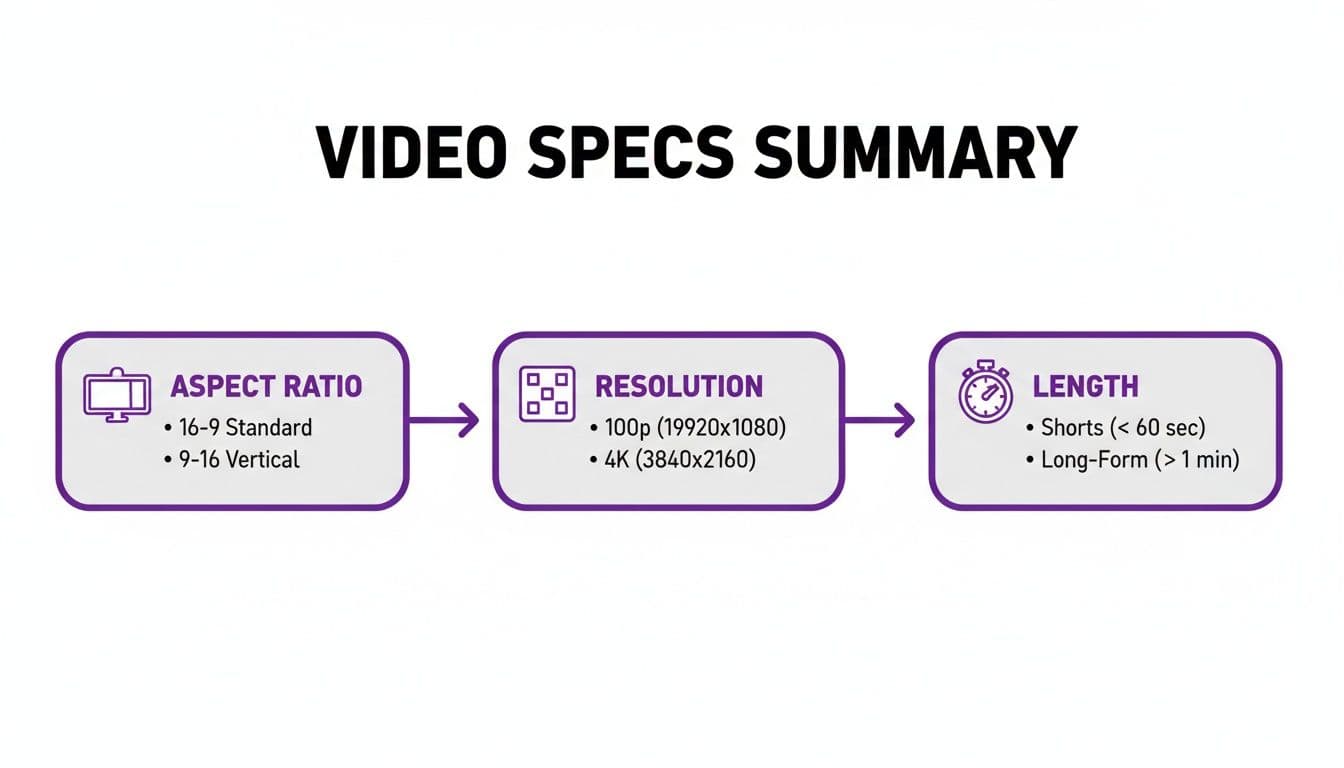
The most critical piece of the puzzle is the aspect ratio. Both platforms are designed for a 9:16 vertical format, with a standard resolution of 1080x1920 pixels. This ensures your video takes up the entire screen, pulling the viewer right into the content. It’s a format that’s perfectly suited for the way people scroll on their phones.
The Technical Nitty-Gritty for Reels and TikTok
Beyond just the screen dimensions, a few other settings are key to making sure your videos look professional and play back smoothly for everyone. Think of these as the industry-standard export settings.
- Video Codec: Stick with H.264. It gives you that perfect blend of high-quality video without creating a massive file that's slow to upload and buffer.
- Audio Codec: For sound, AAC is the way to go. It keeps the audio crisp and clear without adding unnecessary bulk to your file.
- Frame Rate: 30 frames per second (FPS) is the sweet spot. It delivers smooth motion that looks natural on these platforms and keeps file sizes reasonable.
- File Format: Always export your final video as an MP4. It's the most widely compatible format and what both TikTok and Instagram expect.
Video Length and On-Screen "Safe Zones"
How long should your video be? It depends. Instagram Reels gives you a window of 15 to 90 seconds. Organic TikToks can now stretch up to 10 minutes, but let's be real—the most viral content is almost always under 60 seconds. The shorter and punchier, the better your chances of keeping someone's attention.
Just as important as length are the on-screen "safe zones." This is the area of the screen that won't be covered up by the app's interface—you know, the username, caption, like buttons, and so on. If you place key visuals or text (like lyrics in a karaoke video) outside this central area, they'll get cut off or hidden.
The main takeaway here is to always design with those UI overlays in mind. Keep your most important elements centered and away from the very top, bottom, and right-hand side of the screen. This ensures everyone can see exactly what you want them to see.
To make things easier, a tool like a Tiktok safe zone checker can be a lifesaver, showing you exactly where those pesky overlays will appear. And if you're looking for more creative ideas to make your content pop, be sure to check out our complete guide to TikTok video editing tips.
Facebook & Instagram Feed Videos: A More Flexible Canvas
Unlike the strict vertical-only world of Reels and Stories, Facebook and Instagram give you some real breathing room for your in-feed videos. This is your chance to pick an aspect ratio that truly fits your content, whether it’s a wide, cinematic shot or a clip built specifically for mobile viewing. Getting these specs right is the first step to stopping the scroll.
You’re not locked into a single format here. Both platforms are surprisingly accommodating, which means you have options—and each one has its own strategic advantage.
In-Feed Aspect Ratios: Which One Is Right for You?
You'll mainly be working with three aspect ratios for in-feed videos: square (1:1), vertical (4:5), and landscape (16:9). The best choice really comes down to what you're trying to achieve. If you want to maximize your impact on mobile, vertical is a clear winner. A 4:5 ratio can chew up 78% more screen space than a landscape video, making your content much harder to scroll past.
Here’s a quick look at the most common formats:
- Square (1:1): At 1080x1080 pixels, this is a solid, all-around choice that looks good on both desktop and mobile. It’s a balanced canvas that works great for product shots or lyric videos where you need centered text to be legible.
- Vertical (4:5): With a resolution of 1080x1350 pixels, this one is your mobile powerhouse. It fills up more of the screen without forcing anyone to turn their phone sideways, making it perfect for grabbing and holding attention.
- Landscape (16:9): This is your classic 1920x1080 pixels format, best for anything with a cinematic feel. Just remember, while it’s the standard for platforms like YouTube, it’s going to look smaller in Facebook and Instagram's mobile feeds, which can weaken its initial punch.
Getting the Technical Settings Right
Beyond the dimensions, nailing the technical settings is crucial for a smooth upload and crisp playback. Luckily, both platforms play by a similar set of rules, so you can use these as your go-to export settings for any in-feed video.
To avoid any headaches, stick to these specs:
- Video Codec: H.264
- Audio Codec: AAC
- File Format: MP4
- Frame Rate: 30 FPS is the sweet spot.
- File Size: Aim for under 4 GB for Instagram and 10 GB for Facebook.
And here’s a pro-tip you can’t ignore: up to 85% of Facebook videos are watched with the sound off. That means designing for silent viewing isn't just a good idea—it's essential. Use bold on-screen text, captions, or subtitles to make sure your message lands, sound or no sound.
What About Stories and Carousel Ads?
While the feed is flexible, Stories on both platforms demand a strict 9:16 aspect ratio (1080x1920 pixels). When you're creating content for Instagram, it pays to stay current on the latest Instagram Story specs to keep everything looking sharp.
Carousel video ads add another dimension, letting you stitch together several clips into one cohesive ad.
For carousel ads, keep your videos consistent—either all square (1:1) or all vertical (4:5). You can use anywhere from two to ten video "cards" to build a narrative, show off a range of products, or walk through different features. It’s a powerful format for telling a bigger story in a single, interactive post.
Getting Your Videos Right for YouTube and YouTube Shorts
YouTube is a bit of a two-headed beast. On one hand, you have the classic, long-form videos we all know. On the other, you have the super-quick, vertical world of YouTube Shorts. This means you really need two different game plans to make sure your content looks great, no matter where people find it.
For your main channel videos, the classic 16:9 landscape aspect ratio is still the gold standard. It's what people expect to see on their TVs, computer monitors, or when they turn their phones sideways. While you can get away with a resolution of 1920x1080 pixels (1080p), I always recommend pushing for 3840x2160 (4K) if you can. It just gives your work a much more professional, crisp finish that stands the test of time.
Key Specs for Standard YouTube Videos
When you dig into the technical details, YouTube gives creators a ton of room to work with. The platform is built for everything from deep-dive tutorials to full-length lyric videos, so the limits are incredibly generous.
- Recommended Codecs: Stick with H.264. It's the most common and widely supported codec out there, ensuring top-notch quality and compatibility. YouTube will often re-encode it to something like VP9 on their end for streaming, but starting with H.264 is your best bet.
- Maximum File Size: If your account is verified, you can upload a truly massive file—up to 256 GB.
- Maximum Duration: You’re unlikely to hit this limit, but it’s an astonishing 12 hours.
- Recommended Container: Always wrap your final video in an MP4 file. It's the most reliable format.
Mastering the YouTube Shorts Format
YouTube Shorts plays by a completely different set of rules, all tailored for that quick, vertical scroll on a phone. The 9:16 vertical aspect ratio (1080x1920 pixels) isn't just a suggestion; it's essential. If you upload a video in any other format, YouTube will slap ugly black bars on it, which is a dead giveaway that it wasn't made for the Shorts feed.
The length is the other make-or-break factor. Shorts must be 60 seconds or less. This quick-hit format is exploding, pulling in a reported 3.4 million views every minute around the world. As these social media video statistics from Wyzowl show, the trend is clear: 72% of social videos are now short-form, and 63% of people prefer them for learning about products.
Strategic Repurposing: Here's a workflow I've seen work wonders. Create your main video in the standard 16:9 format. Then, pull out the most exciting or valuable 60-second chunk. Re-edit that highlight specifically for the 9:16 vertical screen and post it as a Short. This little trailer can then act as a powerful hook, driving curious viewers back to your main channel to watch the full thing.
This strategy is smart because it lets you play in two sandboxes at once. You get the discoverability boost from the Shorts algorithm while also building your long-form library for YouTube's powerful search engine. You're not just posting a video; you're creating a connected web of content that encourages people to stick around.
A Creator's Guide to Video Technical Settings
Getting a handle on the language of video settings is what separates good content from great, professional-looking content. When you actually know what terms like "bitrate" and "codec" mean, you can stop relying on generic presets and start dialing in your export settings like a pro. This knowledge is your best tool for troubleshooting problems and making sure your videos look sharp on every social media platform.
First things first, let's clear up two terms that often get mixed up: the codec and the container. Just think of a codec as the language your video is written in—it's the method used to compress and decompress all that visual data into a manageable file. The container, on the other hand, is the digital box that holds everything together: the compressed video, the audio track, and other essential info like metadata.
Essential Video Settings Explained
To get the results you want, you really only need to master a handful of core technical settings. Each one plays a critical role in how your final video looks, sounds, and performs online.
- Codec: The H.264 codec is pretty much the gold standard for social media and the web. It hits the sweet spot, giving you excellent visual quality without creating enormous file sizes. It's the reason your videos can look great and still upload quickly.
- Container: Stick with the MP4 file format. It's the most universally accepted container out there, meaning it will play nicely with just about every platform, browser, and device. While you might see MOV files, they can sometimes cause compatibility headaches and often result in larger files.
- Bitrate: This is all about data. Bitrate measures how much data is used to encode a single second of your video, and it's expressed in megabits per second (Mbps). A higher bitrate equals better quality but a bigger file. For a standard 1080p video for social media, aiming for somewhere between 8-15 Mbps is a solid bet. If you're struggling with huge files, you can learn more about finding the best video compressor to manage file sizes.
- Frame Rate (FPS): This one is simple: it's the number of individual images, or frames, shown every second. For a smooth, natural look that our eyes are used to seeing, 30 FPS is the standard. You might see gamers or action videographers use 60 FPS for that ultra-smooth look, but for most social content, it's just not necessary and will double your file size.
Honestly, mastering these four settings gives you total control over your final video. It's the difference between crossing your fingers and hoping a video looks good after you upload it, and knowing it will. When you don't have a preset available, this is the knowledge that lets you diagnose issues and tweak things manually.
Getting this foundation right ensures your lyric and karaoke videos are not only visually engaging but also primed for quick uploads and perfect playback. It's how you avoid common headaches like ugly pixelation or a platform flat-out rejecting your file, helping your content look its best.
Answering Your Top Video Spec Questions
Diving into the nitty-gritty of social media video specs can feel a bit like alphabet soup, and it's natural to have questions. This section cuts through the noise and gives you straight answers to the most common hang-ups creators run into, so you can fix problems fast and export your next video with confidence.
What Happens If I Upload a Video with the Wrong Specs?
When you upload a video that doesn't match a platform's preferred specs, the platform's algorithm will try to "fix" it for you. Unfortunately, this automated process often creates more problems than it solves.
You might end up with awkward cropping that lops off crucial parts of your shot, ugly black bars padding the sides, or a big drop in visual quality due to forced compression. For lyric and karaoke videos, this is a real deal-breaker. Imagine your perfectly timed lyrics getting cropped into unreadable gibberish—it ruins the entire experience for your audience. In some cases, the platform might just give up and reject the upload altogether.
Which Video Format Is Best for Social Media: MP4 or MOV?
When in doubt, go with MP4. It's the undisputed champion for social media for a very good reason. MP4 files typically use the H.264 codec, which hits the sweet spot between great video quality and a manageable file size. This means faster uploads for you and smoother playback for your viewers, no matter their device or internet speed.
MOV files, while popular in the Apple ecosystem and capable of high quality, tend to be bulkier and aren't as universally supported. Sticking with MP4 is the simplest way to avoid potential compatibility headaches and ensure your video works flawlessly everywhere.
Key Takeaway: Make your life easier and default to MP4 with the H.264 codec. It's the industry standard and will save you from a world of trouble.
Should I Use a Higher Frame Rate Like 60 FPS for My Videos?
While 60 frames per second (FPS) can deliver that ultra-smooth, buttery motion, it's usually overkill for most social media videos, including lyric videos. That high frame rate really shines in high-action content like gaming highlights or sports clips where every micro-movement counts.
For just about everything else, the standard 30 FPS is more than enough. In fact, most platforms recommend it. Pushing to 60 FPS will balloon your file size without offering a tangible benefit to the average viewer. The best practice is to stick with 24 or 30 FPS to keep your files lean and your playback reliable.
How Do I Keep My Video Quality High After Uploading?
This is the million-dollar question. The hard truth is that every social platform compresses your video to save storage space and speed up load times. To fight back against the dreaded quality loss, your best strategy is to feed the algorithm a pristine source file.
Here are a few best practices to give your video the best fighting chance:
- Export at the recommended resolution: Don't downsize beforehand. Export your video at the platform's native resolution, which is usually 1080p (1920x1080 for landscape or 1080x1920 for vertical).
- Use a healthy bitrate: Think of bitrate as the amount of data in each second of video. A higher bitrate gives the platform's compression engine more to work with, leading to a much cleaner result.
- Avoid re-uploading: Every time a video is downloaded and re-uploaded, it gets compressed again, chipping away at its quality. Always work from your original master file.
By starting with a high-quality export, you're setting your video up to look sharp and professional, even after the platform has had its way with it.
Trying to memorize the perfect format for every single platform is a huge time-sink. With MyKaraoke Video, you can just skip the guesswork. Our built-in presets automatically handle all the correct social media video specs for you, letting you create and export professional-grade videos in just a few minutes. Start creating for free today at MyKaraoke Video.