You've got a song. The hook is perfect. The audience will know it in seconds. But there's no clean backing track anywhere, and your karaoke or lyric video stalls before it starts.
That's where a voice remover stops being a novelty and becomes a working creator tool. If you run a karaoke channel, make lyric videos for clients, post short singing clips, or prep tracks for events, being able to strip vocals from a song gives you options fast. You don't have to wait for an official backing track. You can make one, test it, and decide whether it's good enough for your actual use case.
The catch is that not every vocal removal method gives the same result. Some are quick and surprisingly usable. Some are old-school tricks that only work on the right source. Some leave ugly swirls, hollow drums, or ghost vocals that ruin the final video. For karaoke, the right answer usually isn't “perfect separation.” It's “clean enough to sing over, fast enough to ship, and simple enough to repeat.”
Why Creating Instrumentals Is a Creator Superpower
The practical value is simple. When you can remove vocals on demand, you can turn almost any song into a karaoke candidate, a lyric video background track, or a rehearsal version for singers.
That changes how you plan content. Instead of asking, “Can I find a non-vocal version of this song?” you start asking, “Will this track separate cleanly enough for the format I want?” That's a much better question, because it gives you more songs to work with and more ways to publish consistently.
What this unlocks for creators
A voice remover helps in a few common situations:
- Karaoke uploads: You need a singable backing track, even if a studio recording without vocals isn't publicly available.
- Lyric videos: You want the song's energy without the lead vocal competing with on-screen lyrics.
- Practice tracks: Singers often want the arrangement and key of the original, just without the main vocal dominating.
- Quick social content: A browser-based split can be enough for shorts, reels, or fan edits where speed matters more than studio perfection.
If you publish often, this becomes a workflow advantage, not just an audio trick. It also expands what you can do with your back catalog. One song can become a karaoke version, a lyric version, and a clipped social post with different edits.
Practical rule: If your audience cares more about singing along than hearing a pristine master-grade instrumental, usable separation beats waiting for the perfect source.
Why this niche matters now
This isn't a tiny corner of audio software anymore. The AI vocal remover market was valued at USD 180 million in 2024 and is projected to reach USD 880.1 million by 2034, with a forecast CAGR of 17.2%. The same report says North America held 34.2% of the market in 2024, which points to strong demand in creator-heavy regions where fast content production matters.
That lines up with what creators already feel on the ground. Karaoke, reaction content, music memes, rehearsal tracks, and lyric videos all benefit from faster backing track creation.
If you also need ideas for sourcing tracks legally and planning your catalog, this guide on instrumental music for karaoke is a useful companion. It pairs well with vocal removal because sometimes the best move is still to start from an official backing track when one exists.
The real skill isn't removal alone
The creator edge comes from judgment. You need to know when a separated track is good enough, when a song is a bad candidate, and when to switch methods instead of forcing a weak result.
That's what separates a polished karaoke workflow from a pile of almost-usable exports.
Understanding Your Voice Remover Options
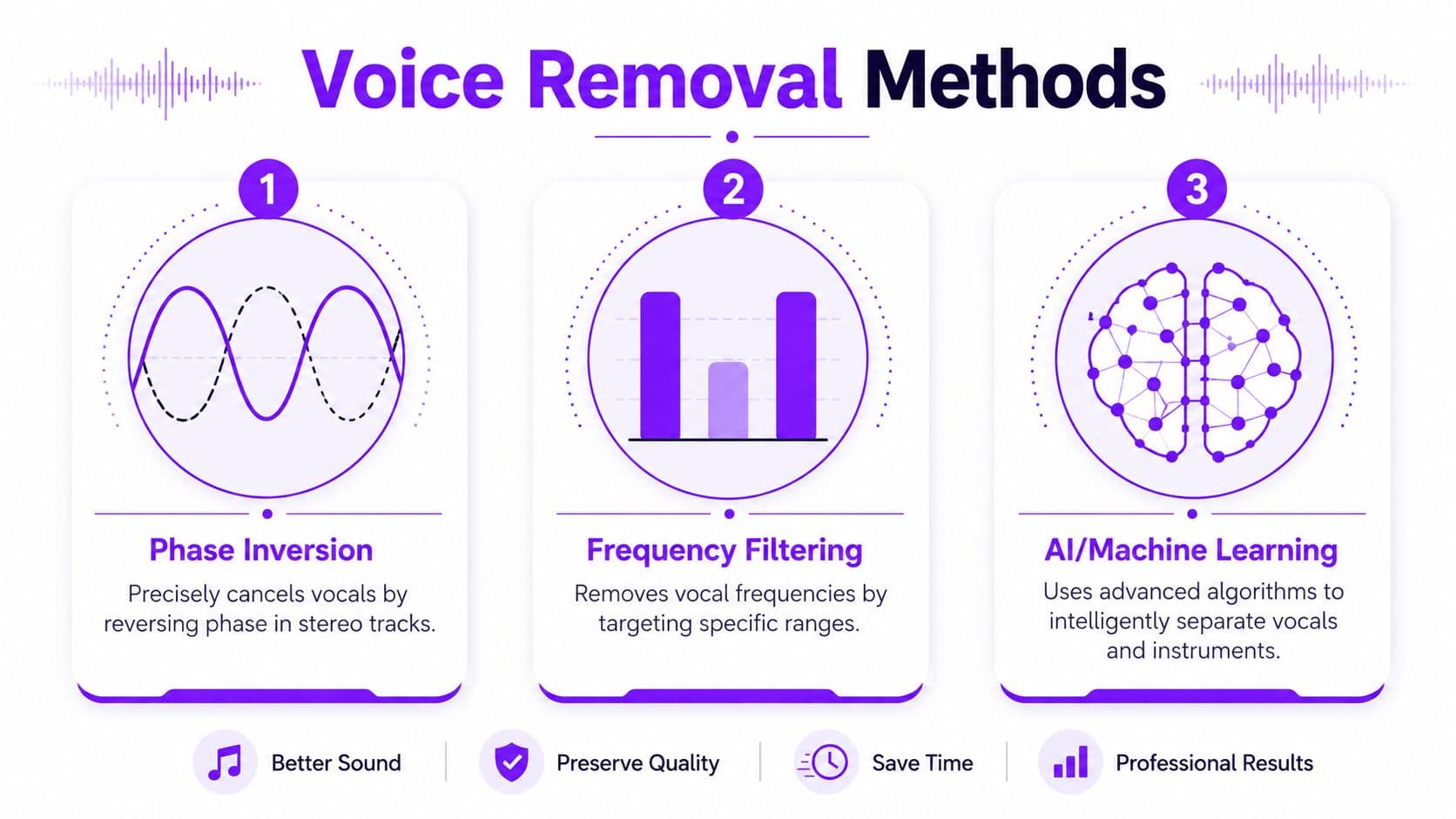
Most creators use the term voice remover as if it means one thing. It doesn't. There are three common approaches, and they behave very differently once you feed them a real-world song.
The three methods in plain terms
AI separation listens to the whole track and tries to split vocals from instruments as separate sources. This is what most modern browser tools use. It's the most flexible option for regular songs because it doesn't depend on an unusual mix setup.
Phase cancellation works by exploiting how some vocals are placed in the stereo center. If you invert one channel or use center-channel extraction, you can reduce material that sits dead center. On the right file, this can be sharp and effective. On the wrong file, it wrecks the mix.
EQ-based reduction cuts frequency ranges where vocals often live. It's the blunt instrument of the group. You're not really separating vocals. You're carving away parts of the spectrum and hoping the vocal loses more than the music does.
Here's the quick comparison I use.
| Method | How It Works | Best For | Key Limitation |
|---|---|---|---|
| AI separation | Uses trained models to split vocals and accompaniment into stems | Most modern karaoke and lyric video workflows | Can leave artifacts, especially on difficult songs |
| Phase cancellation | Cancels centered material in a stereo mix | Older tracks or files with vocals strongly centered | Also removes centered instruments and can sound hollow |
| EQ reduction | Reduces vocal-heavy frequency ranges | Last-resort cleanup or rough background use | Damages the music quickly and rarely sounds clean |
Where AI wins, and where it doesn't
For most creators, AI is the default because it handles mixed material better than the older tricks. Recent engineering benchmarks found that effective AI voice-separation methods can exceed 80% success at SNR in ideal conditions, with the strongest results coming from high-quality stereo audio, while mono sources and heavy reverb remain difficult in the tested context of voice separation research (ScienceDirect study on voice separation benchmarks).
That sounds technical, but the takeaway is practical. Give AI a clean stereo file where the vocal stands out clearly, and it usually does solid work. Feed it a muddy live recording or a washed-out upload, and the output gets messy fast.
Don't judge a voice remover by its result on one easy pop song. Test it on a dense chorus, a quiet verse, and a reverb-heavy ending. That's where weaknesses show up.
When the old methods still matter
Phase cancellation isn't obsolete. It's just narrow. If you're working with a track that has a strongly centered lead vocal and a simple stereo image, it can produce a very usable karaoke bed in seconds. DJs and editors still keep it around for exactly that reason.
EQ reduction has value too, but mostly as cleanup. If an AI split leaves a faint vocal sheen in the upper mids, a careful EQ pass can make the residue less obvious. What it can't do is replace true separation.
A simple decision rule works well:
- Start with AI for almost every commercial stereo song.
- Try phase-based tools if the vocal sits rigidly in the center and AI leaves strange artifacts.
- Use EQ last, and only for minor cleanup rather than full removal.
What creators usually get wrong
The biggest mistake is expecting one method to solve every song equally well. The second mistake is choosing based on speed alone.
For karaoke, clean enough beats technically interesting. If the backing track feels natural under a singer's voice, that's a win. If the track has no lead vocal but also no punch, no width, and no body, it won't hold up in a finished video.
Choosing Your Toolkit Online vs Offline
You have a song picked, a deadline tonight, and two jobs to finish. First, remove the lead vocal cleanly enough that the track still feels full. Second, get into lyric timing before the edit window disappears. The tool choice affects both.
Why online tools fit most creator workflows
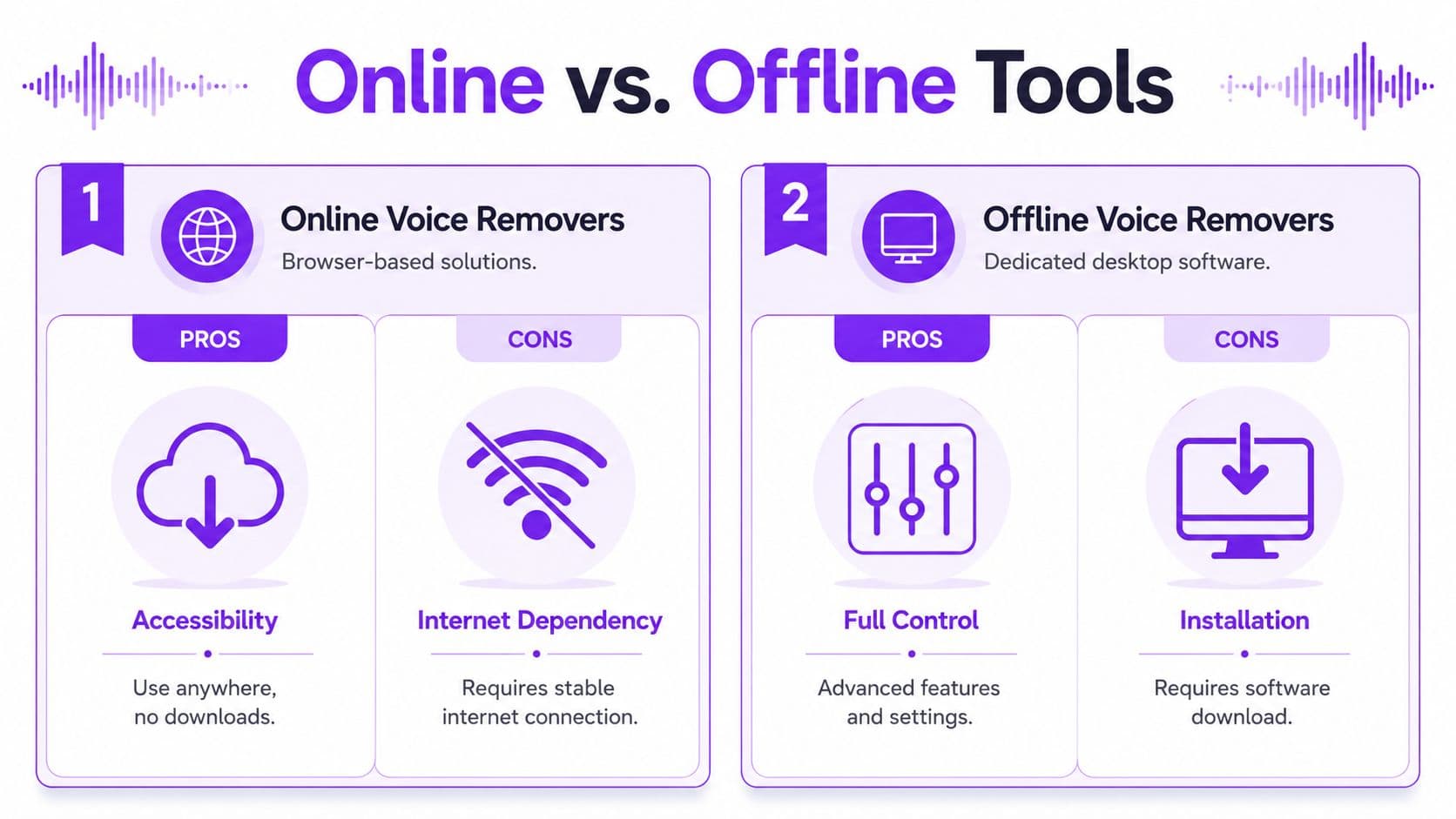
For karaoke work, online tools usually win the first pass because they reduce setup time to almost nothing. Open a browser, upload the song, preview the split, and decide whether the track is worth building a video around.
That speed matters more than feature lists. If the result is usable, you can move straight into lyrics, graphics, and sync. If it is not, you can abandon the attempt fast and test another source file without losing an hour to installs, model downloads, or export settings.
Browser-based tools also fit the way many creators already work. The same machine is often handling subtitle edits, thumbnail design, cloud storage, and final uploads. Keeping vocal removal in that flow is easier. If you want to go from audio split to finished lyric content in one browser-based workflow, an AI karaoke video maker workflow keeps that handoff short.
Where offline tools still make sense
Desktop tools earn their place when control matters more than speed.
If I am working with unreleased material, client-owned files, or anything with rights sensitivity, local processing is the safer option. Nothing leaves the machine unless I decide it does. That alone can outweigh the slower setup.
Offline tools also give you more room to experiment. You can swap models, rerun difficult sections, batch exports, and keep every intermediate file. The trade-off is time. Setup is heavier, version conflicts happen, and it is easy to spend more effort tweaking stems than finishing the video.
Open-source options such as Ultimate Vocal Remover are useful for creators who want that control. They are less forgiving if your real goal is quick turnaround.
Workflow call: Pick online tools for fast public-facing karaoke or lyric videos. Pick offline tools for sensitive audio, repeatable local processing, or jobs where you expect to test multiple passes.
A practical decision filter
Use the end goal to choose the tool, not the other way around.
- **Choose online when:**You need a fast music-only track, the file is not sensitive, and you want to know quickly whether the song can become a good karaoke video.
- **Choose offline when:**You need local file handling, more control over reruns and exports, or the project involves client material that should stay on your system.
- **Use both when:**You want the fastest realistic workflow. Run a quick browser test first. If the separation is close but not clean enough, move the same song into desktop software for a slower second pass.
That hybrid approach is common because it matches how creators operate. Fast validation first. Cleanup only when the track has enough potential to justify the extra effort.
My default recommendation
For most karaoke and lyric video projects, start online.
It gives the fastest answer to the question that matters most. Can this song produce a backing track that still feels good enough to sing over? If yes, keep moving. If no, change the source file or switch tools before you waste time on timing and design.
That is the divide between online and offline. Online tools are faster and often good enough. Offline tools are slower, but they give you more control when good enough is not enough.
Create a Karaoke Video in Minutes with AI
Once you have a usable backing track, the main work begins. Karaoke content lives or dies on two things: whether that track feels singable, and whether the lyrics land exactly when the audience expects them to.
Start with the cleanest file you can get
If you have multiple copies of the same song, upload the best one first. A clean stereo master gives any voice remover a better chance than a low-bitrate download, a screen-recorded clip, or a noisy rip.
Once uploaded, let the tool separate the track into vocal and music stems. Don't rush past the preview. Listen to the intro, first chorus, and any quiet bridge. Those sections expose problems quickly.
Build the video around the instrumental, not the original
Many creators create unnecessary work for themselves. They remove vocals, then still time lyrics against the original reference in their head. That's risky because separated audio can shift the feel of transients and vocal cues.
Use the actual music-only export as your timing base. If a syllable feels late or early, trust what the new track is doing, not what you remember from the commercial release.
A practical workflow looks like this:
- Upload the song
- Run vocal removal
- Preview the separated track for bleed and artifacts
- Paste or import your lyrics
- Sync line by line against the separated track
- Style the video after timing is locked
That order saves time because styling is easy to redo. Timing is not.
Keep the lyric presentation simple first
If you're creating for YouTube, bars, events, or rehearsal use, legibility matters more than visual flair. Start with a plain font, high contrast, and predictable line breaks. Once the sync feels right, then adjust color, highlight style, background motion, and layout.
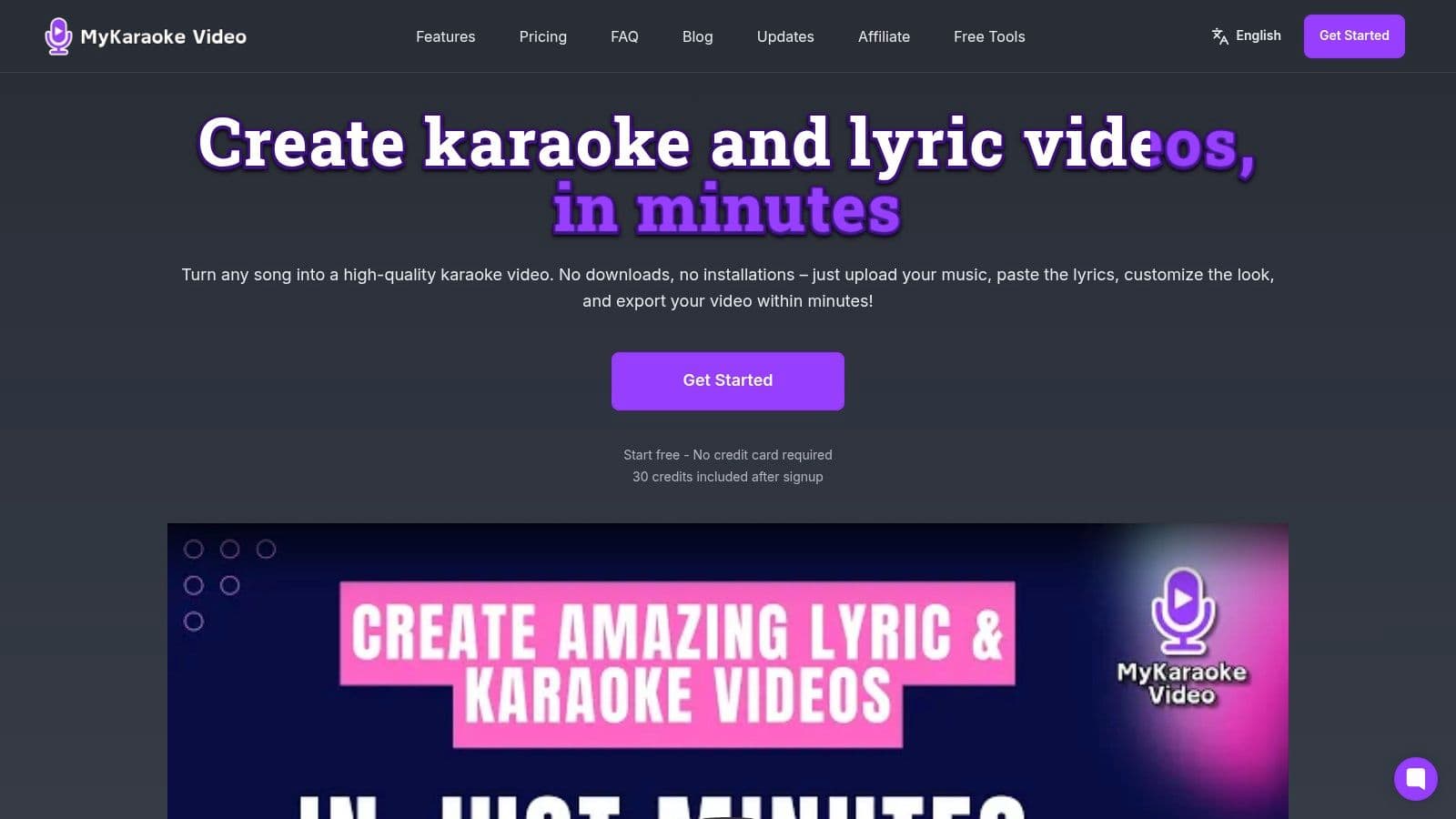
One browser-based option for this workflow is MyKaraoke Video's AI karaoke video maker, which combines vocal removal, lyric entry, sync editing, and video export in one place. That kind of integrated workflow is useful because you're not bouncing between separate tools just to get from song file to finished MP4.
If you're making karaoke videos regularly, the biggest time saver isn't the split itself. It's avoiding handoffs between an audio tool, a subtitle tool, and a video editor.
Sync the hard parts manually
Automatic timing gets you close on many songs, but choruses with pickups, melismas, or staggered backing parts still need human cleanup. That's normal.
Pay attention to:
- Early pickup words: These often start before the beat feels obvious.
- Held notes: Keep the line visible long enough for singers to follow the phrase naturally.
- Fast verses: Break lines sooner than you think. Crowded text makes singers panic.
- Musical breaks: Use them to reset the screen and prepare the next lyric chunk.
A good karaoke video feels forgiving. The text should arrive slightly ahead of the singer's need, not exactly at the last possible moment.
Add visuals only after the audio works
Backgrounds, gradients, and motion graphics matter, but they don't rescue a weak music track or bad sync. Finish the audio and timing first. Then choose visuals that support readability.
For lyric videos, you can be more expressive. For karaoke, clarity usually wins. Busy footage behind small text is one of the fastest ways to make a usable track annoying to sing with.
Export with the end use in mind
A karaoke file for a live event and a lyric video for social media don't need the exact same treatment. For event use, prioritize readable text and steady levels. For social clips, a punchier visual style may matter more.
The core point is that modern AI removal only becomes valuable when it fits into a repeatable production flow. Strip vocals, check the result, lock sync, then package the video for the platform that will use it.
Pro Tips for Cleaner Audio and Perfect Sync
Even a good voice remover leaves fingerprints. You'll hear faint vocal residue, smeared cymbals, or a slightly thinned center image on some songs. That's normal. The goal is to make those flaws less distracting than the value of having the track at all.
Clean up what listeners actually notice
Most audiences won't hear tiny artifacts the way an editor does. They will notice obvious vocal ghosts in quiet sections, sudden hollowness in the snare, or lyric timing that fights the beat.
Focus your cleanup there first.
- Check intros and outros: Residual vocals often stand out more when the arrangement is sparse.
- Listen to choruses at normal volume: Dense sections can hide minor issues, but they also reveal harsh artifact build-up.
- Tame leftover presence carefully: A small EQ move can reduce vocal residue, but too much makes the music dull.
- Avoid over-processing: Heavy cleanup can make the backing track sound worse than the original AI split.
Know which songs are bad candidates
Some material won't separate cleanly. Tools that sound impressive on polished studio pop can struggle when the source is harder.
According to LALAL.AI's discussion of source-dependent output quality, voice removers can struggle with live recordings, dense mixes, and reverb-heavy vocals, and users may need to inspect previews and adjust settings. That matches real editing experience. Crowd noise, room reflections, and stacked harmonies make “clean music track” a much harder target.
A karaoke track doesn't have to be perfect. It does have to be stable enough that singers stop noticing the technology and follow the song.
Fix sync with the separated version in mind
A separated track can feel slightly different from the original because certain attacks or vocal cues are gone. That means your lyric timing may need fresh judgment.
Use this sequence:
- Set the first line carefully. If the opening is wrong, the rest of the song feels wrong even when it isn't.
- Check every chorus separately. Repeated sections don't always line up identically after processing.
- Scrub around transitions. Verse-to-chorus and bridge entries are where timing errors hide.
- Test by singing along. If you trip over the words, viewers will too.
For a deeper timing workflow, this guide on how to sync audio with video is worth keeping open while you edit.
Small fixes that help more than people think
A few habits improve results without much effort:
- Use stereo sources when possible: Separation works better when the track has usable spatial information.
- Start with better files: Lossy or already-processed audio gives the model less to work with.
- Keep a fallback plan: If a full song sounds rough, a shorter excerpt may still work for social content.
- Render a test clip first: Export a verse and chorus before committing to the full video.
That last step saves time. If the central hook sounds weak, you'll know before you finish styling the entire project.
Troubleshooting and Frequently Asked Questions
Why can I still hear a little of the singer?
Because vocal separation leaves artifacts. It reduces the lead vocal, but it does not cleanly erase every trace in every mix. Reverb tails, doubled hooks, wide stereo effects, and synths or guitars living in the same frequency range often survive the process.
For a karaoke video, a key question is whether the leftover vocal distracts from singing. A faint ghost in the chorus can be fine. A loud lead line fighting the viewer is not.
Which file type should I use?
Start with WAV or FLAC if you have the choice. Cleaner source files usually produce cleaner separations, especially in busy choruses and songs with heavy effects.
MP3 can still work. It is faster to upload and often good enough for a quick lyric video or a casual karaoke version. The trade-off is more compression damage, which can make the backing sound smeared or leave extra vocal residue. If speed matters more than polish, use the MP3 you already have. If quality matters, start from the best file you can get.
Can I isolate instruments too, not just vocals?
Sometimes. Many newer tools can split a song into stems such as drums, bass, piano, or guitar.
That is useful when a straight karaoke backing is not the only goal. You might want a lighter arrangement for on-screen lyrics, a practice version that keeps the rhythm section, or a remix-style edit for short-form video. The catch is consistency. A tool may separate drums well in one track and struggle with distorted guitars or stacked keyboards in another.
Is it legal to upload copyrighted songs to a voice remover?
That depends on your rights and the tool's terms. If you are working on your own music, you have more room. If you are handling client work, cover songs, or commercial releases, check usage rights, storage policies, and whether files are kept on remote servers.
For sensitive projects, offline processing gives you more control. Browser tools are faster and easier, but local tools can be the safer choice when privacy matters as much as speed.
Why does my karaoke video feel off even when the words are “correct”?
The timing is usually tied to the original performance instead of the processed track. Once vocals are reduced, the groove can feel different, and lyric cues that seemed right earlier can land late or early.
Creators run into this a lot on chorus entries and pickup lines. The fix is simple. Sync to the version you will export in the final video, then test it by singing along. If a line feels awkward to perform, viewers will feel it too.
If you want one browser-based workflow that handles vocal removal, lyric timing, styling, and video export together, MyKaraoke Video is built for that end-to-end process. It is a practical option when the goal is not just to make a backing track, but to finish a karaoke or lyric video without juggling extra software.