You've got the song. The lyrics are finalized. The upload deadline is close. Then a primary bottleneck shows up: turning audio into a video that feels finished.
That's where most creators lose time. Not on the big ideas, but on the repetitive work. Nudging lines on a timeline, fixing one late word, replacing backgrounds that make text unreadable, then exporting the same video again for a different platform.
An ai music video generator can remove a lot of that manual labor. But for lyric videos and karaoke videos, automation only helps if it preserves what matters most: readability, timing, and consistency. Flashy motion means nothing if viewers can't follow the words or if every upload looks like it came from a different channel.
The Evolution from Visualizers to Smart Video Creators
A few years ago, most “music video automation” meant a simple visualizer. You uploaded a track, got a pulsing waveform, maybe a background loop, and still handled the main editing yourself.
That category changed when tools started combining audio analysis, generative video creation, and automated editing. Current platforms describe workflows that detect BPM, rhythm shifts, and emotional tone, then assemble scenes and transitions around the song structure. Product descriptions in this roundup of AI music video generator platforms also show how quickly the space matured, including tools that claim draft generation in minutes, 4K export, and even 8 stems for more detailed visual response.
That shift matters because lyric creators don't just need movement. They need a draft that already respects musical phrasing, so the editing pass starts from something usable instead of chaotic.
What changed in practice
Older tools reacted to the song as one blob of energy. Better tools now react to structure. A chorus can feel different from a verse. A bass-heavy section can drive different visual behavior than a vocal phrase. Some platforms even let visuals respond to musical elements like a hi-hat pattern or bass drop.
For creators working across different niches, the broader AI video field is worth watching too. If you also produce property promos or client content, this roundup of AI tools for real estate video is a useful comparison point because it shows how automation trends are spreading across adjacent video categories, even when the creative requirements are different.
Practical rule: AI is most useful when it gives you a strong first draft. It's least useful when it gives you a spectacular mess you still have to rebuild by hand.
For lyric and karaoke work, that's the ultimate benchmark. Not whether the tool can generate cinematic footage, but whether it gets you closer to a clean, branded, readable video with less timeline pain.
Preparing Your Assets for AI Success
Most bad outputs start long before generation. They start with messy input.
A practical AI workflow follows a three-stage pipeline: ingest, generate, refine. Tools in this category typically analyze uploaded media for rhythm and tone during ingest, and platform guidance also notes that input quality strongly affects output quality, while the refine stage is where most of the polish gets added, as described by Revid's AI music video workflow overview.
Start with the audio, not the visuals
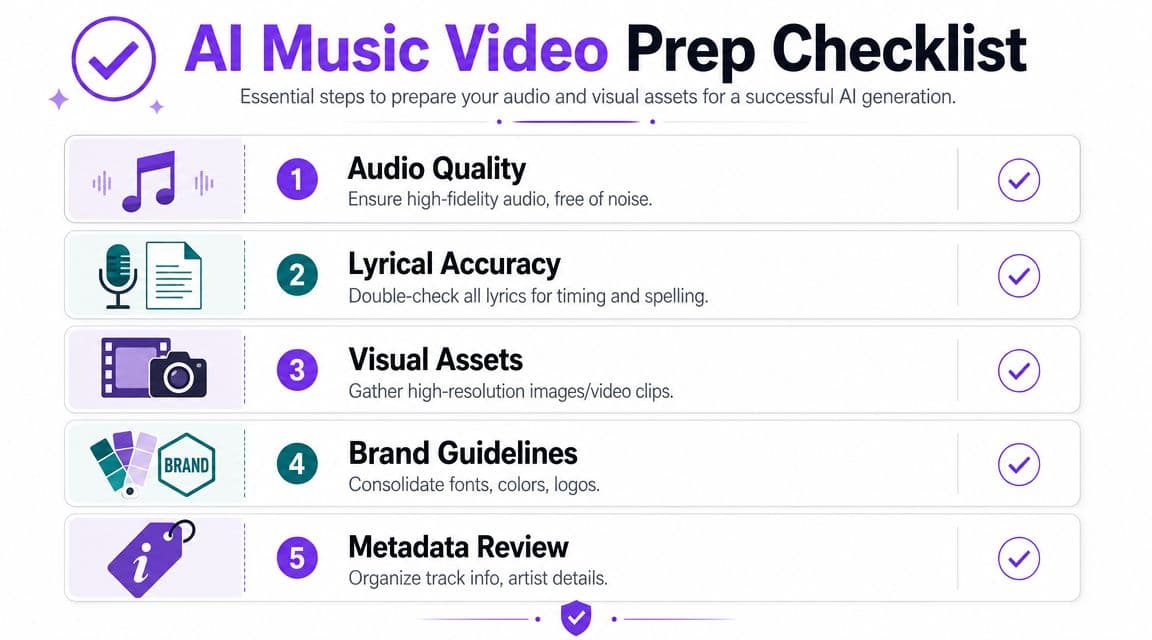
If the track is noisy, clipped, badly balanced, or inconsistent in volume, the generator has a weaker signal to analyze. That usually shows up as awkward visual pacing, poor phrase detection, or transitions that feel detached from the music.
Before upload, check these basics:
- Use a clean final mix: Don't upload a rough bounce if you already know the master will change.
- Trim dead space: Long silence at the start or end can confuse timing and intro pacing.
- Keep one approved version: If the lyrics team and video team are using different audio files, sync problems multiply fast.
Prepare lyrics like an editor, not like a poet
AI can parse text, but it doesn't automatically know how you want words grouped on screen. If you paste a wall of lyrics, you're asking for bad line breaks.
A better working draft usually includes:
- Logical line grouping: Break lines where a singer naturally phrases them.
- Repeat sections written clearly: Don't rely on memory for repeated chorus sections. Enter them as they should appear.
- Consistent spelling and punctuation: If one chorus capitalizes everything and the next doesn't, your finished video will look careless.
Treat the lyric file as part of the edit, not as raw text. Clean input saves correction time later.
Build a small brand pack before generation
Lyric channels that publish consistently usually work faster because they already know their visual rules. Gather your repeat-use assets before you open the generator:
| Asset | What to decide early |
|---|---|
| Fonts | One primary lyric font, one optional accent font |
| Colors | Text color, highlight color, shadow or outline style |
| Backgrounds | Still image, video loop, abstract motion, or performance footage |
| Metadata | Artist name, song title, version labels |
| Layout | Centered lyrics, lower-third lyrics, or karaoke highlight style |
That prep work sounds small. It isn't. It's what keeps your AI output from looking random.
Generating Your First AI-Synced Video Draft
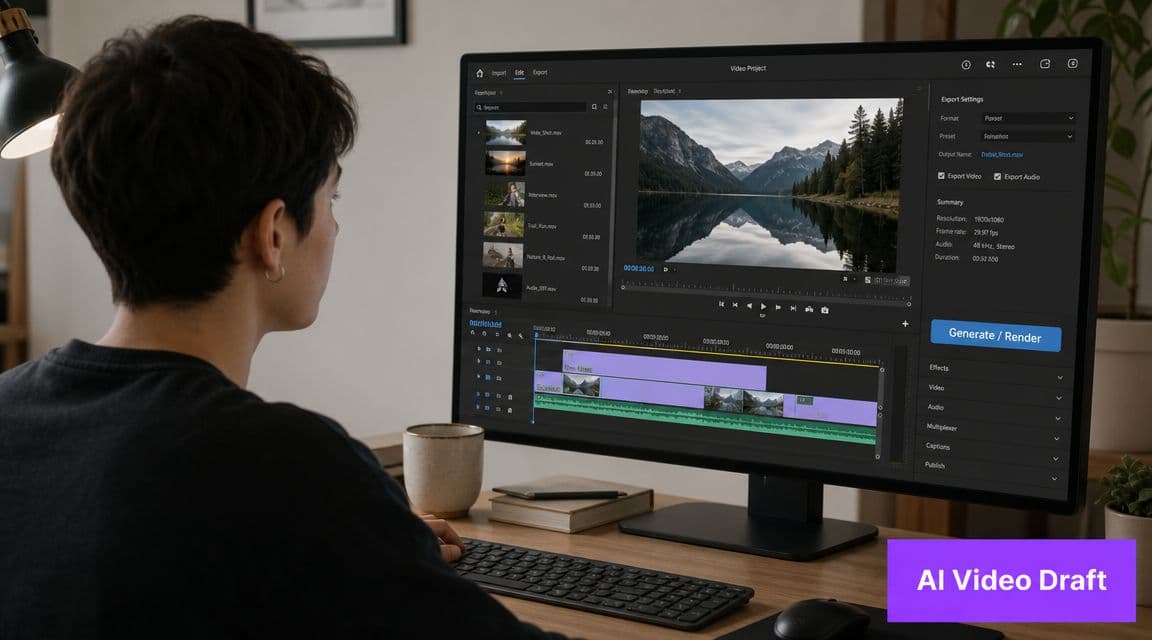
The first generation pass should aim for usable structure, not perfection. You're looking for the strongest draft foundation: correct overall pacing, sensible lyric segmentation, and a visual style that supports the song instead of competing with it.
What to upload and what to choose
Most browser-based generators follow a familiar sequence. You upload the audio, add lyrics if the workflow supports text overlays, then choose a visual approach.
For lyric-first creators, the best starting styles are usually:
- Minimal lyric template for clean, readable song videos
- Karaoke-style template if word timing and sing-along behavior matter
- Light motion background for social clips where static frames feel flat
Avoid the temptation to start with the most dramatic cinematic preset. In lyric work, extreme camera motion, dense textures, and high-contrast scene changes often create more cleanup than value.
One useful reference if you want a workflow focused specifically on text-based music video creation is this guide to an AI lyric video generator. It's a good reminder that lyric generation is its own discipline, not just a simplified version of cinematic AI video.
What the first draft should actually do
A good initial render should answer three questions fast:
- Did the tool understand the song's pacing?
- Are the lyrics entering in roughly the right places?
- Is the chosen style helping readability or hurting it?
If the answer to the third question is “hurting,” change the style before you start micro-editing sync. Creators waste a lot of time polishing a draft that has the wrong visual foundation.
This is the point where watching another creator's process can help calibrate expectations:
What not to judge too early
Don't reject a draft just because a few words are early or late. That's normal. The first pass is for macro decisions.
Judge these first:
- Section transitions: Do verse, chorus, and bridge feel distinct enough?
- Text density: Are there too many words on screen at once?
- Background interference: Does motion behind the text make reading harder?
If those are solid, the draft is worth refining. If they're weak, regenerate with tighter prompts or a simpler template.
Customizing Visuals for Readability and Brand
The difference between an acceptable AI draft and a professional lyric video usually comes down to one thing: restraint.
Most tools in this category are built to impress on first glance. They emphasize motion, visual spectacle, characters, and beat-reactive scenes. That's useful for some music videos, but it misses a major requirement for lyric-first creators. As noted in Neural Frames' AI music video generator page, most market attention goes to cinematic generation, while lyric workflows are often only one option among many. For karaoke and lyric channels, the harder problem is keeping lyrics legible, accurately timed, and visually consistent.
Readability beats spectacle
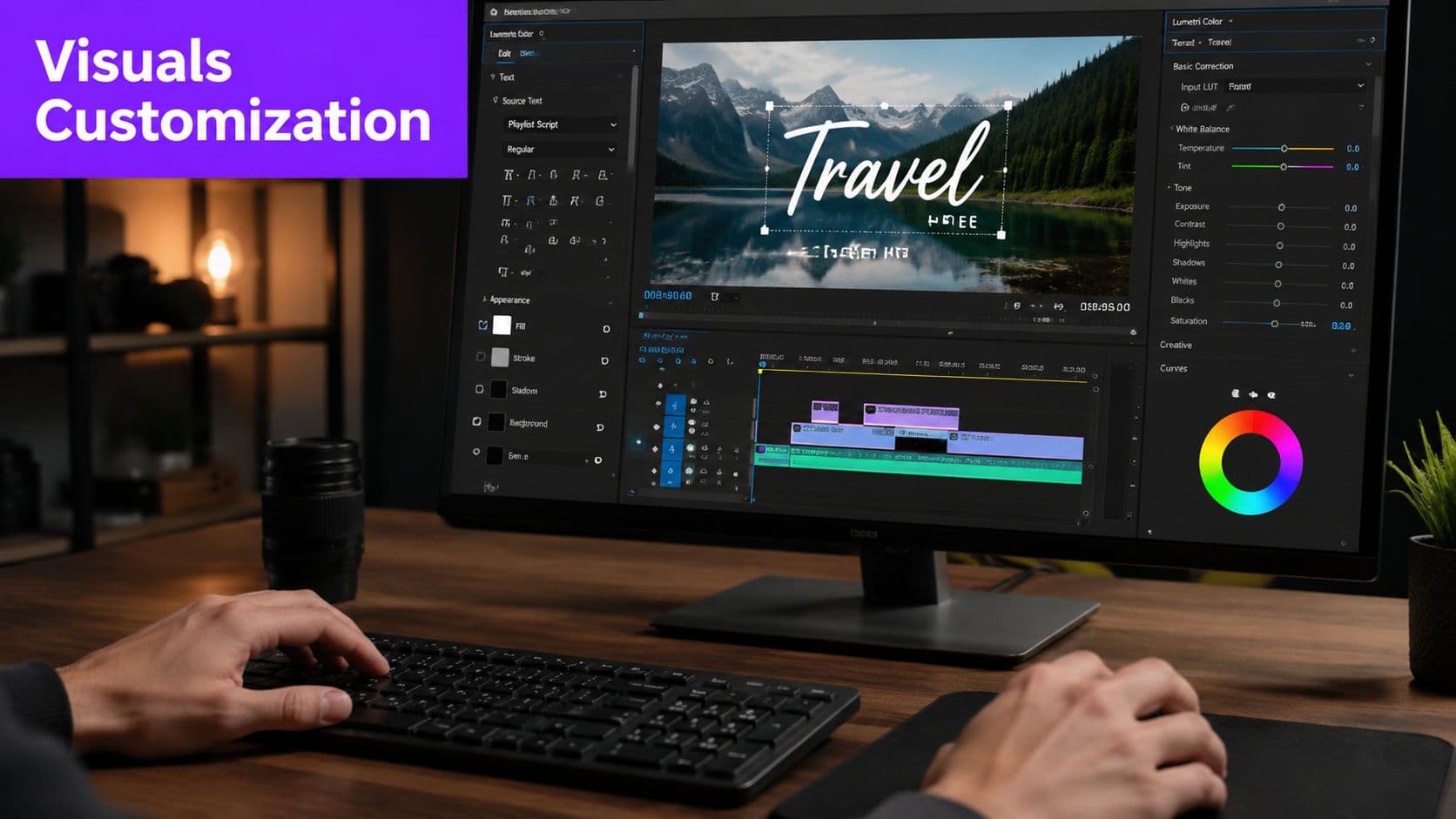
A lyric video fails the moment viewers have to work to read it. That sounds obvious, but a lot of AI-generated drafts break this rule immediately with overactive backgrounds, thin fonts, poor contrast, or text animations that move more than the music needs.
Use a stricter standard:
- Choose fonts for clarity: Sans serif faces tend to hold up better on phones, TVs, and projector screens.
- Keep motion subtle: Fade, slide, or highlight effects usually work better than bouncing or spinning text.
- Protect contrast: If the background is bright or detailed, add a shadow, stroke, or darker text panel behind the lyrics.
- Limit visual layers: Every extra animated element competes with the words.
If a viewer misses the lyric because the background looked cool, the design choice was wrong.
Build a repeatable brand system
The strongest lyric channels don't redesign every upload from scratch. They develop a recognizable visual grammar.
That usually includes:
| Brand element | Good practice |
|---|---|
| Lyric font | Use the same primary face across most uploads |
| Accent color | Reserve one highlight color for active words or key moments |
| Logo treatment | Keep it small and in a fixed safe area |
| Intro style | Reuse title cards with minor track-specific changes |
| Background approach | Rotate within a narrow style range instead of changing direction every release |
The groundwork for channel identity is laid. Viewers may not consciously notice your font pairings or subtitle placement, but they absolutely notice when a channel feels coherent.
Backgrounds should support the text
The background's job isn't to win attention. It's to create mood without sabotaging the lyric layer.
Three background styles usually work best for this type of content:
- Soft abstract motion for broad genre compatibility
- Slow-moving live footage when the performer matters
- Static or lightly animated branded layouts for high publishing volume
If you're publishing frequently, templates matter more than one-off originality. That's why lyric creators often get better long-term results from controlled customization than from full automation.
Refining and Manually Editing the AI Sync
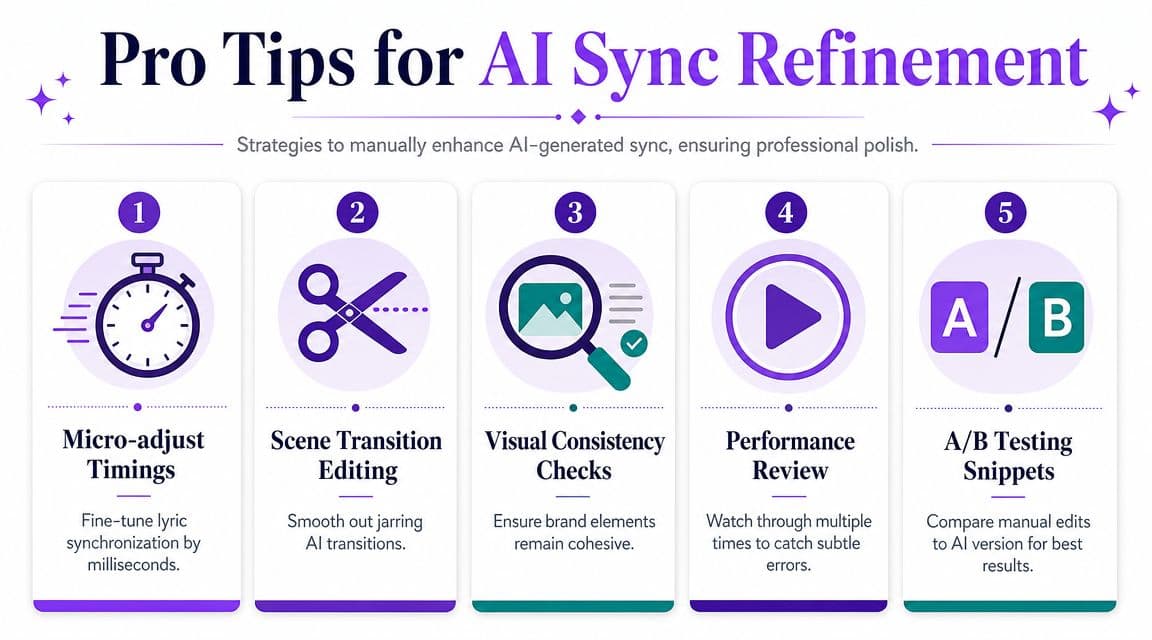
Professional polish is necessary. Not because the AI failed, but because music timing is too nuanced to leave entirely to automation.
The market is moving toward more granular control. Current tools increasingly include timeline editing, camera movement presets, and stem-based effect mapping, which points to a more collaborative workflow where AI creates the draft and the creator handles precise finishing, as discussed in this video on the shift toward finer control in AI music video tools.
Fix the lines that viewers actually feel
Not every sync error matters equally. A line appearing slightly early in a quiet verse may pass unnoticed. A chorus hook landing late won't.
Prioritize edits in this order:
- Hook lines and chorus entries
- Fast lyrical runs where grouping affects readability
- Call-and-response phrases
- Opening line and final line
Those are the moments viewers remember. Get them right first.
If you need a practical breakdown of manual adjustment techniques, this guide on how to sync audio with video is a useful companion for understanding the correction mindset.
Common refinements that improve a draft fast
A lot of sync cleanup comes down to simple editorial judgment.
- Nudge line timing: Move a line slightly earlier if viewers need time to read before the vocal lands.
- Split long phrases: If one line feels cramped, break it where the singer naturally breathes.
- Merge weak fragments: Tiny isolated words can create visual stutter unless they're musically important.
- Trim visual overreaction: If scene changes are firing too often, reduce them and let the lyrics hold attention.
The AI gives you timing. You add musicality.
A practical review pass
Don't rely on one playback. Use different passes for different issues.
First pass for timing
Watch only the lyric entrances and exits. Ignore the background. Ask whether each line feels early, late, or rushed.
Second pass for readability
Mute the audio for part of this review. If you can't comfortably read the screen without sound guiding you, the layout needs work.
Third pass for consistency
Check font size, line spacing, capitalization, active-word color, and screen position. Small inconsistencies make AI-generated work feel unfinished.
One browser-based option in this space is MyKaraoke Video, which supports automatic lyric sync and a manual sync editor for correcting line timing after generation. That kind of combination is usually more practical than relying on a fully automatic result with no edit control.
Exporting and Optimizing for Social Platforms
Export is where a clean project either stays clean or gets compromised.
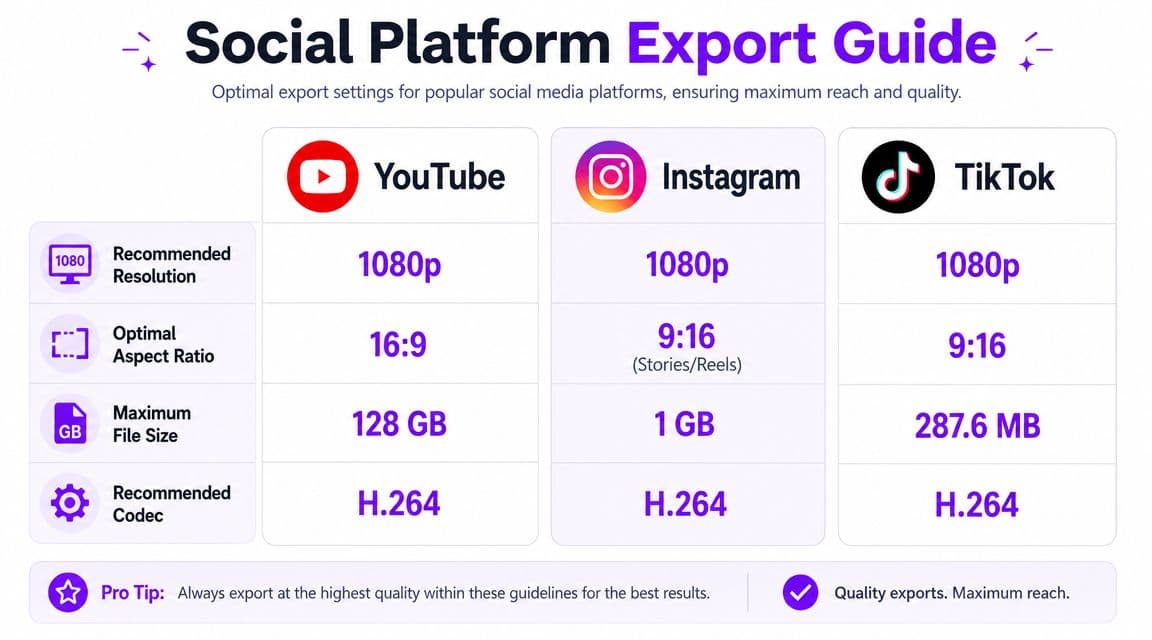
The most common failure modes in AI music video generation include synchronization drift and mismatched visual pacing, and creator guidance for major tools emphasizes controlling shot duration, beat alignment, and final delivery choices before export. Those same workflows also stress choosing the right aspect ratio and output format for platforms like TikTok, YouTube, Instagram, and performance screens, as outlined on HeyGen's AI music video generator page.
Match the frame to the destination
A lyric video designed for YouTube doesn't automatically work for TikTok or Reels. The text safe area changes. The way viewers hold the screen changes. Even the amount of background detail you can get away with changes.
Use platform-specific exports instead of one universal file. This reference for social media video specs is a practical checklist when you're deciding aspect ratio and layout before rendering.
A simple planning table helps:
| Platform | Best planning approach |
|---|---|
| YouTube | Wider layout, more breathing room for full lyric lines |
| Instagram Reels | Larger text, tighter safe zones, simpler backgrounds |
| TikTok | Fast visual read, strong contrast, minimal clutter |
Create a template library, not just a single export
If you release often, save versions of your visual system by platform. One YouTube template. One vertical short-form template. One performance-screen layout if you also serve live events or karaoke venues.
That approach reduces rework and protects consistency.
After export, promotion matters almost as much as production. If you want a broader release strategy, this article on discover music video promotion tips is a useful follow-up because it shifts the focus from making the video to using it to support the song.
Frequently Asked Questions About AI Music Videos
Can an ai music video generator work well for lyric videos, not just cinematic visuals
Yes, but only if the workflow gives you control over text presentation and timing. Many tools are optimized for visual impact first. Lyric creators need the opposite priority order: sync, readability, then style.
The most reliable approach is to treat AI as a draft engine. Let it analyze the song and create the first pass, then review every line as an editor. That's especially important when the song has dense phrasing, fast vocal runs, or repeated hooks that need identical treatment each time.
Why does sync drift happen after a render
Sync drift usually shows up when shot duration, pacing, or export decisions don't match the structure of the song. It can also appear when a long sequence was generated too loosely and the visuals don't stay aligned with the musical phrasing.
The common fix is practical, not magical:
- Use shorter generated sections: Many creators get cleaner results from assembling multiple short shots instead of trusting one long uninterrupted generation.
- Check key moments manually: Review intros, chorus drops, and endings before approving the export.
- Keep lip-sync sections isolated: For vocal close-ups or mouth movement, it's often safer to generate only the specific section that needs it and overlay the finished song afterward.
That aligns with expert workflow guidance that identifies synchronization drift and mismatched visual pacing as the most common problems, and recommends controlling shot duration and beat alignment carefully before export.
Can I use these tools for instrumental music
Yes. Music without vocals often work well with AI-generated visuals because there's no lyric readability problem to solve. The challenge shifts from text timing to musical phrasing and visual restraint.
For musical compositions, decide what should lead the video:
- beat and rhythm
- mood and atmosphere
- performance footage
- abstract reactive motion
Even without lyrics, the same editorial principle applies. Don't let constant scene changes flatten the song's dynamics.
Do I still need a video editor if I'm using AI
Usually, yes. Maybe not for every project, but definitely for the projects you care about most.
AI handles the repetitive first pass well. It does not consistently replace human judgment on pacing, line breaks, readability, and revision control. Even lightweight cleanup in a browser-based editor can make a visible difference.
The faster the generator gets, the more valuable your review process becomes.
That's the trade-off many creators miss. Automation speeds up the start of the job. It doesn't eliminate finishing decisions.
What's the safest way to handle copyrighted music
Use music you own, music you've licensed, or music you have permission to publish in video form. AI generation doesn't change copyright law. If the song requires clearance, the video requires it too.
Fair use is highly context-dependent, so creators shouldn't assume a lyric or karaoke format makes an upload automatically safe. For commercial releases, client work, or monetized channels, clear rights matter even more.
A practical habit is to keep one folder with the approved audio master, final lyrics, artwork rights, and any permission records tied to the release. It reduces confusion when multiple people touch the same project.
Can businesses use AI music video tools too
Absolutely. Small businesses, agencies, event organizers, and venue operators can use these tools for promo videos, branded lyric content, teaser clips, in-store screen content, and campaign variations for different platforms.
The business use case works best when the workflow is template-driven. Brand colors, logo position, type rules, and export presets should be locked down early. That way the AI handles speed, while the brand team keeps control.
How do I promote a finished lyric video once it's live
Start with cuts sized for the platform you care about most, then create shorter versions for the others. Keep the opening visually clear and don't bury the hook.
Captioning, thumbnails, metadata, and posting strategy still matter after export. For social distribution, a targeted tag strategy can help discovery, and this resource on hashtags for music growth is a useful starting point for thinking about how to package the release beyond the video file itself.
If you want a browser-based workflow built specifically for lyric and karaoke production, MyKaraoke Video lets you upload a song, add lyrics, auto-sync the text, refine timing in an editor, customize the visual style, and export a finished video without installing desktop software.