Thinking about starting a karaoke channel on YouTube? It's an amazing way to connect with a huge community of music lovers and build something special. The real secret to success, though, isn't just picking popular songs—it's creating high-quality, perfectly synced lyric videos that make people want to hit play and sing their hearts out.
Why YouTube is the Perfect Stage for Your Karaoke Channel
The world of YouTube karaoke is more than just a fun niche; it's a massive, global stage just waiting for talented creators like you. People are constantly searching for karaoke tracks, whether for a big party with friends or just a quiet practice session at home. This constant demand for well-made content is a golden opportunity.
What makes a karaoke video truly great isn't over-the-top special effects. It all comes down to one thing: flawlessly timed lyrics. When the words on the screen match the music perfectly, singers can relax, feel confident, and just enjoy the moment. The best channels get this right every single time, creating an immersive experience that keeps viewers coming back for more.
The Audience Is Already Waiting
Don't just take my word for it—the numbers are staggering. Just look at channels like Sing King, which have built massive empires with over 1.7 billion views and 78.6 million hours of watch time. It's a testament to the sheer passion people have for karaoke.
Interestingly, nearly half of that engagement comes from mobile devices, with 47.7% of users singing along on their phones. This is a crucial insight: your videos absolutely must be easy to read and follow on a smaller screen. If you're curious about the global karaoke trend, you can dig into more stats over at feelment.com.
The takeaway here is simple: a dedicated, active audience is out there right now, searching for "karaoke with lyrics YouTube" content. They’re not just watching; they're participating.
The Right Tools Make All the Difference
Years ago, making a professional-looking lyric video would have meant wrestling with complex, expensive video editing software. Thankfully, those days are over. Modern tools have completely changed the game, making the whole process faster and far more intuitive.
For instance, a platform like MyKaraoke Video is designed specifically for this purpose. The interface walks you through everything, from uploading your audio and lyrics to exporting the final video file.
This kind of streamlined workflow lets you skip the technical headaches and focus on what really matters: choosing great songs, perfecting the timing, and styling your videos to stand out. By combining high-quality content with a smart toolset, you can build a successful channel that people will love.
Getting Your Audio and Lyrics Ready for the Spotlight
Before you even think about syncing lyrics to music, you've got to get your raw materials in order. A truly great karaoke video is built on two things: a crystal-clear audio track and a well-formatted lyric file. Get this prep work right, and the rest of the process becomes a whole lot smoother.
Think of it this way: no amount of flashy graphics can save a video if the underlying instrumental is muddy or distorted. The audio is the absolute bedrock of the singer's experience, so it's worth the effort to get the best version you can find.
Sourcing a High-Quality Instrumental Track
Finding that perfect instrumental is your first real mission. It's easy to just grab the first one you find on YouTube, but that's a recipe for disaster, especially if you're serious about your channel and want to monetize it down the line. You're looking for a balance of audio fidelity and legal safety.
Here are the places I usually turn to:
- Professional Karaoke Producers: These are companies whose entire business is making top-notch backing tracks. The quality is usually excellent, and they often offer clear licensing options.
- Royalty-Free Music Sites: Some of these libraries have fantastic instrumental covers of popular songs. Just be sure to read the license carefully to make sure it allows for use on YouTube.
- AI Stem Separators: Tools like Moises have gotten surprisingly good at pulling the vocals out of an original track, leaving you with a clean instrumental. The results can vary from song to song, but it's a powerful option to have in your toolkit.
Whatever your source, aim for a lossless format like WAV or, at a minimum, a high-bitrate MP3 (320 kbps). This ensures you're starting with the highest possible audio quality. For a deeper dive, we've put together a whole guide on where to find instrumental music for karaoke.
Prepping Your Lyrics for a Smooth Import
With your audio sorted, it's time to get the lyrics ready. This seems like a simple copy-and-paste job, but a few minutes of careful formatting here will prevent major headaches later. Your goal is to create a clean, simple text file that our software can understand without any hiccups.
The golden rule? Keep it simple. No fancy fonts, no timestamps, no weird characters. Just plain, unadulterated text.
Here's a pro tip I learned the hard way: never copy lyrics directly from a website into the tool. Web pages are full of hidden formatting code. Always paste them into a basic text editor first—like Notepad (Windows) or TextEdit (Mac)—to strip all that junk out.
Break up the song structure logically. I always add a blank line between verses, the chorus, and the bridge. It also really helps to split longer sentences into shorter, more singable lines. This gives you much finer control when you get to the syncing stage and makes the lyrics way easier for the singer to follow. A little bit of prep like this is the secret to a smooth karaoke with lyrics youtube video workflow.
Getting the Lyric Timing Just Right: AI Sync vs. Manual Control
If there's one thing that makes or breaks a karaoke video, it's the lyric timing. Get it right, and singers feel like they're effortlessly in sync with the music. Get it wrong, and it’s just a frustrating mess. The goal is to make the words appear on screen so perfectly timed that the singer doesn't even have to think about it.
Achieving that professional polish is a two-part process. It starts with the incredible speed of technology and finishes with your own creative touch. Think of it as a partnership between smart automation and human fine-tuning—it's the fastest way to get a top-tier video for your channel.
Let AI Do the Heavy Lifting First
Gone are the days of painstakingly timing every single line by hand from the very start. Modern AI has completely changed how we approach this. For getting those lyrics down accurately in the first place, using a solid AI-powered transcription software can be a huge time-saver.
MyKaraoke Video comes with a built-in AI sync feature that is surprisingly good. You feed it your instrumental track and your plain text lyrics, and it does the initial synchronization for you. It intelligently analyzes the audio waveform to line up the words, and honestly, it usually gets you about 90% of the way there in just a few moments. For a standard-length song, this saves a massive amount of tedious work.
This is the core of the preparation workflow: you start with your two key ingredients—the audio and the lyrics—before you bring them together in the editor.
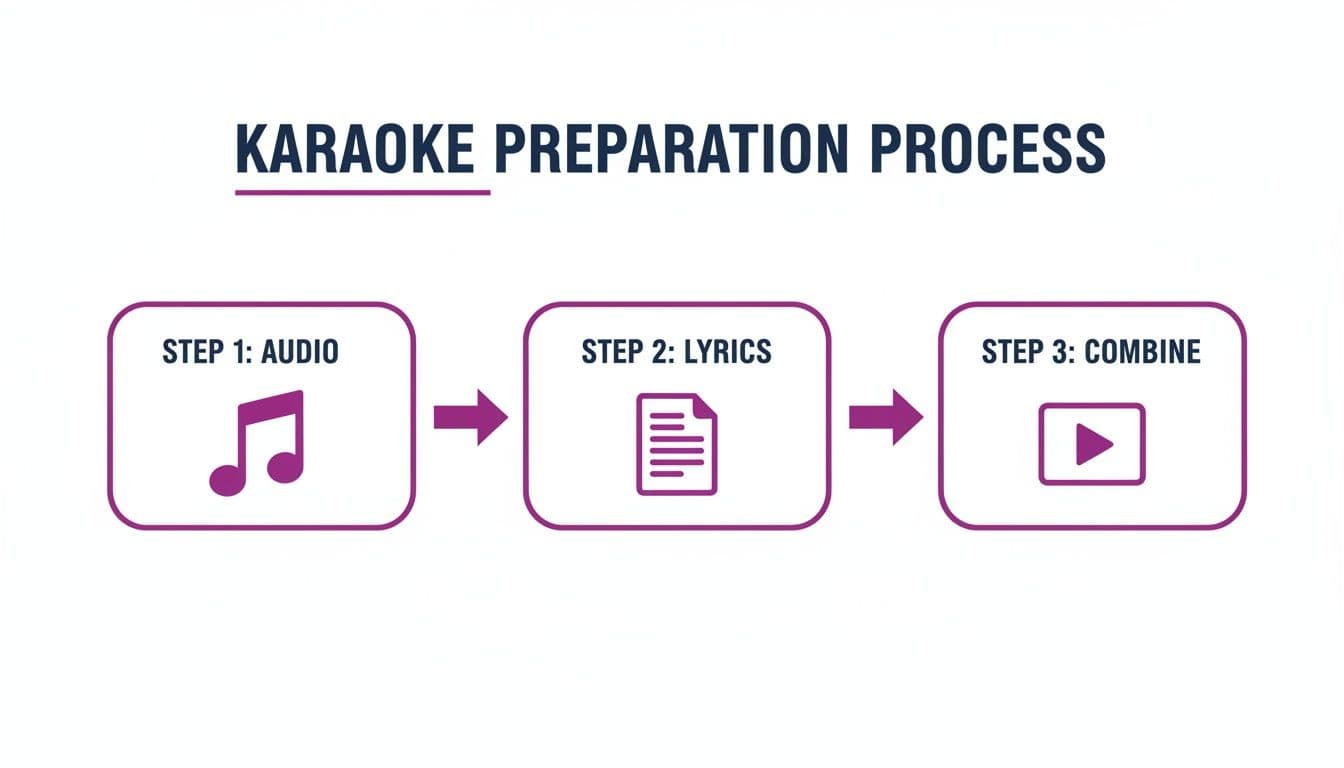
As the diagram shows, having clean, high-quality audio and an accurate text file is the foundation for everything that follows.
The Human Touch: Fine-Tuning for Perfection
The AI gives you a fantastic head start, but that last 10% is where your personal touch makes all the difference. This is where you go from being a video creator to a karaoke director, making sure every word lands exactly when it should. This is what the manual sync editor is for.
Here are a few techniques I use all the time to get that perfect flow:
- Go Word-by-Word: Don't be afraid to zoom right into the timeline. You can adjust the exact start and end time for individual words or short phrases. Sometimes, nudging a word just a fraction of a second earlier or later is all it takes to make it feel completely natural.
- Break Up Long Lines: If you see a long line of text that feels rushed when it highlights, split it into two. This gives the singer a moment to breathe and makes the lyrics much easier to follow, which is crucial for faster songs.
- Sync to the Syllable: For a truly professional feel, try to match the timing to the rhythm of the syllables. Instead of having a whole word pop up at once, you can fine-tune the highlight to follow the singer's natural cadence. It’s a subtle detail, but viewers notice.
This level of precision is what separates the amateur channels from the pros. If you want to dive even deeper into this, our guide on using an https://www.mykaraoke.video/blog/ai-lyric-video-generator covers these advanced techniques in more detail.
Deciding when to rely on AI and when to jump in manually is key to an efficient workflow. Here’s a quick breakdown to help you choose the right tool for the job.
AI Syncing vs Manual Syncing
| Feature | Best For | Key Benefit |
|---|---|---|
| AI Sync | Getting a fast, solid first draft of your timing, especially for standard songs with clear vocals. | Speed. It saves an incredible amount of time by handling the initial, most tedious part of the process. |
| Manual Sync | Fine-tuning tricky phrases, matching sync to artistic expression, and correcting any AI inaccuracies. | Precision. It gives you complete creative control to ensure every syllable is perfectly timed for the best singer experience. |
Ultimately, the best results come from using both. Let the AI handle the grunt work, then use your creative eye to add the final polish with the manual editor.
Designing a Unique Visual Style for Your Channel
Sure, perfectly synced lyrics are the foundation of any good karaoke video. But what makes a channel truly stand out? A memorable visual style. That's how you build a real brand.
When a viewer can spot your video in a crowded feed just by its look, you know you've created something special. You're not just a utility anymore; you're building a loyal audience. It all comes down to the consistent use of fonts, colors, and backgrounds that scream "you."
This isn't just about making things look good, either. Your visual identity directly affects the singer's experience. A clean, high-contrast font is a game-changer, making lyrics a breeze to follow, even on a tiny phone screen. The right colors can also set the mood, amplifying the energy of a pop anthem or the quiet emotion of a ballad.
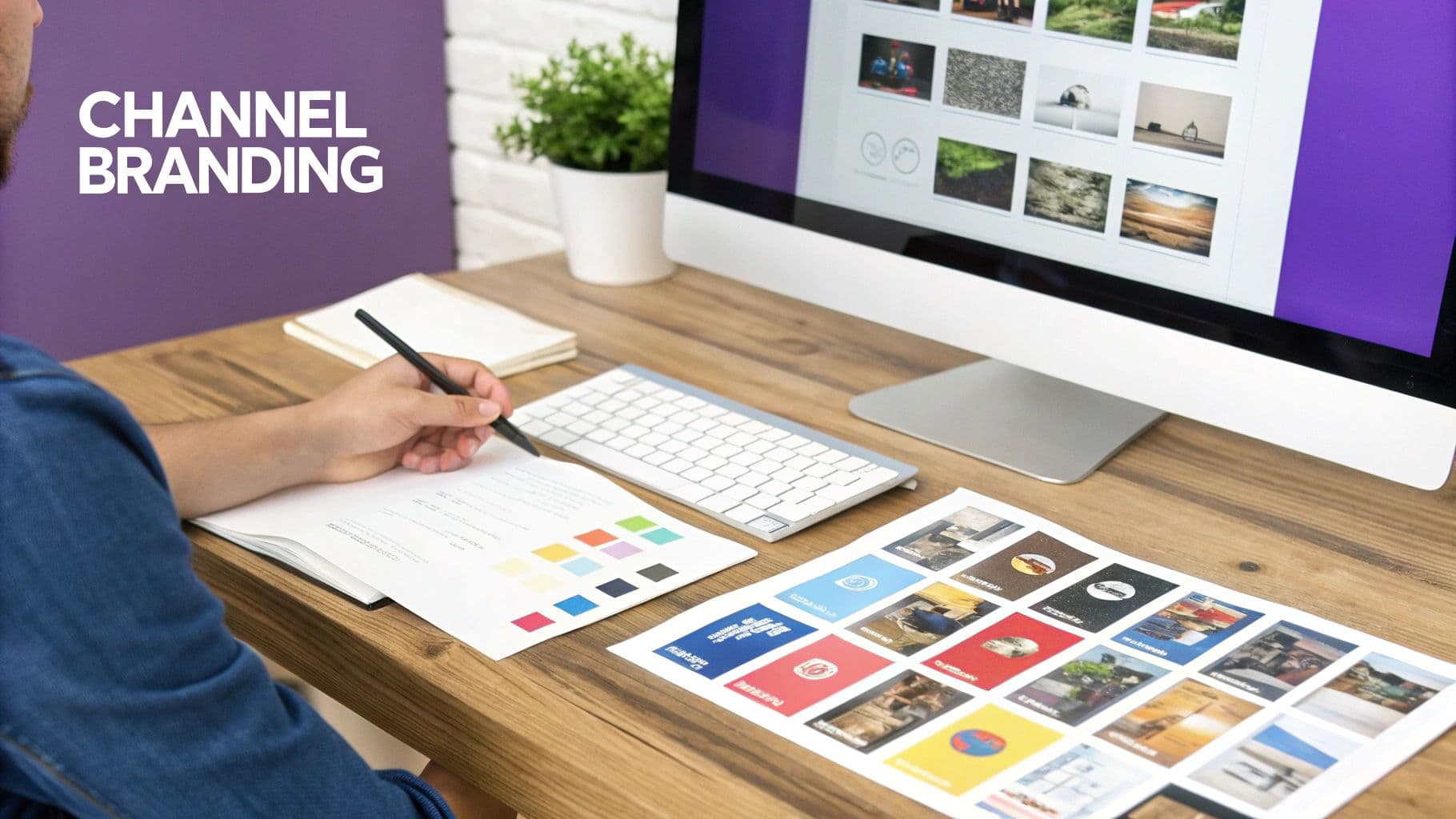
Choosing Your Core Design Elements
First things first, you need to define your channel's visual DNA. This means making a few key choices that you’ll stick with across all your videos. Think of it as your channel's signature look—it's what makes you instantly recognizable.
Inside MyKaraoke Video, you have full control to dial in these elements until they feel just right. I always recommend starting with the font. It absolutely must be bold and clear. A fancy script font might look cool, but if people have to squint to read it, you've already lost. Stick with clean, sans-serif fonts like Montserrat, Roboto, or Oswald. Readability is king.
With your font locked in, it's time to think about your color palette. You'll want to set a few key colors:
- Upcoming Lyric Color: What color are the words before they're meant to be sung?
- Sung Lyric Color: The "active" color the text changes to when it's time to sing.
- Lyric Outline: A thin border around the text can make it pop against busy backgrounds.
A tip from my own experience: always, always prioritize contrast. If you have a dark background, your sung lyric color needs to be bright and punchy. Think electric yellow, neon green, or a classic, crisp white. This one decision will dramatically improve the experience for every single person watching.
Setting the Mood with Backgrounds
While your fonts and colors should be consistent for branding, the background is where you can really have some fun and tailor the vibe to each specific song. The background does the heavy lifting in setting the mood. A high-energy dance track, for instance, pairs perfectly with a dynamic video loop. A somber acoustic song? A simple, static image often works best.
MyKaraoke Video lets you upload your own custom backgrounds, opening up a world of possibilities. I often source high-quality, royalty-free video loops and images from sites like Pexels or Unsplash. It's an easy way to make your videos look incredibly professional. This flexibility lets you craft a unique visual experience for every song while keeping everything tied together with your signature font and color scheme. That's the secret to a polished karaoke with lyrics YouTube channel.
Getting Your Video Ready for YouTube and Beyond
Making a great-looking karaoke video is one thing, but getting people to actually find and sing along to it is the real goal. You've spent time syncing lyrics and picking the perfect background, so this last leg of the journey—exporting and optimizing—is crucial.
Think of this as the final polish. It's where your project file transforms into a high-quality video, ready for its big debut on YouTube. This isn’t just about clicking a button; it’s about giving your creation the best possible chance to succeed.
Nailing the Export Settings
Your export settings directly control the final quality of your video. For a karaoke with lyrics youtube video, you need crisp, clear text that's easy to read on any screen, from a big TV to a tiny phone.
MyKaraoke Video takes the guesswork out of this by defaulting to the best settings for the job. To ensure a professional-looking result every time, stick with these:
- Format: MP4 is the undisputed champion for web video. It delivers excellent quality without creating a massive file that takes forever to upload.
- Resolution: 1080p (1920x1080) is the sweet spot. It's the standard for HD video and what YouTube recommends for a sharp, clean look.
Following these simple settings means your video will look fantastic, no video engineering degree required. It’s a simple step that has a huge impact on how viewers perceive your content.
A Quick-Start Guide to YouTube SEO
With your shiny new MP4 file ready to go, the next challenge is discoverability. You need to help aspiring singers find your video, and that's where a little search engine optimization (SEO) magic comes in. Put yourself in their shoes: what words would they search for? Your title, description, and tags are the breadcrumbs that lead them straight to you.
The title is your most powerful tool. It needs to be descriptive and packed with the right keywords. I've found a simple formula works wonders: "Artist Name - Song Title (Karaoke Version with Lyrics)". This structure hits all the key search terms people are likely to use.
Next, your description provides valuable context for both viewers and YouTube's algorithm. I always recommend repeating the full title in the first sentence. After that, you can add more details about the song, the artist, or even link out to your other social media channels. For a deeper dive, check out our guide on advanced YouTube SEO optimization tips.
A Note on Thumbnails: Never overlook your thumbnail. It's the billboard for your video and often the only reason someone chooses your video over another. Make it bright, bold, and easy to read at a glance.
The karaoke market is massive and growing, projected to reach USD 7.0 billion by 2033. A huge part of that growth is fueled by people sharing and singing on platforms like YouTube. If you're creating high-quality, discoverable content, you're tapping into a huge potential audience.
Once you start getting views, figuring out how to monetize content becomes the next logical step. The combination of excellent videos and smart YouTube strategy is what separates the hobbyists from the successful channel creators.
Got Questions? We've Got Answers
When you're first diving into the world of making karaoke with lyrics for YouTube, a few questions always seem to pop up. Tackling these head-on, especially the tricky legal and creative stuff, can save you a ton of headaches down the road and get your channel started on the right foot.
Let's clear up some of the most common hurdles new creators run into, from copyright nightmares to figuring out how to make your videos shine in a very crowded space.
Is It Actually Legal to Upload Karaoke Videos to YouTube?
This is the big one, and the answer is a firm "it's complicated." You can't just grab a popular song's instrumental and slap some lyrics on it. Using copyrighted music without permission is a fast track to copyright claims, channel strikes, or having your monetization pulled.
To build a channel that lasts, you need to play by the rules. Here are your main options for staying on the right side of the law:
- Get a Synchronization License: This is the most official way. You'd contact the music publisher who owns the song's composition rights and get a "sync license." Be warned, though—this path can get complex and expensive fast.
- Use Royalty-Free Music: A much simpler route is to use instrumental tracks from music libraries that offer pre-cleared, royalty-free licenses. These are designed specifically for platforms like YouTube.
- Stick to Public Domain Songs: You can also create videos for songs where the copyright has expired. The catch? You'll be limited to much older music.
Don't skip the copyright homework. It's non-negotiable if you want long-term success. Some channels seem to get by in a legal gray area, but banking on "fair use" is a gamble that rarely pays off. Always, always prioritize having clear licenses for your audio.
How Can I Make My Karaoke Videos Stand Out?
With a sea of lyric videos out there, just being good isn't enough—you have to be different. The goal isn't to outdo everyone; it's to become the go-to source for a specific group of fans.
Start by carving out a niche. Do you love 90s R&B? Modern indie-pop? Classic Broadway show tunes? Pick a lane and own it. This is how you build a loyal community that keeps coming back because you're their channel.
Once you've found your niche, lock in your visual brand. Settle on a consistent set of fonts, color schemes, and background styles that you use across all your videos. This makes your content instantly recognizable and gives your channel a professional, cohesive feel. But above all, nail the lyric timing. Perfect, on-the-beat synchronization is the ultimate sign of quality, and it's what singers will appreciate the most.
What's the Best Video Format for YouTube?
To make sure all your hard work looks crisp and professional on every screen, from a phone to a big-screen TV, you need to export in the right format.
YouTube's gold standard is an MP4 file that uses the H.264 codec. When it comes to resolution, you should always be aiming for at least 1080p (1920x1080 pixels). This combination gives you that sweet spot of fantastic visual quality without a massive file that takes forever to upload. The good news is that most modern video tools are already set up to export in this exact format, so the technical part is a breeze.
Ready to stop wrestling with complicated software and start creating stunning karaoke videos in minutes? MyKaraoke Video gives you the AI-powered tools and creative freedom to build a successful channel. Try it for free today.
